Stamp Community Family of Web Sites
Thousands of stamps, consistently graded, competitively priced and hundreds of in-depth blog posts to read


Stamp Community Forum
 
Username:
Password:
Save Password
Forgot your Password?

This page may contain links that result in small commissions to keep this free site up and running.

Welcome Guest! Registering and/or logging in will remove the anchor (bottom) ads. It's Free!

A New But Old Scanner...

Next Page    
 
To participate in the forum you must log in or register.
Author Previous TopicReplies: 20 / Views: 5,212Next Topic
Page: of 2
Pillar Of The Community
United States
6430 Posts
Posted 03/11/2014   09:52 am  Show Profile Check revenuecollector's eBay Listings Bookmark this topic Add revenuecollector to your friends list Get a Link to this Message
I love my Epson V500 that I use for all my stamp scanning. It provides greater surface detail than any of the (many) others I've tried over the years. That said, it falls down in two areas:

1. Oversized document scanning. An 8.5x11 bed isn't really large enough, especially when dealing with stocks, bonds, deeds, indentures, etc. I keep looking for a decent scanner though, as a digital camera is problematic with respect to lighting as well as dealing with documents that have been folded, curled, or otherwise will not lay completely flat.

2. Scanning a large number of sheets, i.e., scanning pages from a book or magazine. Using a traditional flatbed scanner for scanning a large number of pages, especially 2-sided pages, is a very slow, laborious process.

With respect to #1, I have tried any number of affordable 11x17 (tabloid/A3) scanners, e.g., Mustek, Plustek, as well as the 11x17 scanning bed on the Brother all-in-one 6720DW (now sitting unused in storage), and they are all craptacular. Very poor image quality.

So-called "professional" large format and duplexing document scanners are NOT cheap. About the only way a consumer can afford one is to buy on the used market. Normally I do not recommend buying older consumer-level scanners used, as they tend to be slow, CCD rather than LED, SCSI-only or USB1 communications, and frequently are incompatible with newer versions of Windows. However, professional scanners can be a different animal and usually have greater longevity as far as driver support, and are built more robustly to handle a heavier duty cycle.

After doing a fair amount of research and seeing what models are readily available on ebay, I settled on the Fujitsu 5750c. I took delivery of one yesterday and spent all evening putting it through its paces.
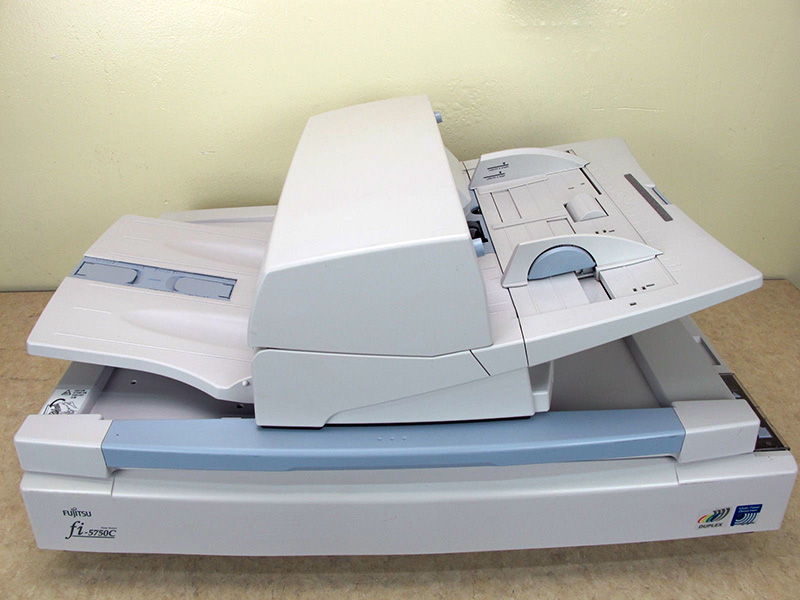

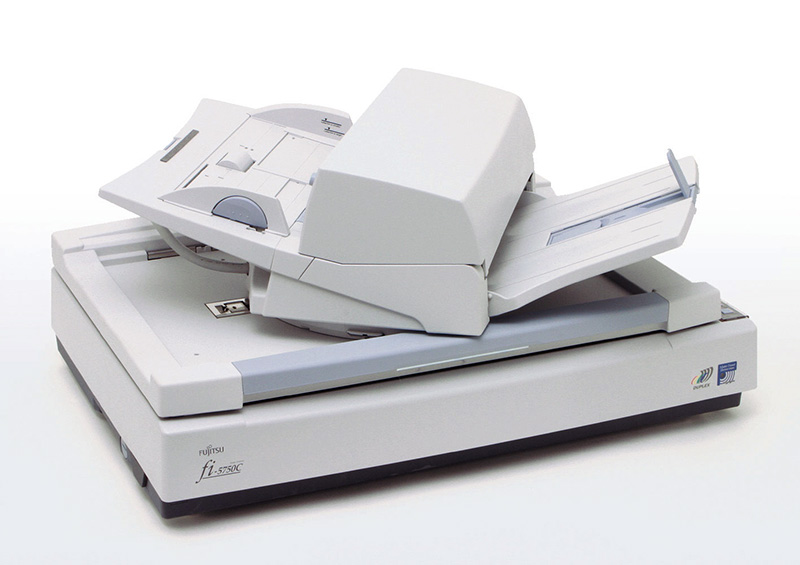


This model was sold from 2004-2007 and had a list price of $8,995. You can find them on ebay now for $350-600, depending on condition, whether they have all the trays, etc. It's incredibly heavy at approximately 80 pounds in weight.

This sounds like an ancient device, but it really isn't, at least with respect to feature set:

* Supports both Ultra-SCSI and USB 2 communications.
* LED (so fast warmup)
* Fujitsu has current drivers for Windows 7, 8, and 8.1
* Supported by VueScan

It's an interesting animal in that it has both a 12"x18" scanning bed, as well as a positionable duplexing document scanner with 200-sheet input tray. Optical resolution is 600dpi, which is low by today's standrds, but for document scanning and oversized items, is more than sufficient.

It will scan 2-sided documents at 50+ pages per minute from the document feeder.

Just some comments from working with it last night in no particular order:

* The preview when scanning from the bed is VERY fast. Quicker than I was expecting.

* Image quality, while not as good as my Epson, is far and away better than any of the other A3 scanners I tried.

* Using the TWAIN drivers to scan into Photoshop, and also using VueScan, resulted in a maximum image size on the flatbed of 11.7x17 inches, smaller than the max image size given in the specs. Using Fujitsu's Scandall Pro (free version) downloaded software, however, gave me a full 12"x18" image.

* Document scanning was hit or miss initially. Scanning directly into Adobe Acrobat Pro XI did not work well at all. The page size autodetection did not work at all, and even setting it to a discrete image size resulted in an offset in both X and Y directions that pushed the image off the page area. I was never able to resolve this. Using VueScan, however, the document scanning worked like a charm.

I did a LOT of trial and error last night (well more like error and error), but even with the learning curve I managed to get 2 complete issues of The American Revenuer from the 1970s scanned to searchable PDFs. 600dpi bitmap (monochrome) makes for very nice image quality, very accurate OCR, and relatively small filesize (each PDF is under 2MB for a 16-page issue).

The particular unit I bought showed a counter of just under 40,000 scans, which sounds like a lot... until you realize that the duty rating of this unit is 8,000 scans per DAY.

Overall I am very pleased.
Send note to Staff

Pillar Of The Community
1448 Posts
Posted 03/11/2014   09:59 am  Show Profile Bookmark this reply Add Jkjblue to your friends list  Get a Link to this Reply
Wow! A whole different animal. Thanks for the review.

I have an Epson V600, and agree the Epsons are very good indeed.
Send note to Staff  Go to Top of Page
Classical era collecting with the Blues
http://bigblue1840-1940.blogspot.com/
Pillar Of The Community
United States
620 Posts
Posted 03/11/2014   10:06 am  Show Profile Bookmark this reply Add pjsstamps to your friends list  Get a Link to this Reply
I recently changed scanners, not by choice. My current scanner is one that you describe as "craptacular". My last scanner was big and heavy, but it had a great software package and was fast with great quality. This is one that one of my kids had at college and I had to resort to this after the old one broke. Everything that made it great for a college dorm does not make it good for fast high resolution images to post items for auction. This weekend one of the leds burned out so I get a yellow vertical line 1" in from the far edge, so I have to keep all my scans to the left of that. So your post is very timely. I will be looking for a new scanner soon
Send note to Staff  Go to Top of Page
Pillar Of The Community
United States
1624 Posts
Posted 03/11/2014   10:15 am  Show Profile Bookmark this reply Add sdtom to your friends list  Get a Link to this Reply
This is way out of my league. I have a Canon printer and scanner and am satisfied with the results at least for now.
Tom
Send note to Staff  Go to Top of Page
Pillar Of The Community
3859 Posts
Posted 03/11/2014   10:19 am  Show Profile Bookmark this reply Add jogil to your friends list  Get a Link to this Reply
I have a scanner, printer and photocopier all in one Samsung SCX-4100, but the scanner now doesn't work. I don't think that it's a physical problem because it can still photocopy which requires the same parts as the scanner. It must be the scanning program which I have downloaded many times but it still seems stuck.
Send note to Staff  Go to Top of Page
Pillar Of The Community
United States
1624 Posts
Posted 03/11/2014   10:23 am  Show Profile Bookmark this reply Add sdtom to your friends list  Get a Link to this Reply
I like the slang craptacular. It has a stinging bite to it without being obscene or judgmental.
Tom
Send note to Staff  Go to Top of Page
Pillar Of The Community
United States
521 Posts
Posted 03/11/2014   1:42 pm  Show Profile Bookmark this reply Add Zuzu to your friends list  Get a Link to this Reply
Great in-depth review. Thank you for taking the time to share your results with us.
Send note to Staff  Go to Top of Page
Pillar Of The Community
United States
2226 Posts
Posted 03/13/2014   8:24 pm  Show Profile Bookmark this reply Add Classic Coins to your friends list  Get a Link to this Reply
revenuecollector,

Thanks for the review. I'd love to see some stamp scans. I'm not happy with my Canon LIDE 200's color reproduction.
Send note to Staff  Go to Top of Page
Pillar Of The Community
United States
6430 Posts
Posted 03/13/2014   8:40 pm  Show Profile Check revenuecollector's eBay Listings Bookmark this reply Add revenuecollector to your friends list  Get a Link to this Reply
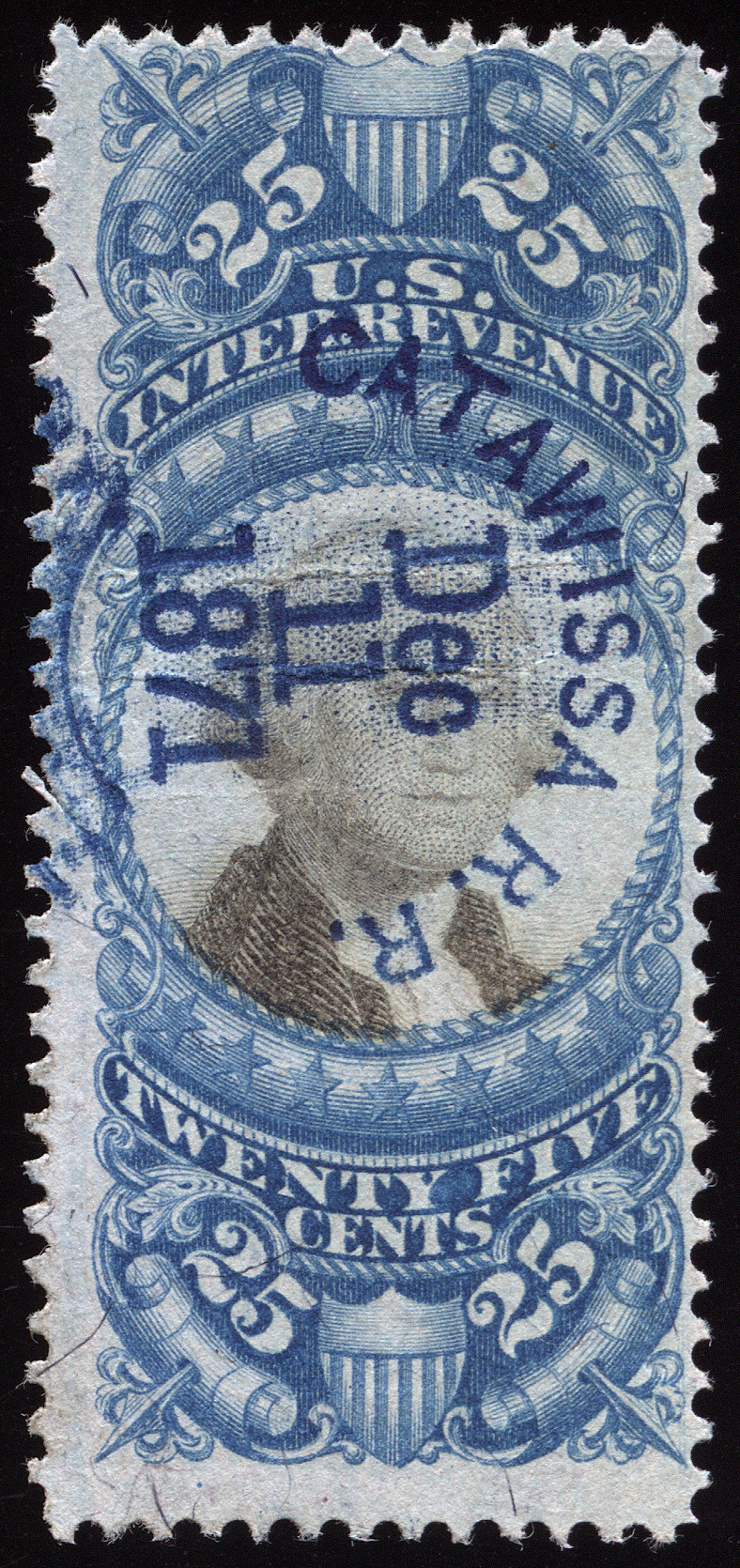
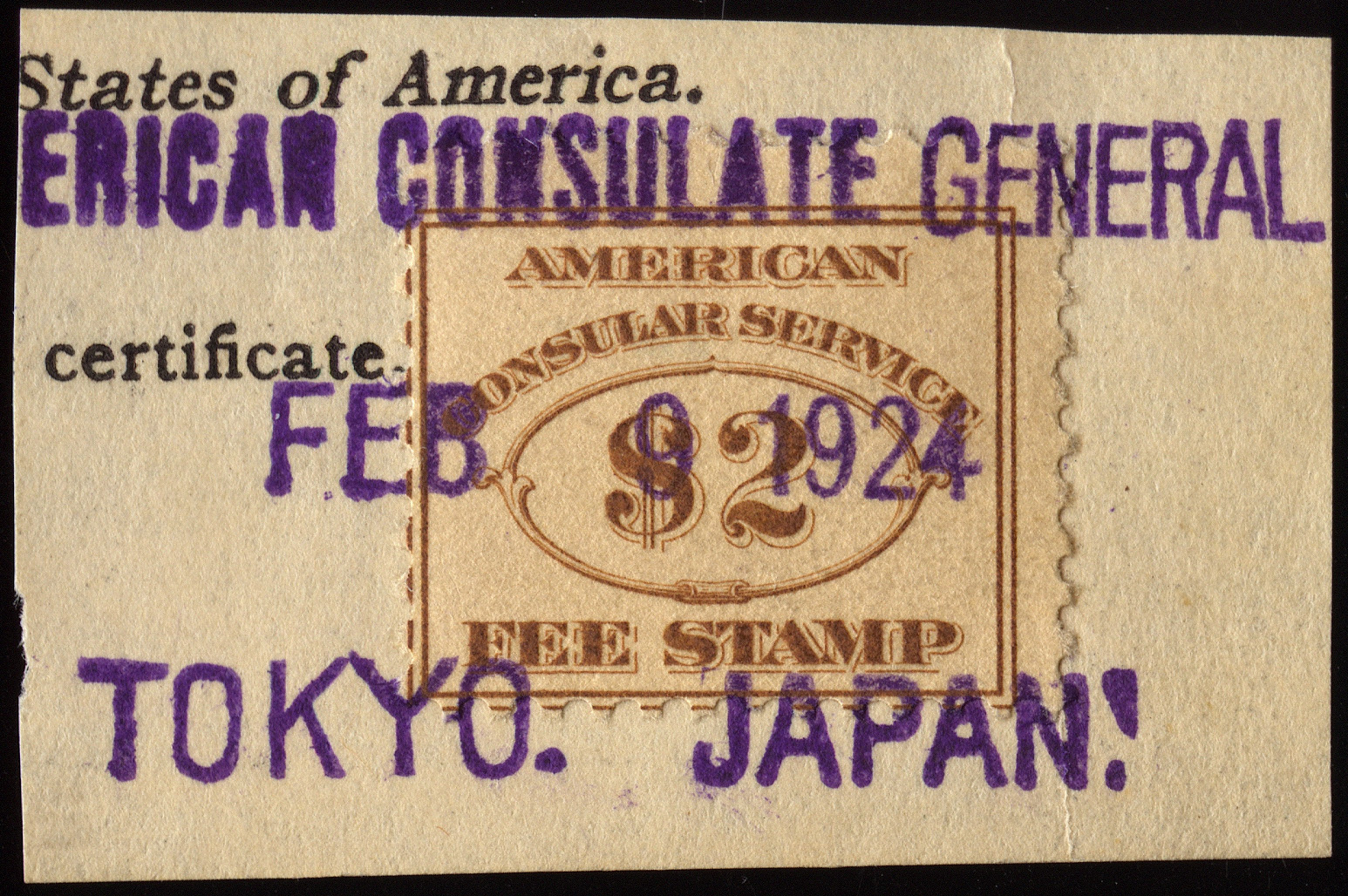
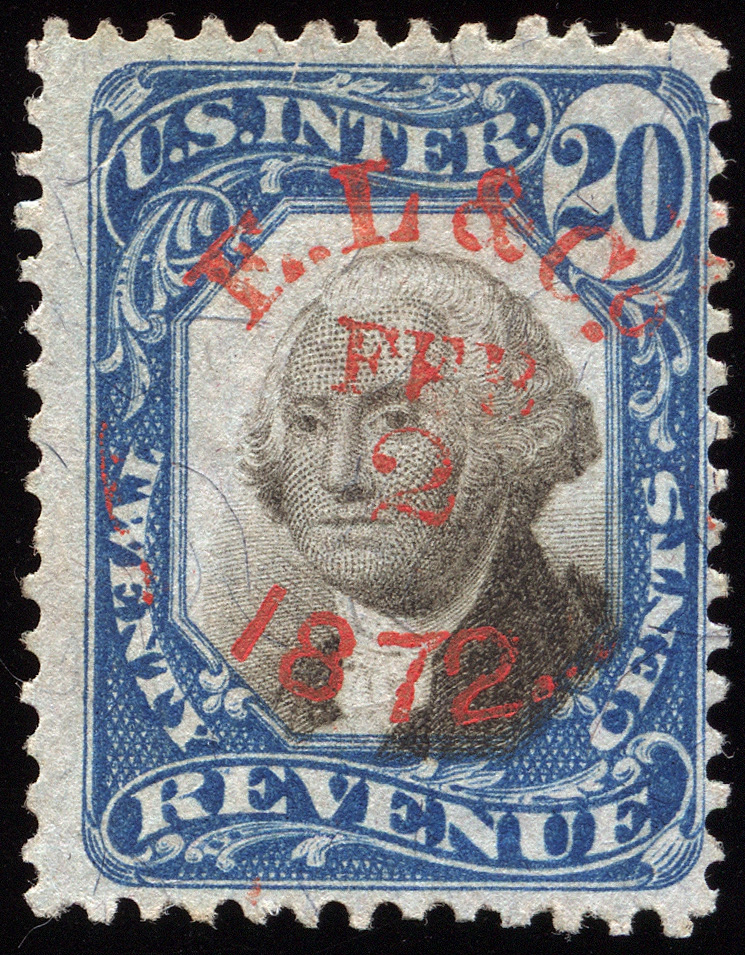
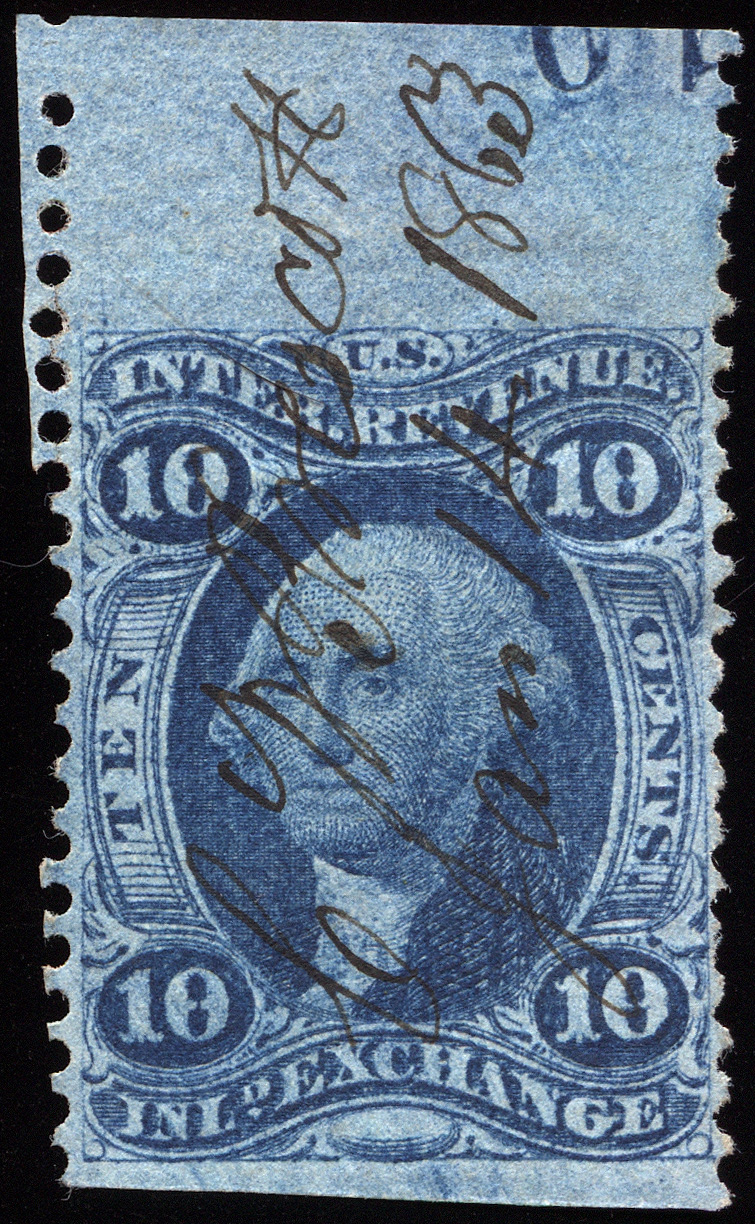
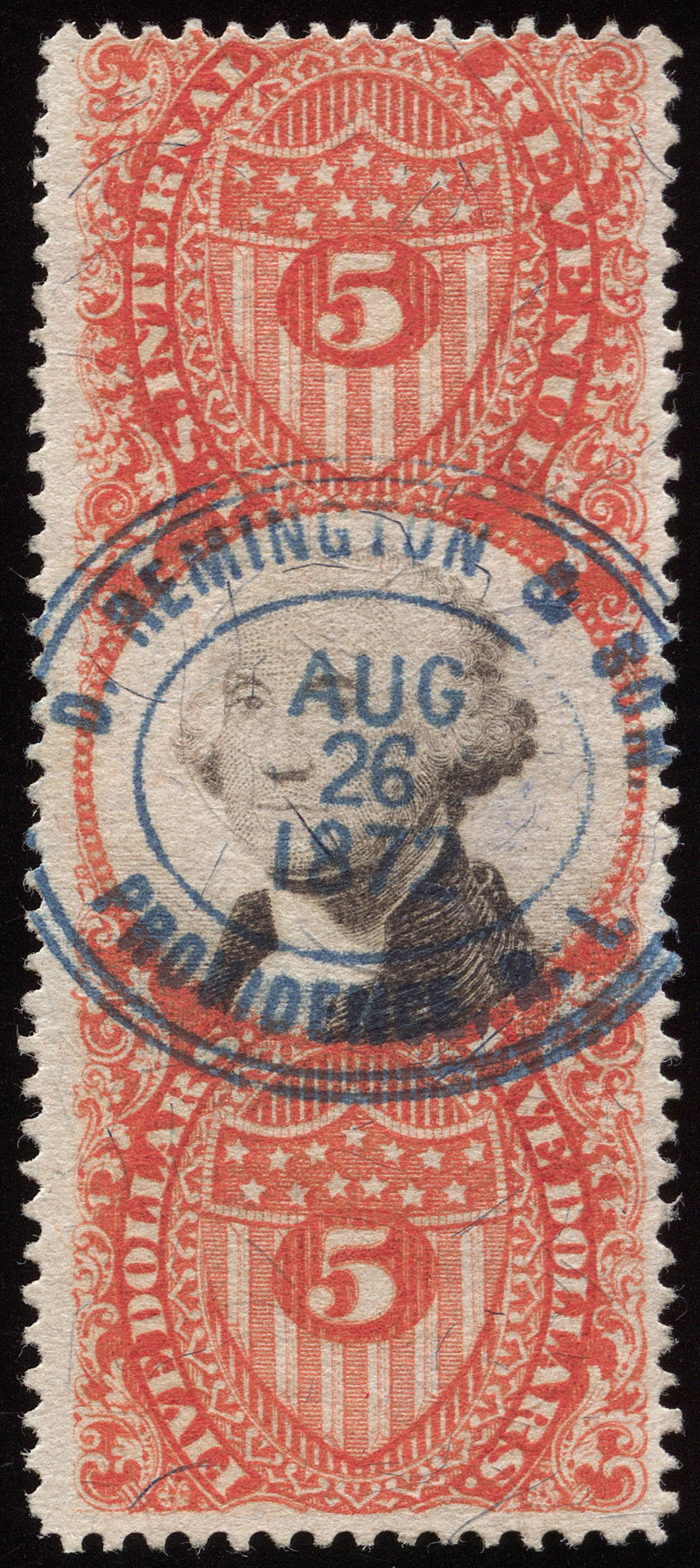
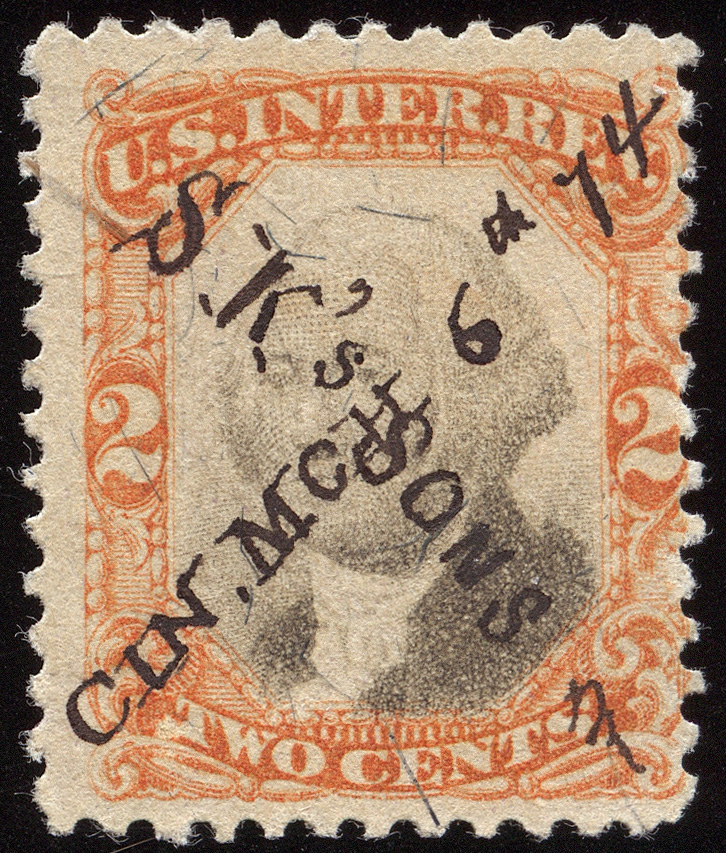
These recent images are from the Epson V500, which is what I use for all my non-document scans.


Send note to Staff  Go to Top of Page
Pillar Of The Community
United States
795 Posts
Posted 03/13/2014   8:58 pm  Show Profile Bookmark this reply Add acanalizo to your friends list  Get a Link to this Reply
This seems nice, however I would chack to see the the bulb is available and can be changed if needed. Many scanners do not have replacement bulbs.
Send note to Staff  Go to Top of Page
Albert
Pillar Of The Community
United States
8397 Posts
Posted 03/13/2014   8:59 pm  Show Profile Bookmark this reply Add floortrader to your friends list  Get a Link to this Reply
WOW-----revenue ,those are neat scans ,can you post what special things you done to get that sharp of a scan on this board ,clearly very nice scans .
Send note to Staff  Go to Top of Page
Pillar Of The Community
Canada
5821 Posts
Posted 03/13/2014   9:06 pm  Show Profile Bookmark this reply Add lithograving to your friends list  Get a Link to this Reply
Your scans are always so bloody amazing,
absolutely superb.

A real pleasure for the eyes.
Send note to Staff  Go to Top of Page
Pillar Of The Community
United States
2226 Posts
Posted 03/13/2014   9:08 pm  Show Profile Bookmark this reply Add Classic Coins to your friends list  Get a Link to this Reply
revenuecollector,

Beautiful scans! I thought I could reach toward my monitor and pick up that first one!
Send note to Staff  Go to Top of Page
Edited by Classic Coins - 03/13/2014 9:09 pm
Pillar Of The Community
United States
2226 Posts
Posted 03/13/2014   9:16 pm  Show Profile Bookmark this reply Add Classic Coins to your friends list  Get a Link to this Reply
Here's a 600 DPI scan with my Canon LIDE 200 scanner. I'm never happy with the color reproduction, and the clarity falls short too.

Send note to Staff  Go to Top of Page
Edited by Classic Coins - 03/13/2014 9:17 pm
Pillar Of The Community
United States
2226 Posts
Posted 03/13/2014   9:27 pm  Show Profile Bookmark this reply Add Classic Coins to your friends list  Get a Link to this Reply
I'd appreciate hearing other scanner recommendations. Here is another scan with my Canon LIDE 200 scanner. Again, washed out.

revenuecollector, your scanner produces beautiful results. I just don't know if I want a scanner that big.

Send note to Staff  Go to Top of Page
Edited by Classic Coins - 03/13/2014 9:28 pm
Pillar Of The Community
Canada
5821 Posts
Posted 03/13/2014   9:49 pm  Show Profile Bookmark this reply Add lithograving to your friends list  Get a Link to this Reply


@ Classic Coins, there have been a number of threads
already on SCF regarding scanners.

Here is one
https://goscf.com/t/30390&whichpage=1

plus you will find a few more that might help
using Search


BTW that revenue scan is quite good especially if you're
only using 600dpi.
I usually use 1200dpi on my Epson 4490 which is a fairly
ancient machine.

Send note to Staff  Go to Top of Page
Page: of 2 Previous TopicReplies: 20 / Views: 5,212Next Topic  
Next Page
 
To participate in the forum you must log in or register.

Go to Top of Page

Disclaimer: While a tremendous amount of effort goes into ensuring the accuracy of the information contained in this site, Stamp Community assumes no liability for errors. Copyright 2005 - 2026 Stamp Community Family - All rights reserved worldwide. Use of any images or content on this website without prior written permission of Stamp Community or the original lender is strictly prohibited.
Privacy Policy / Terms of Use    Advertise Here
Stamp Community Forum © 2007 - 2026 Stamp Community Forums
It took 0.23 seconds to lick this stamp. Powered By: Snitz Forums 2000 Version 3.4.05