| Author |
 Replies: 30 / Views: 3,639 Replies: 30 / Views: 3,639 |
|
|
|
Valued Member
United States
69 Posts |
|
|
By setting my scanner to 300 ppi (the maximum) instead of 200 ppi, I get a somewhat bigger image. I don't know what I can do to make it even bigger or sharper using the tools I have available. 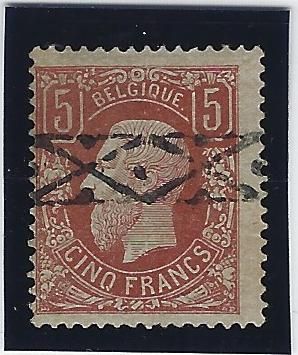 If I don't get a definite decision here, I will send this to APS for expertization once they are accepting stamps again. And when I eventually get a response, I will post the results here. ~Glenn |
Send note to Staff 
|
|
|
Pillar Of The Community
United States
733 Posts |
|
|
When you click on "Reply to Topic" under "Upload Image" there is "Free Image Optimizer". Use it to get your image smaller in memory size, but keep it large in screen size. |
|
Send note to Staff
|
|
|
Valued Member
United States
69 Posts |
|
|
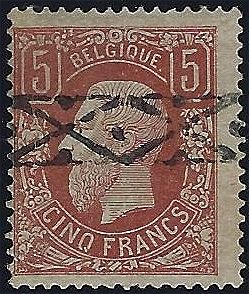 Using the "free image optimizer", with the "image quality" set at 80 (maximum) and "sharpen" set at 50. This is what I get. It does not let me change the "width" successfully. Is there anything else I can do? |
|
Send note to Staff
|
|
|
Bedrock Of The Community
Australia
38679 Posts |
|
|
It all depends on the size of the file from the scanner. If your Max is 330dpi. then I doubt your image can be larger than that shown. If your image on your computer is large, then send me a copy, and I'll post it for you here. Here is a small stamp scanned at 300dpi the largest I can get it 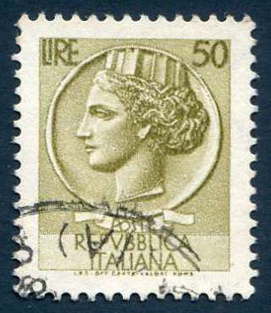 600dpi 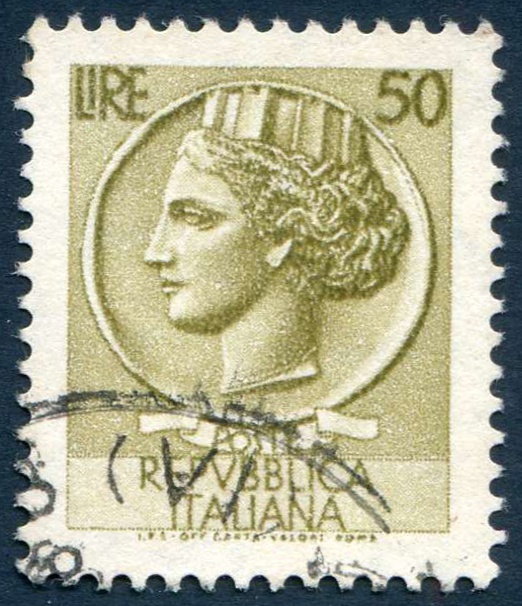 |
|
Send note to Staff
|
| Edited by rod222 - 04/13/2020 11:27 pm |
|
|
Valued Member
United States
69 Posts |
|
|
Thank you, Rod, and Danko. I will experiment more with it tomorrow. Unfortunately I tend to be a technodunce, so learning these things does not come easily to me.
Thanks again!
~Glenn |
|
Send note to Staff
|
|
|
Pillar Of The Community
United States
1033 Posts |
|
|
Glenn, what scanner do you have, and what software are you using? It would be quite unusual for the max to be 300 DPI... |
|
Send note to Staff
|
|
|
Valued Member
United States
69 Posts |
|
|
Thanks, Billsey and Rod.
My scanner/printer/fax is a Hewlett Packard Office Jet pro 6960, and I use the software that comes with it. I went into the settings and tools areas for the machine, and apparently 300 dpi is the best resolution that the scanner can do. Any pictures stored on my desktop computer come either from the scanner or my camera, a Canon Powershot S315. An attempt 2 days ago to get a better image of the stamp with my camera was a failure. I had a good talk with a local friend who knows computers and other technology better than I do. He seems to think that I am not going to get a better image with the tools I have.
I am planning on getting a smartphone of some sort soon, probably a Motorola G7, which would have a camera in it. I don't know yet whether I can take a photo of the stamp with better resolution using that. I don't want to spend a lot of $ on equipment, but I might try looking for other small scanners that have better resolution.
So, Billsey, Rod, and anyone else, what do you use to get good-quality stamp images, a scanner, camera, or something else? |
|
Send note to Staff
|
|
|
Moderator

United States
5109 Posts |
|
|
Quote:
apparently 300 dpi is the best resolution that the scanner can do You may want to check again. I went to HP and looked at the user manual for your printer. According to the document, you can scan up to 1200x1200 dpi optical. And some software does a digital enhancement to bring it up even further. 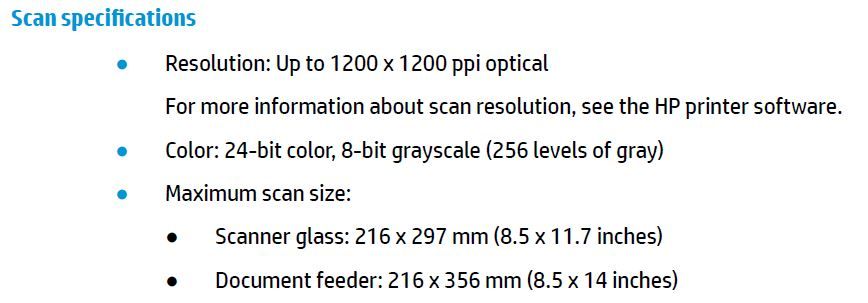 |
|
Send note to Staff
|
|
|
Bedrock Of The Community
Australia
38679 Posts |
|
|
Quote:
So, Billsey, Rod, and anyone else, what do you use to get good-quality stamp images, a scanner, camera, or something else? Most members here use an Epson Scanner, great SEIKO software Offers a carousel to scan individual stamps automatically (up to 30 at a time) or a page of stamps. Mine is an Epson V200 (was about $130 Australian if I recall) I am an image man, and mine gets worked to death. If it is a bit pricey for you, understood, however when you see stamps up close and personal, with a scanner, your hobby will change dramatically. |
|
Send note to Staff
|
| Edited by rod222 - 04/14/2020 10:40 pm |
|
|
Valued Member
United States
69 Posts |
|
|
After spending nearly an hour with an on-line tech support guy, he was able to change the settings on my scanner/printer to get 600 and 1200 DPI resolution. So YAY!!! Let's see if this works: 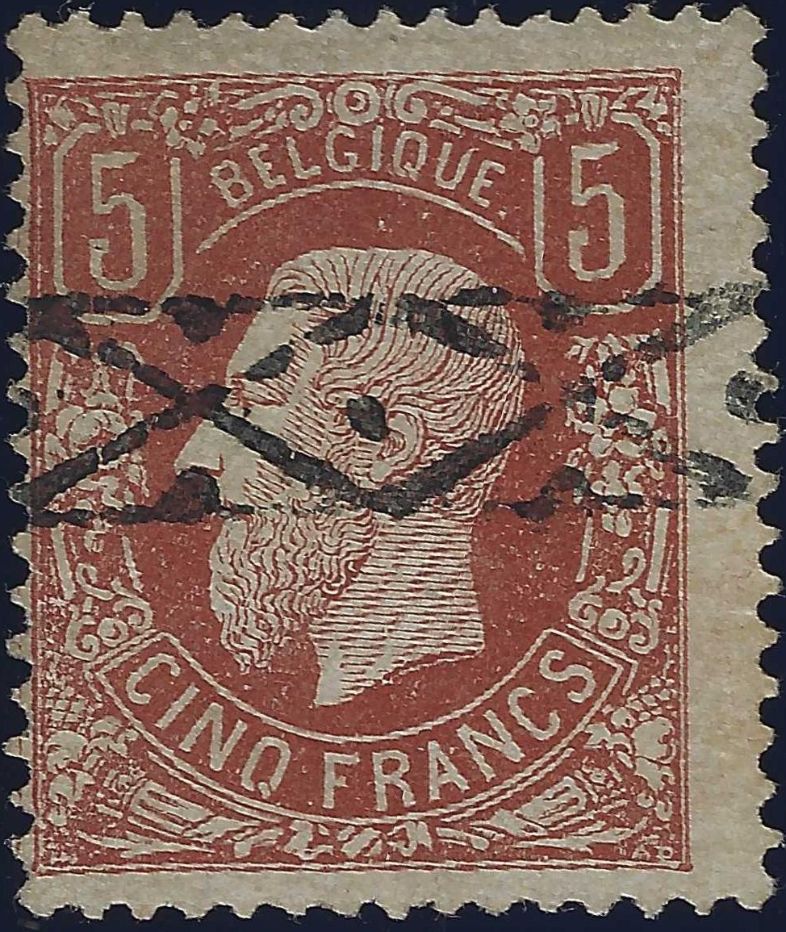 |
|
Send note to Staff
|
|
|
Bedrock Of The Community
Australia
38679 Posts |
|
|
Valued Member
United States
69 Posts |
|
|
Thanks, Rod!  We can double the celebration, because today I found a 1968 edition of the Stanley Gibbons catalog, for just the British colonies and Commonwealth on E-bay for only $10. It should be here in about 10 days. Thanks to all of you for your patience and for helping me with this.  ~Glenn |
|
Send note to Staff
|
| Edited by restoman - 04/15/2020 8:52 pm |
|
|
Pillar Of The Community
United States
814 Posts |
|
|
I'm no expert, but yours looks more like floortrader's genuine example above than like his example of a fake. Good luck. |
|
Send note to Staff
|
|
|
Pillar Of The Community
United States
1033 Posts |
|
|
I'm using a Epson WF-7720 all-in-one for my printing and scanning these days. It handles printing up to 13x19" and scans up to 11x17". That means I can scan full sized album pages in one scan instead of scanning multiple times and piecing the bits together. I scan my online collections at 300DPI then crop out stamp images and resize pages for the website. That allows me to scan once for each page, yet create multiple images from that scan. on this page, for instance, that one scan gave me 18 stamp images, the full 300DPI page, a smaller image for the page background and one still smaller for my thumbnail that's on the frame page. I scan with Epson's software, mainly because of the ability to generate the scan with an appropriate filename and do all the cropping and resaving using Paint.Net |
|
Send note to Staff
|
|
|
Valued Member
Denmark
89 Posts |
|
|
Replies: 30 / Views: 3,639 |
|




 Posted 04/13/2020 12:59 am


