I recently send a couple of covers out and was asked how I made them so I'll try to keep it simple for if you want to try your own.
Step 1. Find a suitable image.
I found this image on a free image library which I thought would be suitable.

I also found a custom type postmark to add a bit of interest.

Step 2. Printing onto the envelope.
This is just a matter of aligning your image.
Firstly ensure you printer is set to the correct paper type.
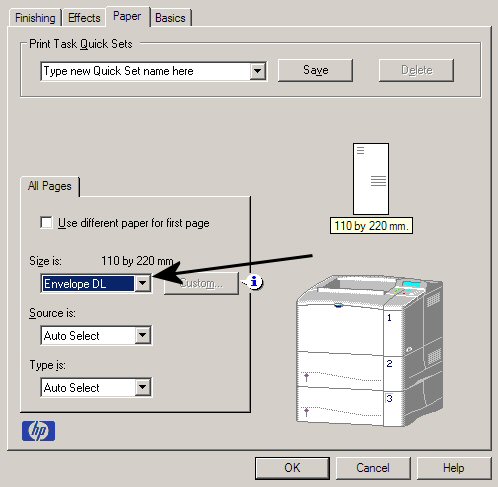
amd then using your image editing software - in this case Paint Shop pro 8 - set the image to print where you would like.
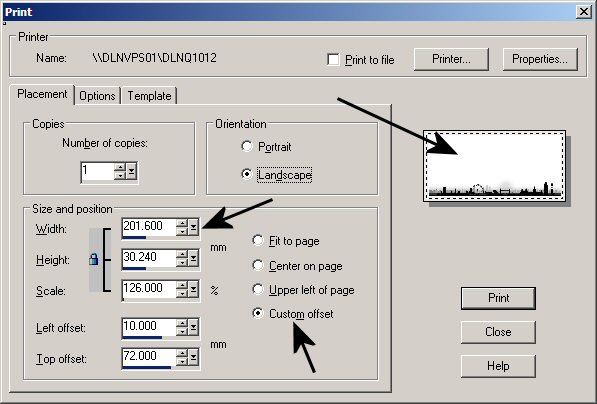
This may take a few goes to get right

Select Custom offset and adjust the scale to fit and then the left and top margins.
Repeat for the postmark or any other images you want to add.
The finished item can be seen here -
https://goscf.com/t/11017





 Posted 11/29/2010 06:27 am


