Stamp Community Family of Web Sites
Thousands of stamps, consistently graded, competitively priced and hundreds of in-depth blog posts to read


Stamp Community Forum
 
Username:
Password:
Save Password
Forgot your Password?

This page may contain links that result in small commissions to keep this free site up and running.

Welcome Guest! Registering and/or logging in will remove the anchor (bottom) ads. It's Free!

I Was Wondering If

 
To participate in the forum you must log in or register.
Author Previous TopicReplies: 2 / Views: 1,020Next Topic  
Valued Member

USA
14 Posts
Posted 01/11/2008   5:31 pm  Show Profile Bookmark this topic Add scoutjim99 to your friends list Get a Link to this Message
I was wondering if when posting pictures from my already posted section for both the stamp and the coin forum.

If we could set it up in a folders .for example I collect everything . So When I try to post pictures that I have already posted it has taken me 20 minutes.

I suggest if possible We could self organize it or if you can give us categories like Coins, Currency, Medals . exonimae etc. or you could go one step further.

Coins(US)
Coins(world)

What do you think I believ this will cut down bandwith etc also.

As always Thank you all for your hard work
Send note to Staff

Valued Member
USA
78 Posts
Posted 01/11/2008   9:06 pm  Show Profile Bookmark this reply Add atlashealth to your friends list  Get a Link to this Reply
Sounds like a great idea...don't know how it would be done...will leave it to the techies!
Send note to Staff  Go to Top of Page
Pillar Of The Community
USA
2877 Posts
Posted 01/12/2008   09:07 am  Show Profile Bookmark this reply Add t360 to your friends list  Get a Link to this Reply
This is a question for Forum Dad and his Wizard!

However there is an easy way to use the images already uploaded to the coin forum that you can try right now.

Go to the coin forum.
Right click on the image->select copy image address.
Go to your new post in the stamp forum.
Right click->select paste to paste the image address into your post.

You should get a link in your post like this:
http://www.coincommunity.com/forum/...%20green.jpg

Now to display the actual image in your post, surround the image address in a pair of image tags [img] and [/img] like this:
[img]http...[/img]

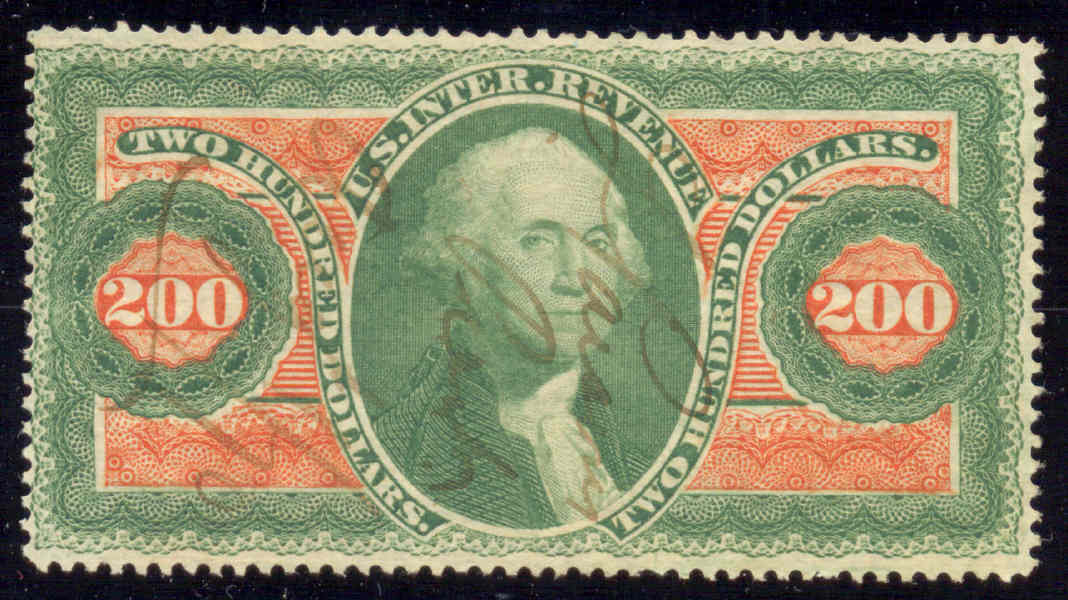
You will get this:


Use the preview button before you submit your new post to the stamp forum to make sure you have it right.
Send note to Staff  Go to Top of Page
  Previous TopicReplies: 2 / Views: 1,020Next Topic  
 
To participate in the forum you must log in or register.

Go to Top of Page

Disclaimer: While a tremendous amount of effort goes into ensuring the accuracy of the information contained in this site, Stamp Community assumes no liability for errors. Copyright 2005 - 2026 Stamp Community Family - All rights reserved worldwide. Use of any images or content on this website without prior written permission of Stamp Community or the original lender is strictly prohibited.
Privacy Policy / Terms of Use    Advertise Here
Stamp Community Forum © 2007 - 2026 Stamp Community Forums
It took 0.11 seconds to lick this stamp. Powered By: Snitz Forums 2000 Version 3.4.05