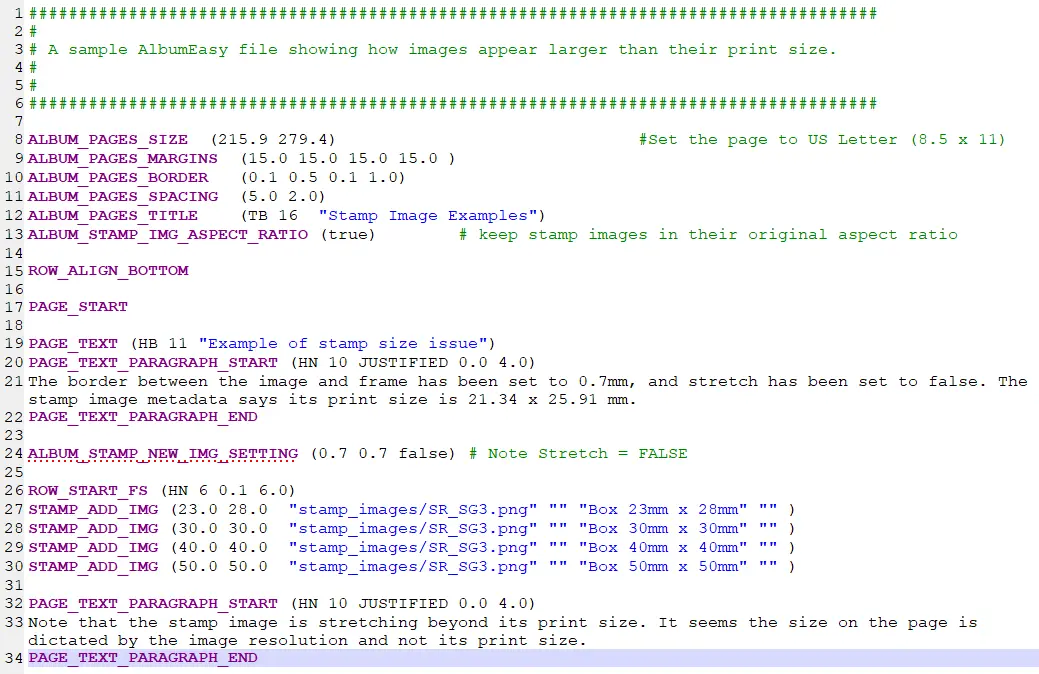
################################################################################
# AlbumEasy file: G Washington 1932.txt
# Generated: 17:18, su loka 4, 2026
# ------------------------------------------------------------------------------
#
# Note:
# All text following the # character is ignored by AlbumEasy, it is used to
# demarcate comments placed in the file for the convenience of the user.
#
# All measurements are in millimetres except for font sizes which are in
# points.
#
################################################################################
# ------------------------------------------------------------------------------
# Setup page elements that are common to all pages in this album.
# ------------------------------------------------------------------------------
ALBUM_PAGES_SIZE (210.0 297.0) #Set the album page size to A4
ALBUM_PAGES_MARGINS (12.0 12.0 15.0 15.0) #left, right, top and bottom page margins
ALBUM_PAGES_MARGINSE (12.0 25.0 15.0 15.0) #margins mirrored on even numbered pages
#ALBUM_PAGES_BORDER (0.5 0.1 0.0 1.0) #double line border around the page
ALBUM_PAGES_DECORATIVE_BORDER ("Classic.txt") #Options: Classic ArtDeco Bottom CornerStyleA CornerStyleB CornerAndVerticalStyleC
ALBUM_PAGES_SPACING (1.0 6.0) #set horizontal & vertical spacing for elements on a page
ALBUM_DEFINE_FONT(BEL "Bell MT") #set font
ALBUM_DEFINE_FONT(RAG "Rage Italic") #set font
ALBUM_PAGES_TITLE (RAG 30 "\n\United States of America") #add a title to the top of each page
# ------------------------------------------------------------------------------
# The first page of the album
# ------------------------------------------------------------------------------
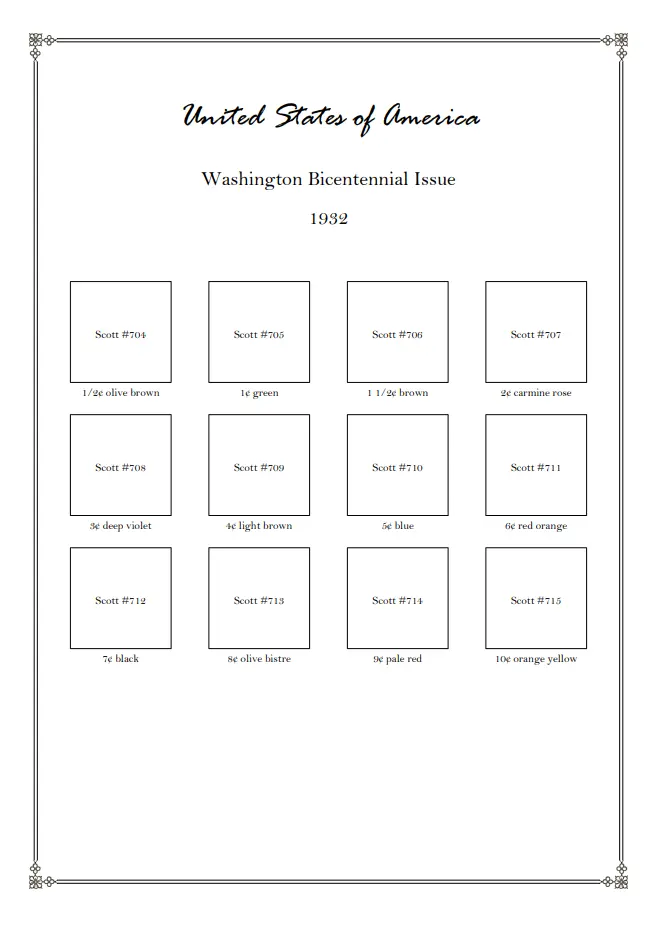
PAGE_START
PAGE_TEXT_CENTRE (BEL 18 "\n\Washington Bicentennial Issue")
PAGE_TEXT_CENTRE (BEL 18 "1932")
PAGE_TEXT_CENTRE (BEL 18 " ")
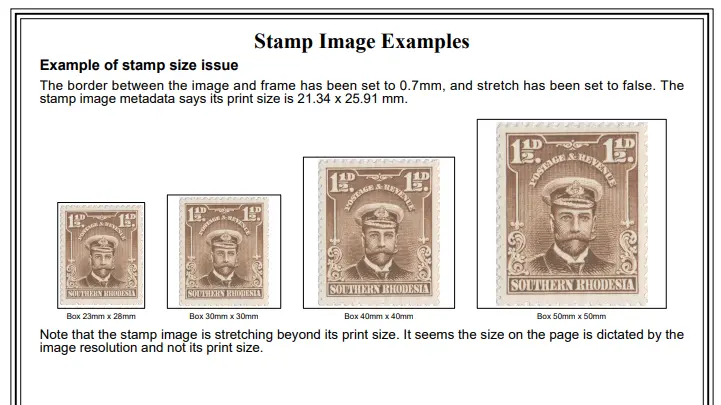
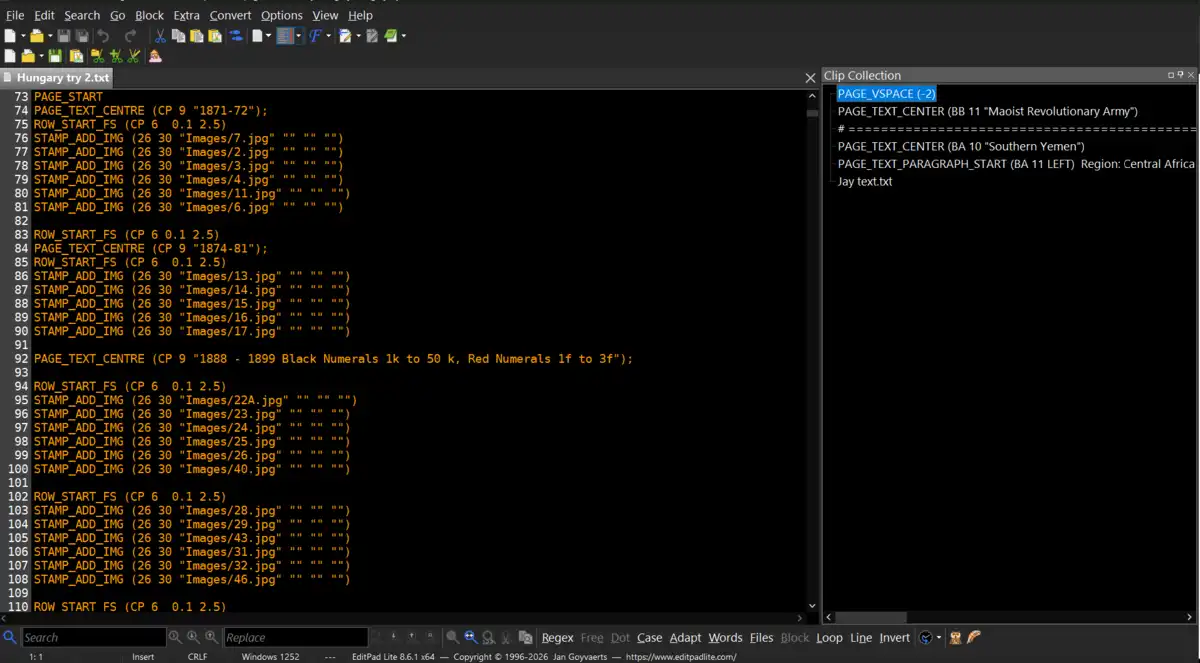
ROW_START_FS (BEL 10 0.1 12.0)
STAMP_ADD (32.0 32.0 "Scott #704" " " "1/2¢ olive brown" " ")
STAMP_ADD (32.0 32.0 "Scott #705" " " "1¢ green" " ")
STAMP_ADD (32.0 32.0 "Scott #706" " " "1 1/2¢ brown" " ")
STAMP_ADD (32.0 32.0 "Scott #707" " " "2¢ carmine rose" " ")
ROW_START_FS (BEL 10 0.1 12.0)
STAMP_ADD (32.0 32.0 "Scott #708" " " "3¢ deep violet" " ")
STAMP_ADD (32.0 32.0 "Scott #709" " " "4¢ light brown" " ")
STAMP_ADD (32.0 32.0 "Scott #710" " " "5¢ blue" " ")
STAMP_ADD (32.0 32.0 "Scott #711" " " "6¢ red orange" " ")
ROW_START_FS (BEL 10 0.1 12.0)
STAMP_ADD (32.0 32.0 "Scott #712" " " "7¢ black" " ")
STAMP_ADD (32.0 32.0 "Scott #713" " " "8¢ olive bistre " " ")
STAMP_ADD (32.0 32.0 "Scott #714" " " "9¢ pale red" " ")
STAMP_ADD (32.0 32.0 "Scott #715" " " "10¢ orange yellow" " ")





 Posted 05/08/2026 9:10 pm