| Author |
 Replies: 61 / Views: 13,157 Replies: 61 / Views: 13,157 |
|
|
|
Pillar Of The Community
Canada
1401 Posts |
|
|
Dave - Almost all of the information I use comes from Canada Post Philatelic's "DETAILS" and "COLLECTIONS" publications which are free at any post office or through the Nova Scotia Philatelic office. |
Send note to Staff 
|
|
|
Pillar Of The Community
Canada
617 Posts |
|
|
Both excellent sources of info. I regularly receive both in my snail mailbox. |
|
Send note to Staff
|
|
|
Pillar Of The Community
Canada
617 Posts |
|
|
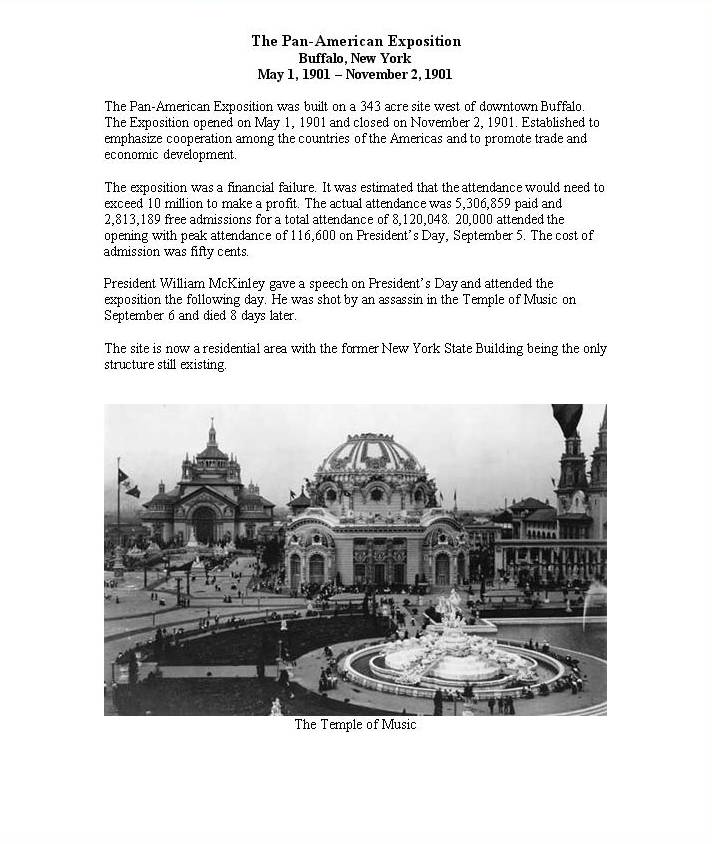
Hi Gang, For those of you who are interested, below is a sample (it really is crisper on paper at 300dpi) of my Non Canadian/US stamp album page template. The Canada/US pages have fewer stamps and considerably more issue related info on the page. The album pages with the stamps are laser printed, and the title pages come out on my colour ink jet. All on 32 pound acid free paper inside 2mil Mylar page protectors. 32 pound is working out nicely given the plastic covers. Without the sheet protectors I would definitely be using heavier paper. They are being produced in Adobe Illustrator. Still working on the layout of the Country Title pages, which have flag, crest and map info along with historical timeline highlights. I have an set of illustrator vector maps I'm working with, and am just figuring out how to scale and crop to produce regional maps that fit on my title pages. Such an amazing piece of software, and such a mental wreck running it  Selected stamps have a gray scale image on the page to aid in stamp placement. Still very much a work in progress.  Would love to see more folks post samples.  |
|
Send note to Staff
|
| Edited by Dave9911 - 05/20/2011 5:13 pm |
|
|
Rest in Peace
Canada
5701 Posts |
|
|
Nice page Dave! Very clean, will look great with stamps. Quote:
Such an amazing piece of software, and such a mental wreck running it  I have used Illustrator, but much prefer AutoCAD, as I use it every day at work and for the past 20 years, so it comes naturally. Do you have a good source for vector based maps? Most of the ones I found were not detailed enough for zoom-ins to smaller places such as Danzig (which I am working on now). I find it better to trace map raster images embedded into AutoCAD, even larger countries. |
|
Send note to Staff
|
|
|
|
Pillar Of The Community
Canada
617 Posts |
|
|
I bought a set of vector maps a couple of years ago, has a collection of globes and continent maps. Believe it came from a company called Map Resources. The detail is fairly good. Only thing I need to do is add some Text when doing smaller Caribbean areas, since the package I bought didn't have absolutely all the smaller countries labelled. But they do have much higher detail products, along with a much higher price. As for illustrator, it came bundled with the Web design product that Adobe sells (one of their 4 or so different bundles). Got it for Photoshop and Dreamweaver as one of my other projects is building a web site for my photography stuff (no, it's not up where it can be seen yet).
|
|
Send note to Staff
|
|
|
Valued Member
United States
12 Posts |
|
|
Pillar Of The Community
United States
2547 Posts |
|
|
Pillar Of The Community
Canada
617 Posts |
|
|
Very nice Russ! Keep those home made album posts coming. It goes to show what a creative lot we all are!  |
|
Send note to Staff
|
|
|
Pillar Of The Community
United States
2547 Posts |
|
|
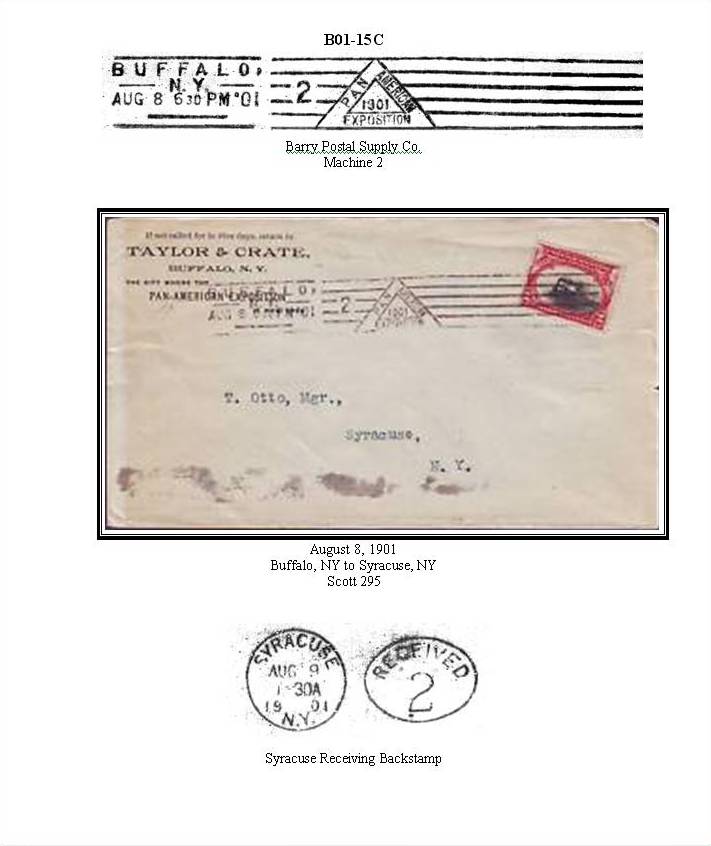
I should have mentioned a little tip for mounting covers. I use card stock and I cut out the area where the backstamp is. The backstamp is shown with the cover and when you turn the page the backsamp is exposed through the cut out. Even though this is one of my expo cancel albums I really hate to hide anything postal that is on the cover. |
|
Send note to Staff
|
|
|
Rest in Peace
Canada
5701 Posts |
|
|
Excellent pages Russ. Great tip on showing the backstamps with a cutout. Dave9911, I was cleaning out the office software cabinet and found a CD from 1995 called MapArt by Cartesia, in Adobe illustrator. It has some great vector based maps of the whole world, and I was able to open them in our old Illustrator version and export as AutoCAD drawings. It worked great and this will save me heaps of time!  |
|
Send note to Staff
|
|
|
|
Pillar Of The Community
Canada
617 Posts |
|
|
Saving time on map creating is good. More time available to process the never ending instream of stamps. |
|
Send note to Staff
|
|
|
Pillar Of The Community
Canada
617 Posts |
|
|
Finally, the country title pages for my stamp album have been pinned down.  Smaller countries or regions that issues stamps at some point in time will have a zoomed inset portion of the map in addition to the regional map. All this is Adobe Illustrator. The Flag and Country shields/coats of arms are imported from svg files readily obtained from wikipedia.org. The map is actually much bigger than is seen here, with the map clipped to the map box. It can be re-sized and panned as needed to produce the detail level I'm looking for on any given map. Each country is selectable, so I can change the highlighting for the country in question. Amazing piece of software, Illustrator, I may spend the rest of my life attempting to become half competent with it.  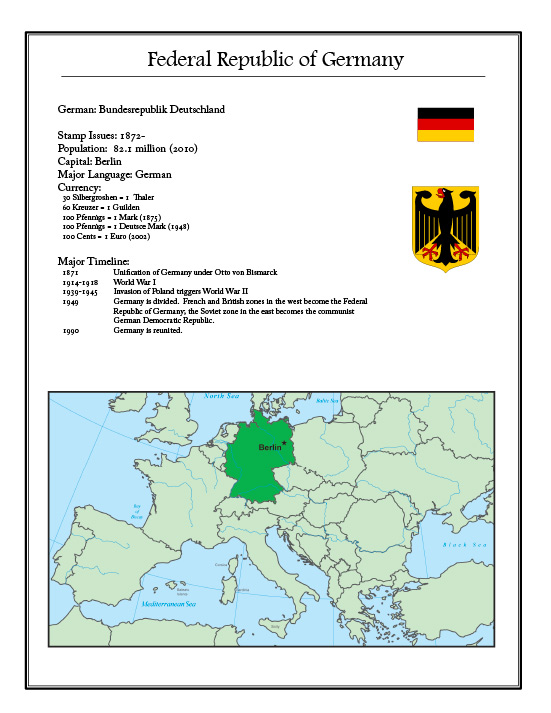 |
|
Send note to Staff
|
|
|
Bedrock Of The Community
Australia
38679 Posts |
|
|
Excellent work there Dave9911,
I think you are half competant already :)
I like the simplified time line, and the currency advice.
|
|
Send note to Staff
|
|
|
Pillar Of The Community
Australia
687 Posts |
|
|
Sorry,jhlovell, I somehow missed your post. The page of Tasmanian stamps I posted came from the web. My collection is not as complete and some of the stamps are not good exemplars; but I can post what I do have.
I was originally going to construct album pages for them, but have opted for the 'easy way' for now. The album pages shown in this thread are so good that they have given me the inspiration to return to designing my own like I did for Australia (1914 - 1984).
:) |
|
Send note to Staff
|
|
|
Rest in Peace
Canada
5701 Posts |
|
|
Dave911, That page is excellent. You obviously have the same illustrator maps I found. Like you, I can pan (and zoom) the map in the AutoCAD window. |
|
Send note to Staff
|
|
|
|
Replies: 61 / Views: 13,157 |
|




 Posted 05/17/2011 11:56 am