Quote:
I want to know how to describe the picture part of a stamped picture post card in a spreadsheet column that I call NOTES
Cynical, you have arrived at a point which all
collectors of information eventually arrive at, and respectfully
you are pushing the cart with the horse.
Reflect a moment...
You are trying to cram the information you need
in a database or spreadsheet cell !
This is totally counter productive.
You have, all computers have, the biggest database in the
world under their fingertips, it is called
"windows explorer" (or, if you like, any other brand
name file organiser)
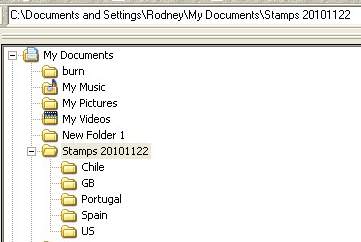
Using the hierarchy as in my previous post, you
want "meaningful key words" then have a look
at my hiearchy string...
Surely your first "flag" would be either one of the
hints in the file name.
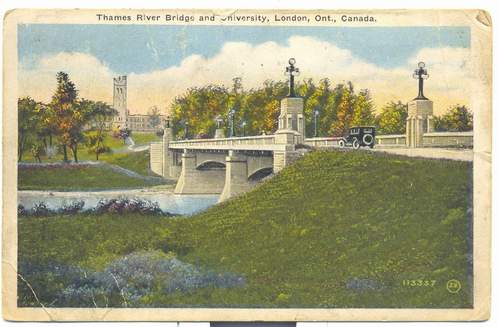
Lets say for example you want to recall a bridge in canada...
You have a million bridge postcards, in your 10 million
image windows folders.
You type in "bridge" in your text string search and
bingo you get your sub set of 1 million bridge
postcards then you scroll through the list
to find canada.
Ahh! you remember it is the Thames estuary.......
You have 4 files listed
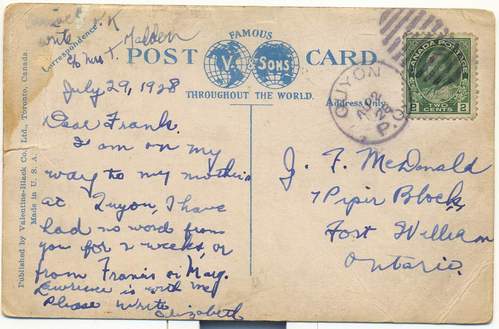
2 (the front / back of the postcard)
1 the wiki description (image)
1 the Microsoft word document 4000 words
on information you want
Allow your database to take advantage of
"a picture paints a thousand words"
Once you get the hang of it, you won't look back
and eventually you will probably ditch all your stamp excell lists
or at least transfer them over to your stamp folder hiearchy
I just did a string search on my 400,000 image folder database for
"thames"
I had 3..

A gb decimal stamp
a commercial overprint
(which it appears I have filed incorrectly under Germany)
and a GB meter strip with Thames.
That's how easy it can be, the only discipline
is the patience to name each scan or document file
with appropriate "flags"
Hope this may be some consideration for you.






 Posted 11/20/2010 4:57 pm




 just kidding.
 with Rod on the starting large and working down.