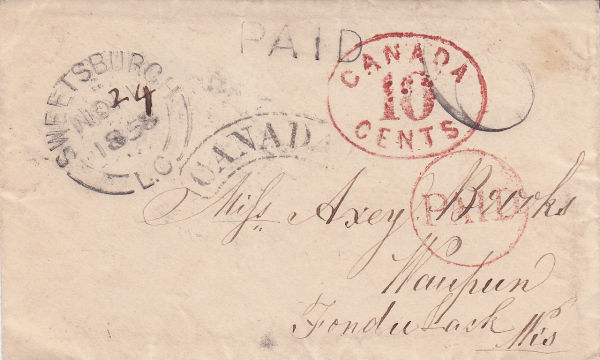
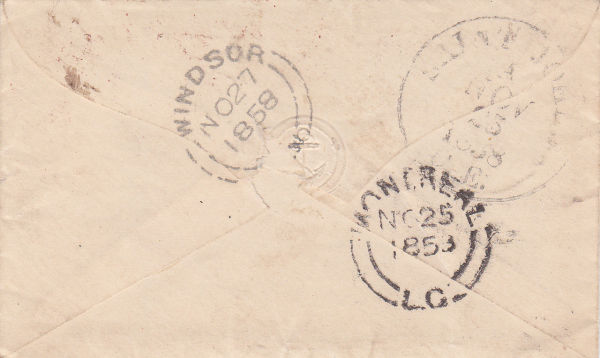
New listing looks nice and clean, no extra bits which is good.
Pictures: The first picture which is tilted very much to starboard should not be there. You really just need one front and one back unless a third picture is a zoom in on some detail.
So I would keep the second and the forth.
Re-entries I am not good on. There is a web site reentries.com or something that will help.
The changing to USD or whichever currency has to start in your PayPal account where you would need to add a currency as a secondary or more extra currency and then assign which one is your main one. When you have more than one currency you can flip them around when you wish as main, secondary, etc.
This allows you to change USD to AUD within PayPal, only paying their 2.5% instead of your bank's usually higher % exchange fee. Then you can withdraw your own currency to your bank. Or, when you withdraw funds you get to choose one or another of your currencies. Works either way.
In
ebay it probably has to start with you choosing the currency you wish to list in. On dot ca I can choose US or CAD to start a listing. They also have this little note next to that area:
Quote:
Listings in US$ will attract more interest from US buyers and on average are 15% more likely to sell.
Hmmm, on dot com it is only USD, on dot com.au it is only AUD. Hmmm, OK, I guess even changing your PayPal account will not transfer through to
ebay. I guess I order to sell in USD you have to be signed on to dot com or dot ca when you list an item.
Haven't tried that myself so proceed with caution (small amount item listing perhaps). I can sign on to whichever
ebay site with my same user name and password and start a listing (Sell an Item) and it chooses the currency automatically. I haven't completed a listing though (yet).
In scanning a stamp you can do it in a dust free clean plastic page but it is better (but more dangerous in handling) to lay the stamp on a clean scanner bed and place a black matte paper over it as the black (or dark) lets the stamp show up much better.
Or, as per Rod222's suggestion, use blue tack to affix a piece of black pape rto the scanner cover so it's always there.





 Posted 01/17/2012 07:47 am


 k
k