I just posted this on another board. Solution found... in the form of the New iPad.
This ties back to our original discussion about the Scott Catalog iPad app. One of the things I lamented about it was the ability to print pages or make suitable copies of pages to use on other computing devices. The screenshots were ok in a pinch to be able to view on other computers, but definitely not in print form.
Enter the new iPad, which I picked up today. The biggest reason for me to upgrade was the increased screen resolution... instead of 1024x768 resolution, the new one has 2048x1546 in the same screen size, which is effectively four times the number of pixels... meaning that screenshots are also four times the resolution of those of the iPad 1 or iPad 2. (You can see where I'm going with this...)
Yeppers. You can now take screen captures right out of the Scott app and they are high enough resolution to make decent quality prints from.
The screenshots capture the addspace at the bottom of the page, but it is trivial to set up an Adobe Photoshop action to crop off that bottom section and use Batch Processing to crop all the pages and set the resolution (without resampling) to 8.5x10.5 or so (or pad with whitespace to exactly 8.5x11). Then it's simply a matter of combining those images in Adobe Acrobat Pro and voila! Instant print-ready PDF of whatever section(s) of the Scott Catalog you want.
What this means for me is that I'll be able to get the sections of the catalog I need at less than half my usual cost, repurpose them for use on my desktop and laptop computers, at better quality, without destroying a printed copy of the catalog.
This new retina display came along at the perfect time!
P.S. the built-in still and video camera is pretty darned good. It produces 1080p high definition video. The only problem is that the built-in microphone is pretty useless.
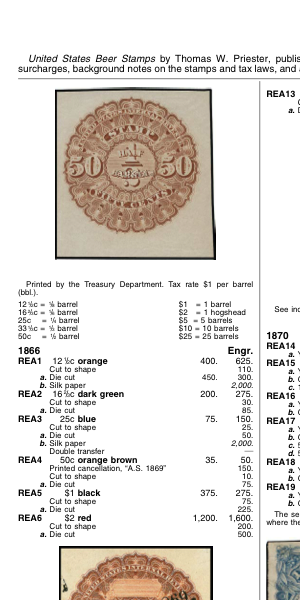
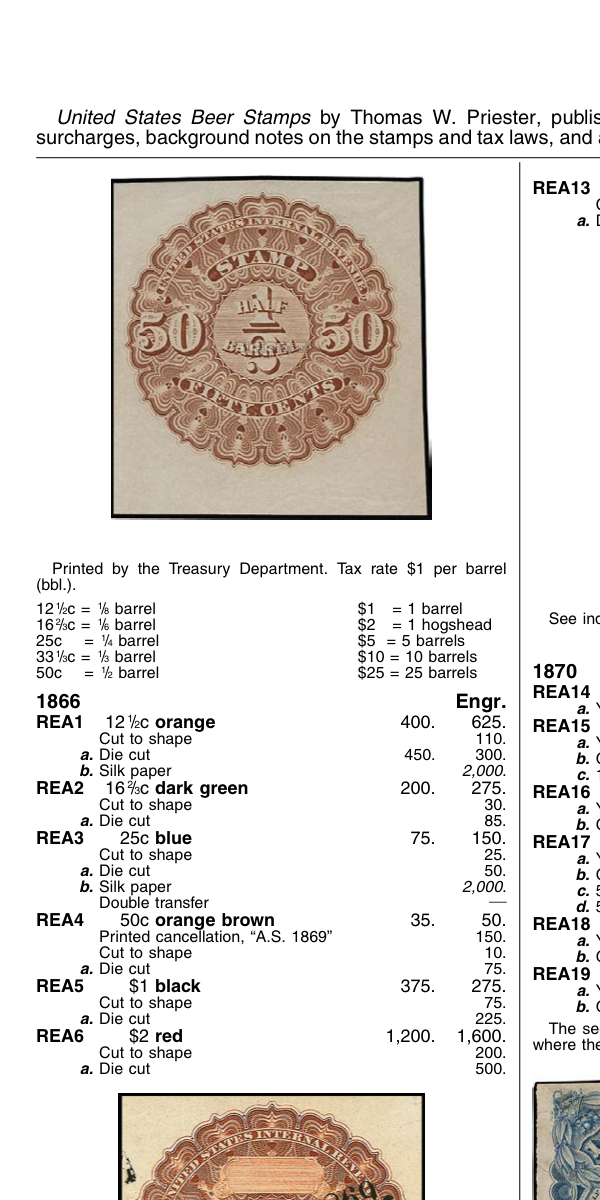
Anyway, just to give you a comparison of the Scott Catalog screenshots between iPad 1 and iPad 3, here is a portion of one of the pages. First image is from the iPad 1 screenshot, and the second is the same section of the page from the iPad 3. You can see how much more information is contained in the second image, thus ultimately creating a much better quality printed image.





 Posted 03/09/2012 4:42 pm





