| Author |
 Replies: 27 / Views: 6,733 Replies: 27 / Views: 6,733 |
|
Rest in Peace
7742 Posts |
|
|
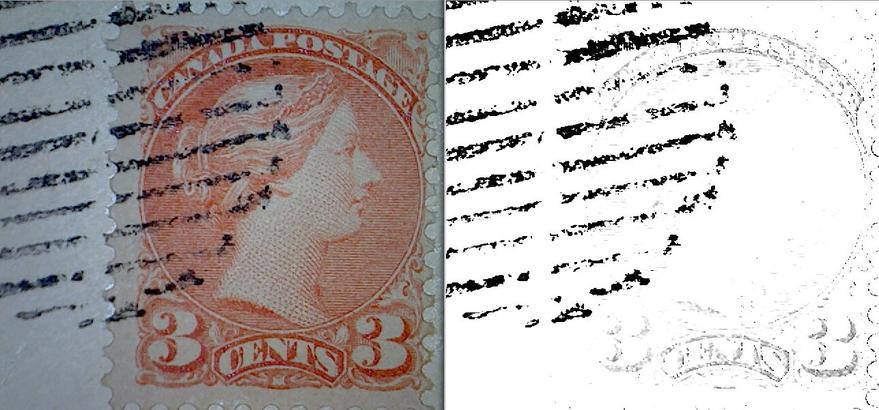
Hi guys...Was trying to see if this small queen was the variety "vampire bit"..But the cancellation was right over top where it would be..I used my program (its not perfect) to remove the cancellation..Unfortunately it is not that variety...But, it is a very good program for this purpose...Look at the difference. 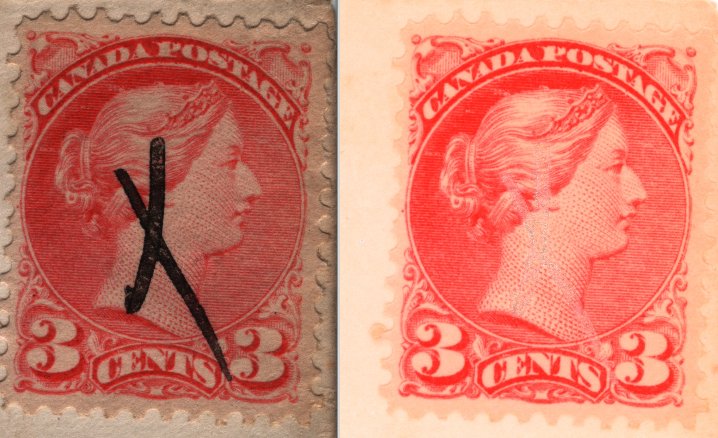 |
|
Send note to Staff
|
|
|
|
|
Pillar Of The Community
United States
5894 Posts |
|
|
Rest in Peace
7742 Posts |
|
|
smauggie...I use "shotwell viewer"..I posted the link below..I think it should work for you guys that use Windows. http://shotwell.en.softonic.com/Here is one of the American stamps and what it does. 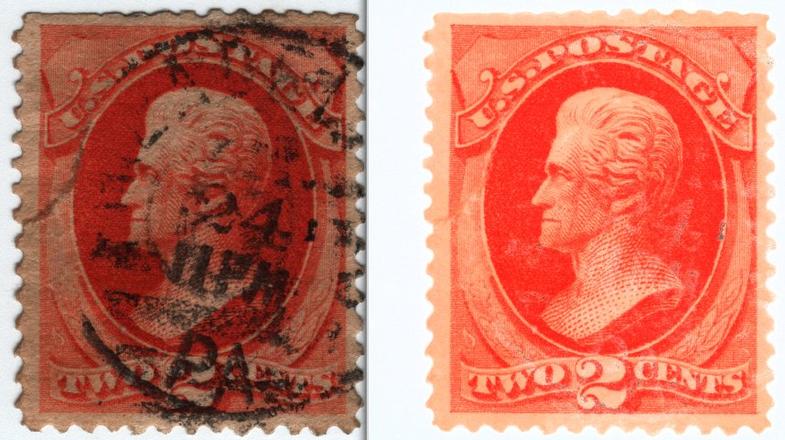 |
Send note to Staff 
|
| Edited by wert - 04/02/2014 10:56 pm |
|
|
Valued Member
Canada
123 Posts |
|
|
Pillar Of The Community
United States
5894 Posts |
|
|
Rest in Peace
7742 Posts |
|
|
Quote:
Will it work for watermarks, too? How about tagging? David Y..Not sure...Haven't tried it yet..It could though.. smauggie...You are more than welcome...  |
|
Send note to Staff
|
|
|
Moderator

United States
12330 Posts |
|
|
Wert,
The software uses algorithms to 'remove cancels'. In other words, it approximates the likely pixels colors underneath the cancel the best it can given the shades of the surrounding pixels. It can't actually 'see' under the cancel, it a simply guessing the best it can based on other pixels.
As such it cannot tell you if a stamp has a given variety feature or not underneath the cancel. The areas that are drawn in under the cancel are merely extrapolations based upon how someone wrote the software.
don
|
|
Send note to Staff
|
|
|
Pillar Of The Community
Canada
5821 Posts |
|
|
Wert, how would I go about removing the stamp and just
leaving the cancel? |
|
Send note to Staff
|
|
|
Rest in Peace
7742 Posts |
|
|
Rest in Peace
7742 Posts |
|
|
51studebaker my friend...take a look at the picture..Between the yellow lines is appro. where the cancellation was...Now look at the blue arrows...you can see the design continues...Do you agree..?? 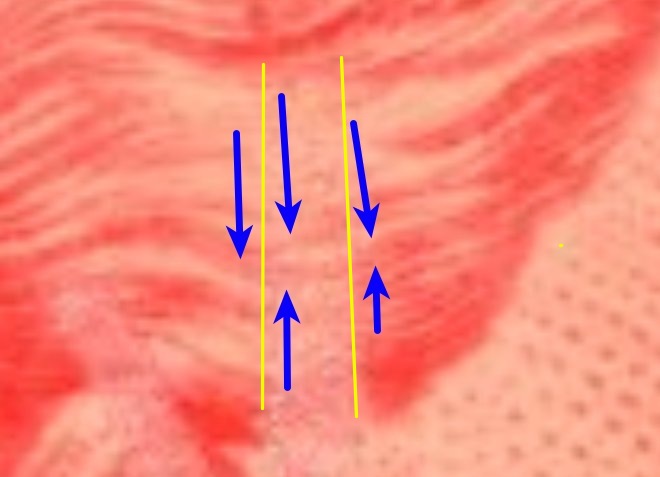 |
|
Send note to Staff
|
|
|
Pillar Of The Community
United States
2941 Posts |
|
|
Rest in Peace
7742 Posts |
|
|
There is this better... PostmasterGS uses Photoshop CS5...A fantastic program with good results..But, if you dont have $$$$ to buy it, I have a FREE program that will do just about anything you want Photoshop CS5 to do... PostmasterGS...you did an excellent job....see results below. Anyone who wants this free program..don't hesitate to PM me.  |
|
Send note to Staff
|
| Edited by wert - 04/03/2014 8:09 pm |
|
|
Pillar Of The Community
Canada
5821 Posts |
|
|
Moderator
United States
12330 Posts |
|
|
Wert,
I understand but you should be aware that a bitmap image is nothing but pixels. And a pixel is simply one color or another, there is no 'layer' to it that can be removed.
So imagine that you have three pixels side by side. The outer two pixels are white and the pixel in the middle is black (the cancellation). The software cannot possibly know what color is really under the black; it can only 'estimate' the color by using the two pixels beside it. Since they are white, it will assume that the middle pixel is also white. This is a very simple example. Pixels can be any of thousands of colors and the algorithms average in several rows of pixels around the color it is 'removing'
But make no mistake, what you are looking at 'under' the cancel after it has been removed is nothing more than a best guess of what MIGHT actually be there. This is not to say that the tool you link is not of some use; any application where you need to remove the cancel for aesthetic reasons this would be a good choice. It also is handy in that it can help to isolate a cancellation, removing the rest of the stamp design will help your eye discern patterns that might otherwise be difficult.
But if you have a stamp with a distinguishing mark under a cancel using this app will only, at best, give you a guess at what might be underneath. So be careful about assuming anything, consider sending it to an expert if the stamp is higher catalog value.
don
|
|
Send note to Staff
|
| Edited by 51studebaker - 04/03/2014 9:08 pm |
|
|
Rest in Peace
7742 Posts |
|
|
 ...All I am suggesting to my fellow stamp collectors out there is that there is additional tools available to us more that has ever been..The old school way of looking at stamps was through a magnifying glass (don't get me wrong, That is STILL a standard good practice), but there are many, many, software programs out there that will enhance the pleasure of stamp collecting...I am happy that I use Linux operating system with approx. 37,000 FREE programs to choose from.. I have narrowed down about 6 software programs that could be used in this great hobby,and I go out of my way if people want them to find Windows versions of these programs..I do the same thing on the coin side of this forum..Please be assured I am not disputing your reasoning, but hey..its fun my friend.. |
|
Send note to Staff
|
| Edited by wert - 04/03/2014 9:49 pm |
|
|
Valued Member
Canada
242 Posts |
|
|
That's really cool, but like someone already mentioned, there is no commercial graphics tool available that will show you what was under the actual cancellation, it will only sample surrounding pixels and predict what to put there. The more sophisticated the software, the better the result. So if you want to see what a stamp looks like without the cancel, this is awesome. If you want to see if there was an error under an area covered in a solid black cancel, this is useless. Unfortunately Wert, if this is a vampire bite variety and it's under the cancel, no software will be able to digitally unmask it.
For example take a stamp with zero value that has a small error on it... say a centennial queen with one of those typical fly specking errors. Now draw a line over it with a black marker and run it through the software. The error won't show up.
Still though, cool way to clean up a stamp to see how it would look without a cancel. Just don't use it to try and unmask errors, it won't work.
Dan |
|
Send note to Staff
|
|
|
|
Replies: 27 / Views: 6,733 |
|




 Posted 04/02/2014 10:19 pm