| Author |
 Replies: 253 / Views: 62,608 Replies: 253 / Views: 62,608 |
|
|
|
Valued Member
United States
81 Posts |
|
|
Thank you DC,Blaamand.
I'm trying to figure out the different options on Flickr right now so I can put them in an Album type layout. I don't think a simple blog style is going to work for an updatable album type set up and I just don't have the know how or money to host my own site. It'll be much easier to display them on other sites too instead of uploading and reuploading individual pics. |
Send note to Staff 
|
|
|
Valued Member
United States
262 Posts |
|
|
Hi BettyAnn, there are several options you can take with PowerPoint.
For me, I convert the PowerPoint album to a pdf. It allows the best and most detailed display of the entire album. To do this, all you need to do is "Save As" the Powerpoint album to a pdf format. Its simple.
If you want to save the page into a picture format (like a jpeg or another graphic format), you need to highlight EVERYTHING on the page and then right click one of the objects and choose "Save as picture..." You then can save the entire page as a picture. This picture can then be saved on a program like Flickr or PhotoBucket. Unfortunately you can only do this page by page, and you end up having a separate file. This is what I do when I want to display an album page on a forum like this one.
However, always keep the PowerPoint original file so that you can go back and modify the album pages when needed.
If you have any questions, please let me know.
Michael
|
|
Send note to Staff
|
| Edited by DCStamps - 05/30/2015 10:46 pm |
|
|
Pillar Of The Community
United States
772 Posts |
|
|
Quote:
Please - does anybody know if the Steiner pages can be used as a starting point on which to build a digital collection? More specifically - if it is possible to modify the Steiner pages including inserting images, text boxes etc ? I have mentioned this elsewhere, but I will mention it again here in regards to Jon's question. I use a free App that will convert the Steiner PDF directly into a PowerPoint file. No need to scan the PDF and copy it into PP as Michael (DCStamps) suggested. This allows you to change fonts, move/resize boxes, add text and/or photos, etc. Really anything you can do with a digital album, you can do as well if you want a physical paper album. Just print on whatever kind of paper you want and mount your stamps. Here are a couple of examples of Steiner pages that I modified by changing the font, adding a Scott Specialty border, and adding a map.... 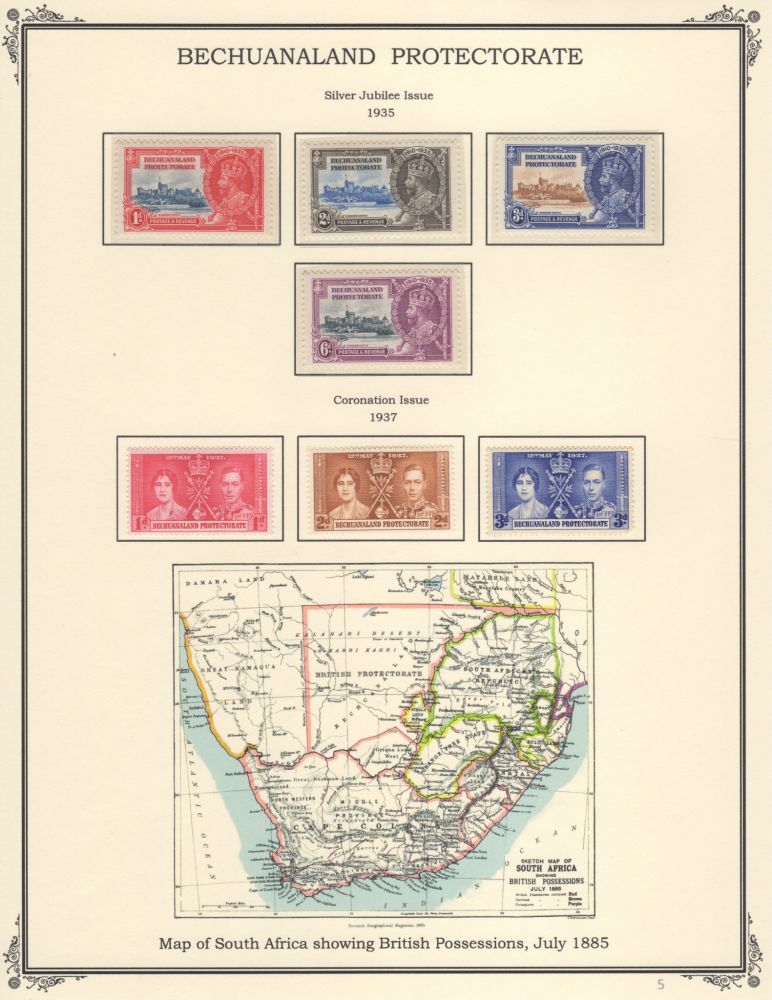 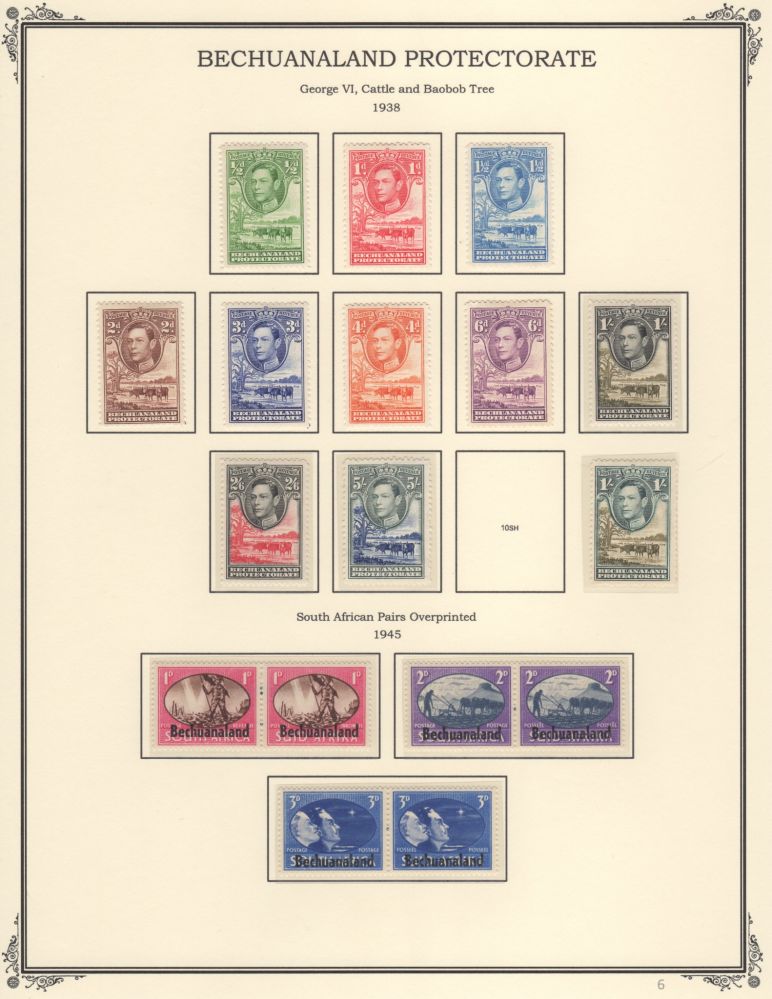 |
|
Send note to Staff
|
|
|
Pillar Of The Community
2013 Posts |
|
|
Chris , witch app do you use for PDF to PP, I do believe if ever I go this way I will use HTML pages, it will be more easy to navigate with menu, but I will not host them on the cloud but only on my server in my house. I do have Adobe Acrobat Pro DC that have an export option to Power Point and many other, but it's not free. 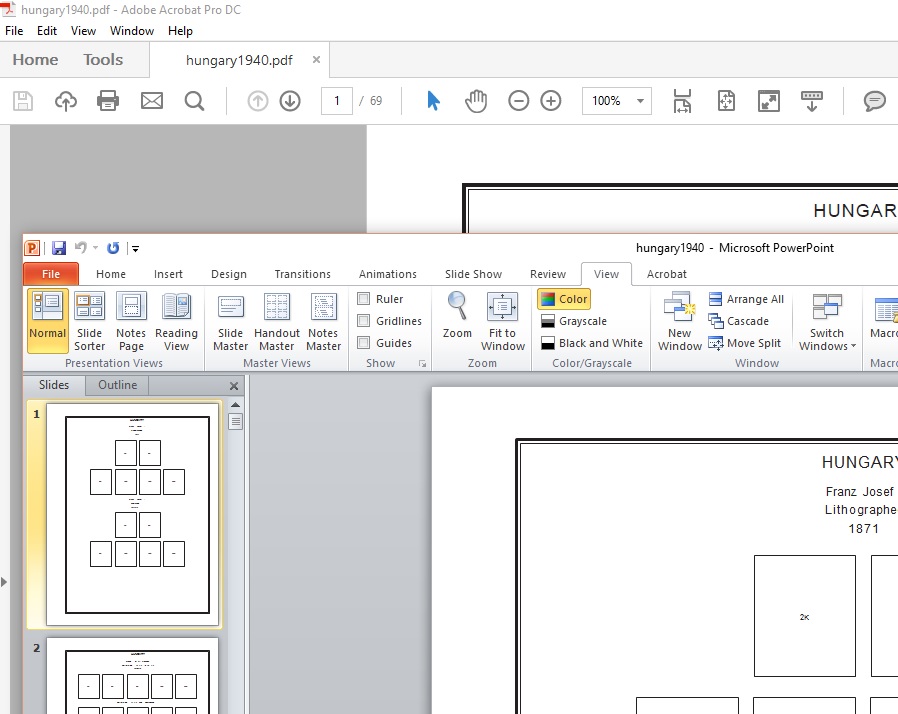 |
|
Send note to Staff
|
| Edited by area66 - 01/21/2016 3:31 pm |
|
|
Moderator

United States
12330 Posts |
|
|
I can't believe people use Power Point, yuck. Adobe Live Cycle Designer allows you to modify PDFs in any way you want and save them as PDFs. No need to switch between apps like Power Point. Plus, it is an actual design app with all the features and capability you need to properly layout pages, not a presentation slide show app. Free fully functional trial download (sunset version) http://www.adobe.com/devnet/livecyc...wnloads.htmlDon |
|
Send note to Staff
|
|
|
Pillar Of The Community
2013 Posts |
|
|
Adobe InDesign is the full feature apps to do it, and with PDF2ID plugin it open pdf. The plugin alone cost $ 200, peoples here try to use what they have, so if it work great with PowerPoint why not, but you still need Powerpoint . An all reall 100% free solution is LibtreOffice Draw , it open PDF and work very nice.
51 stud, your link don't work you have to contact sell at Adobe to get a demo. |
|
Send note to Staff
|
| Edited by area66 - 01/21/2016 4:17 pm |
|
|
Moderator
United States
12330 Posts |
|
|
Yes, I realize that folks will use what they have. I assume that trying to do things like resizing some elements would cause the images to get fuzzy or lose resolution since PP changes them into bitmaps.
Live Cycle Designer trial can be downloaded form other sites. It comes bundled with many of the full Acrobat packages, I often find that some folks don't even know that they already have it on their PCs.
Don |
|
Send note to Staff
|
|
|
Pillar Of The Community
2013 Posts |
|
|
Live Cycle Designer was included with Acrobat X Pro but with the XI and the new DC included with Adobe Cloud it's not included anymore. |
|
Send note to Staff
|
| Edited by area66 - 01/21/2016 5:09 pm |
|
|
Valued Member
United States
262 Posts |
|
|
Quote:
51studebaker says
I can't believe people use Power Point, yuck. Adobe Live Cycle Designer allows you to modify PDFs in any way you want and save them as PDFs. No need to switch between apps like Power Point. Plus, it is an actual design app with all the features and capability you need to properly layout pages, not a presentation slide show app. Don Although I know that PowerPoint is probably not the best tool for the job, but I know it well, and it does the trick. I don't want to modify pdfs, rather I put together pages from scratch, and I insert images of my scanned stamps. If I want to change things, draw boxes, move things around, I can do it by just dragging. When I am done, just save as a pdf. For me, I am not sure what more Adobe Live Cycle Designer would do for me, but am willing to hear more. Michael |
|
Send note to Staff
|
|
|
Pillar Of The Community
2013 Posts |
|
|
Quote:
I know it well, and it does the trick. That's the most important.....better use something you know that's something you don't All true that I have Adobe Dreamweaver ... I use Adobe Muse for build a website , I love it it's simple and do what I want, and don't even get in doing it in coding HTML in notepad... |
|
Send note to Staff
|
| Edited by area66 - 01/21/2016 5:46 pm |
|
|
Pillar Of The Community
United States
772 Posts |
|
|
Quote:
I can't believe people use Power Point, yuck. it is an actual design app with all the features and capability you need to properly layout pages, not a presentation slide show app.
Don, I'm not sure what you would want to do with your pages that I can't do in PP? Seems to have any capability I would want without the need to buy and/or learn a whole new program. |
|
Send note to Staff
|
|
|
Pillar Of The Community
2013 Posts |
|
|
Chris you don't reply on witch free app you are using for PDF to PP conversion
|
|
Send note to Staff
|
|
|
Pillar Of The Community
United States
772 Posts |
|
|
Quote:
Chris , witch app do you use for PDF to PP, Its called: PDF Converter Free By Wondershare Software Co., Ltd Super easy, just drag and drop your PDF into it and it converts to PowerPoint file. |
|
Send note to Staff
|
|
|
Moderator
United States
12330 Posts |
|
|
Chris,
Power Point is a presentation app, not a graphic layout app. It is a bitmap based app, so resizing things gets ugly. Adobe Live Cycle is built from the ground up to be a page layout app. It's very powerful, including being able to run custom code for incredible functionality. For example, you can populate catalog numbers from another data source such as an XML or database file. It is child's play to add tables that do math like total columns. For example, you can quickly make an PDF invoice that totals the order and then add a button which will send the invoice to PayPal for payment. If you are working with multiple pages you can place the same design element on each page, so if you change one it changes them all. This just scratches the surface of what Live Cycle Designer can do. Power Point is a work-around, nothing wrong with that but it is not the same.
Don
|
|
Send note to Staff
|
|
|
Valued Member
United States
262 Posts |
|
|
Chris
Interesting, does it then allow you to change box sizes and rearrange the layout of the page, as with any other PP page?
Michael |
|
Send note to Staff
|
|
|
Replies: 253 / Views: 62,608 |
|




 Posted 05/30/2015 4:44 pm


