| Author |
 Replies: 253 / Views: 62,610 Replies: 253 / Views: 62,610 |
|
|
|
Pillar Of The Community
Norway
1661 Posts |
|
|
While waiting I can share some more off my new pages. I have done some changes in my set-up, amongst them added a annotation in lower right corner for each stamps 'value-category' ( '-' for low value - $$$$ for very high value). This is a good thing for someone with a constant failing memory - now a quick look will remind me if any of the stamps have any value at all.  eg Practical use: - This page are housing most of the variants in specialised Scott. If I would want to include more spaces - or less - it's done in a wink to re-arrange 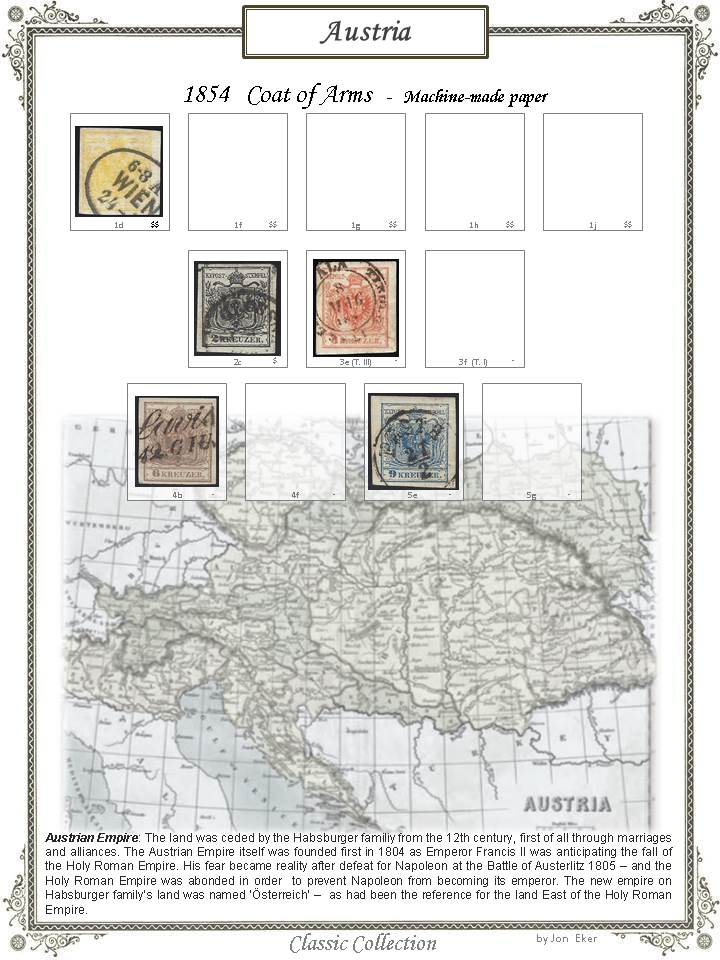 eg Practical use - This page and lots of other in my Austrian album includes stamps with postmarks outside Austria itself. I chase those kind of stamps as forerunners. With a digital collection it is possible and very quick to let those stamps take part in a specialised collection of eg forerunners from Hungary, while it is still in my Austria album at the same time. Anyone, please feel free to fill this thread with your own digital pages! |
Send note to Staff 
|
|
|
Pillar Of The Community
Norway
1661 Posts |
|
|
Quote:
you can use Steiner's box only and remove the rest including the border. Or at least you can use them as reference for the box size, it's save a lot of research Thanks, probably a good idea - and I have tried it already. It seemed to me it took more time to format the boxes, change text in boxes etc than to use my own 'default' boxes. For the sizes - I primarily make pages until 1900 - and 95 % of the classic stamps are more or less same size as penny-black....  |
|
Send note to Staff
|
|
|
Pillar Of The Community
United States
772 Posts |
|
|
Pillar Of The Community
2013 Posts |
|
|
I'm thinking more and more to go digital but I have some concern
Landscape or Portrait; landscape is better for view on a PC but if I want to print a page…… Of course once the stamps are scan I can do both but its way more work
The format of the presentation, We all know that with time technology change, I have 0 guaranty that I will be able to open a Powerpoint or PDF in 10 or 20 years
Same with scan, witch format will stand time, JPG, PNG, BMP ( those are so much low tech )
|
|
Send note to Staff
|
| Edited by area66 - 01/26/2016 12:45 pm |
|
|
Pillar Of The Community
Norway
1661 Posts |
|
|
Chris - Thanks  Area66 - making both portrait and landscape sounds like lots of work.. Landscape seems a bit odd if making the pages into an album you can flip through or for a 2-sided 'book'. On the other hand I have purchased some very old/antique 19th century stamp albums that have pages in landscape view - and I must admit it looks quite classy. I print out my pages and insert them into a binder (to get a dedicated classic collection only) - and for that purpose portrait orientation seems most suitable to flip through. Quote:
I have 0 guaranty that I will be able to open a PowerPoint or PDF in 10 or 20 years I understand your concern but for me it still feels quite safe to stick with the 'universally used' softwares, like Microsoft. If nothing else, some software will come around to enable converting into any other future format. Guess that uncertainty goes for most aspects in life anyway - better enjoy doing things how it pleases you most today, not worrying too much about tomorrow....Please understand that statement this way, and this way only: Better enjoy stamping today  btw - For scan/presentation I convert my Powerpoint slides and save copies both as pdf, jpg and png.... Looking forward too see your pages area66, regardless of orientation I am sure it will be cool! |
|
Send note to Staff
|
|
|
Pillar Of The Community
2013 Posts |
|
|
Or I just turn a monitor 90' here on my 9 years old daughter computer, for doing it on mine I will have to use a different stand , I do have 3 monitors so I can turn one but it will be more permanently unless I use a swivel stand that will cost way more for nothing. But on a 30 inches monitor I will have neck pain to look at the upper part. 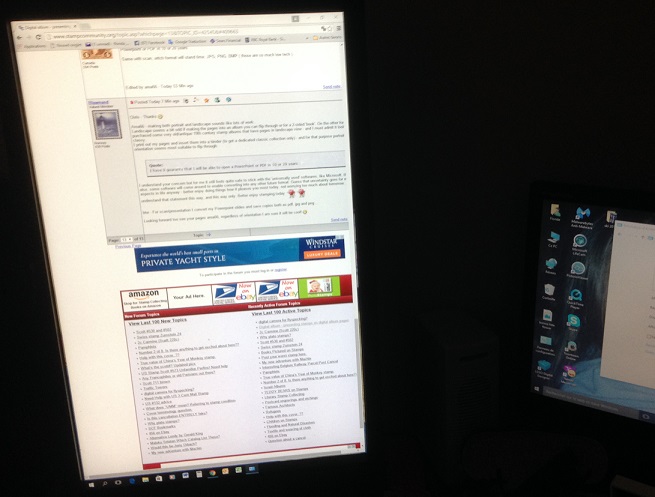 |
|
Send note to Staff
|
|
|
Pillar Of The Community
2013 Posts |
|
|
I will not for sure remove all the stamps from my Scott to scan them but Let say I scan de page 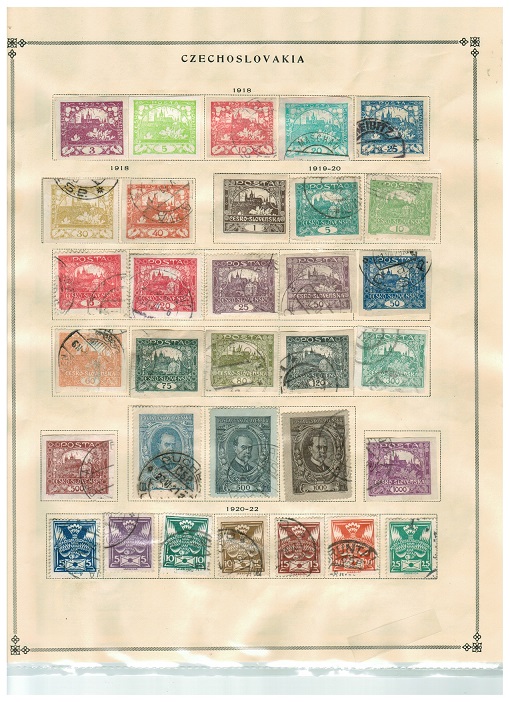 No if I have an empty spot, and later I purchase the stamp I just add a scanned stamp to it , I place a scan of a Canadian stamp here, just to make a quick demo on a page ( sorry no empty space so I place over with distortion to fit the stamp )I will need to scan on scott paper to give same color around the stamp 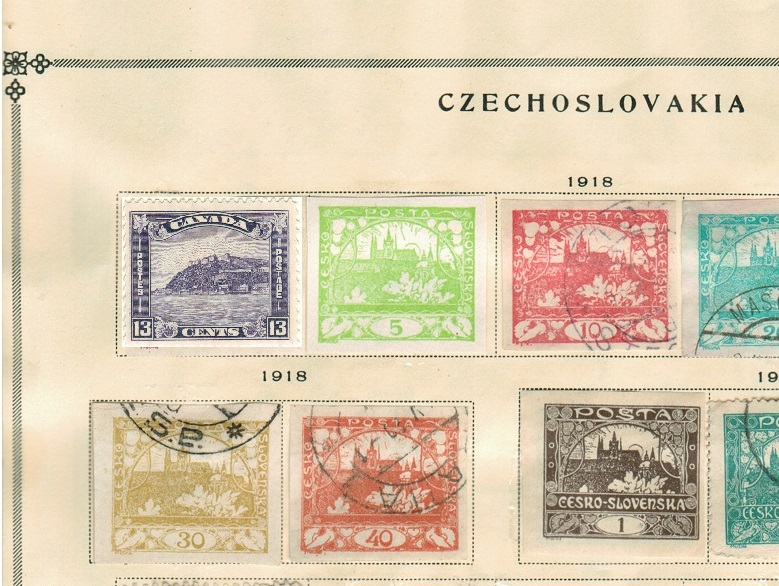 |
|
Send note to Staff
|
| Edited by area66 - 01/26/2016 2:14 pm |
|
|
Pillar Of The Community
2013 Posts |
|
|
I show in the post before a quick solution to image my Scott, but what I want to do with more classic stamp, is to place them in a digital presentation page and if we click on a stamp another page will open with more detail. As we can see here the same stamp is better view at this size 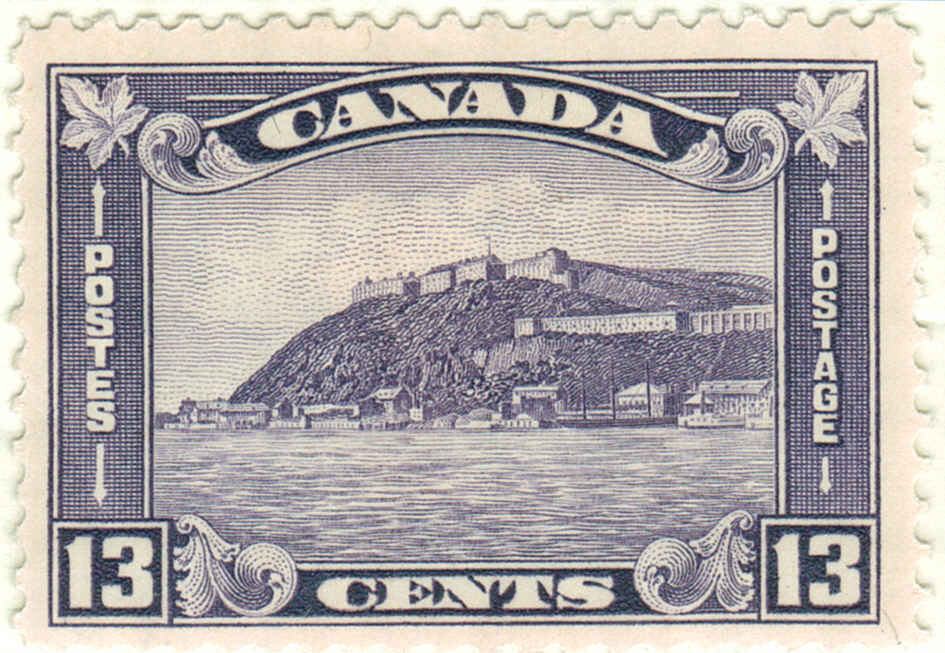 |
|
Send note to Staff
|
| Edited by area66 - 01/26/2016 2:18 pm |
|
|
Valued Member
United States
262 Posts |
|
|
Area66
Personally I would always remove the stamp before scanning. Here are my reasons
- It gives you a good view of the perforations of the stamp
- Having a white background is easier to deal with, especially if you ever use the image elsewhere. Trying to scan stamps on the buff background and placing them in a digital album could look funny
- Some of the stamps overlap, so getting a good image of each stamp individually might prove challenging.
- I also scan the back of the stamp, in case there is something interesting, such as a collectors mark.
Also for me, when I make a digital album, presentation of the stamps is very important (just like any stamp album). So I want my images to be as clean and crisp as possible.
My reasoning
Michael |
|
Send note to Staff
|
|
|
Valued Member
United States
262 Posts |
|
|
Jon, nice pages
Since our discussion in May (posted on page 10 of this thread), I have been trying to work on creating historically oriented pages. The purpose is to tell the history of a place and show the stamps which were issued in the midst of that history. I am currently working through the Russian Far East during the Civil War (like the Siberia, Far Eastern Republic, Trans Baikal, and the Czech Legion). Will show a couple of draft pages when I can save them as an image.
Nichael |
|
Send note to Staff
|
|
|
Pillar Of The Community
2013 Posts |
|
|
DC, I don't want to scan the individual stamps on my Scott, only the full page as reference to see witch one I have and the one I need to purchase, a visual check list instead of an excel file. And if I get a new one to place in the Scott, instead of re scan the page I just scan the stamp and paste the image one the scanned page. That's for the Scott, for my special project, I will do a virtual page, scan the stamps and place them may be in 1 or 2 or even 3 different virtual albums. Like as example, I do have a very nice collection of Philippines stamps , so I can make a virtual album, but I also want to do a different special virtual album with the Japanese occupation stamps of Philippines, with more description, cover ..... So if I understand you, this is what you suggest me to do , scan on white. For a quick test I add one to you page to see ( since I don,t have yet virtual page to test ) , it's really amusing, it's like a real album page, but nothing printed 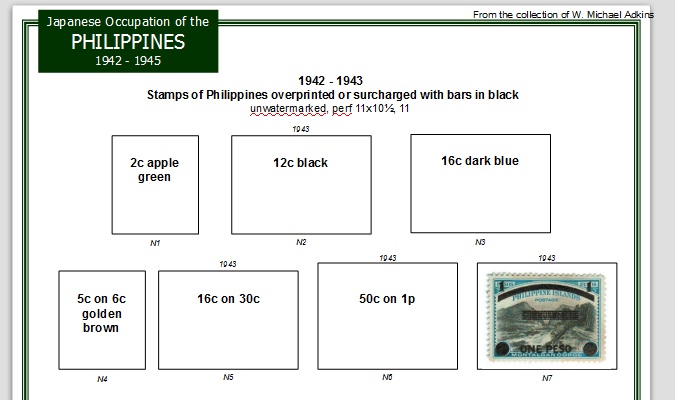 |
|
Send note to Staff
|
| Edited by area66 - 01/26/2016 5:49 pm |
|
|
Pillar Of The Community
2013 Posts |
|
|
Quote:
On the other hand I have purchased some very old/antique 19th century stamp albums that have pages in landscape view - and I must admit it looks quite classy. Just a quick copy and paste from Google stuff for show the idea, name under stamps will be replace with Scott # and color I made it with PowerPoint  What I like is the stamp are far from the left so the mount don't bent when you turn the pages, at I don't loose space with the technical drawing 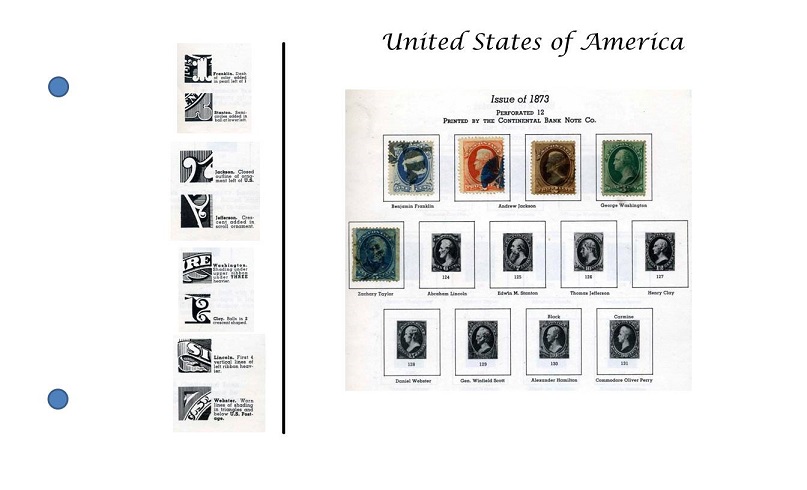 Those thing hold 2" of paper and cost $ 5 Not the most luxurious thing, but practical 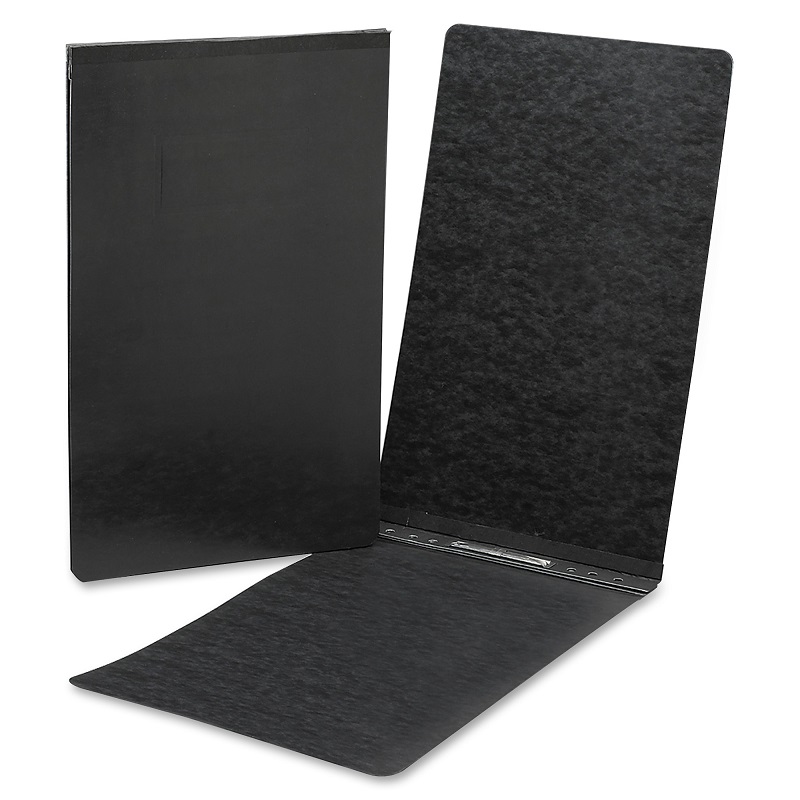 |
|
Send note to Staff
|
| Edited by area66 - 01/26/2016 7:08 pm |
|
|
Pillar Of The Community
2013 Posts |
|
|
Peoples often place extra stamps around there other in an album, why not make a place for them on each page, on the printed version, we can just add a note with a pencil on the virtual version, we can actually update the page or even place them at right with the other stamps 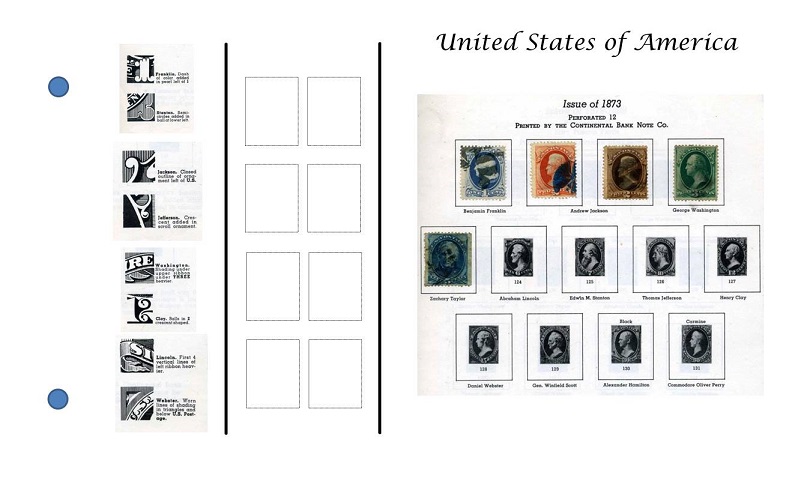 |
|
Send note to Staff
|
| Edited by area66 - 01/26/2016 7:23 pm |
|
|
Pillar Of The Community
Norway
1661 Posts |
|
|
Quote:
The purpose is to tell the history of a place and show the stamps which were issued in the midst of that history Precisely my aim as well. Looking forward to see your new work Michael!  |
|
Send note to Staff
|
|
|
Pillar Of The Community
Norway
1661 Posts |
|
|
Area66 I like your personal twist on that US page! Interesting layout, opens some other possibilities. Quote:
I don't want to scan the individual stamps on my Scott, only the full page The scan of your czk page is nice , still I guess it's not much more than a scan and not really a fully digital albumpage...? Glad to see you liked the feeling when testing on Michael's digital page! Let me know if you want to test on some other digital pages, and I can send you some of mine (empty pages). I actually like it just as much to fill the spaces on my digital pages as filling spaces in my real album. So that is another benefit of making digital collections - you get to 'fill the spaces' twice - both in the real and in the virtual album - so it is double fun for each new stamp  . Quote:
on the virtual version, we can actually update the page or even place them at right with the other stamps Exactly some of the advantages: the freedom to rearrange easily and do whatever you like with the pages  |
|
Send note to Staff
|
|
|
Replies: 253 / Views: 62,610 |
|




 Posted 01/23/2016 8:34 pm


