| Author |
 Replies: 12 / Views: 2,076 Replies: 12 / Views: 2,076 |
|
|
Valued Member
20 Posts |
|
|
|
Hi all,
I've seen some individuals share images of their digital archives complete with photos of stamps they scanned in--an enormous amount of time to compile. What are the advantages of putting something like that together? I would consider keeping a checklist of a mint set I'm trying to complete but why go so big with the cataloguing? (This is coming from someone with a very small collection of three albums and one stockbook plus a couple bins of misc. stamps... so I probably don't see the need without having walls of albums.)
Care to share how/why you digitally organize?
|
|
Send note to Staff
|
|
|
|
|
Pillar Of The Community
United States
978 Posts |
|
|
Hi Short1
As your collection grows you will realize the need for organization. You will find a million ways to accomplish organization, either custom or commercial solutions. Organization can be as simple or complex as you wish,it is your collecton.
You will find some advantages:
1.Knowing which stamps one owns and their condition
2.Knowing which stamps one needs (want list)
3.A record for Insurance purposes, household or specialized stamp
collection insurance
Others will have other reasons.
As far as time is concerned, now is the time to start, when your collection is small. As it grows it will take a large amount of your time creating a record, database or otherwise. Doing it now will take a little time but later, as the collection grows, it will take minimal time to enter new acquisitions.
Just some of my thoughts on the matter.
Jerry B |
Send note to Staff 
|
|
|
Valued Member
20 Posts |
|
|
Decided to try something out just for ease of ordering when I work on completing certain years. 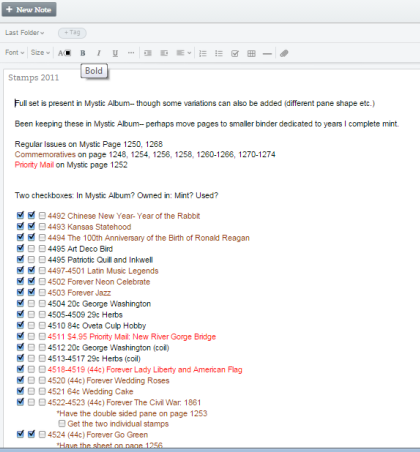 Thought the checkboxes in Evernote would be really helpful. Can keep misc. notes about each stamp as bullet points. The folder system in Evernote might work quite well for keeping track of different collections (en masse filling of my Mystic Albums or the mint sets I complete in stockbooks or perhaps in smaller custom albums). I wanted to see what editions were and weren't included in a year I've been working on and found out certain shapes/panes are split up or not included. For example: 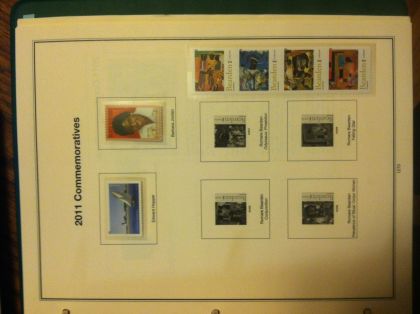 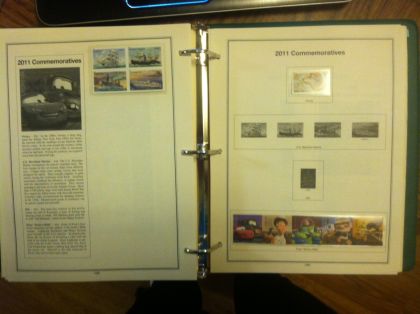 Anywho, it's a start and I like seeing for sure what completing a year actually entails and having a checklist for shopping. |
|
Send note to Staff
|
|
|
Pillar Of The Community
United States
978 Posts |
|
|
Hi Short1 If you are going to collect Us stamps only then the Scott pocket catalog may be useful: http://www.amosadvantage.com/scotto...#043;catalogPersonally I think $25 is a little much but it seems you can get a 2014 one for $10 which is reasonable. Downside is that you have to be subscribing to a Amos publication, i.e; Linn's Stamp News, to get the AA price. If you are Windows and have at least a basic MS Office installed, check out doing your "inventory" with EXCEL. It is pretty much the number 1 software for inventorying stamp collections. What is Evernote? I haven't heard about that before. Jerry B |
|
Send note to Staff
|
| Edited by jbcev80 - 07/18/2015 08:18 am |
|
|
Valued Member
20 Posts |
|
|
Evernote is an online site/program you can download for free that is for keeping notes about anything and everything. It can be accessed from any computer with internet (cloud based). You can upload photos, type text, voice record, etc. Another cool feature is web clipping. If you find something on the internet you can hit a button and quickly have it sent to your evernote, which has its own little email for sending bits of stuff to it.
I used to use it for keeping journals but went back to analog for the feel of handwritten. It's a great program! But I stopped using it to simplify my life and spend less time hoarding ideas and reading on the computer. |
|
Send note to Staff
|
|
|
Pillar Of The Community
United States
1624 Posts |
|
|
I am going to check out the Evernote system. Good idea and welcome to the forum. |
|
Send note to Staff
|
|
|
Valued Member
20 Posts |
|
|
I am wondering if there is a fast way to get a "checklist" going so that I can quickly search for a stamp and see if it is marked as owned instead of paging through the album every time I look. Compiling like above will take until I'm done with the US! Could it be as simple as checking off items in a Scott Catalogue? (Though I can't keep notes there.) Any ideas? Some sort of premade searchable archive that lets me mark whether I have ownership and add notes would be amazing. Then I could sort based on "going to put in album" and "this is a duplicate" for storage. |
|
Send note to Staff
|
|
|
Moderator

United States
12330 Posts |
|
|
The cost of most catalog application (i.e Stamp Manage, EZ Stamp, etc. ) is nominal when compared to the time you end up investing in data entry. The time you end up in these application/efforts is very large; often ending up in hundreds of hours. Compare this to the cost of the application (usually well under $100).
Even if you use a 'free' online application (nothing is truly free) you have the same considerations. Be sure that the company which publishes the app will be around, and supporting whatever platform you use, for years to come. Nothing would suck more than to pour hundreds of hours into a stamp app only to have the supporting company change it terms and conditions (read as increase cost), or even go out of business. The cost of the app will pale in comparison to walking away from hours of data entry.
Don
edit FYI: I only use apps that support SQL porting. SQL will be around for decades to come in one flavor or another. |
|
Send note to Staff
|
| Edited by 51studebaker - 07/18/2015 10:25 am |
|
|
Valued Member
20 Posts |
|
|
Good points-- That's likely why so many use spreadsheets for universal security. I suppose I could do the same as I am doing here in excel/google sheets. I will try that next. I like the clarity/flexibility of this method. Programs like stamp manage, do they have a catalogue of stamps in Scott order that you can then "check off"/add notes to? Could you create folders for different collections and then "drop" stamps in to check off? How do you add stamps to your folders/collections? Made another little archive this morning: 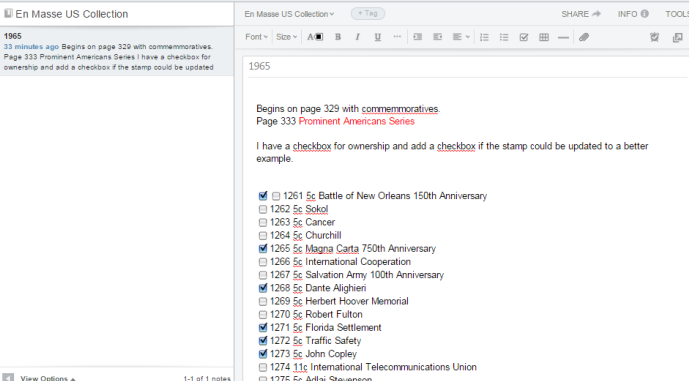 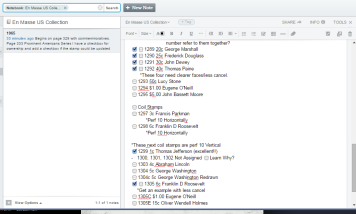 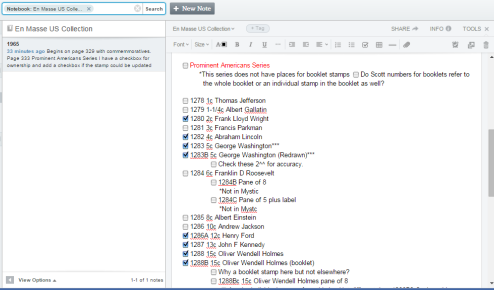 When something is quirky I like putting a note/checkbox for further investigation. Going through each stamp like this, checking my album to see what is/isn't included really helps me better know what is going on with a particular year and how I might collect it. It reveals the pertinent issues in having the year truly complete. |
|
Send note to Staff
|
|
|
Moderator
United States
12330 Posts |
|
|
Yes, Stamp Manage uses Scott numbers and maintains a list (MS database). You can check it out on their web site. Note: Stamp Manage has probably the worst 'support' around; do not expect prompt replies to any inquiries. EZ Stamp also has a web site and I believe both have 'demos' which you can try before you buy.
Don
|
|
Send note to Staff
|
|
|
Pillar Of The Community
United States
978 Posts |
|
|
Hi Short1
As an aside. I only collect 3 countries so I used a WORD document and WORD tables for my inventory (do not have EXCEL).
Maintenance of the tables was done using the Office programming language VBA. Since retiring, I am slowly converting everything to VB.NET programming language. Part of the process is to convert an old, old, old ... program that was written for a TRS1 (if you are very young, it was made by Radio Shack). The program used a shorthand language to describe ALL catalog numbers for a country (Colombia was under 100 lines). The program used the "script" to generate every Scott number for a country. A friend used the last version of it for generating Michel numbers so I assume it can be used for any catalog.
If interested I can dig out the code and add a CSV output that can be imported into most any software. It would not be an overnight project and could take a week or two as I haven't looked at the code for a few years. I would also have to make a couple of screens for "script" input and maintenance (easy part). E-mail me if interested.
Note: Anyone interested can E-Mail me.
Jerry B
|
|
Send note to Staff
|
|
|
Valued Member
20 Posts |
|
|
Been putting stamps into stamp manage and am overwhelmed! The listing I was using to create my evernote files did not include nearly as many variations as stamp manage does! I went up to about 1968 and I'm questioning entirely a lot of the stamps that I thought were correct ones. Now I know they might be a different variation that the Mystic album doesn't actually have a spot for. Many of these variations involve a stamp being untagged. What does that mean? |
|
Send note to Staff
|
|
|
Pillar Of The Community
United States
978 Posts |
|
|
Hi Short1 Quote:
Many of these variations involve a stamp being untagged. What does that mean? A chemical is added to the stamp paper or the stamp itself. This makes the stamp glow under ultra-violet light, short wave or long wave. This property allows automatic machinery to locate the stamp on an item. Here is a link to a more in depth answer to "what is tagging": http://www.shaulisstamps.com/tips/Tagging.htmThe article is specific to United States stamps but foreign stamps also have tagging. Jerry B |
|
Send note to Staff
|
| Edited by jbcev80 - 07/18/2015 8:34 pm |
|
| |
Replies: 12 / Views: 2,076 |
|



 Posted 07/17/2015 7:06 pm


