| Author |
 Replies: 22 / Views: 3,652 Replies: 22 / Views: 3,652 |
|
Pillar Of The Community
United Kingdom
1255 Posts |
|
|
I have written up my collection to introduce each country with a one-page summary giving basic country information and a map, usually using Gerben van Gelder's excellent maps from Stamp World History ( http://www.stampworldhistory.com/). See the example attached. However, for some countries I need much more information and detail and I want to produce maps such as one showing the location of key (or all) post offices, or showing key geopolitical regions in relation to the country's development. I don't want to download and annotate a map from the Internet as this will either look untidy and full of unneccessary information, or simply show the wrong stuff altogether. I have two options: 1. draw the maps and annotate in freehand (old-fashioned, and largely limited to B&W as I don't want to hand-colour things); 2. use drawing software and annotate accordingly. Which method have forum members used, which which results, and what are their recommendations? Thx for your help. 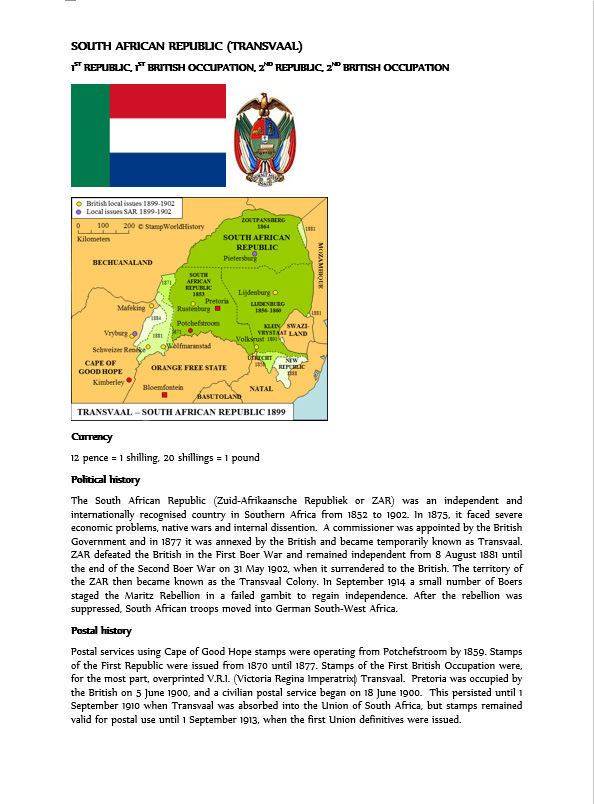 |
|
Send note to Staff
|
|
|
|
|
Moderator

United States
4788 Posts |
|
|
Great question. Good maps are not easy to find; and most of the ones online are "current" maps and not necessarily what one needs for a dead country or historical context.
I don't have an answer, but I look forward to following this discussion |
Send note to Staff 
|
|
|
Pillar Of The Community
United States
2423 Posts |
|
|
Pillar Of The Community
United States
772 Posts |
|
|
Tim,
I think Gerben actually uses PowerPoint to draw his maps. Maybe you can just use his map as a starting point and modify using PP? |
|
Send note to Staff
|
|
|
Rest in Peace
Netherlands
153 Posts |
|
|
Tim
Thanks for using my maps. What a great compliment! In this day and age I would certainly recommend using software to draw your maps. It will allow you more flexibility in drawing the maps. And in updating maps when you come across new information or want to add a new element to a map.
When it comes to choosing software, I would suggest to first experiment with software you may already be familiar with. I indeed use Powerpoint. Most people consider PP to be just a presentation tool, but it has drawing capabilities that make it quite suitable for drawing maps. As I was thoroughly familiar with PP when I started making maps, choosing PP meant no learning curve and no investments. And so far it certainly gets me where I want to be. Essential when using software is to invest in a drawing pad though, can't do without it. |
|
Send note to Staff
|
|
|
Pillar Of The Community
United States
1125 Posts |
|
|
How I do it: 1 - go to http://www.davidrumsey.com to find the map you want (matching the time period is my preference). 2 - download a copy of the map (doesn't need to be the biggest size) 3 - import the map into a software program with graphics capabilities (I use MS PowerPoint) 4 - Overlay the map with the text or lines you want 5 - group all of the elements together with the background map picture 6 - save the new image as a new picture file (so that all the elements are "locked" into place when resized) and/or paste onto the page you want as a picture file Examples: http://www.cgpostal.com/12cent/slide5.jpg - Ft. Garry to Montreal http://www.cgpostal.com/12cent/slide53.jpg - New York to Australia Chip |
|
Send note to Staff
|
|
|
Moderator
United States
12330 Posts |
|
|
I would only use a vector based app like AutoCAD or CorelDraw for maps. Using a bitmap app would drive me crazy, you simply cannot resize things and have them look sharp like you can in a vector app.
Don |
|
Send note to Staff
|
|
|
Pillar Of The Community
2013 Posts |
|
|
Valued Member
United States
262 Posts |
|
|
This subject is very interesting to me and would consider alternatives, provided they aren't too complicated.
As for me (at DCStamps), I find that my best friend is Google. I usually can find what I want using an image search. I use all kinds of maps, provided they are simple and clear. I also check to be sure they aren't copyrighted protected in a way I can't use them. This does result in very inconsistent maps between each if my entries, but sometimes the history is as important as the borders, such as in an occupied territory.
|
|
Send note to Staff
|
|
|
Pillar Of The Community
United States
772 Posts |
|
|
Quote:
I would only use a vector based app like AutoCAD I can't image the learning curve to using AutoCAD compared to PowerPoint, a program I've used for 20+ years. |
|
Send note to Staff
|
|
|
Pillar Of The Community
United States
1179 Posts |
|
|
Pillar Of The Community
United States
772 Posts |
|
|
Quote:
I use all kinds of maps, provided they are simple and clear. I also check to be sure they aren't copyrighted protected in a way I can't use them DCStamps, Does that mean I can use any map I find on your website for my albums?  |
|
Send note to Staff
|
|
|
Moderator
United States
12330 Posts |
|
|
Chris,
Have you used these other apps I am talking about? If so, what do you not like about them? I certainly understand using what you have, especially if you just need to knock something out quickly. But if a person is going to invest a ton of hours in something like designing a large album, my opinion is to spend the time and money using the best tools you can afford. It seems to me to be false economy to burn many hours using a less-then-ideal tool.
Don |
|
Send note to Staff
|
|
|
Pillar Of The Community
United Kingdom
1255 Posts |
|
|
Thanks to everyone's contributions so far (hopefully there will be more). I think the key points here are that I need to buy a drawing pad and a vector-based application. I haven't used CorelDraw for many, many years but it's not too bad a learning curve to get up. It also looks like I will have plenty of time on my hands in the near future as the potential of redundancy looms, so this is a perfect time for learning and honing new skills as I really get my collection into shape. |
|
Send note to Staff
|
|
|
Pillar Of The Community
United States
772 Posts |
|
|
Quote:
Chris,
Have you used these other apps I am talking about? If so, what do you not like about them? I certainly understand using what you have, especially if you just need to knock something out quickly. But if a person is going to invest a ton of hours in something like designing a large album, my opinion is to spend the time and money using the best tools you can afford. It seems to me to be false economy to burn many hours using a less-then-ideal tool.
Don Don, I think the main issue here is like DCStamps has indicated, that what we are doing with making these pages is not rocket science. I'm not that familiar with the programs you are talking about, but I do know that some of the professional programs like the various Adobe programs, AutoCAD, etc. can cost hundreds of dollars to buy and require a significant amount of time to learn. I suspect that these programs have way more capabilities than I would need to make my pages. Why not use something I already have and I'm already very familiar with if it can do what I need? Chris |
|
Send note to Staff
|
|
|
Pillar Of The Community
United Kingdom
1255 Posts |
|
|
Gerben, which drawing pad do you use? What made you choose it? There seem to be a variety of them. |
|
Send note to Staff
|
|
|
Replies: 22 / Views: 3,652 |
|




 Posted 01/21/2016 04:36 am


