Quote:
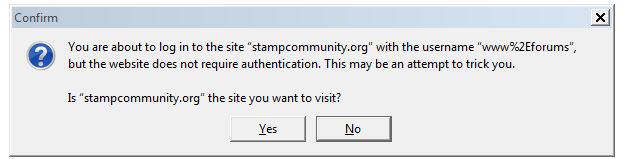
We will never go SSL here. It's just NOT necessary and it's COMPLETELY absurd that browsers "warn" you. We're not handling anything important here whatsoever.
I don't want to sound contrarian or argumentative. That's not my intent. This is intended to provide some information/advice:
Not only will browsers be warning users any time a login/password is submitted to a non-SSL website, but Google at some point will be penalizing non-secure sites in their ranking algorithms.
As someone who owns 10+ websites, most of them small hobby sites that generate ZERO revenue, I was more than a little bit scared by this and the potential costs and technical hurdles with converting that many sites to SSL. As it turns out, it was FAR less onerous than expected, and cost me $0 out of pocket to convert all 10+ sites.
I converted all of my websites to SSL 2.5 weeks ago. If you go to revenue-collector.com, you'll see it's now a secure site.
A few notes:
1. You no longer have to purchase an SSL cert.
https://LetsEncrypt.org is an open source CA provider and install and autorenewal (via AutoSSL) can be handled through cPanel/WHM. My hosting company installed SSL certs for all my domains in about 10 minutes. This option did not exist as little as a year ago. At that point I would have had to pay an annual fee for an SSL cert for every domain name. So cost should no longer be a barrier.
2. I had to set up .htaccess rules to perform transparent permanent redirects (301) from http:// to https:// for my pages and scripts. That is how image and page links I've posted here and other forums over the years all still work. It doesn't require going back and changing links at the source; the redirects take care of it all. This took a little bit of doing and some trial and error, but again my hosting company did all the heavy lifting. If desired, I can provide some sample .htaccess rules that were implemented on my sites.
3. The only thing I had to do then was check across my scripts for any explicit full URLs I had coded (I try to use relative paths whenever possible to avoid just this scenario), or any Meta HTTP redirects that redirected pages to new locations. The only reason this took as long as it did is that my perl code is ancient, dating back to the late 1990s, and is now a bit of a spaghetti mess. My own fault.
It was a daunting prospect beforehand, but in hindsight I should have done it sooner. It was nowhere near as difficult as expected. Most of my sites were fully functional as secure sites with 5-10 minutes of tweaking, and for my most complicated dynamic site it took a few days to get everything ironed out.
I'm not trying to tell you what to do; this is your ball game. I just wanted to give the perspective of someone who just recently went through the transition and came out relatively unscathed.





 Posted 11/08/2016 09:47 am