| Author |
 Replies: 31 / Views: 11,511 Replies: 31 / Views: 11,511 |
|
|
|
Pillar Of The Community
Canada
1449 Posts |
|
|
filkata,
I think we both agree but on different things. My software program uses the Scott and Unitrade numbers, and these are put in as I go. There are separate programs you can attach to the main one, like Album creation, Scanning stamps (many at a time) and repositioning them (skew),importing pics in the program (but most are there already) but I have not bought the software recognition program though I have the Perf measurement one also. Cheers !
All in all, I use software by this:
not allowed, and I respect the rules of this Forum |
Send note to Staff 
|
| Edited by Renden - 11/22/2017 2:50 pm |
|
|
Valued Member
United States
56 Posts |
|
|
I use an excel spreadsheet, broken into tabs for the volumes in a particular collection; i.e., my butterfly collection is housed in 7 legal sized volumes; my current mint U.S. is housed in 4 volumes; my used stamps are housed in a number of different volumes, each of which get a tab in my used spreadsheet; my mint sheets are housed in another volume with its own spreadsheet, etc. I have over 30,000 stamps catalogued thus far, but haven't entered all of the low value U.S. used stamps or world stamps. I'll get there eventually ... Then I have a spreadsheet that totals all of the various tabs and files, using a link so I don't have to worry about typing the totals myself.
I love StampWorld - it really helps identify some stamps I can't find myself in Scott's (they usually only show 1 stamp from a set, whereas StampWorld shows all of the stamps - for the most part). I find myself sending in pictures of stamps from my collection from time to time to supplement StampWorld if they're missing some stamps I have, particularly mini-sheets or souvenir sheets. |
|
Send note to Staff
|
| Edited by msdot281 - 11/23/2017 02:46 am |
|
|
Pillar Of The Community
United States
626 Posts |
|
|
Pillar Of The Community
United States
772 Posts |
|
|
I use Stamp Mate 2015, produced by the firm (20131208) Site not allowed for spam reasons s. Very flexible, easy to use, inventory creation system that allows you to draw base data from the Col-Nect reference website as a base to begin working on your own inventory.  Here is an image from my listing of the first series of Australian Roo issues from 1913-1914. I started with the base listings drawn from Col-nect and then added information such as additional catalog numbers (specialized here refers to the Brusden-White Australian Commonwealth Specialist Catalog, vol 2, numbers) variety listings, and more. Makes it easy for me to see what different catalog numbers equate in different catalog systems when I am online shipping, and can sort by date which makes making album setups for me (I use Vario stockpages) easy to do. Provides spaces to add catalog values as well, as Catalog Values are not included on the Col-Nect website, just the ID info and images. Also easy to replace images with your own images. Love the program, and its not overly expensive (approx US$30 IIRC). |
|
Send note to Staff
|
APS #173088
|
|
|
Pillar Of The Community
United States
626 Posts |
|
|
DJCMHOH, it looks like a pretty good program. Is it easy to use or is there a learning curve? Are those stock images or your own scans? If you click on a row, does it allow you to edit the details? Can you re-order the columns or are they in a set order? |
|
Send note to Staff
|
|
|
Moderator

United States
12330 Posts |
|
|
You can even stretch Excel to do things like have 'pop-up' stamp images. You see no images until you pass your mouse over the cell as shown here... 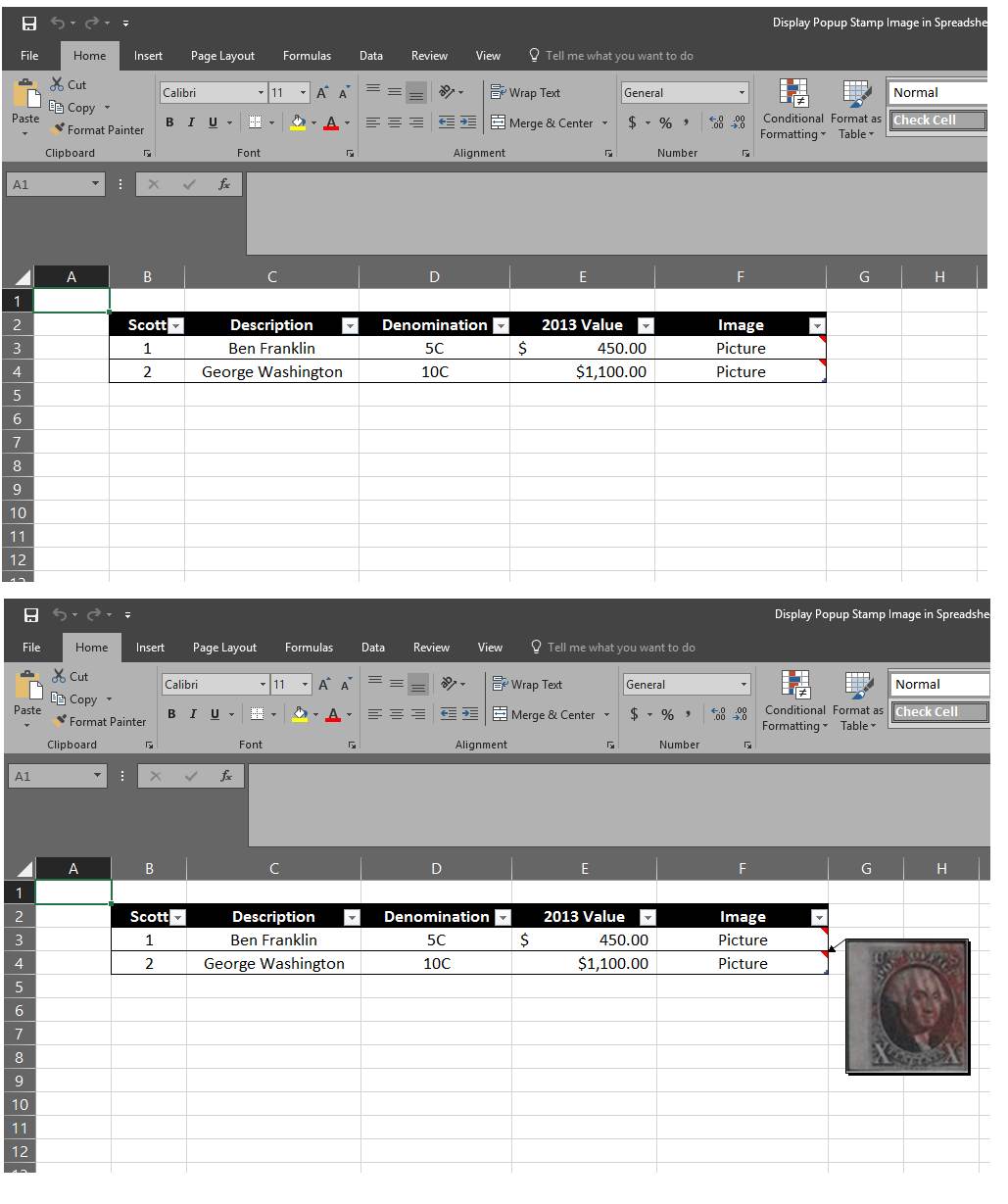 Don |
|
Send note to Staff
|
|
|
Moderator
United States
12330 Posts |
|
|
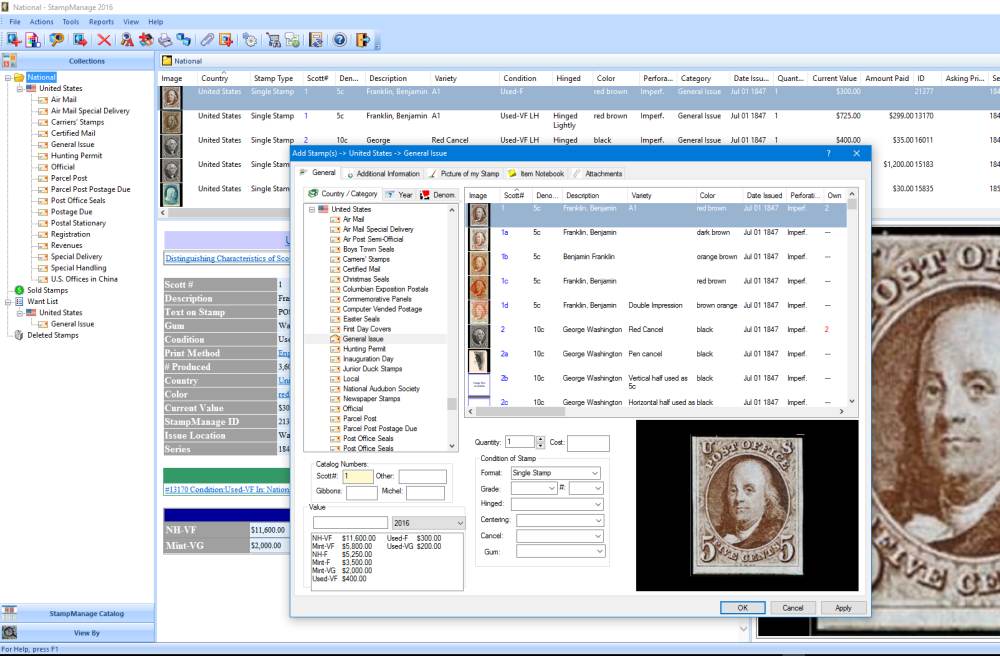 Here is a screen shot of Stamp Manage. They have the worse support on earth but are one of the few stamp inventory apps that do NOT encrypt the database. This makes it easy to port to other databases, spreadsheets, and applications. My opinion is that my investment is in the 100+ man-hours I put into my data entry, not the original purchase price. As such, I want full access to my work, not have it encrypted and out of my reach if something goes south. Don |
|
Send note to Staff
|
|
|
Pillar Of The Community
United States
626 Posts |
|
|
Don, I agree that an unencrypted database is critical. It's much easier to open the database directly and enter data more quickly. Your point about porting the data to other applications or tools is a great point. |
|
Send note to Staff
|
|
|
Pillar Of The Community
United States
772 Posts |
|
|
Quote:
DJCMHOH, it looks like a pretty good program. Is it easy to use or is there a learning curve? Are those stock images or your own scans? If you click on a row, does it allow you to edit the details? Can you re-order the columns or are they in a set order? 1 - there is a bit of a learning curve but it's not like trying to climb a cliff face either. 2 - those are stock images drawn from col-nect but it is very easy to add your own images to new rows of data you create or replace the stock images in the rows you import with your own. You can also edit the text in the fields you import in from col-nect if you want a different description, want to correct catalog information or change format from what (20130207) Not allowed by the Staff uses etc. 3 - that is exactly how it works, click on a row and a dialog box opens up to let you edit the line, add data, change images etc. you can even clone the data into a new line if for example you are going to add a new line for a variety, so that you don't have to enter all the information from scratch again. 4 - yes you can rearrange the rows, add or remove columns depending on what fields you want to show on screen, create user-defined columns (my "Specialized Catalog" field for example), and click on the top of each column to sort the entries based on the content of that field (much like in excel) |
|
Send note to Staff
|
APS #173088
|
| Edited by DJCMHOH - 11/23/2017 2:17 pm |
|
|
Valued Member
United States
16 Posts |
|
|
I have created my own Access Database where I can search by key words and another by Scott Number. It did take me a while but it was well worth it, but I currently only have US Stamps. I have added a image to it as well with some other key things that I find useful for my collection. Some images have been hard to find but I look for those when needed. 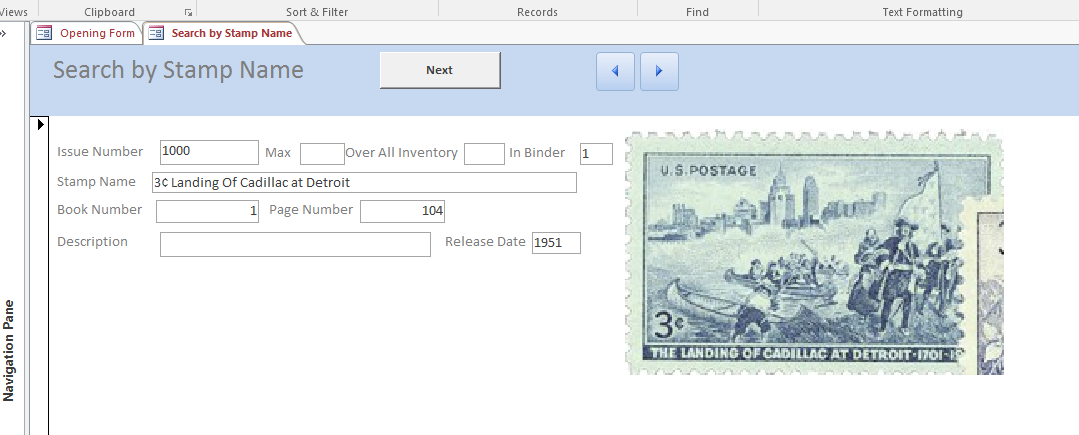 |
|
Send note to Staff
|
|
|
Pillar Of The Community
United States
772 Posts |
|
|
Quote:
Being one of Don's "less technically inclined", I put a tick in a catalogue ...  I do the same, but also play around with trying to use Excel. |
|
Send note to Staff
|
|
|
Pillar Of The Community
Canada
1449 Posts |
|
|
chris there are a lot of good commercial programs out there - you just follow the instructions......at times more than 200 pages - cause they want to be certain it works well ! Excel is for the experts on this Forum and I do respect them.........some are my friends  |
|
Send note to Staff
|
|
|
Valued Member
Canada
74 Posts |
|
|
Pillar Of The Community
Canada
1449 Posts |
|
|
Quote:
stampcat v10 by fred nordbaak of norway is best ... A description, s.v.p. (please) - what language - cost - web site ?? Thanks - R |
|
Send note to Staff
|
|
|
Valued Member
United States
98 Posts |
|
|
i use the new stamp app by USPS not bad for 9.99 and I am just getting back into collecting.
downfalls is that it is cloud based and I only work on my note book so with wifi I am lost, however I can email my info in csv and convert to excel and print out a copy of save a copy.
almost no support I had a question and it has not been answered yet and that was 3 months ago. there been no updates so the catalog only goes to 2015. but once I get all my numbers entered then I will set up a spreadsheet that will give me what I want. so all in all not bad for 9.99us |
|
Send note to Staff
|
|
|
Replies: 31 / Views: 11,511 |
|




 Posted 11/22/2017 2:07 pm


