Stamp Community Family of Web Sites
Thousands of stamps, consistently graded, competitively priced and hundreds of in-depth blog posts to read


Stamp Community Forum
 
Username:
Password:
Save Password
Forgot your Password?

This page may contain links that result in small commissions to keep this free site up and running.

Welcome Guest! Registering and/or logging in will remove the anchor (bottom) ads. It's Free!

Transportation Coil Caboose 1905 Trying To Understand Untagged Variation

Previous Page
 
To participate in the forum you must log in or register.
Author Previous TopicReplies: 20 / Views: 1,994Next Topic
Page: of 2
Pillar Of The Community
United States
1495 Posts
Posted 02/24/2018   2:56 pm  Show Profile Bookmark this reply Add Trainwreck to your friends list  Get a Link to this Reply
Usually, my grouping of definitive stamps in a series is based on denomination, then design. As an example, here's a shot of my page containing the 11c RR Caboose stamp, with a couple of other stamps in the series.
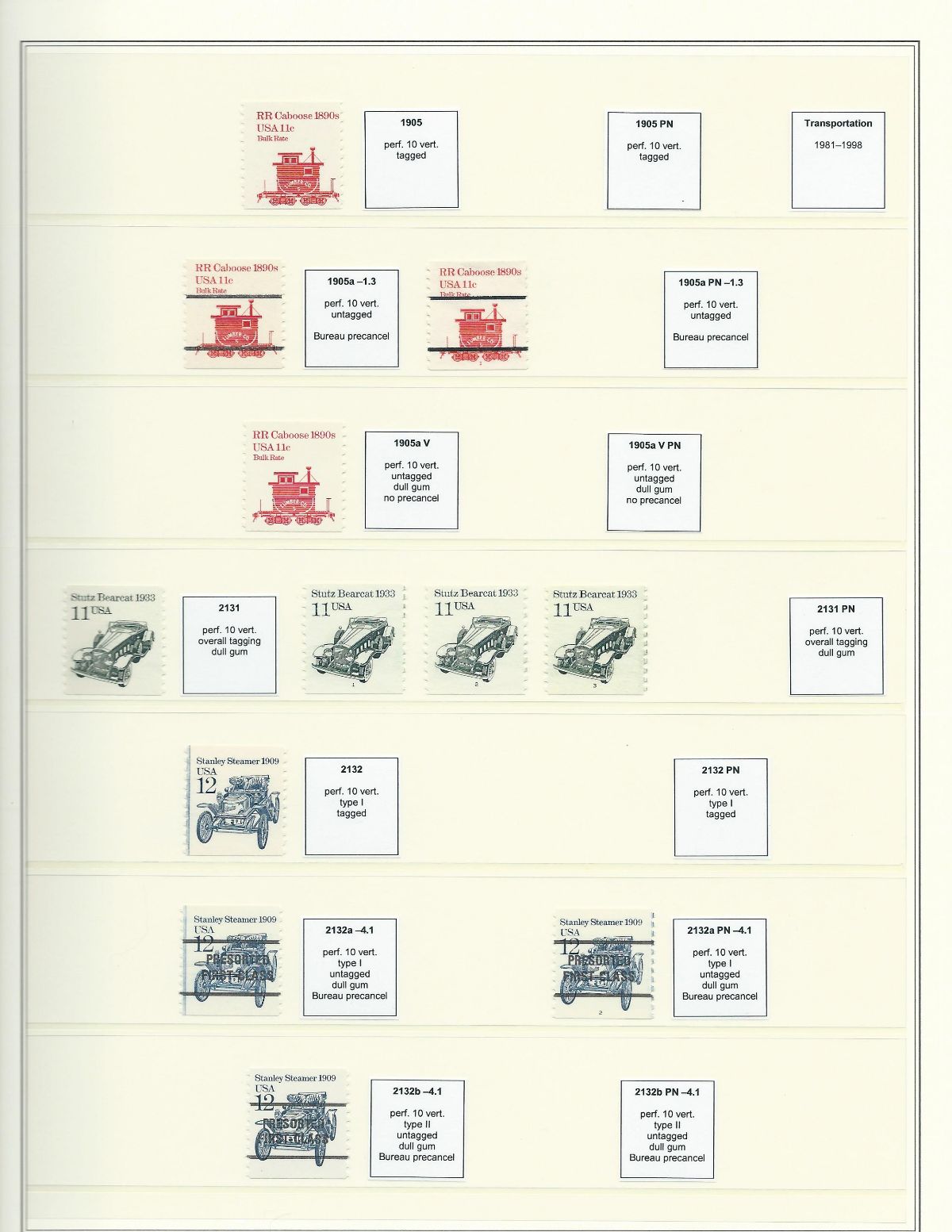

But, there are always exceptions. In some cases, I might create groups of definitives based on watermark, or perforation, etc.

Hope this helps.
Robert
Send note to Staff  Go to Top of Page
Valued Member
United States
126 Posts
Posted 02/24/2018   4:56 pm  Show Profile Bookmark this reply Add sleepy to your friends list  Get a Link to this Reply
Trainwreck, How do you print those squares ?
I'm making new pages but don't know how to do that.
Send note to Staff  Go to Top of Page
Pillar Of The Community
United States
4079 Posts
Posted 02/25/2018   01:54 am  Show Profile Check eyeonwall's eBay Listings Bookmark this reply Add eyeonwall to your friends list  Get a Link to this Reply
I have a #2 PS5 on a Powell FDC with as I recall a Minneapolis cancel that I have been told may have been backdated.
Send note to Staff  Go to Top of Page
Pillar Of The Community
United States
1495 Posts
Posted 02/25/2018   11:25 am  Show Profile Bookmark this reply Add Trainwreck to your friends list  Get a Link to this Reply

Quote:
How do you print those squares ?


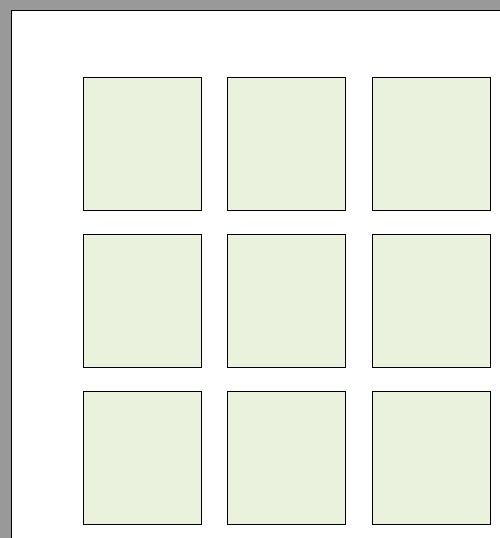
It's pretty simple. I used a word processing program (Word, OpenOffice, etc.) to create a table with rows and columns to the desired size. I added the info in the cell, put a border around the cell, then printed. I cut the labels out with scissors. You could also use Excel or other spreadsheet program.

Robert

Edit: Each row and column should have adjacent rows and columns of smaller size (and no borders) to provide a margin for cutting.
Send note to Staff  Go to Top of Page
Edited by Trainwreck - 02/25/2018 11:29 am
Valued Member
United States
126 Posts
Posted 02/25/2018   1:33 pm  Show Profile Bookmark this reply Add sleepy to your friends list  Get a Link to this Reply
Got it....thanks.
Send note to Staff  Go to Top of Page
Page: of 2 Previous TopicReplies: 20 / Views: 1,994Next Topic  
Previous Page
 
To participate in the forum you must log in or register.

Go to Top of Page

Disclaimer: While a tremendous amount of effort goes into ensuring the accuracy of the information contained in this site, Stamp Community assumes no liability for errors. Copyright 2005 - 2026 Stamp Community Family - All rights reserved worldwide. Use of any images or content on this website without prior written permission of Stamp Community or the original lender is strictly prohibited.
Privacy Policy / Terms of Use    Advertise Here
Stamp Community Forum © 2007 - 2026 Stamp Community Forums
It took 0.12 seconds to lick this stamp. Powered By: Snitz Forums 2000 Version 3.4.05