If you use Stamp Manage I hope you can help me. I previously entered a set of 859-893. I now have a set of PBs to enter. When I attempt to enter the new set I am routed to the old entry. How do I enter multiple sets or singes of the same items.
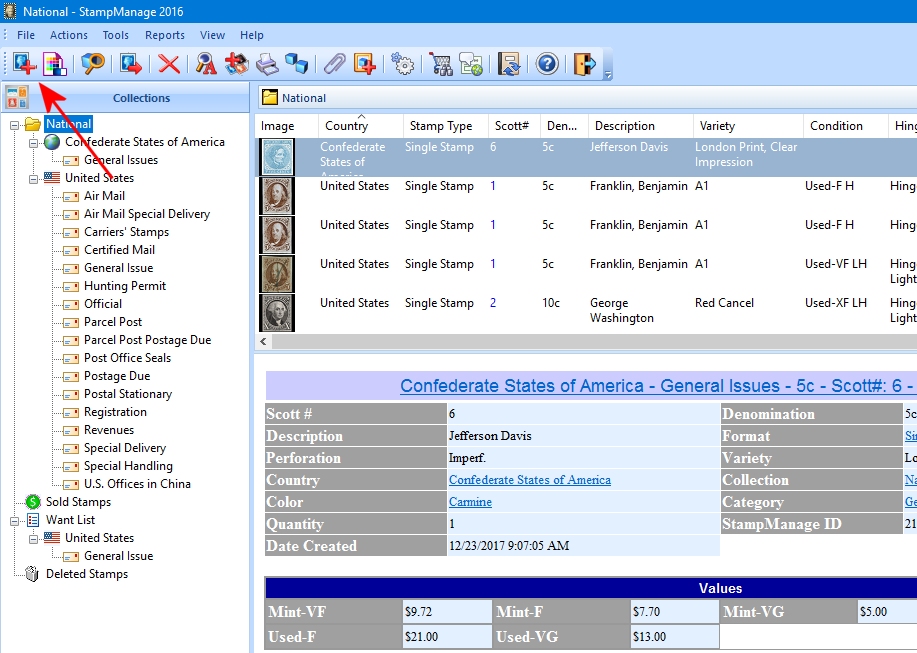
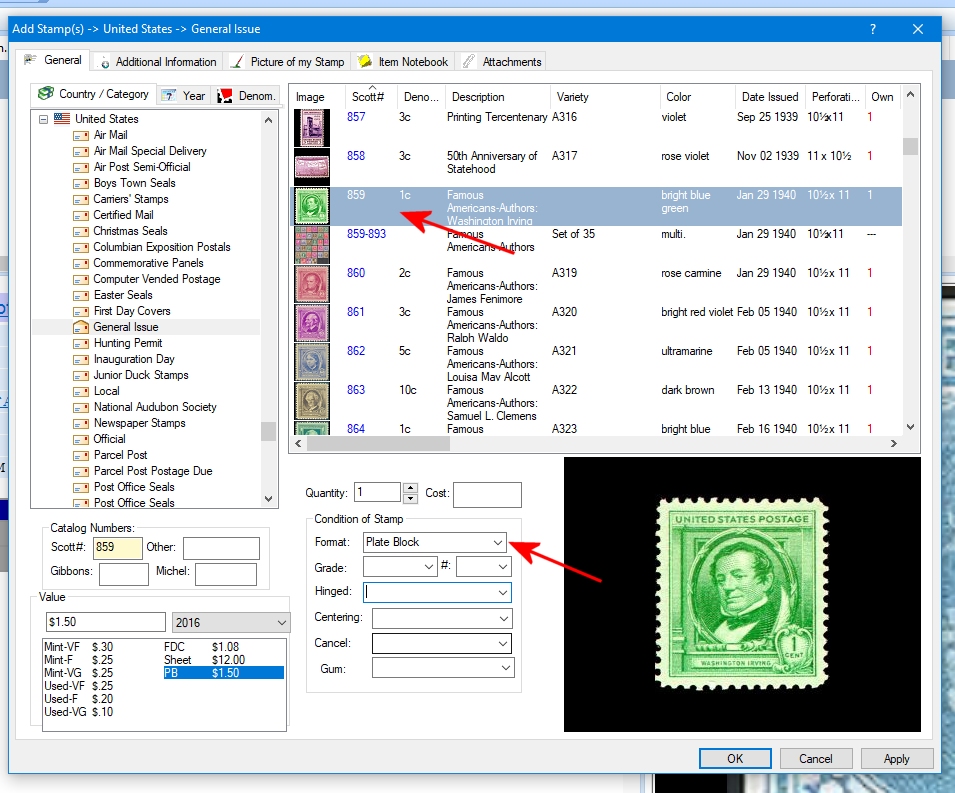
You can add multiple of the same stamp by simply clicking on the 'Add Stamp' button. Select the Scott number from the list, and then select Plate Block from the drop down. If desired, you can also add your own image for the plate block.
I already have 859-893 entered as a set. I am worried that I try to enter the PBs my first entry will disappear. I guess my real question is how do I enter duplicates of the same items.
Stamp Manage does not try to be clever. You can have a collection full of the same scott number. It is actually more flexible to add duplicates this way rather than use Quantity since each entry can have different characteristics (or all the same).
I created a "Spares Collection" to store duplicates but just starting that.
Disclaimer: While a tremendous amount of effort goes into ensuring the accuracy of the information contained in this site, Stamp Community assumes no liability for errors. Copyright 2005 - 2026 Stamp Community Family - All rights reserved worldwide. Use of any images or content on this website without prior written permission of Stamp Community or the original lender is strictly prohibited. Privacy Policy / Terms of UseAdvertise Here





 Posted 04/19/2018 09:27 am