Stamp Community Family of Web Sites
Thousands of stamps, consistently graded, competitively priced and hundreds of in-depth blog posts to read


Stamp Community Forum
 
Username:
Password:
Save Password
Forgot your Password?

This page may contain links that result in small commissions to keep this free site up and running.

Welcome Guest! Registering and/or logging in will remove the anchor (bottom) ads. It's Free!

Stamp Manage Data Transfer Help

 
To participate in the forum you must log in or register.
Author Previous TopicReplies: 9 / Views: 1,264Next Topic  
Valued Member

United States
139 Posts
Posted 07/23/2018   07:47 am  Show Profile Bookmark this topic Add DrGG to your friends list Get a Link to this Message
I installed SM 2016 on my new laptop. I backed up my data from my old laptop. How do I get the data to the new computer?
Gary
Send note to Staff

Moderator
Learn More...
United States
12330 Posts
Posted 07/23/2018   07:52 am  Show Profile Bookmark this reply Add 51studebaker to your friends list  Get a Link to this Reply
Copy the backup file to your new computer. Start Stamp Manage and then click on 'File' and then 'Restore'. Point it to the backup file you copied.
Don
Send note to Staff  Go to Top of Page
Valued Member
United States
139 Posts
Posted 07/23/2018   08:51 am  Show Profile Bookmark this reply Add DrGG to your friends list  Get a Link to this Reply
Its backed UP on a disk drive. I tried but nothing happened
Send note to Staff  Go to Top of Page
Valued Member
United States
139 Posts
Posted 07/23/2018   11:50 am  Show Profile Bookmark this reply Add DrGG to your friends list  Get a Link to this Reply
This is ridiculous. I copied STAMPDATA.MDB to a flash drive. And I see it there. But when I go to the transfer page on SM and cant find that file to copy to the data
Send note to Staff  Go to Top of Page
Pillar Of The Community
Learn More...
United States
4424 Posts
Posted 07/23/2018   11:57 am  Show Profile Bookmark this reply Add angore to your friends list  Get a Link to this Reply
By default, Stamp Manage is looking for the mdb file in a certain directory. The backup function just zips up the file. You should be able to copy the mdb dfile into the folder that Stamp Manage expects to find the file.

In Windows world. it would be \My Documents\StampManage\Data\

If you added personal images, they are stored in a separate directory (folder).
Send note to Staff  Go to Top of Page
Al
Edited by angore - 07/23/2018 11:58 am
Valued Member
United States
139 Posts
Posted 07/23/2018   12:32 pm  Show Profile Bookmark this reply Add DrGG to your friends list  Get a Link to this Reply
That's easy for you to say :)
Send note to Staff  Go to Top of Page
Bedrock Of The Community
12561 Posts
Posted 07/23/2018   1:01 pm  Show Profile Bookmark this reply Add rogdcam to your friends list  Get a Link to this Reply
Send note to Staff  Go to Top of Page
Valued Member
United States
139 Posts
Posted 07/24/2018   08:41 am  Show Profile Bookmark this reply Add DrGG to your friends list  Get a Link to this Reply
Liberty Street sent me a short video showing how to do this. So simple even a chimp could do it :)
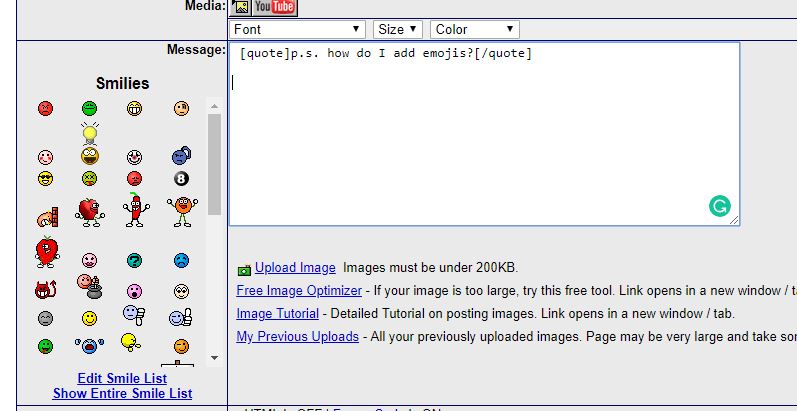
p.s. how do I add emojis?
Send note to Staff  Go to Top of Page
Pillar Of The Community
Learn More...
United States
856 Posts
Posted 07/24/2018   08:54 am  Show Profile Bookmark this reply Add rustyc to your friends list  Get a Link to this Reply

Quote:
p.s. how do I add emojis?


Send note to Staff  Go to Top of Page
Pillar Of The Community
Learn More...
United States
4424 Posts
Posted 07/24/2018   10:19 am  Show Profile Bookmark this reply Add angore to your friends list  Get a Link to this Reply
Stamp Manage has a few videos on youtube on how to use Stamp Manage. They are usually fairly short.
Send note to Staff  Go to Top of Page
Al
  Previous TopicReplies: 9 / Views: 1,264Next Topic  
 
To participate in the forum you must log in or register.

Go to Top of Page

Disclaimer: While a tremendous amount of effort goes into ensuring the accuracy of the information contained in this site, Stamp Community assumes no liability for errors. Copyright 2005 - 2026 Stamp Community Family - All rights reserved worldwide. Use of any images or content on this website without prior written permission of Stamp Community or the original lender is strictly prohibited.
Privacy Policy / Terms of Use    Advertise Here
Stamp Community Forum © 2007 - 2026 Stamp Community Forums
It took 0.19 seconds to lick this stamp. Powered By: Snitz Forums 2000 Version 3.4.05
