| Author |
 Replies: 8 / Views: 1,567 Replies: 8 / Views: 1,567 |
|
|
New Member
United States
2 Posts |
|
|
|
Hello. I am brand new to scanning stamps, never have actually. I apologize if this has been covered elsewhere but I could not find it...
How would one go about scanning sheets of stamps. I imagine you'd need a large scanner to get an entire sheet of 50 US stamps or foreign sheets. I think those are really expensive. Do people usually just scan a corner of the sheet or something?
Thank you! Chris.
|
|
Send note to Staff
|
|
|
|
|
Pillar Of The Community
United States
775 Posts |
|
|
If you need to scan an entire sheet you scan it in parts (2 parts will do for most US panes). You then use a graphics program to stitch the parts together. For a Mac I can highly recommend Pixelmator.
It is not often that an entire sheet needs to be scanned. On this site, at least, 200 KB is the limit so one would not see a lot of detail in the sheet. |
Send note to Staff 
|
|
|
New Member
United States
2 Posts |
|
|
Thanks for the reply!
I wanted to scan all of my stamps, which include a lot of stamp sheets (US & foreign), to have on my computer. That way I can show them and look at them digitally or have an image available for sale (if I decided to sell something). That's why I wanted to know how to scan them.
Anyway, I guess I can just scan a part of the sheet for reference or something, since what just explained sounds somewhat advanced...
Do you know of a good graphics program for Windows?
Thank you!! |
|
Send note to Staff
|
|
|
Pillar Of The Community
United States
3280 Posts |
|
|
Valued Member
United States
397 Posts |
|
|
Hi, Chris, welcome to the forum. You mention that you have "a lot of ...sheets, US and foreign" also that you might think of selling something. Please know, as it has been pointed out many times on this forum, that sheets of US stamps are a poor investment if you have in mind selling them for more than you paid for them. Dealers will generally pay you well below face, and at stamp shows you can even buy from dealers at below face value. And when it comes to the pre-forever stamps, the longer you held onto the stamps, the more you would lose in terms of buying power, and by this I mean that if you bought a sheet of 13 cent stamps when that was the first class letter rate, you paid for them in 1979 (or whatever it was) dollars, with the buying power that those dollars held, and at the time you could mail a letter with one stamp. Today, you would need to use 5 of the stamps to cover the current letter rate, and the aforementioned dealer might give you $5 or less in 2019 dollars for that sheet that you paid $6.50 for in 1979 dollars. But don't let that deter you from collecting, enjoy what you collect, just don't expect a huge return on sheets of US stamps. |
|
Send note to Staff
|
|
|
Valued Member
United States
79 Posts |
|
|
Quote:
Do you know of a good graphics program for Windows? Gimp is open source (free) for Windows, Mac, & Linux. Slight learning curve, but very good for doing just about anything philatelic you can come up with. https://www.gimp.org/For stitching photos together, Hugin is a great open source tool. http://hugin.sourceforge.net/ |
|
Send note to Staff
|
|
|
Pillar Of The Community
Canada
1401 Posts |
|
|
Be careful scanning any philatelic product larger than the glass on the scanner. Closing the cover might bend the item (i.e. sheet of stamps) where the cover meets the rest of the machine and reduce it's potential value. Better to leave the cover open and cover the item with sheets of paper or a light-weight cloth, preferably black. |
|
Send note to Staff
|
|
|
New Member
United States
3 Posts |
|
|
I use a Pandigital handheld scanner and it works perfect for everything I have done. |
|
Send note to Staff
|
|
|
Bedrock Of The Community
Australia
38679 Posts |
|
|
Depending on where you reside, Google "Scanning" and your region, There are possibly dedicated print shops to assist. Mine in Perth Western Australia 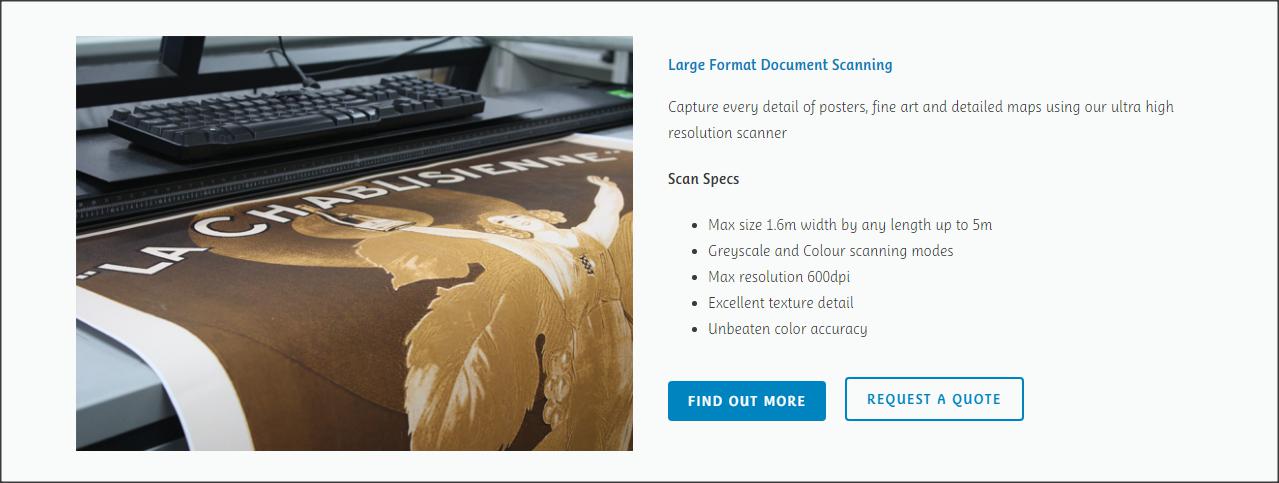 |
|
Send note to Staff
|
|
| |
Replies: 8 / Views: 1,567 |
|



 Posted 06/29/2019 12:01 pm


