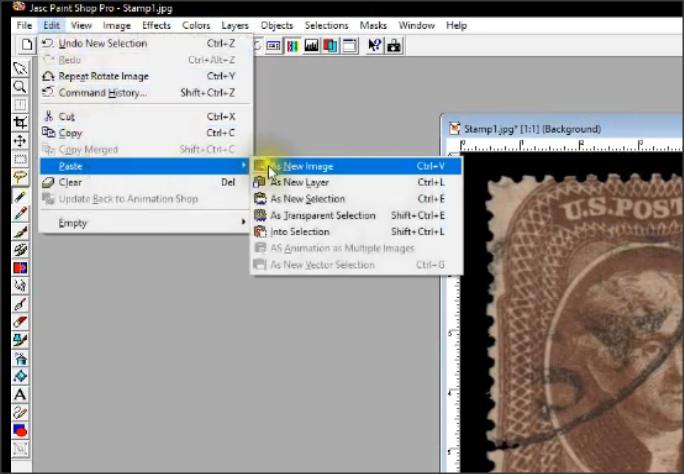
I have started on a new series of 'How To' stamp videos. The first in the series (please forgive a bit of the wonkiness, I am still learning a new software video app) is 'How To Digitally Compare Perforations' and is located here
W5M4wEWhwVU
Note: To see the screen details, you may want to view this in 'full screen'. Don
Very nice Don, I take my hat off to anyone who can produce a nice smoothly narrated video like yours - it is not easy.
I gave it a try a few days ago, I wanted to create a new AlbumEasy introduction and tutorial for YouTube. Speaking off the cuff for the initial few tries proved to be unsuccessful. So I then wrote it out as a script that I could read, the result was a little better, but I kept on losing my place after turning to look at the screen. Eventually after countless retries, still not happy with it, I released it anyway.
Quote: I discarded "Gimp" I found it clunky. Do any members know if Don's route, would apply to "MS Paint" ?
Unless the version of MS Paint included with Win10 is far advanced over the version in Win7 then I am pretty sure that it doesn't have the necessary features.
The Gimp is an incredibly powerful program, unfortunately, that power comes with a learning curve, persevere for a few hours and it will be worthwhile. no need to learn it all at once, for me the most important thing was when I figured out how layers worked.
Using layers to duplicate Don's method would make it even faster. After copying the vertical perforations, rather than pasting as a new image, paste as a new layer. Use the magic wand to select the perforations, invert the selection and delete the background leaving only the perforations. Duplicate the layer three times, rotating each the appropriate number of degrees, then by activating each layer in turn one can drag the perforations into position,
AlbumEasy - Free software for creating custom stamp album pages ChromaMate - Compare, match, analyse, free colour matching software ImageSleuth - Images, hidden inside images, revealed. A retroReveal alternative PSGSA - The Philatelic Society for Greater Southern Africa
Hi Clive, Yes, trying to read a script while doing screen captures is challenging so I use a work-around.
After I have written the script, I record each paragraph as a separate sound file. I basically end up with a separate sound file for each step in the process that I am trying to communicate. I then record separate screen captures that match each step in the process. Obviously the screen shot segments need to have approximately the same duration as the voice files but the durations are fairly easy to adjust. They do not have to be exactly the same duration; I have found that if the durations are within about 10-15% of each other than the final output is pretty seamless.
Once I have these completed (I use file naming convention to keep the screen capture files and voice over files paired) I use a post-editing video app to bring all the scenes together into a single video file. The video apps make assembling the scenes and dealing with the timing fairly easy, certainly easier than trying to work with a single long running script. They also support scene transitions well, so you can do things like fade out/fade ins between the scenes if needed to make it run smoother.
I am using 'Vegas' as the post editing video app. Years ago I developed experience with this app when it was sold by Sony but at the time the Pro version it was pricey (>$2000) and it required a significant computer horsepower to render and compile the final output. As such, Sony Vegas Pro also supported network rendering so you could tap into multiple computers to cut the rendering time to a reasonable amount.
But Sony sold off Vegas a while back to Magix GmbH and they have developed new, paired down versions. While the 'pro' versions are still pricey (the entire 'suite' is pushing $1000) they have split off most of the core functionality into a Windows product line named 'VEGAS Movie Studio'. These have all the video editing features that you will need and come at a much more reasonable range ($50-$100); you can see a feature comparison here https://www.vegascreativesoftware.c...#productMenu
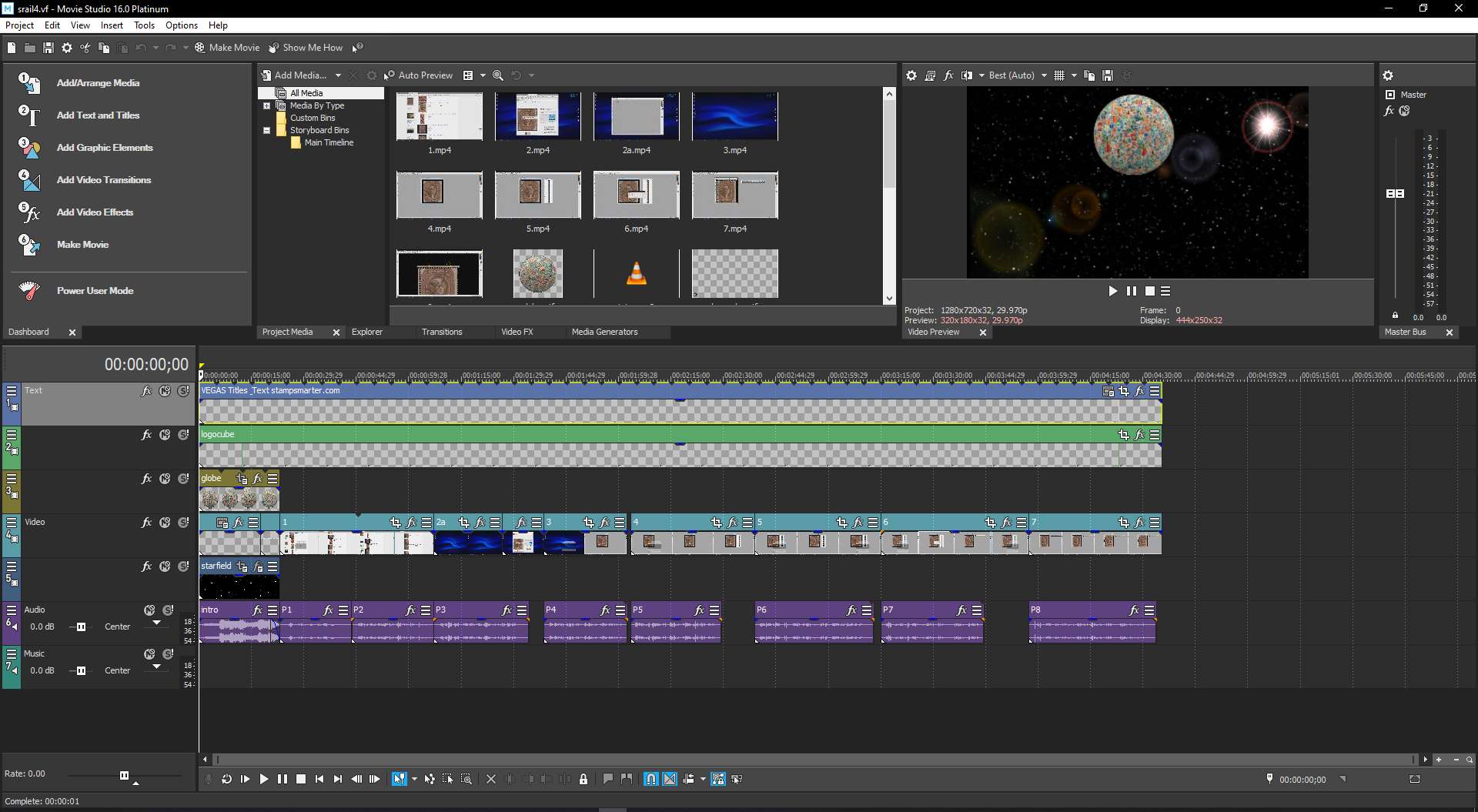
I think they also have a trial download although I am unsure of the restrictions. There is a bit of a learning curve if you use the 'Power User' mode as seen in the screen shot below. But they have addressed this with some easy to use 'wizards' but I am pretty sure that you (with your app experience) would quickly become a 'Power User'. Don
You can see the way I broke up the scenes and sound bites into discrete segments and then reassemble them on the timeline in this scene shot (click image to see high resolution image). It also supports many transitions and FX 'addins' for more than enough effects for any wannabe Steven Spielberg.
Don, Thanks for the excellent mini-tutorial on creating a video. Definitely, something I will refer back to if I ever decide to do another video. Clive
AlbumEasy - Free software for creating custom stamp album pages ChromaMate - Compare, match, analyse, free colour matching software ImageSleuth - Images, hidden inside images, revealed. A retroReveal alternative PSGSA - The Philatelic Society for Greater Southern Africa
Great work, Tin Eye was a new one for me... Thank you, Don.
Observation: Once again, you Techy people, continue to discombobulate me with your terminology. "Reverse Image" ? I had to really get my head around that. Did not seem to fit the context.
I never understood, (and still don't) why Techys produce a *.pdf, say for example on "Canadas Large Queens", and they then go ahead and name the file "CLQ.pdf" Is it so much time wasted typing out a searchable text string ?
Also, whilst on the subject, why do Online company's fail to give their address on websites? I do a search for 3 inch widget say, and I get a result one for $3.45 yet I have no idea if I am buying from Australia or Vietnam or US. That always irritates me a tad.
Disclaimer: While a tremendous amount of effort goes into ensuring the accuracy of the information contained in this site, Stamp Community assumes no liability for errors. Copyright 2005 - 2026 Stamp Community Family - All rights reserved worldwide. Use of any images or content on this website without prior written permission of Stamp Community or the original lender is strictly prohibited. Privacy Policy / Terms of UseAdvertise Here





 Posted 08/11/2019 5:12 pm