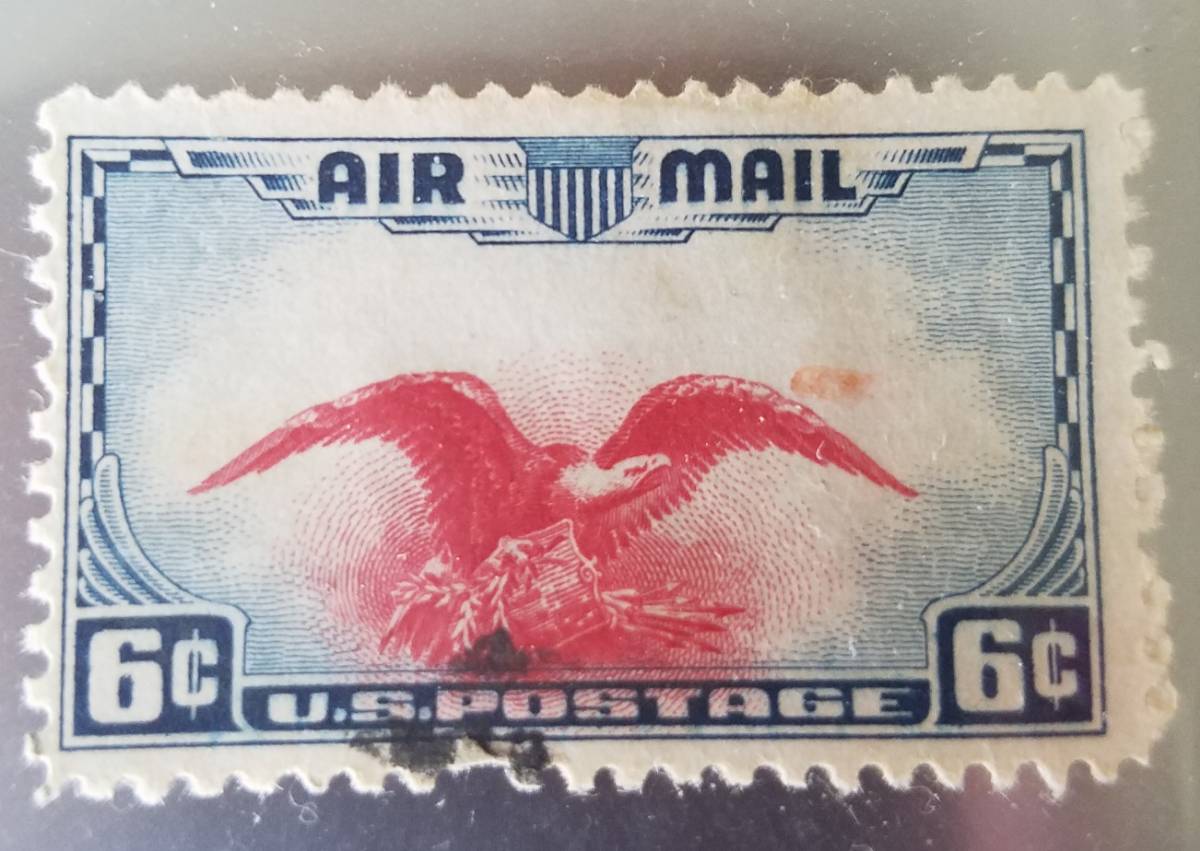
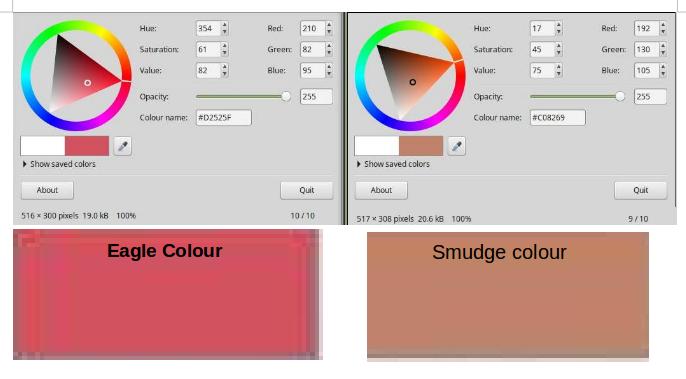
Hi,
Yes, you can use any graphics application to isolated the red smudge and place on a single color background like this

You can then count the colors (most graphics apps have this capability to count the numbers of colors used in an image).
You can see the large number of colors when you zoom into the red smudge to the pixel level like this (click on image below to see higher resolution image).
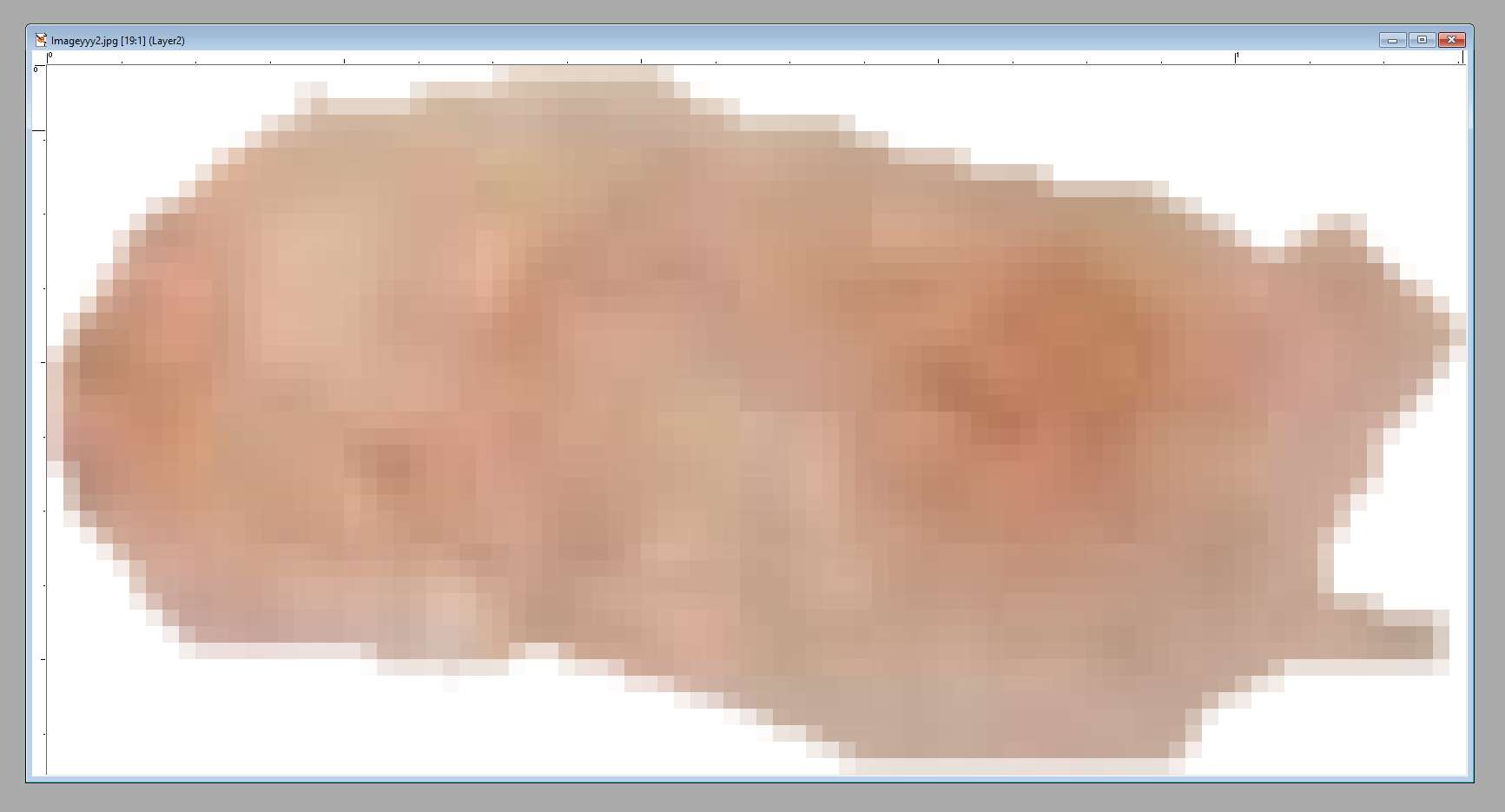
So if a 'color picker' is used with the default setting of one pixel, it hardly is an accurate reflection of the entire red smudge. If the 'color picker' is configured to a larger size, then the graphics app will calculate an average of all the included pixels so it can generate a single color value (out of 16.7 million). This is also how the Stamp Smarter 'Stamp Image Color Extractor' works, it calculates averages after combining similar pixel colors to come up with the percentages.
http://stampsmarter.com/features/Co...Extract.html And of course we are not discussing the actual stamp or red smudge color here, we are discussing a scanned image file which has been run through a number of various user manipulations.**
This image also illustrates how .jpg compression works. Notice the straight lines as shown here
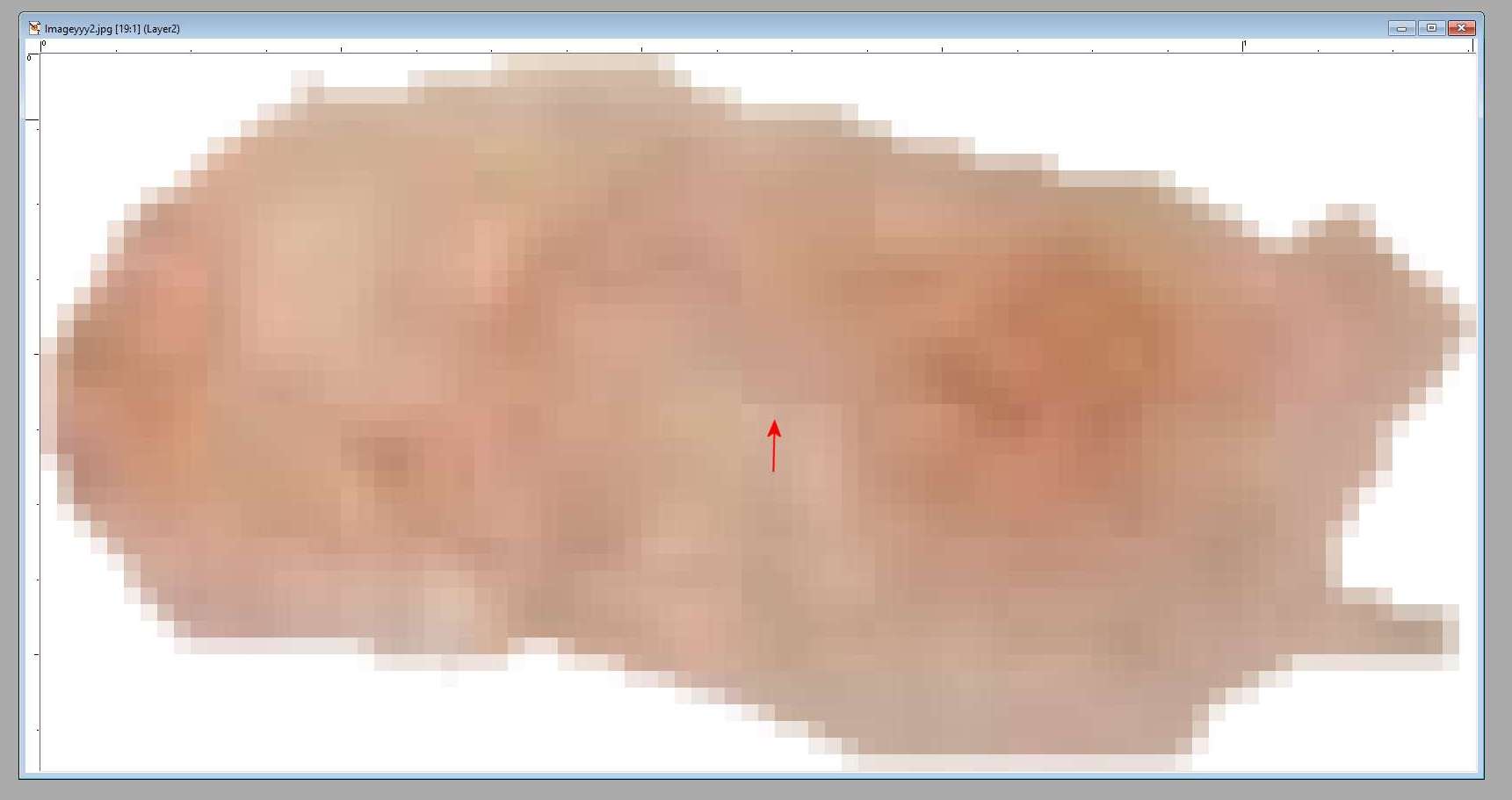
This is what the jpg compression does, it merges 'similar color' pixels into a single color to reduce the file size and knowing that the human eye cannot detect this. The straight line above does not exist on the actual stamp, it is the result of the jpg compression algorithm which analyzes the image file and combines pixels any time you save as this file format.
This is also how the SCF image optimizer (or any other optimizer) works. In many cases you can choose how much 'optimizing' you can apply; the greater the optimization the more it will combine similar colored pixels and the smaller the resulting saved file size. Of course if you try to apply a lot of optimization it will indeed become apparent to the human eye.
Don
**At the end of the day, we are always talking about image colors and NOT the actual stamp colors. Folks never list what they did to get the image posted but rest assured that it has been through a number of various software manipulations. When you scan a stamp, there is an 'interpretation' the firmware does in your scanner and that the scanner driver applies. Then image file gets saved and more color manipulation occurs (unless the file is intentionally saved in an uncompressed format like TIFF). Often the file gets further color manipulation if the person uses a image optimizer. Then some of us grab the file with a screen capture or file save (like Robert and I did above), place it on our computer, and analyze the image. Now we are far, far removed from what the actual stamp may or may not be.
But just because our eyes do not detect this stuff going on at pixel levels does not make it meaningless. When we try to apply various graphics tools and/or start talking about deltas between really subtle image color hues for a positive stamp identification it becomes critical to understand what has gone on at the pixel level.





 Posted 09/02/2019 2:08 pm