| Author |
 Replies: 3,832 / Views: 257,263 Replies: 3,832 / Views: 257,263 |
|
|
|
Pillar Of The Community
United States
640 Posts |
|
|
Hi Nicholas C --
Ttreen is correct that to definitively determine if your stamp is a 10A or an 11A -- the state of the plate will need to be nailed down.
I did not put your stamp through the full plating process -- but I did take a look at multiple reference copies of both 52L2E and 52L2L -- and a couple of very noticeable differences between the two states are as follows: (1) on the Late state -- there is a significant weakening in the RFL at a level opposite the back of GW's head. And (2) also on the Late state -- there is a slight doubling of the RIL at its upper end opposite the 3:00 - 4:00 position of the URR. FYI -- both of these "Late state" characteristics resulted from the re-entry process when plate 2E was reworked to become plate 2L.
Preliminarily, I do not see any evidence of such re-entry on your copy -- but I would prefer a 1200dpi scan to be 100% certain.
FYI -- the recut connecting the TLB with the URDB varies much in strength on the various reference copies I looked at -- and on some of the "late state" examples is very strong -- all due to differences in inking, impression, and plate wear.
With a MAR 18 cds cancellation, given that the first day of use for a #10A was July 1, 1851 -- the earliest your stamp could have been used was March 18,1852 -- which is starting to get a little late for a #10A -- anecdotally implying that if your stamp is from plate 2E -- that it is most likely a "late 1851" printing impression -- but again -- hard to tell without a 1200 dpi scan.
Another thing about your stamp is the 1 line recut in the ULT -- which looks way too short in length versus the reference copies available to me for both 52L2E and 52L2L -- perhaps an inking anomaly -- or a scuff -- but again -- hard to tell without a better scan?
A 1200 dpi scan with minimal jpg compression would be helpful. Another request is that prior to rescanning -- you soak and press the stamp to eliminate the apparent paper wrinkles along the right edge -- such that the stamp paper is completely flat.
If you are unable to provide a high quality 1200 dpi scan -- then based on what I am seeing so far (all as noted above) -- I would lean toward your MAR 18 stamp being from the Early state of the plate.
Regards // ioagoa |
Send note to Staff 
|
|
|
Pillar Of The Community
United States
1115 Posts |
|
|
@ioagoa, Thank you for the analysis. I was going to get myself a flatbed scanner for Christmas, but I can move up the date.
Anyone have a thought on which is better?
Espon Perfection V39 II
Canon CanoScan LiDE 400
|
|
Send note to Staff
|
| Edited by NicholasC - 12/08/2024 07:45 am |
|
|
Valued Member
United States
147 Posts |
|
|
I do not know how the Epson fares, but I have the Lide 400 as my scanner. Works pretty well for just under $100. Here's an example with a Scott 17 pair I have. I did have to compress it a little to fit the upload size limit though but the color is pretty accurate. 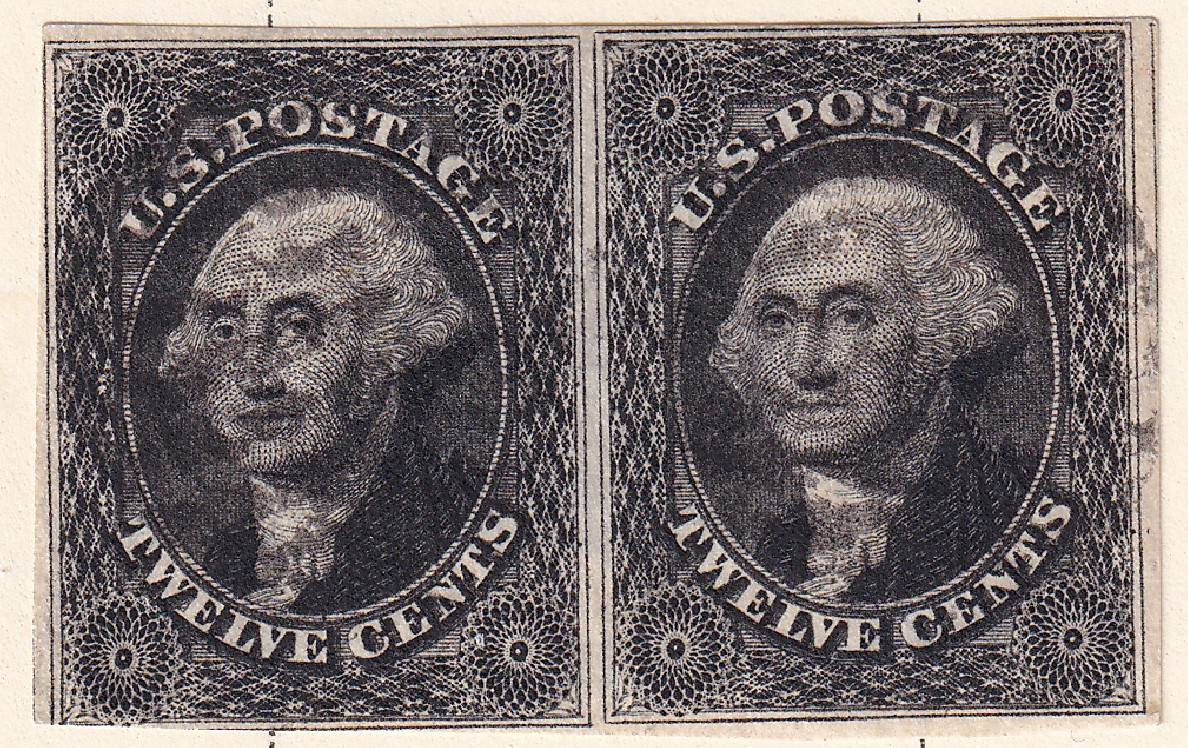 |
|
Send note to Staff
|
|
|
Pillar Of The Community
United States
2230 Posts |
|
|
I've been very happy with Epson scanners, and you can see my posts for examples. I haven't tried the LiDE 400. |
|
Send note to Staff
|
|
|
Pillar Of The Community
United States
640 Posts |
|
|
Hi Nocholas C --
I use an Epson V600 scanner -- along with Epson's stock scanning software. I have used the scanner for about 4 years now -- initially on a Windows based PC -- and for the past year on an Apple MacBook -- and have been very happy with the results.
You can check out examples of my scans in my prior SCF postings.
Regards // ioagoa |
|
Send note to Staff
|
|
|
Pillar Of The Community
United States
1115 Posts |
|
|
I just bought the Epson Perfection V39 II. It was available today and I could get essentially free with my rewards points from my credit card. Wish I could buy stamps that way! |
|
Send note to Staff
|
|
|
Pillar Of The Community
United States
1115 Posts |
|
|
Here's that MAR 18 cancel scanned at 1200dpi. I can do up to 4800dpi, but then there'd be quite a bit of compression needed to stay under 300K. With the default scanner settings, I must say that the stamp is more orange than the last scan I posted. But perhaps the Epson is just far better than my Canon Pixma printer scanner? Or are there some settings on the Epson that I need to adjust to give me the actual color. I did three different scans for comparison. To me, the middle one is what the stamp really looks like. Note: I'm reluctant to immerse this stamp in water and try to press. Two reasons, I can still return this stamp if it is not a 10A and I don't have a good press. Default color management mode: 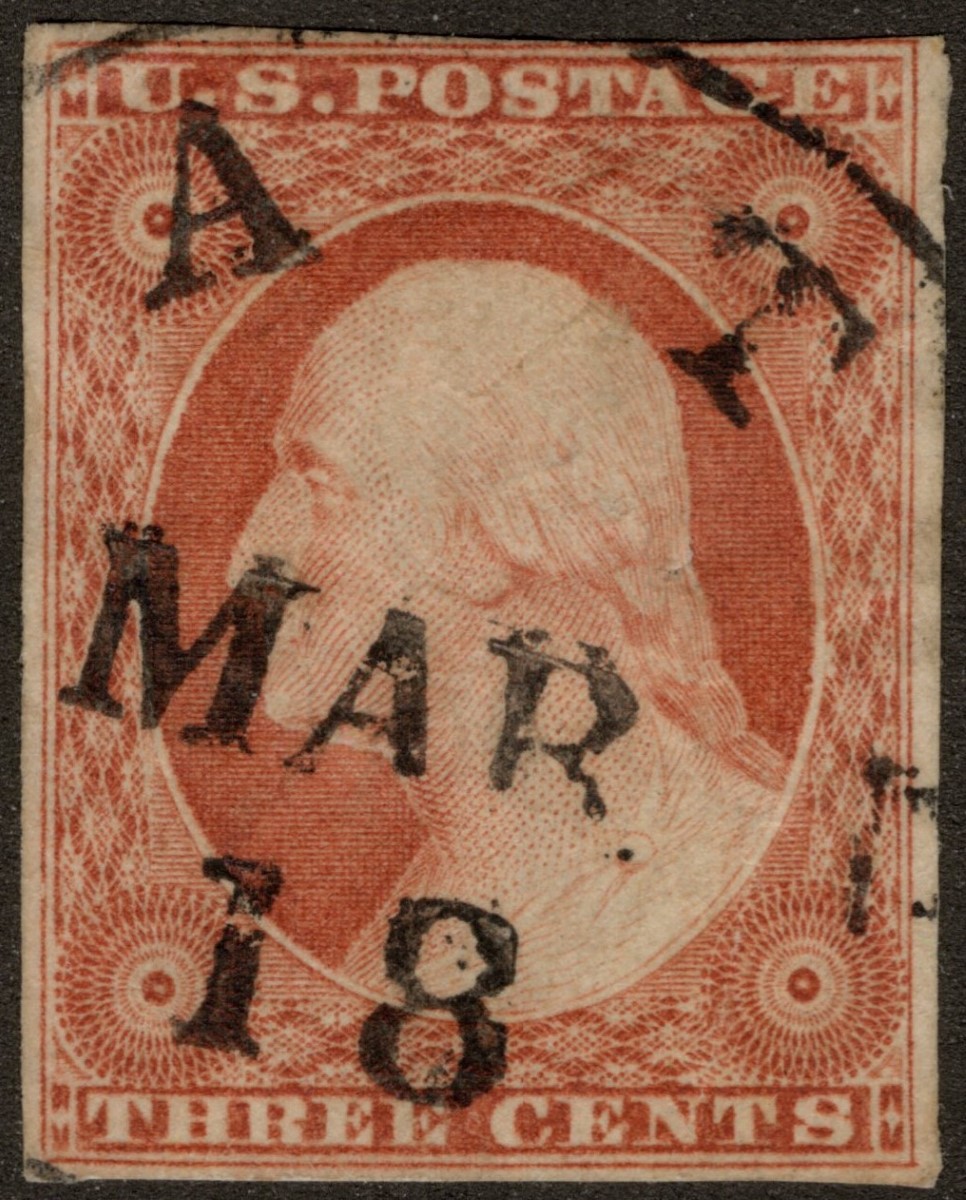 Same 1200dpi scan, but with color management mode set to none:  And this is a color document mode scan (even brighter than the default photo scan): 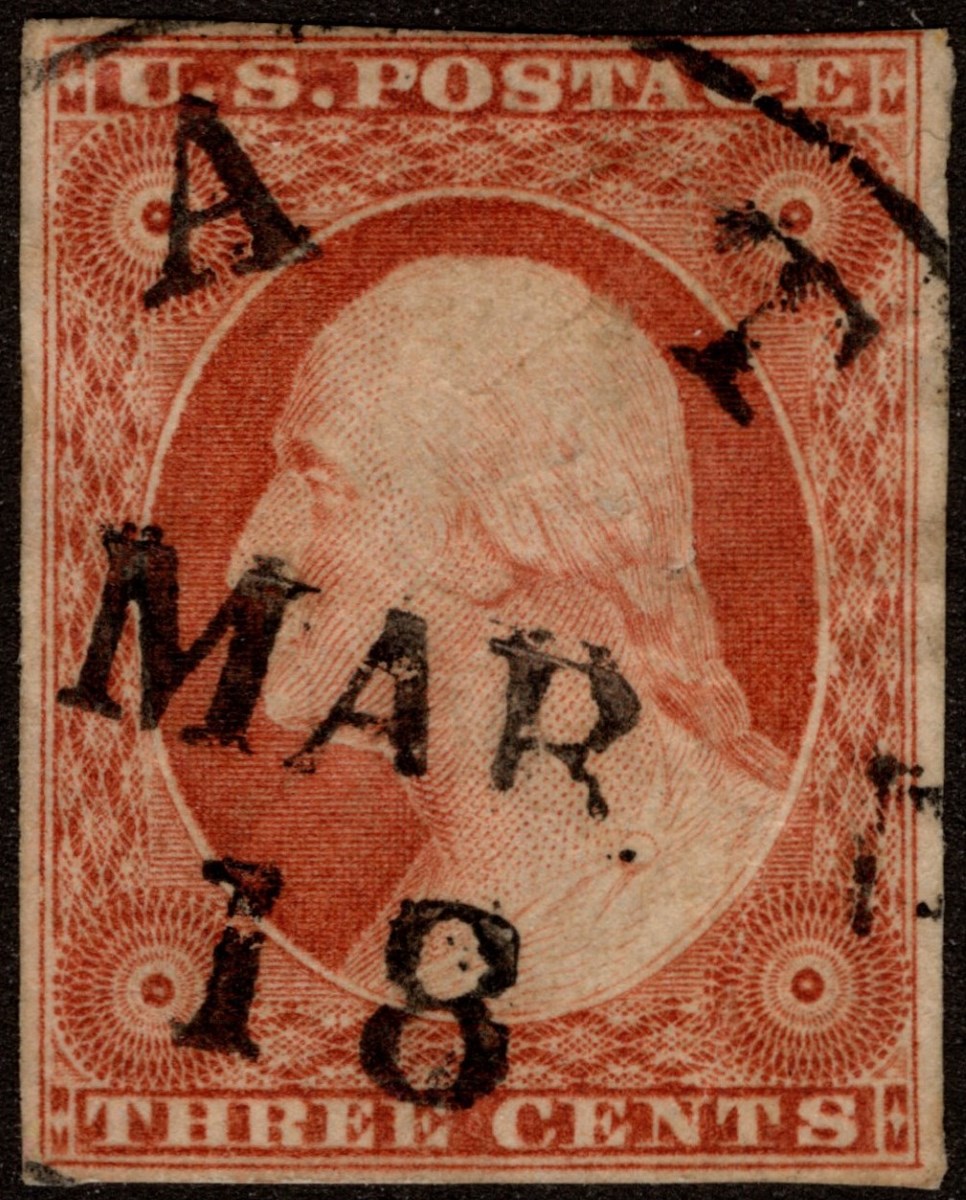 |
|
Send note to Staff
|
| Edited by NicholasC - 12/08/2024 6:10 pm |
|
|
Pillar Of The Community
United States
640 Posts |
|
|
Hi Nicholas C --
I am tied up this evening -- so will try to look at your stamp in the next day or so -- but a couple of comments regarding your scanner settings...
When I scan stamps with my Epson V600 using the Epson stock software -- (which I presume you are using ?) -- I use the following settings:
Home Mode -- Photograph -- Color -- 1200 dpi -- CAE for the color setting (i.e., Continous Auto Exposure) -- and jpq quality of at least 90 (i.e., jpg compression no greater than 10)
I have found that using these settings results in scans that are suitable for plating work -- and with color reproduction that approximates the actual color of the stamp -- at least on my monitor.
As an aside -- the difference in colors among your example scans underscores the reason why it is impossible to colorize stamps from scans.
Regarding your patient stamp -- if another member gets to it before I do -- that's OK with me -- just sayin -- otherwise I should be able to look more closely at evaluating the state of the plate within the next day or so.
Regards // ioagoa |
|
Send note to Staff
|
|
|
Pillar Of The Community
United States
1115 Posts |
|
|
I don't have a Home Mode. I do have a Photo and Color option. By default, CAE is set with Display Gamma set at 2.2. I also choose 1200 dpi. The jpeg quality does seem to default to 90 because when I open the images afterwards and try to resize, the quality of 90 retains the current image dimensions. When I resize the image, I try to keep the quality around 90 for items I will post. The first image of the post above is with these settings. As I said, the color is more orange than the middle image which is much closer to what I see in real life and what my Canon printer scanned at 600 dpi. What is interesting to me is that the third image is a document scan with Epson. It is even more orange in color and seems to have more detail than the first image. |
|
Send note to Staff
|
|
|
Valued Member
United States
98 Posts |
|
|
Anybody know the plate of this stamp and what catalog # might be? This is the closet photo I can get without the stamp looking muddy. 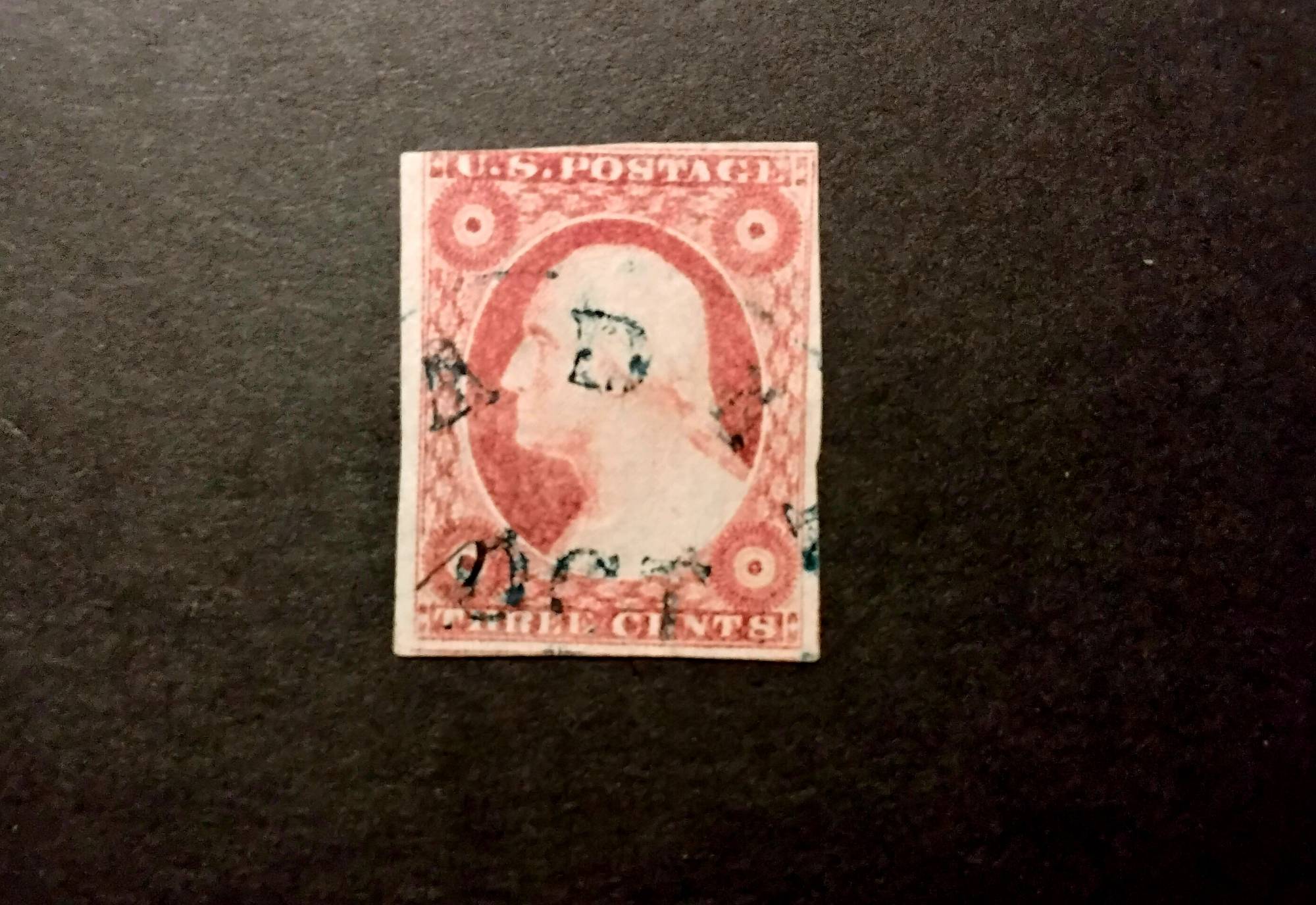 |
|
Send note to Staff
|
|
|
Pillar Of The Community
United States
2230 Posts |
|
|
Hi, Paid,
That's a #11A. It is almost certainly from plate 2L or 3. The postmark probably is Reading PA. |
|
Send note to Staff
|
| Edited by Classic Coins - 12/09/2024 11:06 am |
|
|
Valued Member
United States
98 Posts |
|
|
Pillar Of The Community
United States
640 Posts |
|
|
Hi Nicholas C --
Your stamp with the MAR 18 cds cancellation is confirmed as position 52L2E -- and consequently is a Scott #10A.
Regards // ioagoa |
|
Send note to Staff
|
|
|
Pillar Of The Community
United States
1115 Posts |
|
|
@ioagoa, Thank You so much for doing this analysis. Looks like I'm gonna keep the stamp and fill a much desired space on my early classic page.
For the other 4 stamps, of the 5 I posted a few days back, would 1200 dpi images be helpful in finalizing their identity? |
|
Send note to Staff
|
|
|
Pillar Of The Community
United States
1115 Posts |
|
|
I decided to post 1200 dpi images of stamps 1, 2, 3, and 5 from my post of the other day. These are document color mode scans and so the color is a bit brighter and I personally think the detail is easier to see. This is the 1st stamp. It was considered to be 11A and from top row of plate 1L. 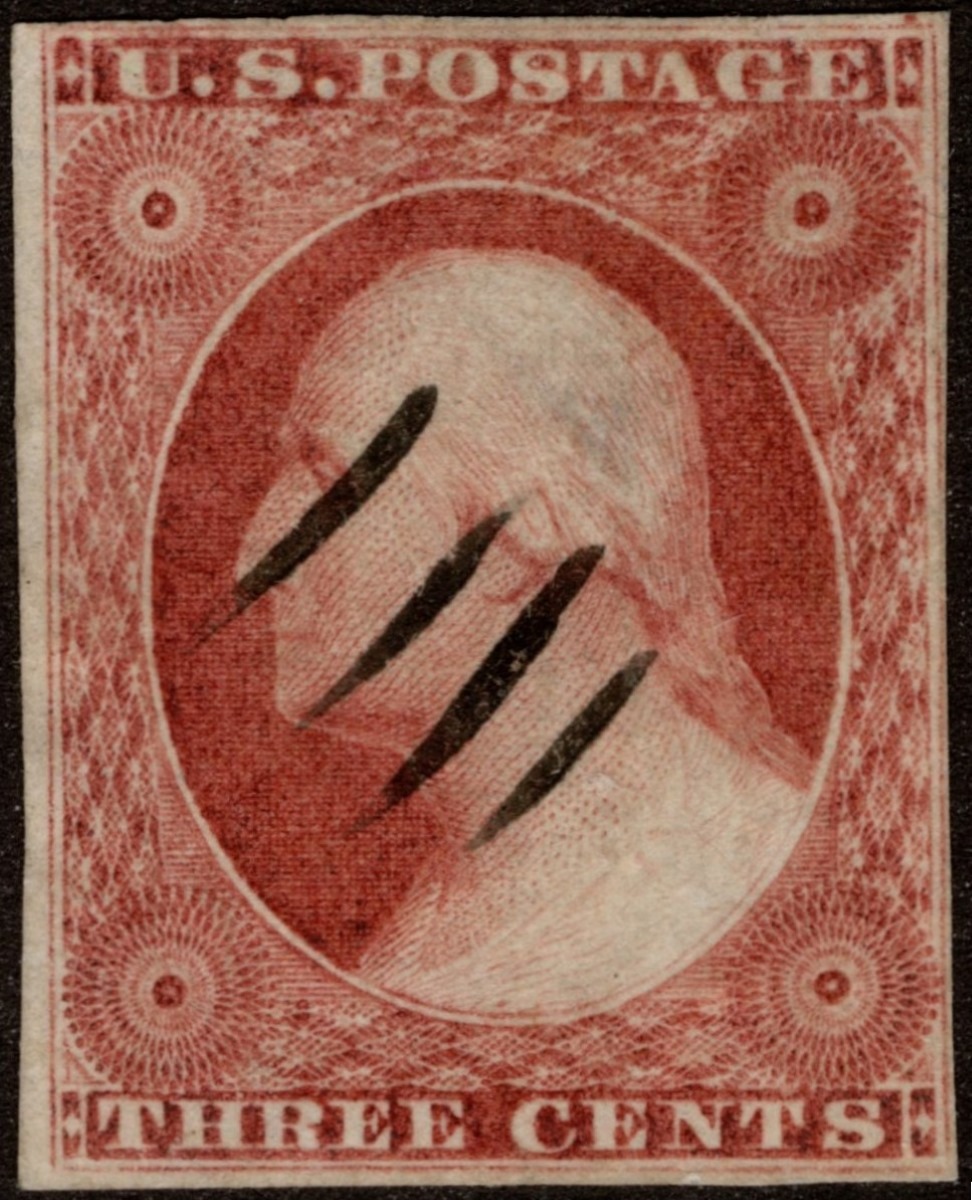 This is the 2nd stamp. It was considered to be 11A, but no specific plate position was suggested. Features to note are that the left side outer and inner frame line are very close together. The right inner frame line extends above the edge of the top right rosette and below the bottom right rosette down to the diamond panel. I also see perhaps a bit of doubling of the last E in THREE and the E in CENTS? 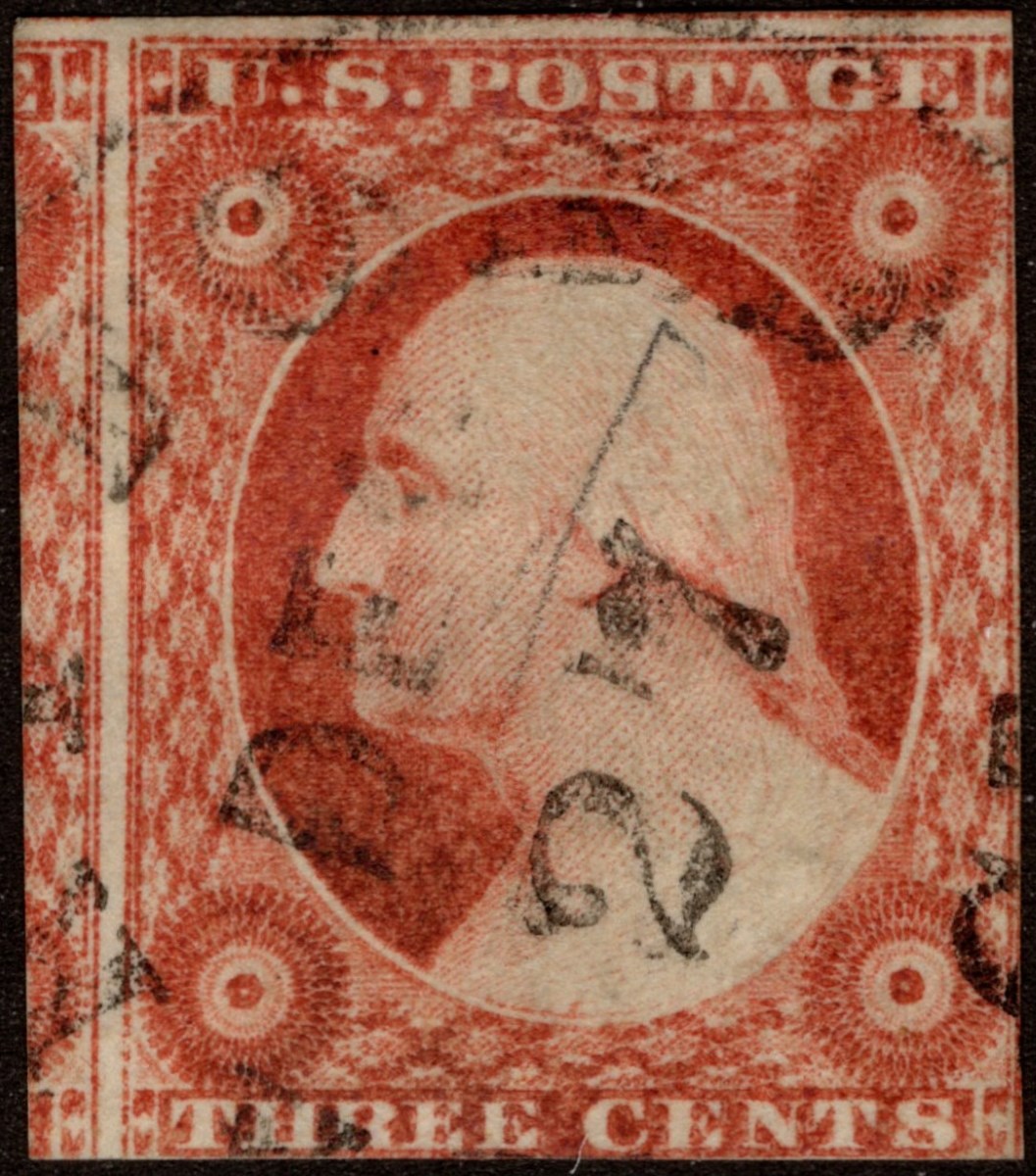 This is the 3rd stamp. It was considered to be 11A, but no specific plate position was suggested. A feature to note is the right inner frame line extends above the edge of the top right rosette. 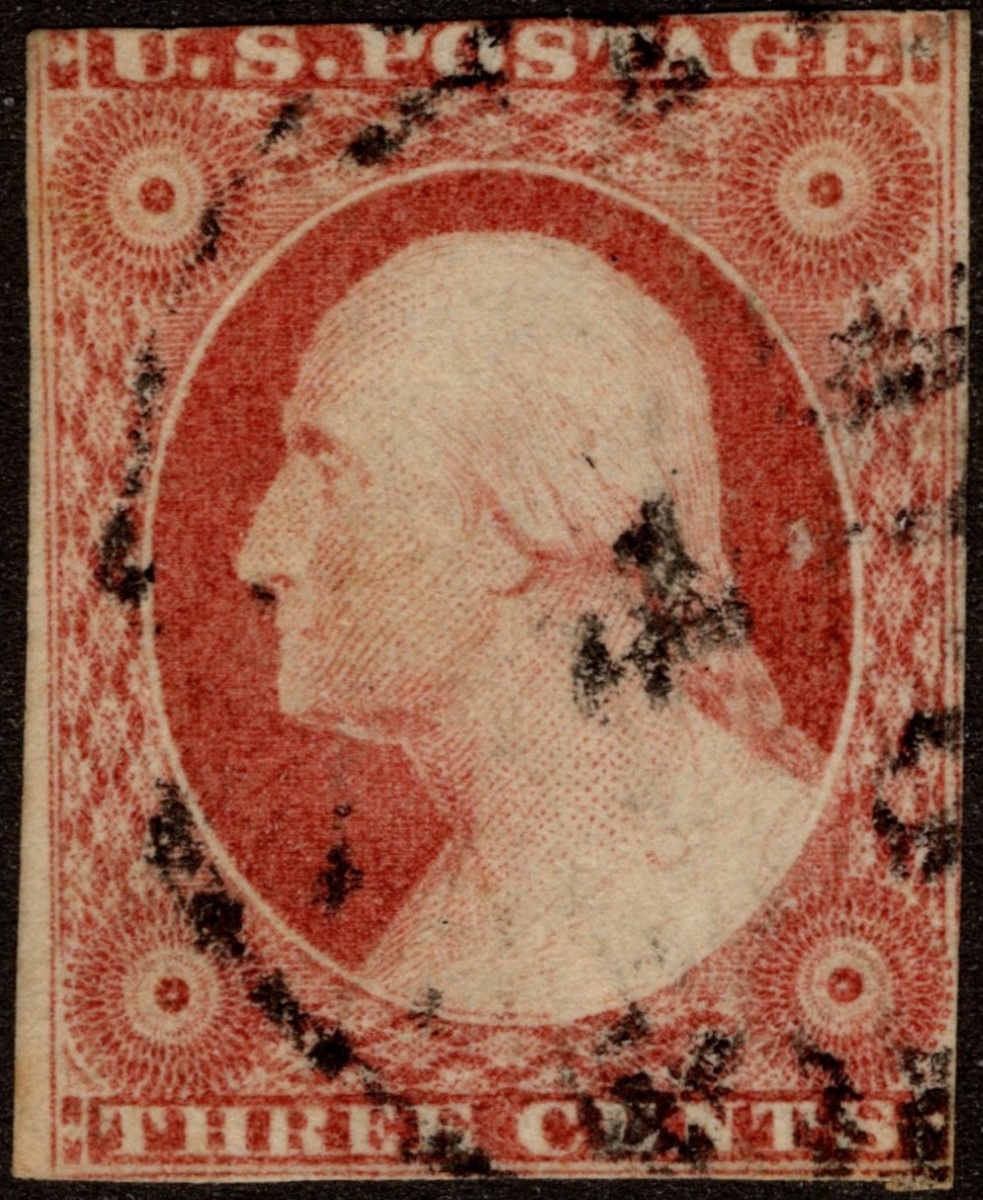 This is the 5th stamp. It was considered to be 11A, but no specific plate position was suggested. A feature to note is the right inner frame line extends above the upper right rosette. And my understanding is that that would be a guide dot below the bottom right diamond. 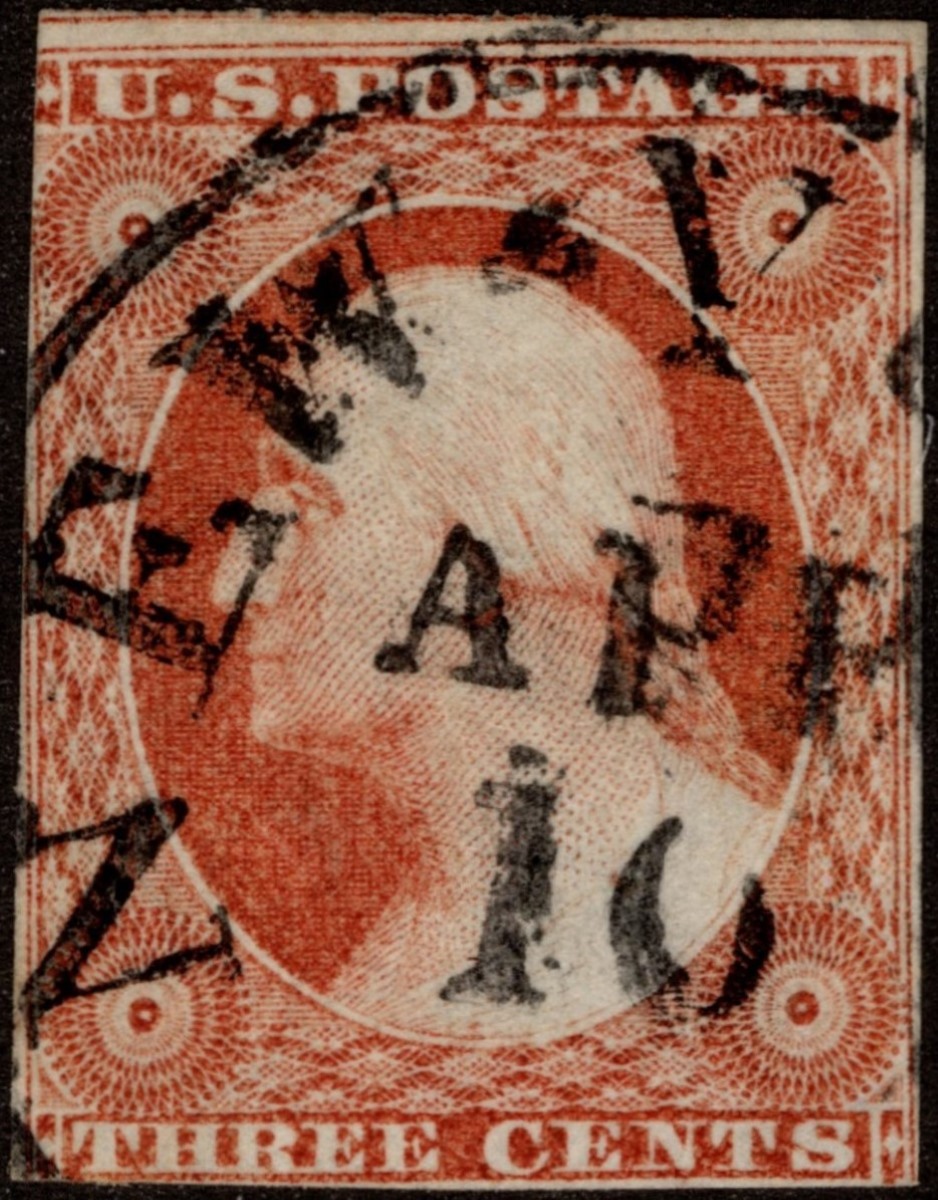 I agree that all have inner frame lines and are Type II. The first stamp is definitely more red even with these brighter scans. So, for the others, it there any possibility that these might be 10A instead of 11A? |
|
Send note to Staff
|
|
|
Replies: 3,832 / Views: 257,263 |
|



 Posted 12/07/2024 9:36 pm


