Stamp Community Family of Web Sites
Thousands of stamps, consistently graded, competitively priced and hundreds of in-depth blog posts to read


Stamp Community Forum
 
Username:
Password:
Save Password
Forgot your Password?

This page may contain links that result in small commissions to keep this free site up and running.

Welcome Guest! Registering and/or logging in will remove the anchor (bottom) ads. It's Free!

Wish I Could Just Send A Link Optimizer Takes To Long

 
To participate in the forum you must log in or register.
Author Previous TopicReplies: 13 / Views: 701Next Topic  
Valued Member
United States
11 Posts
Posted 12/31/2023   08:56 am  Show Profile Bookmark this topic Add RM622 to your friends list Get a Link to this Message


Send note to Staff
Edited by RM622 - 12/31/2023 09:01 am

Pillar Of The Community
Netherlands
6526 Posts
Posted 12/31/2023   10:50 am  Show Profile Bookmark this reply Add NSK to your friends list  Get a Link to this Reply
There are enough sites that allow you to store a picture to which you can post a link. There even is a free site that focuses on philatelic stamps. It is run by someone from another stamp board.

However, it takes you less than a minute to use the image optimiser and upload a picture. You have been asking questions on this site. If you cannot be bothered spending a minute on uploading a decent image, why do you expect members to spend time on answering your questions?
Send note to Staff  Go to Top of Page
Pillar Of The Community
United States
6430 Posts
Posted 12/31/2023   11:02 am  Show Profile Check revenuecollector's eBay Listings Bookmark this reply Add revenuecollector to your friends list  Get a Link to this Reply
Is there an actual stamp-related question or comment that the OP has regarding the tiny images posted?
Send note to Staff  Go to Top of Page
Edited by revenuecollector - 12/31/2023 11:03 am
Pillar Of The Community
United States
3154 Posts
Posted 12/31/2023   12:23 pm  Show Profile Bookmark this reply Add littleriverphil to your friends list  Get a Link to this Reply

Quote:
Wish I Could Just Send A Link Optimizer Takes To Long


You can, it just depends upon what you do with your original scan.
I scan everything at 600 dpi, then crop, straighten (if needed), reduce to 25 % of original, and name the image and copy to an appropriate file.

This image is 72.2 KB, the scanned image is 1.48 MB.


Send note to Staff  Go to Top of Page
Forum Dad
Learn More...
USA
2055 Posts
Posted 12/31/2023   1:15 pm  Show Profile Bookmark this reply Add bobby131313 to your friends list  Get a Link to this Reply
I hate external images. It's preferred they are uploaded here so they don't disappear and make the topic useless when the OP loses interest in a year and deletes them.
Send note to Staff  Go to Top of Page
Pillar Of The Community
United States
2830 Posts
Posted 12/31/2023   1:44 pm  Show Profile Bookmark this reply Add shermae to your friends list  Get a Link to this Reply
There is a shareware graphics editor called Irfanview that also allows you to easily save a jpeg at a size that fits the requirements for SCM. The images I post in here expand very nicely when double clicked directly.

I am sure there are other apps that do the same; Irfanview is simply the one I have used for many years. Here are example images:


Send note to Staff  Go to Top of Page
Edited by shermae - 12/31/2023 1:46 pm
Pillar Of The Community
6326 Posts
Posted 12/31/2023   1:53 pm  Show Profile Bookmark this reply Add John Becker to your friends list  Get a Link to this Reply
When I want to post something here, I scan stamps at 300dpi, items about the size of business cards at 200dpi and covers at 100dpi. I never have to do any subsequent processing. Simple and fast. And I always upload the images. I scan at hgher resolution as separate scans for my own uses.
Send note to Staff  Go to Top of Page
Valued Member
United States
11 Posts
Posted 01/02/2024   02:33 am  Show Profile Bookmark this reply Add RM622 to your friends list  Get a Link to this Reply
Thanks for the information I'll try messing around with the ideas you all have posted to get the pictures properly scanned.
Send note to Staff  Go to Top of Page
Pillar Of The Community
United States
1163 Posts
Posted 01/02/2024   11:53 am  Show Profile Check 3193zd's eBay Listings Bookmark this reply Add 3193zd to your friends list  Get a Link to this Reply
So I have been struggling with cropping my covers. each time I do the right 1/3 doesn't come up in the final cropped image. So I haven't been cropping anymore.I can crop a close up of the stamp but not a cover.
Send note to Staff  Go to Top of Page
Michael Darabaris
Pillar Of The Community
6326 Posts
Posted 01/02/2024   1:10 pm  Show Profile Bookmark this reply Add John Becker to your friends list  Get a Link to this Reply
Michael, you do not say anything about what methods or equipment you are using, but from your recent thread about a booklet pair, it appears you are taking a photograph, then using the optimizer program to crop it. For all the cover images you post here, why not just get a scanner and produce high-quaity cropped images from the beginning?
Send note to Staff  Go to Top of Page
Pillar Of The Community
United States
3154 Posts
Posted 01/02/2024   1:11 pm  Show Profile Bookmark this reply Add littleriverphil to your friends list  Get a Link to this Reply

Quote:
So I have been struggling with cropping my covers. each time I do the right 1/3 doesn't come up in the final cropped image.


I've had the same problem when I let the cover touch the edge of the scanner, now I make sure that the cover doesn't touch metal anywhere. But that makes it difficult to get a straight image every time. I use IrfanView to process the scans. I keep two images, the scan and a reduced version. Ctrl+U opens Rotate by Angle which lets me straighten the image by .1 degree increments.

Edit to add that in the image I posted above I needed to rotate another -.1 it has a little scanner cover showing on the right, that tiny white line.
Send note to Staff  Go to Top of Page
Edited by littleriverphil - 01/02/2024 1:18 pm
Pillar Of The Community
6326 Posts
Posted 01/02/2024   2:11 pm  Show Profile Bookmark this reply Add John Becker to your friends list  Get a Link to this Reply
re: straightness
To retain the most integrity to an image, I want the least amount of post-scanning file manipulation. I want to minimize any need for straightening and cropping whenever possible. One of the problems with scanner is that lifting the lid to readjust the positioning often causes the item to shift. Thus I start with an item, a partial sheet of contrasting construction paper and a few bean bags
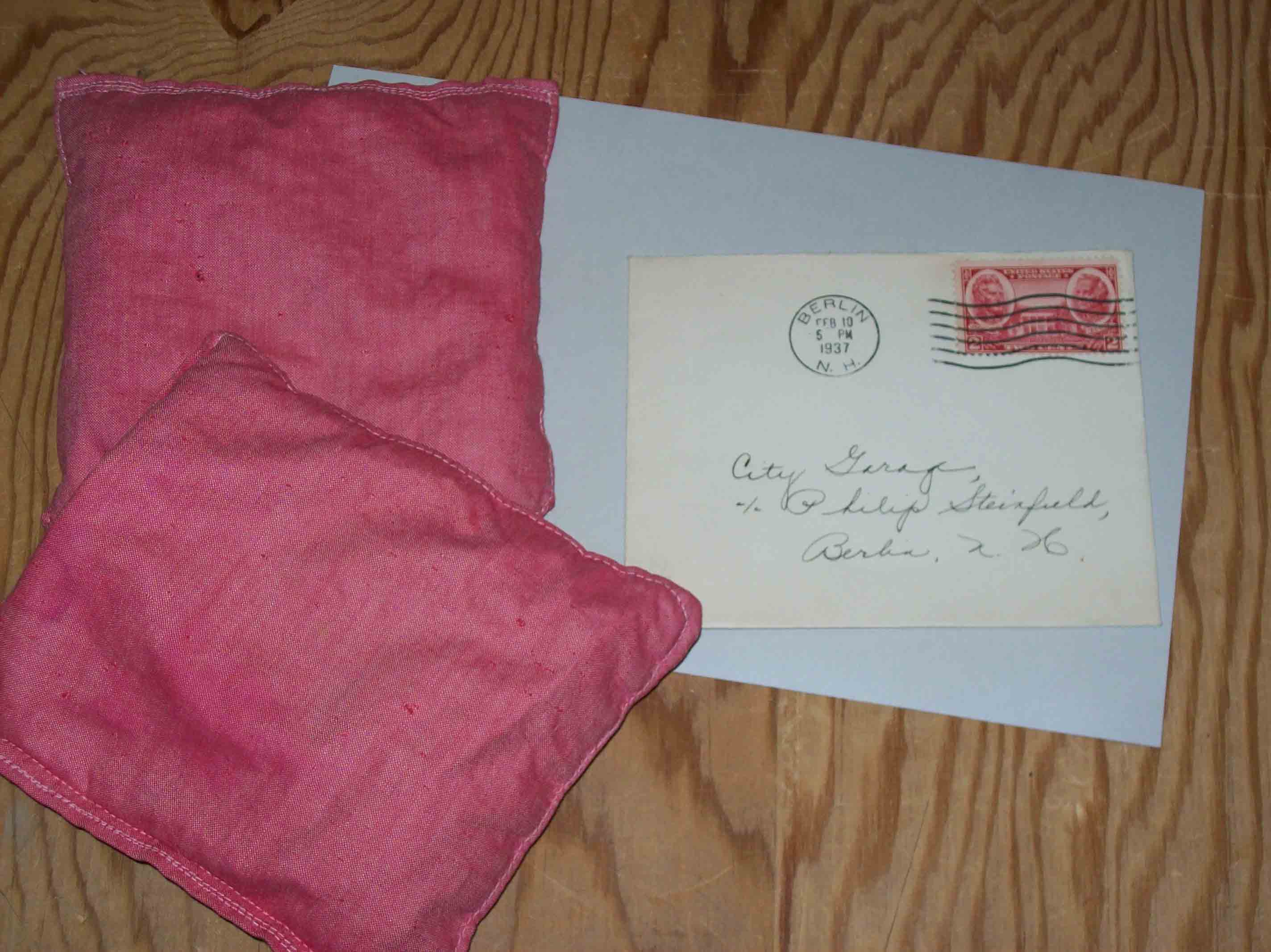
I place the item near the center of the glass, cover it with the construction paper, and enough bean bags to hold it all flat:
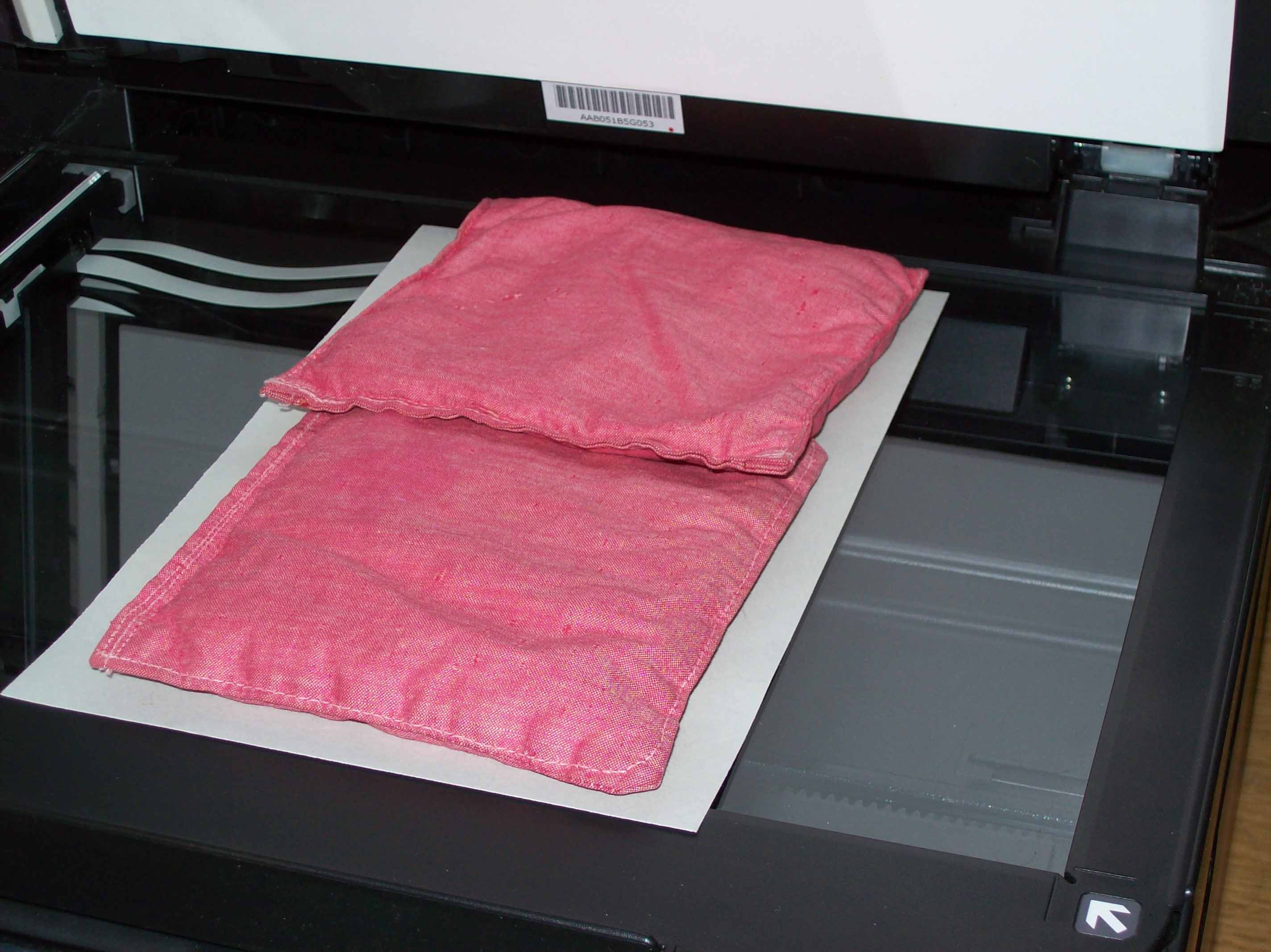
A preview scan is made. Oops! Needs work.
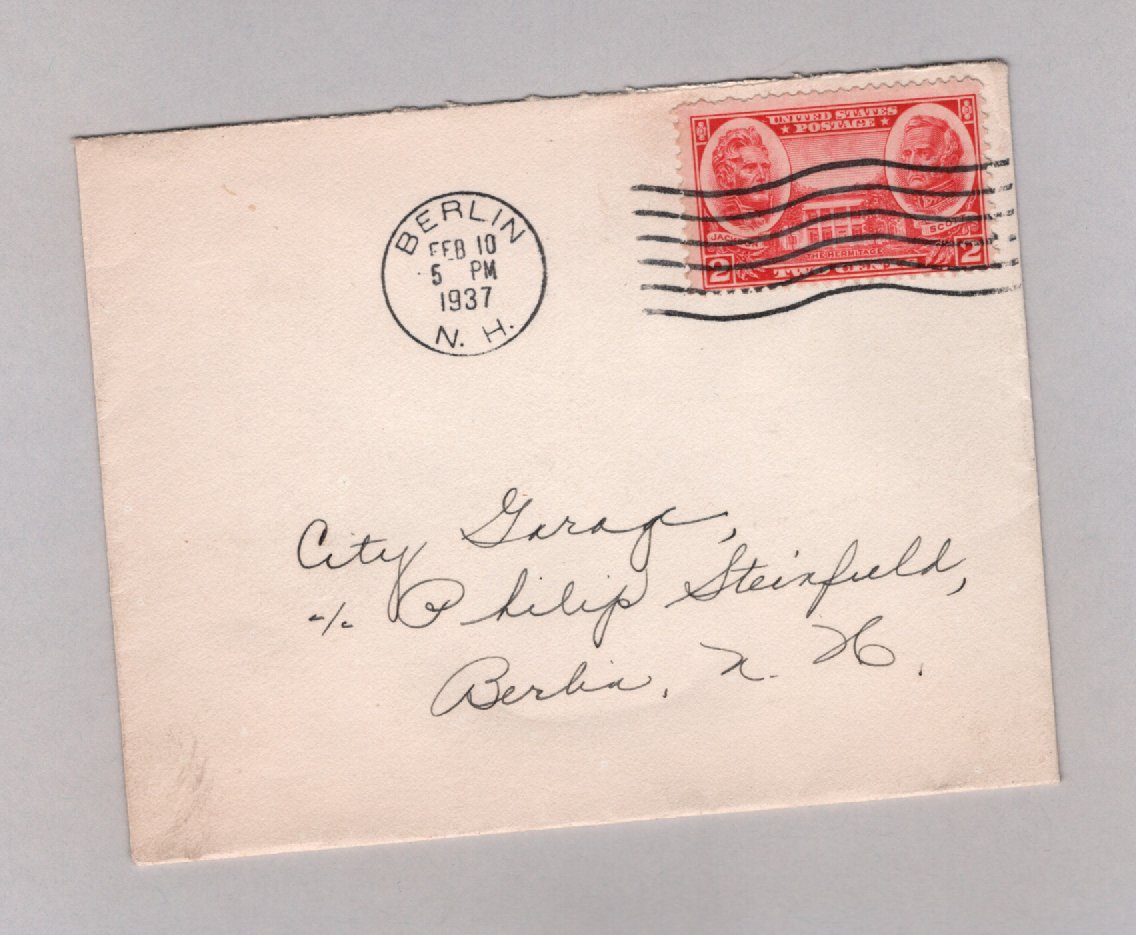
The entire stack can be shifted slightly to square it up, make new previews of the ajdustments, and then a final scan at a resolution to make a file somewhat under 300k for posting here or ebay or wherever.
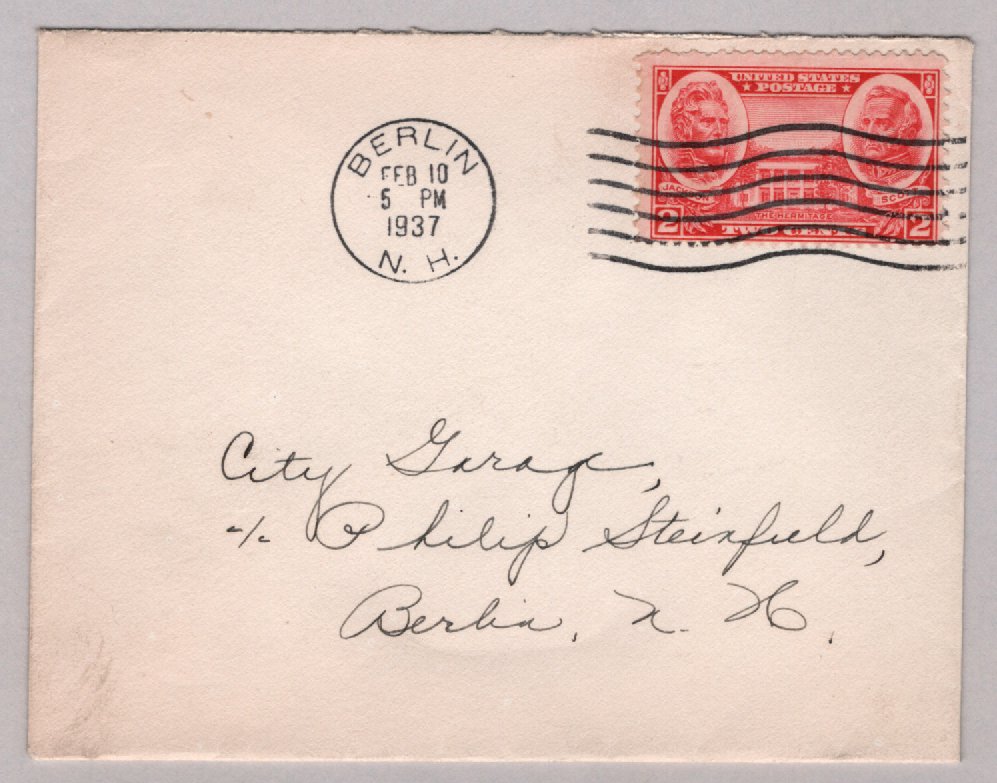

The small extra border helps define the edges and corners which are important to evaluating condition, etc. And in this case, the cover is not quite square, so a small border is both necessary and desirable. Try to make a "square" scan of a stampless folded letter!! Pick an edge and go with it.

If I'm scanning for a listing on ebay, I eyeball it once and make the scan. It won't matter if its off by a few degrees. Time is worth more than a perfect image.
Send note to Staff  Go to Top of Page
Valued Member
Learn More...
United States
348 Posts
Posted 01/02/2024   9:01 pm  Show Profile Bookmark this reply Add Chipshot to your friends list  Get a Link to this Reply
https://www.stampcommunity.org/uplo...MG_01102.JPG
Here is an earlier image
This took me 3-4 minutes to post as the draft disappeared on me and I had to start all over again. Actually am happy I can post anything that is reasonable.
Send note to Staff  Go to Top of Page
Pillar Of The Community
United States
2830 Posts
Posted 01/02/2024   9:12 pm  Show Profile Bookmark this reply Add shermae to your friends list  Get a Link to this Reply
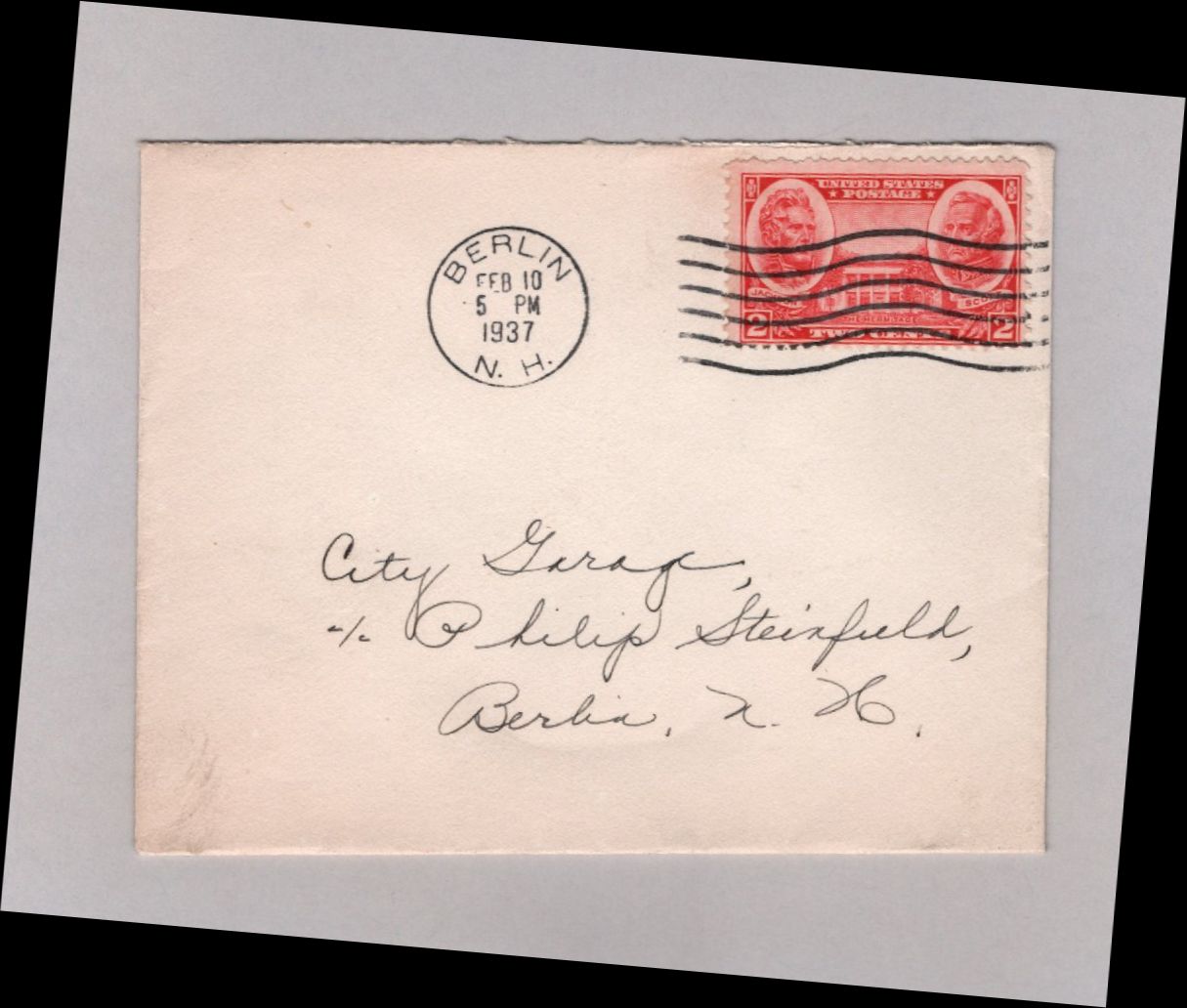
I took John B's "preview" image, and in less than 20 seconds I produced the image below. In Irfanview, I custom rotated the original image by 5 degrees to clockwise and saved it. So even a "preview" image (at the desired resolution) can be used vs. doing the extra work of rotating and scanning the materials several times.


Send note to Staff  Go to Top of Page
  Previous TopicReplies: 13 / Views: 701Next Topic  
 
To participate in the forum you must log in or register.

Go to Top of Page

Disclaimer: While a tremendous amount of effort goes into ensuring the accuracy of the information contained in this site, Stamp Community assumes no liability for errors. Copyright 2005 - 2026 Stamp Community Family - All rights reserved worldwide. Use of any images or content on this website without prior written permission of Stamp Community or the original lender is strictly prohibited.
Privacy Policy / Terms of Use    Advertise Here
Stamp Community Forum © 2007 - 2026 Stamp Community Forums
It took 0.2 seconds to lick this stamp. Powered By: Snitz Forums 2000 Version 3.4.05