| Author |
 Replies: 277 / Views: 69,568 Replies: 277 / Views: 69,568 |
|
|
|
Valued Member
United States
142 Posts |
|
|
Moderator

United States
12330 Posts |
|
|
Quote:
...however it is a spreadsheet program first and most and not explicit prepared for graphics... With the same thought, PowerPoint is not a desktop publishing app although some people use it like that; it is a presentation app. A true desktop app is far more capable than PowerPoint; the attraction to PowerPoint is that it is cheap and easy to use. True desktop apps like Adobe InDesign, QuarkXPress, Adobe Framemaker are much better choices if someone is going to invest hundreds of hours in developing large amounts of pages over time. But these are not cheap solutions ranging from $200 up to $900. Quark is the app that professionals typically use and is the most powerful and feature-rich desktop app. Don |
Send note to Staff 
|
|
|
Pillar Of The Community
United States
772 Posts |
|
|
Quote:
In my view, stamp album pages are for showing stamps, or studies thereabout, not someone's design or drawing abilities. I agree that things can get 'out of hand' with too much extraneous pictures/drawing/art on a page that distracts from the stamps. However, some of this also depends on the focus (or why) of the stamp collecting. Some people's interest is in geography, for example, and they might like to have maps on their pages. Others focus on history, and they might want to have some historical pictures/info that accompany the stamps. Others, who collect by engraver, for example, might focus on the art aspects. And, of course, some focus on stamp production aspects, and on and on... To each, their own. |
|
Send note to Staff
|
|
|
Pillar Of The Community
United States
4531 Posts |
|
|
The difference is usually of simple display or trying to tell a story (essentially exhibits). |
|
Send note to Staff
|
Al |
|
|
Pillar Of The Community
United States
628 Posts |
|
|
Quote:
PowerPoint is not a desktop publishing app although some people use it like that; it is a presentation app. A true desktop app is far more capable than PowerPoint; the attraction to PowerPoint is that it is cheap and easy to use. Don, I agree and disagree with you on your points. On the one hand, I have years (even decades) of experience with different desktop publishing and graphics applications and they truly are more capable. On the other hand, many collectors are not as technologically-oriented as you and I. After many years of designing pages using programs like Aldus (later Adobe) PageMaker and Adobe Illustrator (and not using many of the features they included), I became frustrated and moved to PowerPoint. Now, I can crank out pages quickly and I'm happy with them. While PowerPoint is not a desktop publishing app, it is easy to use to create great looking pages. It's important for each collector to use what they think makes sense in terms of usability, affordability, and designing pages to reflect their collecting interests. Just my 2¢. Scott |
|
Send note to Staff
|
|
|
Pillar Of The Community
Norway
1661 Posts |
|
|
@ajuchum - your pages look nice! Personally I would prefer the layout without reference pictures - but that's just my opinion. I agree with Chris about adding some pictures, maps etc to the pages. I think it is interesting if the stamps are also set into a context of it's nations history, culture etc - but it can easily get out of hand. I did this on some virtual pages (that I never printed in real life), and I enjoyed this added perspective on the stamps and how life was for the generations using them. However now that I am planning on actually printing and using the pages in hard copy, I will reduce this to a minimum, simply to save space on the shelves - and also save some time...maybe I get to complete the set-up for WW before its time for the last pinch of the tongs  . |
|
Send note to Staff
|
|
|
Pillar Of The Community
Norway
1661 Posts |
|
|
@Don - thank you for your expert view on apps. Obviously there are more advanced apps than Powerpoint. I have to agree with Walkman82 tough. He said "it is easy to use to create great looking pages" - and that sums up my reason for staying with PPT very well. I do not need anything too fancy or complex. After all, most stamp collectors are not very experienced in computer stuff, so maybe it is a bit ambitious for most to go for those high-end apps. I'm applauding anyone that does tough, it's just not for me. |
|
Send note to Staff
|
|
|
Pillar Of The Community
United States
4531 Posts |
|
|
The more sophisticated programs always involve a learning curve, cost, and a complexity that makes them so powerful. The trade off usually comes with flexibility of information when making changes or global control of elements.
One does not always knows their full needs until get into it so this is part of the learning so in some cases it is better to start with quick and cheap to see what they really want to do rather than investing in the "best".
|
|
Send note to Staff
|
Al |
|
|
Moderator
United States
12330 Posts |
|
|
PowerPoint is a minivan, apps like Quark and FrameMaker are pickup trucks. In other words, apps like Quark and FrameMaker are designed from the ground up to do a specific job and they do it really well. And who wants to be seen driving in a minivan?  Developing and managing large, complex documents can quickly become very time consuming so it is my opinion that the investment in the right app is important. But more importantly, I would never dream of pouring hundreds of hours into developing a country album unless I could add data connection capabilities. I would want to share my pages and I would want others to be able to easily add their own catalog numbers. I also would want the app to handle the ability to develop a reusable library of components. So once I designed an outline of a standard sized stamp (like a definitive issue), I would simply reuse the same element thousands of times. If I later want to increase/decease the dimensions, I would make the change to the master component and every page would update automatically. Ditto with standardizing and reusing page layouts. It is like a PowerPoint master page on steroids. It is about putting down the right foundation to build upon. But I wholeheartedly agree that if I simply wanted to quickly knock out a handful of good looking pages without learning anything new and on the cheap, PowerPoint is what I would use. PowerPoint is attractive because a person with little experience can make good looking page a minute or two. But for me, if I am going to do something that consumnes a lot of my time, I want to do it right. I felt it important to let folks know that there are much better choices than PowerPoint to handle the job of developing complex documents. Not everyone wants a minvan in the driveway! Don EDIT: Lets face it... some people design their own albums because they are cheaper. They cheap out on the paper, they cheap out on the tools needed to develop the pages. Nothing wrong with this approach, it just is not how I do things that I want to invest in or keep long term. The slippery slope here is thinking that you just want to knock out a few pages and a year later you realize that you have invested hundreds of man hours using the wrong tool. It is like starting collecting with the wrong stamp album; then later realizing it was false economy and you have to now spend more time and money to move everything to the right solution. |
|
Send note to Staff
|
|
|
Valued Member
United States
126 Posts |
|
|
I checked out AlbumEasy and I think that's the way to go for putting squares onto a blank page. I'm not a computer geek, so I'll have to get some help from a friend who is.
Life ain't always easy. |
|
Send note to Staff
|
|
|
Pillar Of The Community
United States
746 Posts |
|
|
 I agree. AlbumEasy is a great FREE program written by one of our own forum members, clivel. The website http://www.thestampweb.com lets you download the program and use it to design your own pages the way you want, or just download and use the page sets that others have made (in which case you don't need AlbumEasy itself). There is a wide range of countries available, including Bill Weston's just released "US Classics". However, if you do have the AlbumEasy software, you can modify the pages (they are simple text files) or create your own. You can put images inside the frames as well, and print the pages in either full color or grayscale, which I personally prefer. The learning curve is not steep and there are excellent tutorial videos available at the site as well. Here are two pages made using AlbumEasy. The first was made by Bill Weston as part of his Canal Zone page set, and I modified it to suit my needs. The second page, I made myself Only the first page has actual stamps mounted using Scott/Prinz mounts. The other has full-color images placed inside the frames (looks nicer printed in grayscale): 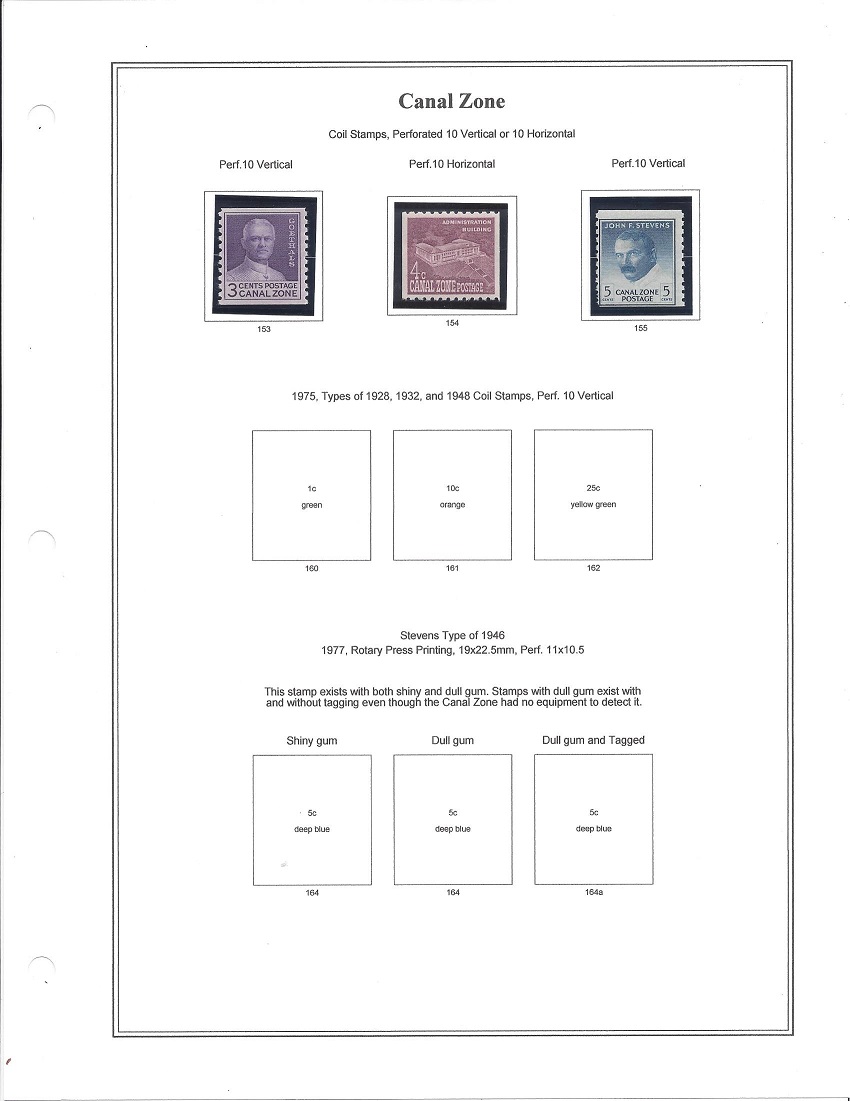 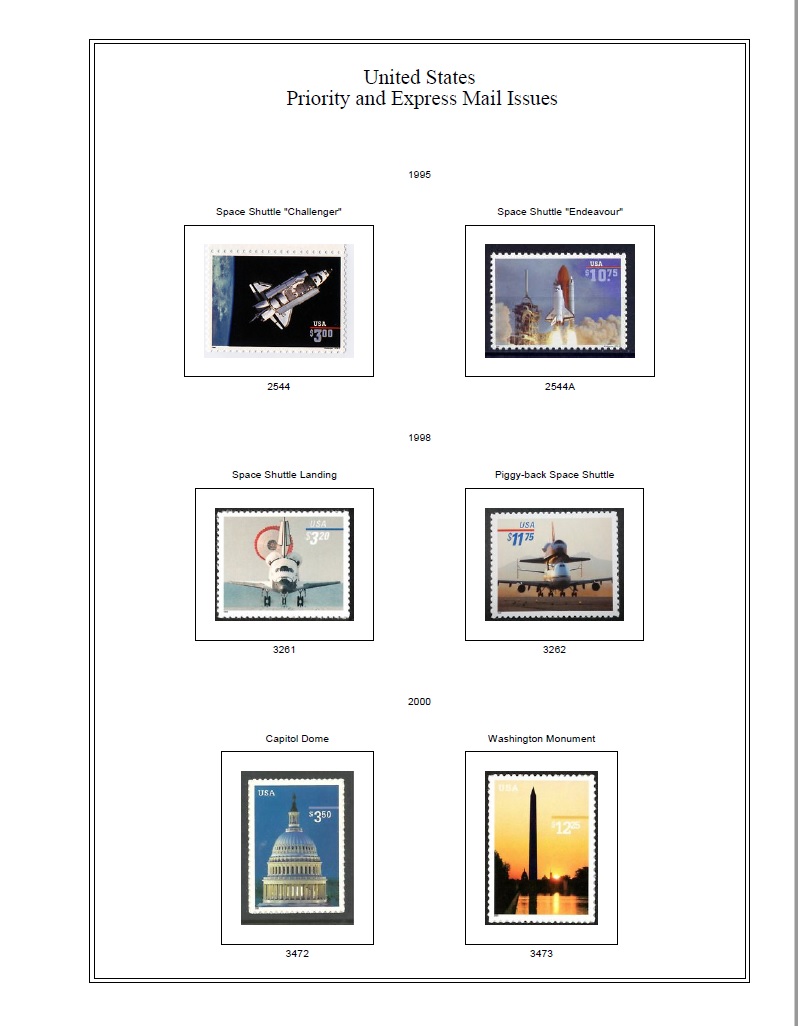 |
|
Send note to Staff
|
| Edited by uboatnut - 01/20/2018 9:11 pm |
|
|
Pillar Of The Community
United States
4531 Posts |
|
|
If you really want to embellish pages, I suggest using the backside of the previous page in a similar method that Mystic does. In many albums it is usually blank although some collectors may mount spares, certs, etc. |
|
Send note to Staff
|
Al |
|
|
Pillar Of The Community
Norway
1661 Posts |
|
|
Quote:And who wants to be seen driving in a minivan? Haha, nice presentation of the different apps, Don! Thank you for describing the differences, the 'master slide on steroids' sounds intriguing. Maybe some day I should test the proper pick-up, but I'm not embarrassed by the minivan anyway. uboatnut - fabulous pages, well done  Tough I really adore the widely spaced pages like the ones from uboatnut, I cannot afford myself to use that much space. All the folders that would be required for a WW collection mounted that widely would simply lead to major problems with my wife  - so I keep making my pages quite dense. I've been producing pages for Angola lately, including spaces for varieties listed in the Afinsa cataloge (varieties indicated by Ax, Az etc following Scott numbering). Here's some sample pages for Angola 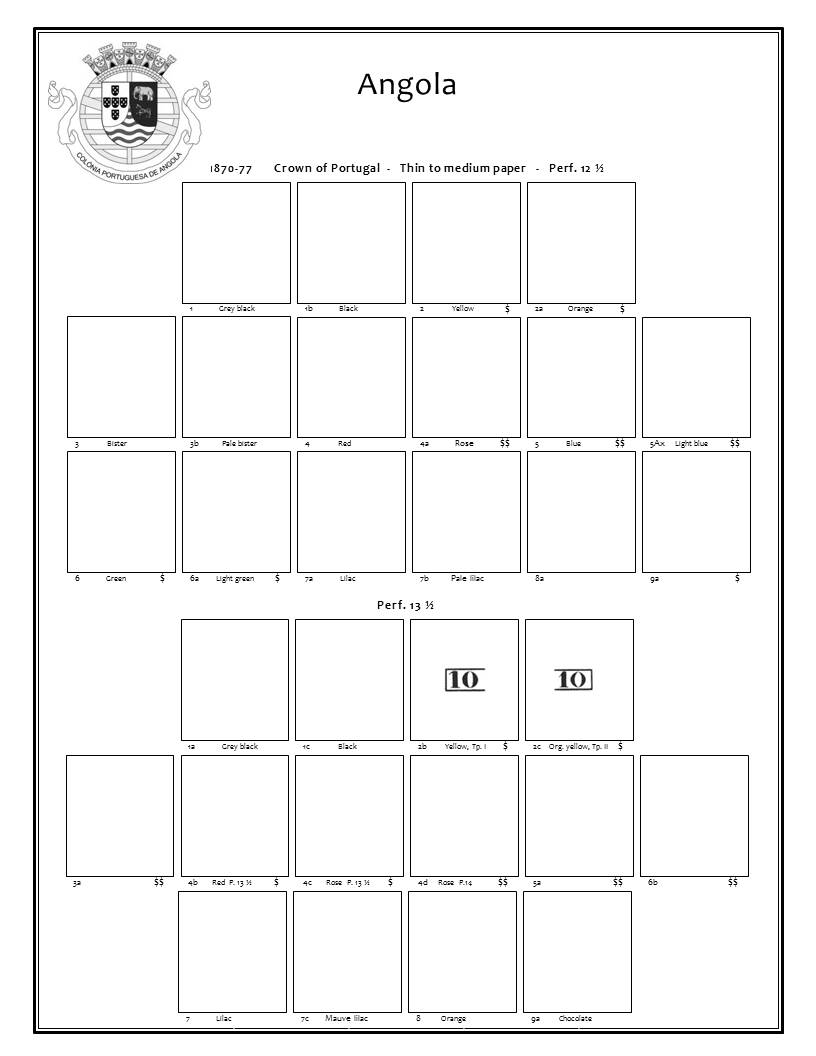 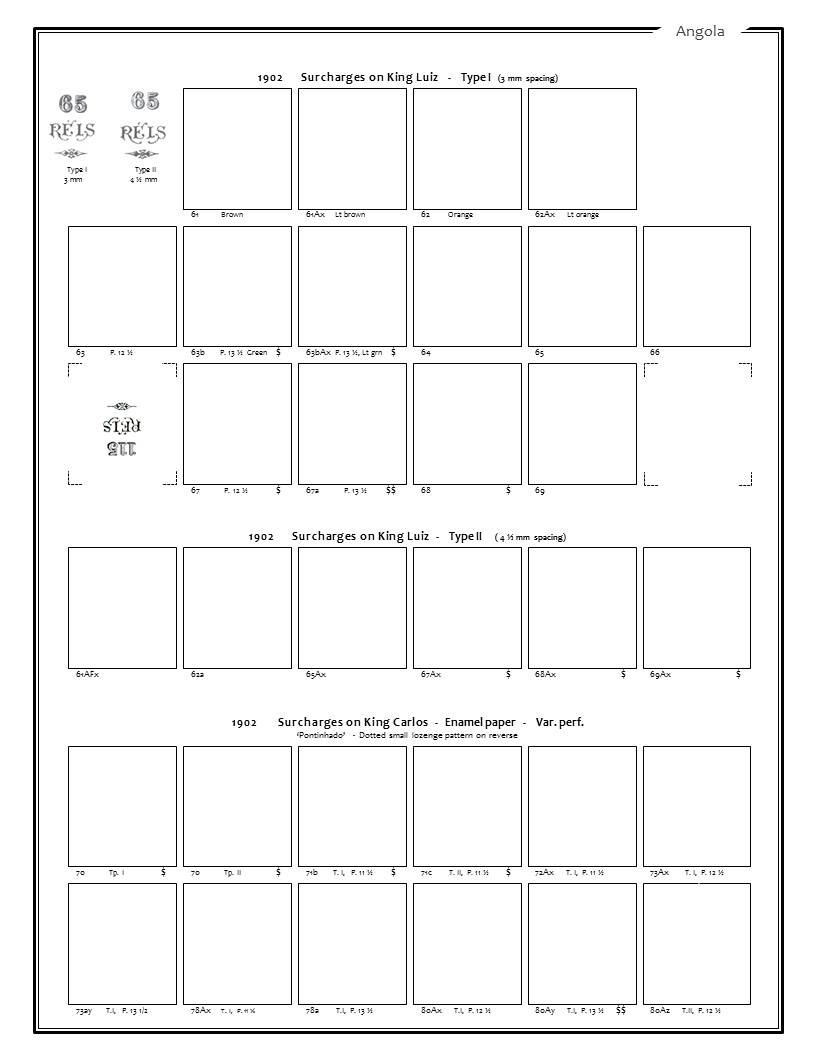 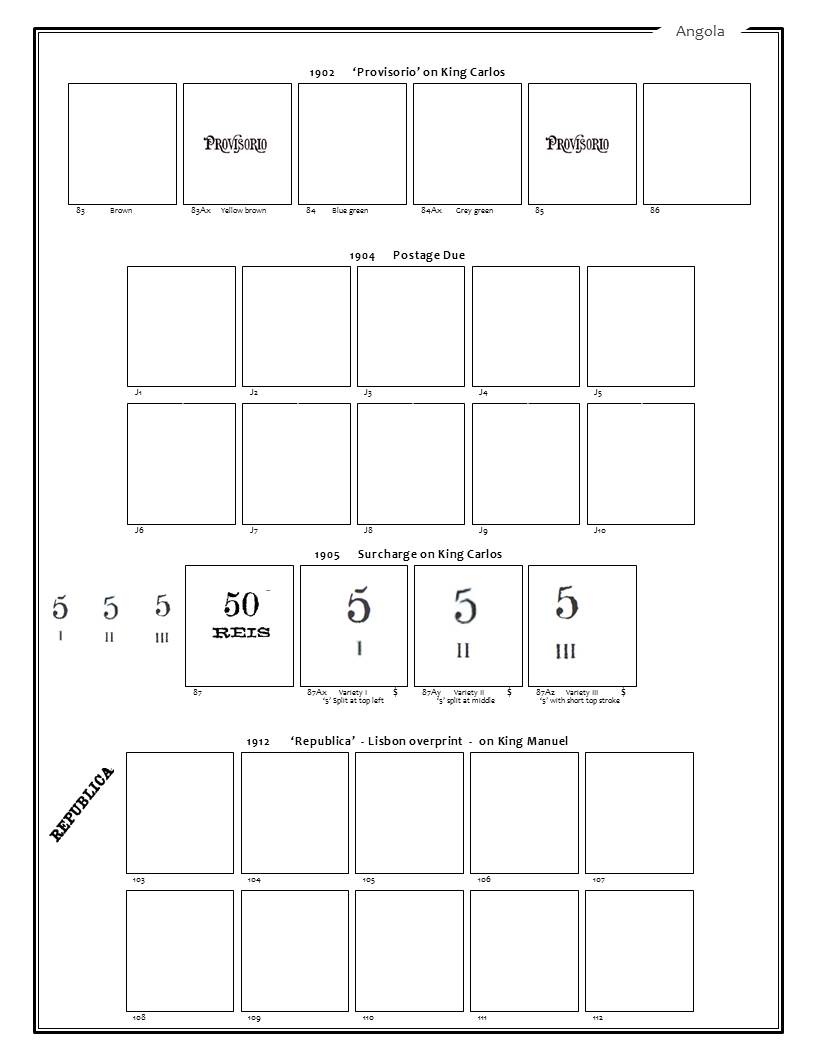 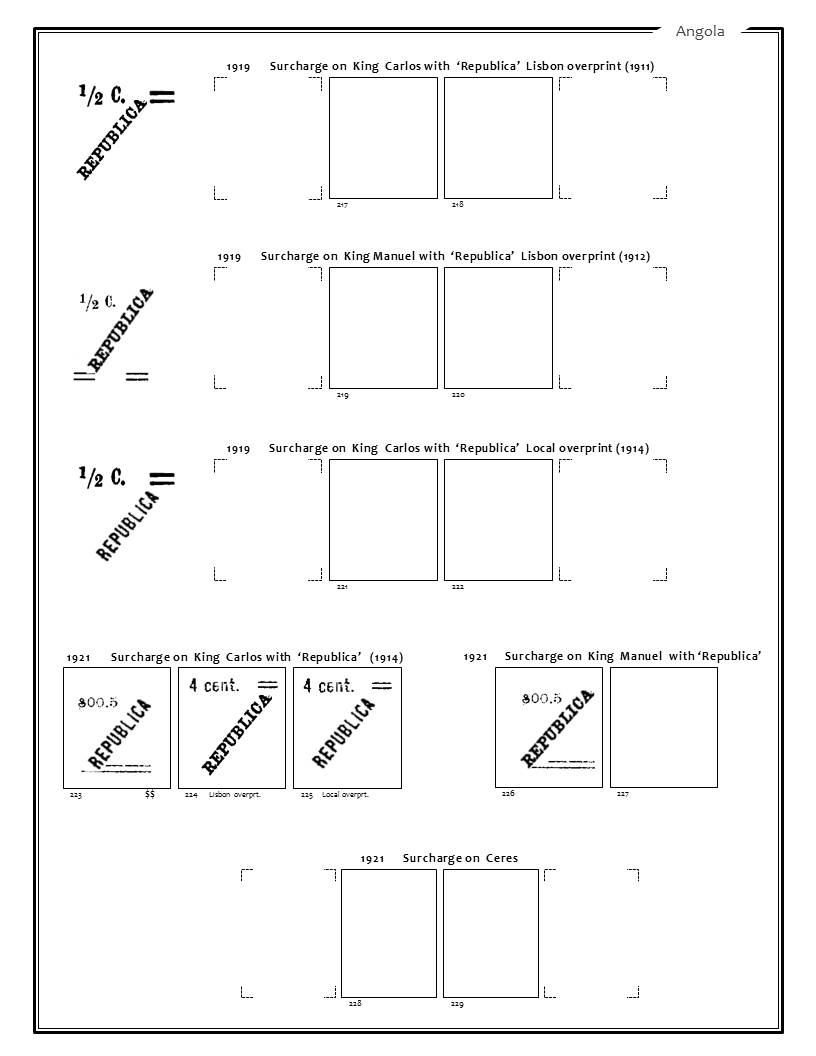 Did my pages for Cape of Good Hope last night as well, a 4-hrs-workshop. Was quite impressed that Scott Classical actually included most of the varieties listed in the SG Commonwealth catalog. Strange how Scott are going much more in detail on some countries than others, not being very consistent. Here's a few samples for I am intending that 'Hope' will be accommodated, I hope she will fancy her new home 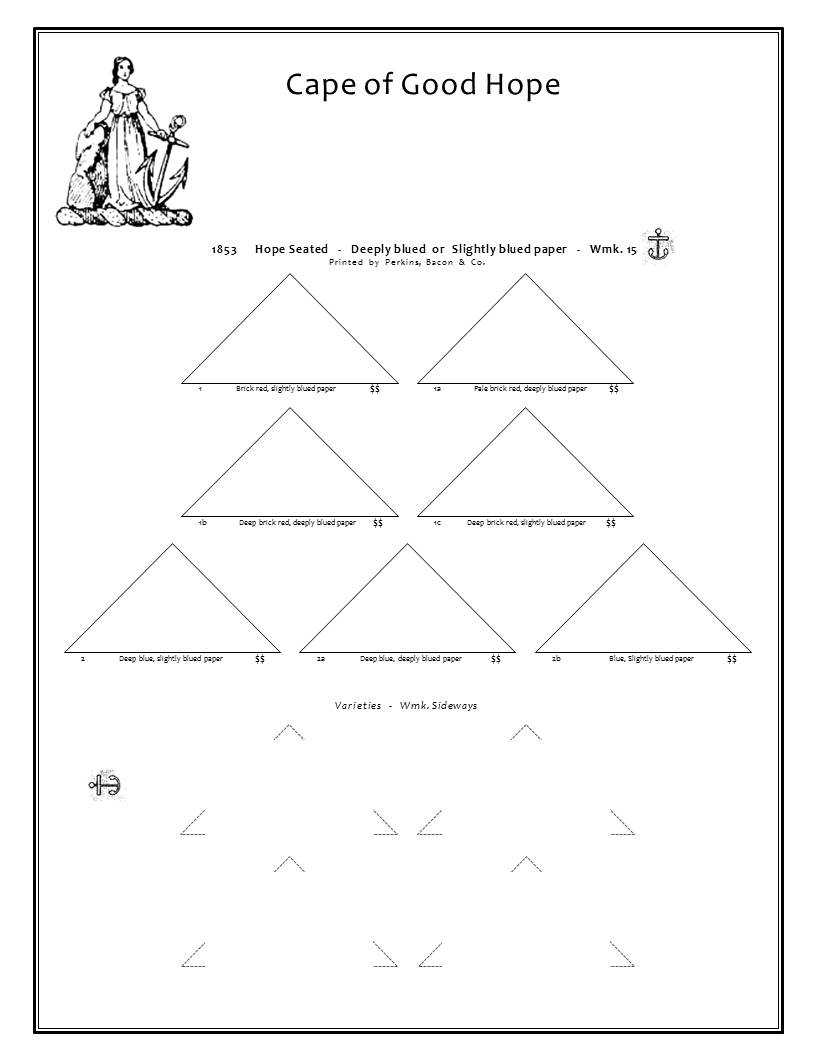 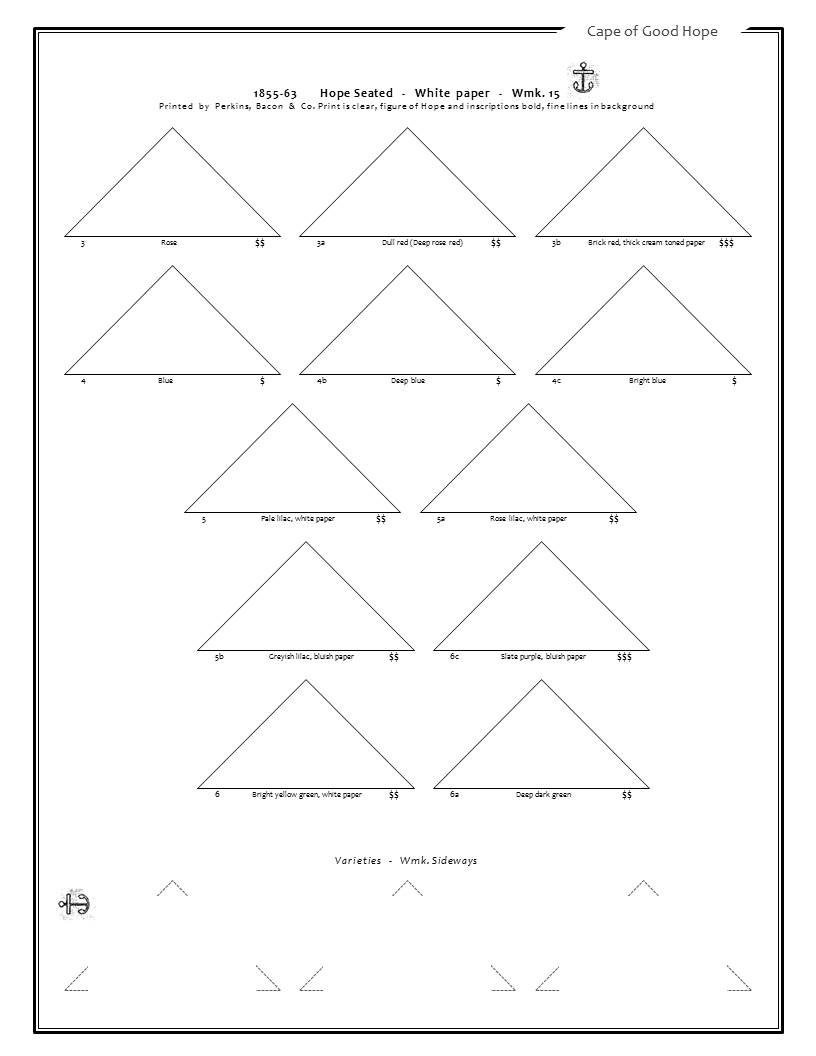 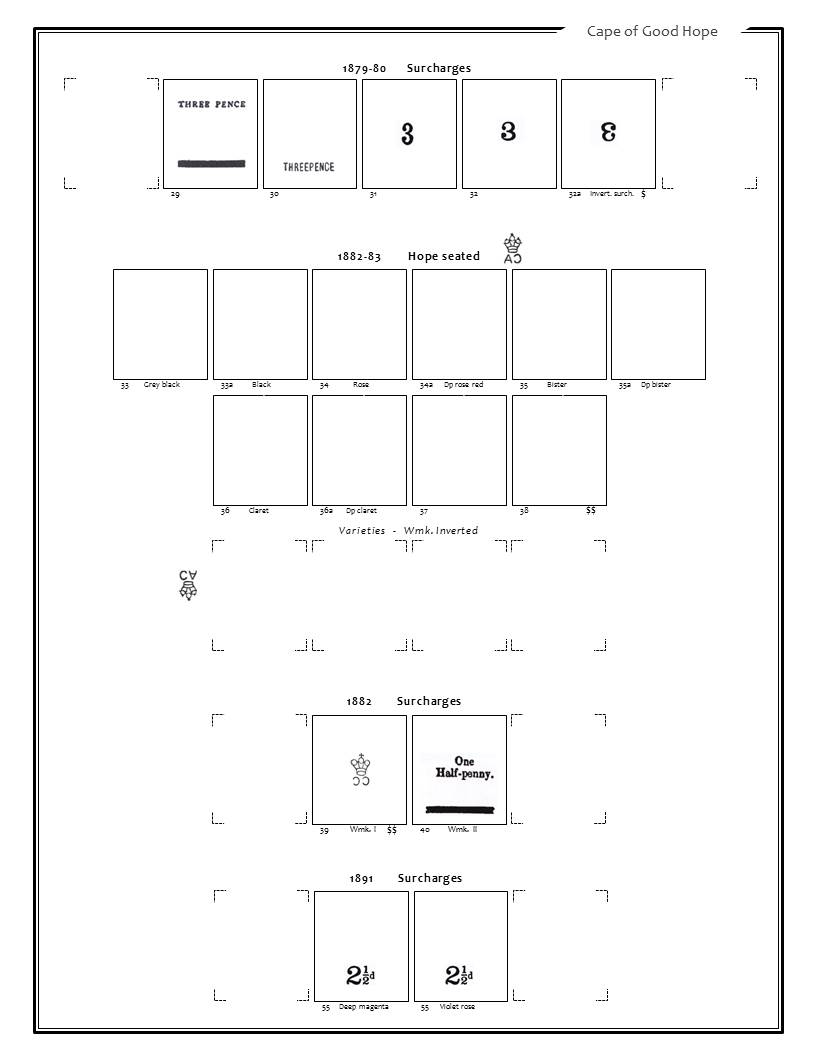 Thanks for looking. Keep sharing your pages as well, love to see how others do and get some ideas and inspiration |
|
Send note to Staff
|
|
|
Pillar Of The Community
Canada
1449 Posts |
|
|
Blaamand - Jon - I knew you were doing pages and they are nice/well designed for your purposes......keep on trucking in your Minivan Rene |
|
Send note to Staff
|
|
|
Pillar Of The Community
Norway
1661 Posts |
|
|
Thanks Rene! You are spot on, 'designed for your purposes' is my goal! We all have different preferences how much or little details, descriptions, varieties, rarities, illustrations, naked-space ('air to breathe') etc etc we want to include. That's the driver I guess for anyone to create custom-made pages. For that reason someones else's custom-made pages will seldom fit ones own preferences. In that respect I think Steiner has made some very clever choices by keeping his pages neutral yet appealing - the Steiner pages are laid out with 'compromises' that seems to fit a broader 'common preference'. My pages do not match any common preference by any means - however it fits my purposes, and that's my goal.  |
|
Send note to Staff
|
|
|
Replies: 277 / Views: 69,568 |
|




 Posted 01/19/2018 08:42 am