| Author |
 Replies: 277 / Views: 69,569 Replies: 277 / Views: 69,569 |
|
|
|
Pillar Of The Community
United States
772 Posts |
|
|
Pillar Of The Community
Norway
1661 Posts |
|
|
Pillar Of The Community
Norway
1661 Posts |
|
|
 I mounted stamps on proper album pages for my first time ever this evening. Nice feeling! Some Angolan stamps were chosen as my crash test dummies. 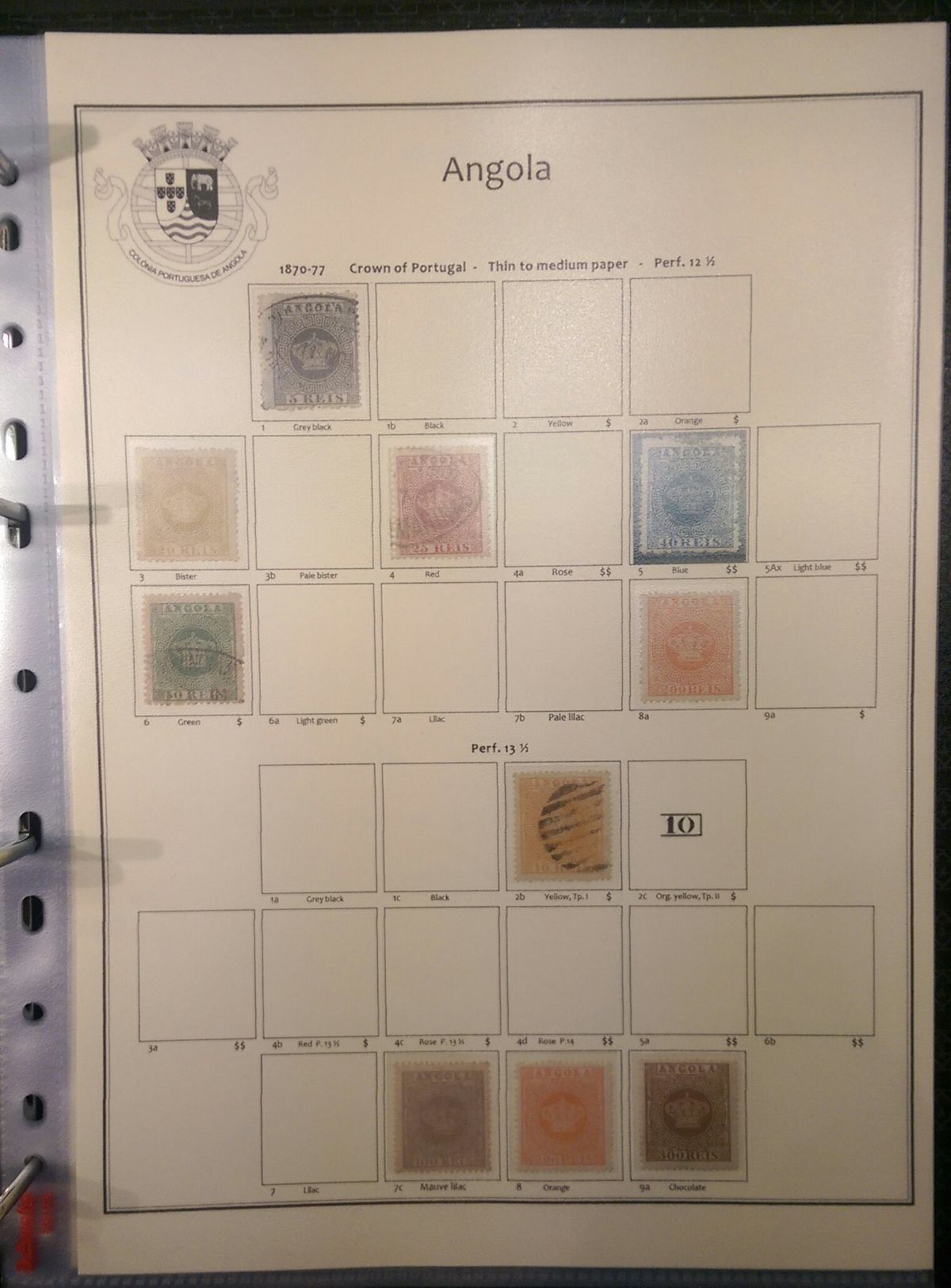 160 g/m2 light cream paper housed in low-gloss page protectors open both on top and left. Easy to take the pages in and out and the page does not shift in the page-protector. Satisfaction  |
Send note to Staff 
|
|
|
Pillar Of The Community
Canada
1449 Posts |
|
|
Jon
I use 170 g/m2 sheets for my special albums - Yours look very good ! So they are `1) protected low gloss 2) special/independent protectors ?? I do not use any as I use 1 page/ group of stamps in "mounts" (3 hole binders with O rings ) -What is this commercial album called ??????? (Which Company) Cheers
Rene |
|
Send note to Staff
|
| Edited by Renden - 01/26/2018 6:51 pm |
|
|
Valued Member
United States
262 Posts |
|
|
Pillar Of The Community
United States
772 Posts |
|
|
Nice job Jon. Nice looking pages. Just have to try it for awhile and see how it feels  |
|
Send note to Staff
|
|
|
Pillar Of The Community
Norway
1661 Posts |
|
|
Thanks Gents,
René, the album is Lighthouse Vario Signum Classic, it has 4 D-rings and a slot on the spine for inserting a folder-label.
Chris, you're right, need to test it out for a while and see how it feels, quite different than Vario sheets...
|
|
Send note to Staff
|
|
|
Valued Member
United States
262 Posts |
|
|
Jon Have you tried designing the page to fit YOUR stamps? For instance, if you have a stamp with selvage, or multiples. To me, one major advantage of making custom pages is to accommodate my collection. Here is an example (although not a pretty as yours)  |
|
Send note to Staff
|
| Edited by DCStamps - 01/27/2018 12:01 pm |
|
|
Pillar Of The Community
United States
772 Posts |
|
|
So all of you making your own pages inspired me to rethink how I do my inserts between my Vario pages. Here is page 1 of my Australia collection - layout (stamps will go in 6-row Vario page facing it 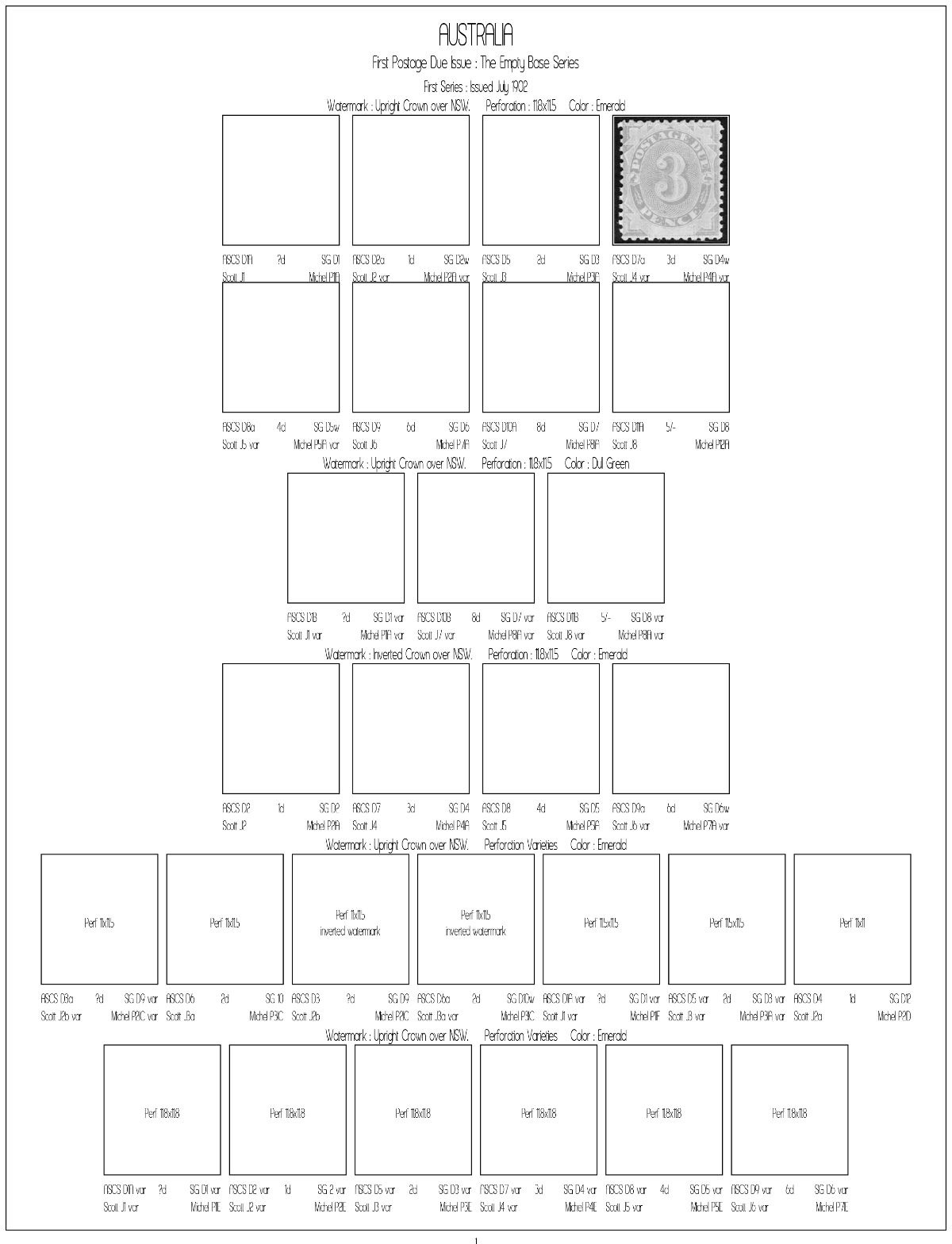 In the immortal words of Taylor Swift...."Look What You Made Me Do"  One question - is it possible to increase a touch the space between 2 rows of stamps in one series. I'd like to have maybe a millimeter space between row 1 and row 2, but could not find the command in AlbumEasy to achieve this. Overall though, this is FUN!! |
|
Send note to Staff
|
APS #173088
|
|
|
Pillar Of The Community
United Kingdom
8643 Posts |
|
|
The embarassment of being able to quote Taylor Swift ...
It does seem to me that, unless you have lots of time and a very substantial budget, you may be setting yourself up for a large quantity of empty space.
Hope you're bearing up, by the way! |
|
Send note to Staff
|
|
|
Pillar Of The Community
United States
772 Posts |
|
|
Quote:
The embarassment of being able to quote Taylor Swift . I like Taylor, and the song is really fun (especially in remixed form, which as a DJ is the only way I listen to pop music ) Quote:
It does seem to me that, unless you have lots of time and a very substantial budget, you may be setting yourself up for a large quantity of empty space. Like I said it's more of a layout page. And hey, I could win the lottery someday. As I've said before I am much like Blaamand, I'd rather have space for the varieties that exist than get something I don't have a space for that is listed separately in a specialized catalog (like the Brusden-White Australian). If you gonna aim for a goal aim high! Quote:
Hope you're bearing up, by the way! Doing pretty well, as well as can be expected given my health condition. Thankfully now that I am on medical leave I have plenty of time to work on my stamps, and that takes my mind off other concerns. |
|
Send note to Staff
|
APS #173088
|
|
|
Pillar Of The Community
United States
772 Posts |
|
|
Got another AlbumEasy question. I was able to import an image yesterday to an album page, but I rearranged the folders so that I have a dedicated Australia folder for the album I am making, and now I can't get the code right to import images. Here is the folder. The images are in PNG format 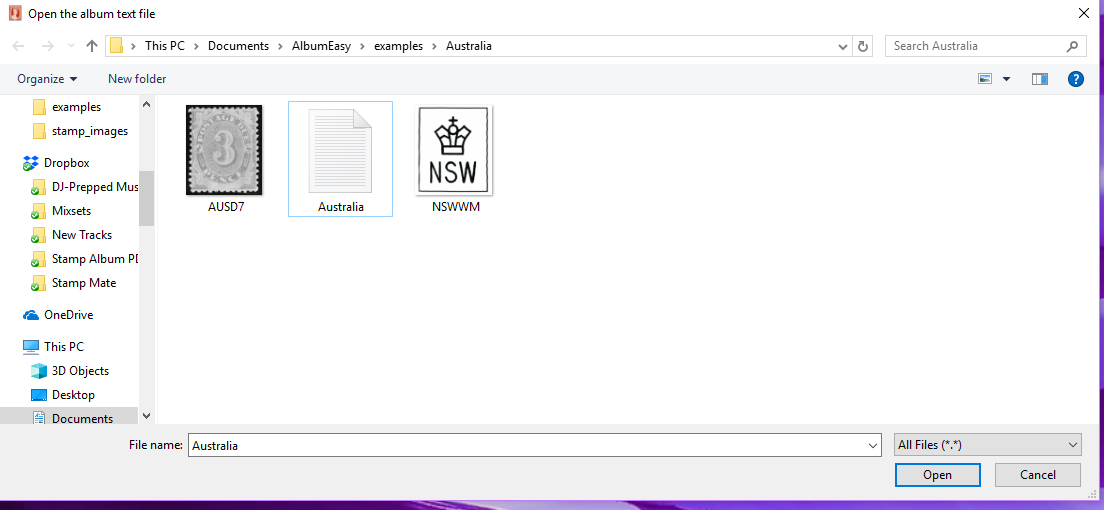 I know the code command I want is STAMP_ADDX_IMG but I can't get the image location right for that part. I keep getting error Quote:
"The file: examples/Australia/NSWWM.png was not found. Image file paths should be specified relative to the directory containing the album data file." Help!  |
|
Send note to Staff
|
APS #173088
|
|
|
Pillar Of The Community
United States
746 Posts |
|
|
I think you'll find it much easier if you make "Australia" a sub-directory of "AlbumEasy" instead of putting it in "examples". Then create a "ausimages" sub-directory in "Australia"; put all your images there. Save your album text file in Australia. Then try the following: STAMP_ADDX_IMG (frame size "ausimages/stamp file name with extension" "" "" "" "" "" "" ) Remember - you must use 6 pairs of quotation marks after the image filename, even if you don't put any text inside any of them. The extra 3 sets of "" allow you to have a 2nd line of text below the frame instead of just one. Here's what I did with images I downloaded into a separate directory named "usimages" for all my USA pages: 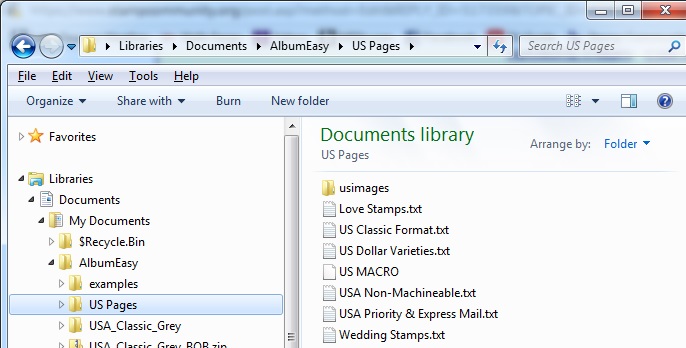 and here's an example: STAMP_ADDX_IMG (34.0 31.0 "usimages/2535.jpg" "" "2535" "" "" "Perf. 12.5x13" "" ) and here's what it generates: 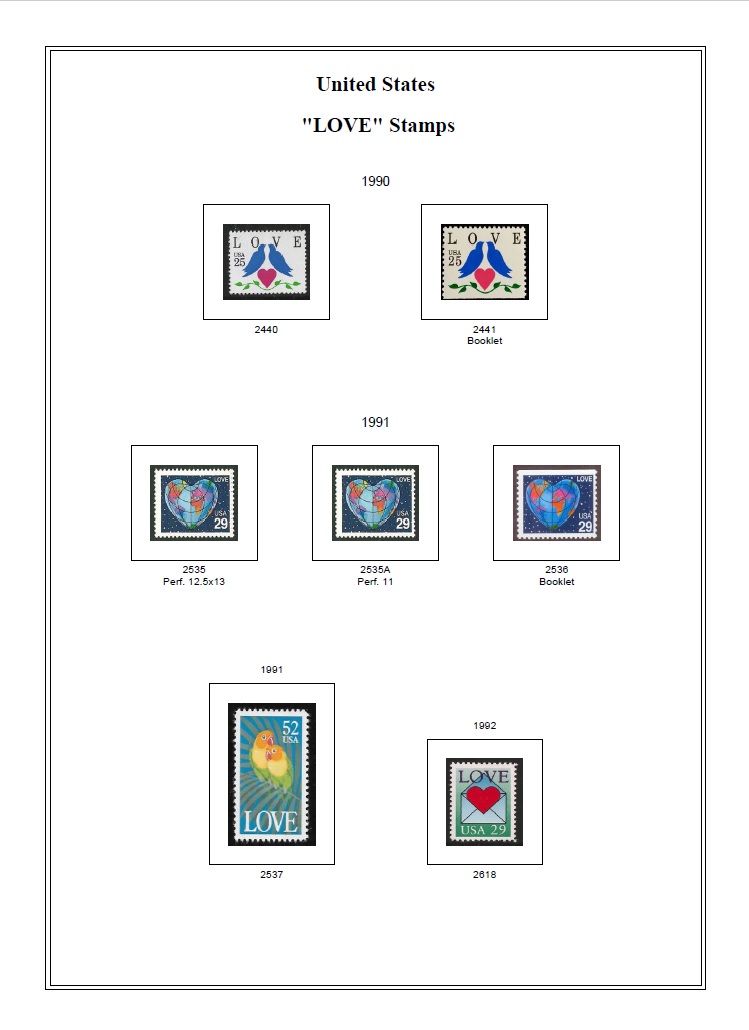 |
|
Send note to Staff
|
| Edited by uboatnut - 01/28/2018 3:20 pm |
|
|
Pillar Of The Community
United States
4531 Posts |
|
|
I do not use albumeasy but have looked at the syntax. The image file location has to be corrected.
From examples, the images are stored in a subdirectory of the folder of where the text file is located such as /images/filename.
So, if the text file is Australia then the convention is to put the images in Australia/images.
STAMP_ADDX_IMG (34.0 31.0 "images/aus07.png" ....
|
|
Send note to Staff
|
Al |
| Edited by angore - 01/28/2018 3:29 pm |
|
|
Pillar Of The Community
United States
772 Posts |
|
|
Still not getting it to work. here is the file setup 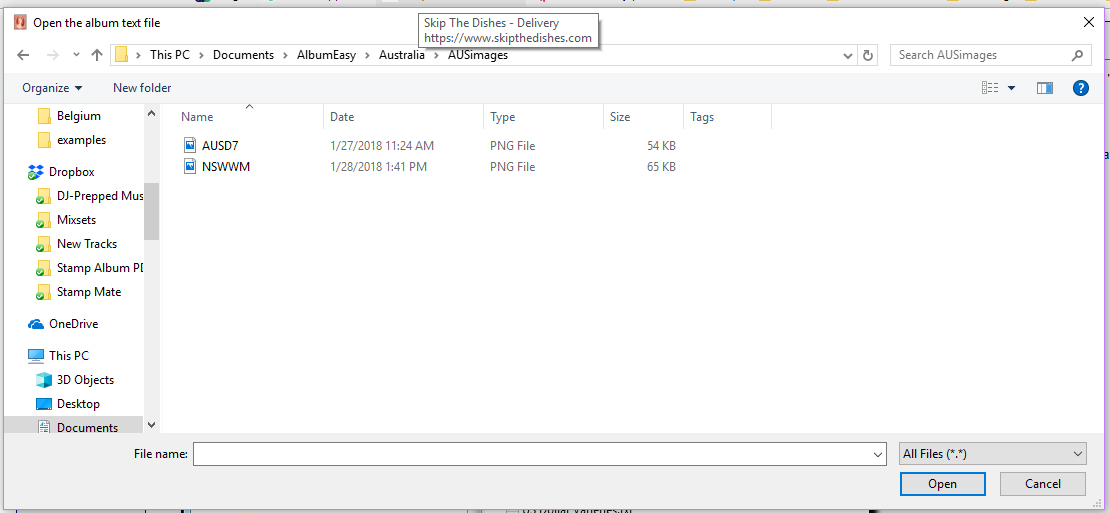 Here is the line of code I create STAMP_ADDX_IMG (26.0 29.0 "AUSimgaes/AUSD7.png" "ASCS D1A" "1d" "SG D1" "Scott J1" "" "Michel P1IA") And when I generate the PDF, I get the error message at the bottom of this screen 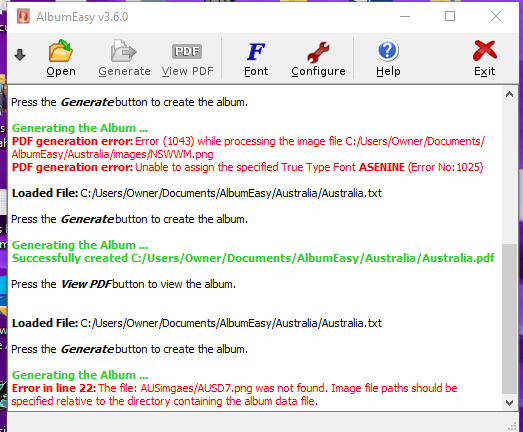 I definitely have 6 sets of "" after the image name, I am using 5 of them for text. If I take the image out, the page loads perfectly fine. Any ideas?  |
|
Send note to Staff
|
APS #173088
|
|
|
Replies: 277 / Views: 69,569 |
|




 Posted 01/23/2018 12:09 pm


