| Author |
 Replies: 17 / Views: 1,540 Replies: 17 / Views: 1,540 |
|
Pillar Of The Community
Canada
5821 Posts |
|
|
After I added one green arrow to this stamp sheet using PhotoScapeX the file size went from 19.6 MB to 50.9 MB. I can see some increase but not more than double. Why this huge increase in size? 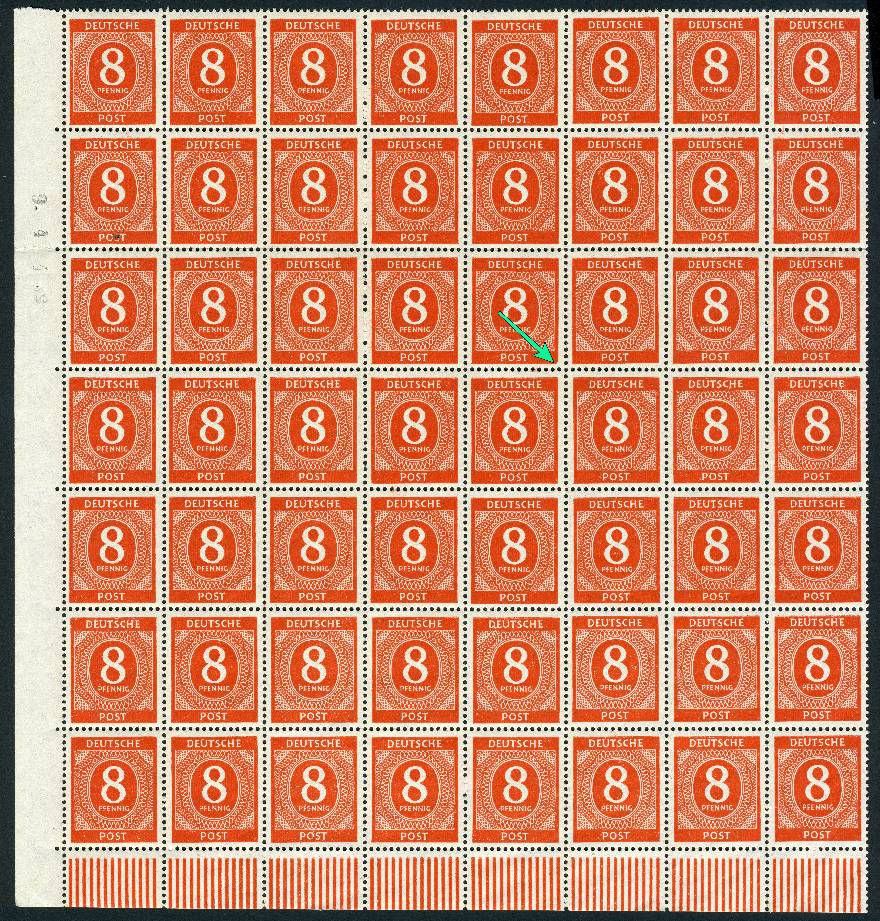 |
|
Send note to Staff
|
|
|
|
|
Pillar Of The Community
United States
2830 Posts |
|
|
Pillar Of The Community
Canada
5821 Posts |
|
|
Thanks shermae
I tried Irfanview before but didnt like using it,
All I wanted was a program for inserting arrows, text etc.
With Irfanview you cant even draw decent arrows.
PhotoScapeX is great except for that size increase.
|
Send note to Staff 
|
|
|
Pillar Of The Community
United States
2830 Posts |
|
|
Litho - you are incorrect about IrfanView. Please see the image below for an explanation. With an image loaded, if you select "Edit---Show Paint Dialogue," a moveable widget comes up which allows you to paint arrows, circles, etc anywhere you need with no penalty in file size. I am not able to use printscreen to show the widget itself. IrfanView also allows you to save your file in the correct size (300k) for images on this forum. Please let me know if I may help further. 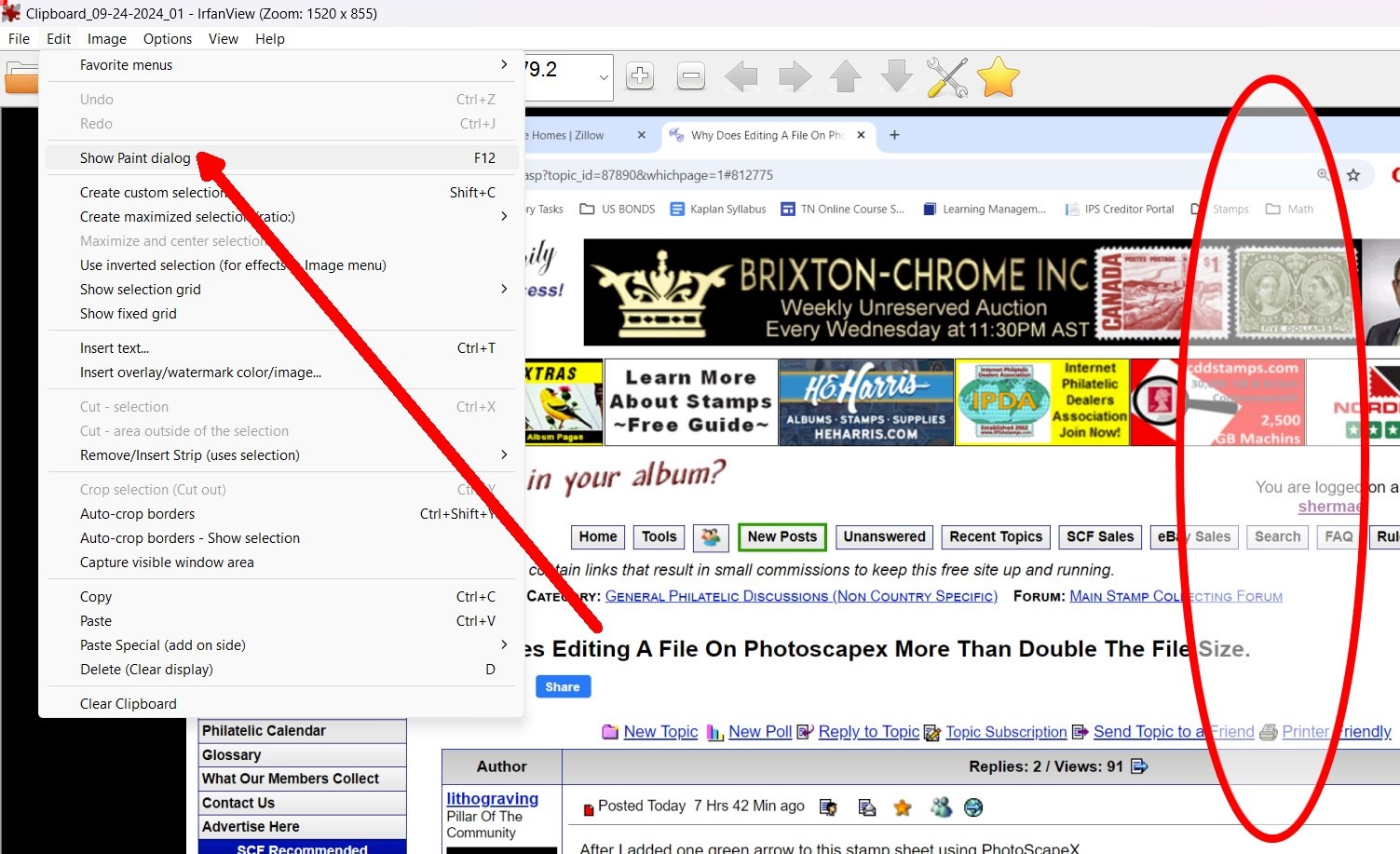 |
|
Send note to Staff
|
|
|
Pillar Of The Community

United States
1144 Posts |
|
|
Are you saving the new file in the same format as the original (jpg, png)? By default when I open a jpeg image in Photoshop (different program than PhotoScapeX, I realize), it defaults to save it in Photoshop's proprietary format, which adds a lot of extra stuff and makes the files a lot bigger.
Is the green arrow in its own layer? Maybe each layer requires storage for its total width*height*resolution.
When saving it as a JPEG, strip off any unneeded metadata that the program may have saved with the image (kindof like web page cookies that the software uses internally).
|
|
Send note to Staff
|
|
|
Pillar Of The Community
Canada
5821 Posts |
|
|
@shermae Thanks for the advice. I realize that with IrfanView I can add arrows, circles etc but I find for example that arrow you showed puny compared to PhotoScapeX and I prefer using that program. See below. Now those are arrows.  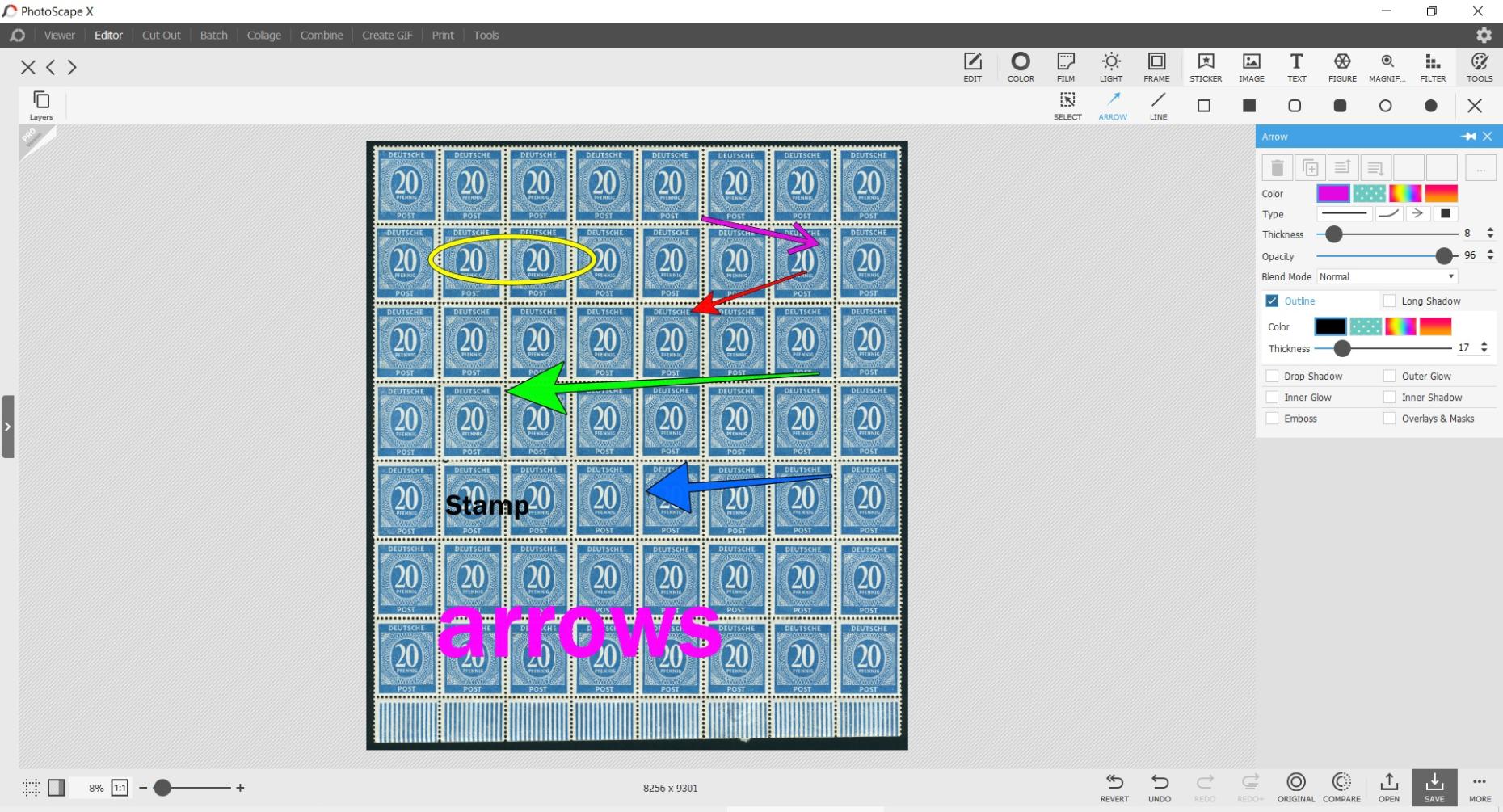 @ZebraMan Thanks for your suggestions. Quote:
Are you saving the new file in the same format as the original (jpg, png)? Yes I save it as the original JPG Quote:
Is the green arrow in its own layer? Maybe each layer requires storage for its total width*height*resolution.
When saving it as a JPEG, strip off any unneeded metadata that the program may have saved with the image I have no idea how to store any layers or stripping unneeded metadata. Sounds too complicated for me, thanks anyway. I've decided to just delete those large files after uploading and posting here on SCF. |
|
Send note to Staff
|
|
|
Valued Member
Switzerland
497 Posts |
|
|
@lithograving Thanks for the advice. I realize that with IrfanView I can add arrows, circles etc
but I find for example that arrow you showed puny compared to PhotoScapeX
and I prefer using that program.
I have to agree here. While IrfanView does a lot of things very well indeed, the included Paint program is coming short of many things, including arrows, circles, etc. I use Gimp for "harder stuff" (which also allows for layers, as well). |
|
Send note to Staff
|
|
|
Pillar Of The Community
United States
2830 Posts |
|
|
The arrows in IrfanView can be adjusted in size to better match the resolution you are working in. Also true of any other shapes such as ovals, and for text as well. Text can also be angulated. 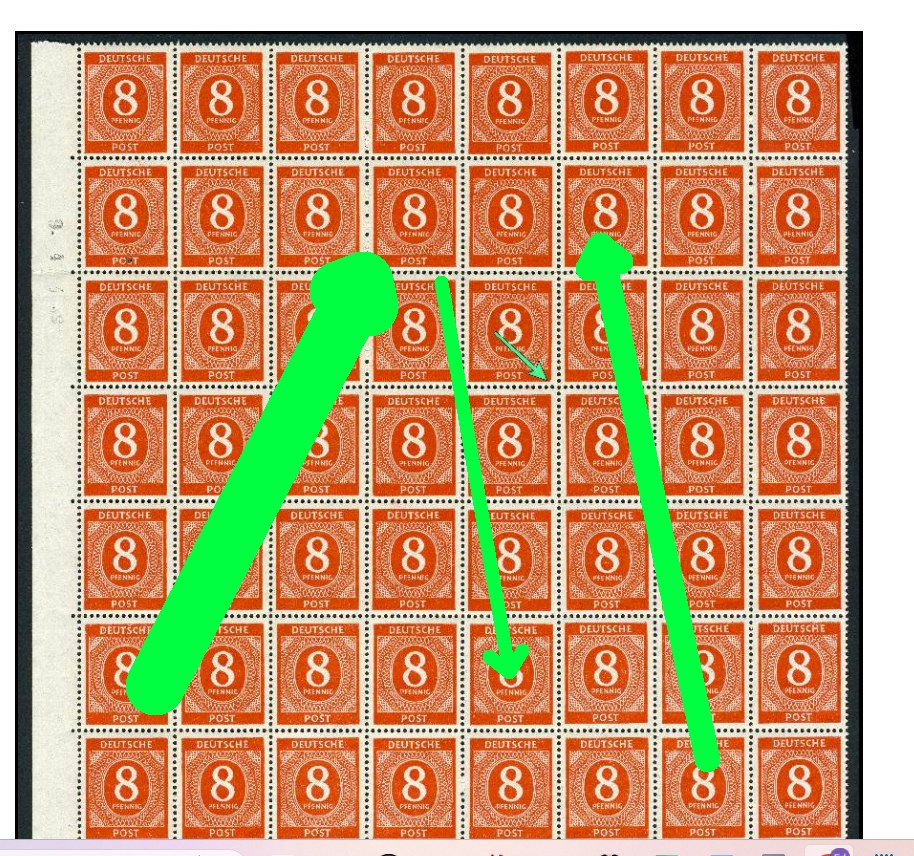 |
|
Send note to Staff
|
| Edited by shermae - 09/25/2024 12:43 pm |
|
|
Pillar Of The Community
Canada
5821 Posts |
|
|
Good stuff shermae but I still prefer the PhotoScapeX arrows.
Thanks anyway.
The main reason I even started this thread was because I was concerned
whether this large increase in size possibly included some sort of
harmful virus, cookies, bots or unneeded metadata as ZebraMan mentioned. |
|
Send note to Staff
|
|
|
Valued Member
256 Posts |
|
|
I don't know that specific photo editor, but JPEG is a finnicky format since it uses lossy compression and software has a lot of leeway in how writes out the file. Different software will write out the exact same image in different ways. Editors usually have a quality setting (e.g. 20%-80% scale) and other options when writing out JPEG (either in the Save dialog, or the program Settings/Options). I don't think adding the arrows caused the file size to increase, in fact, it should have decreased it since you're removing detail from the image. I bet if you saved the file with no changes (or very small change to force it to write it out again) you would see very similar results. Also JPEG doesn't have layers or significant amounts of metadata. |
|
Send note to Staff
|
|
|
Pillar Of The Community
Canada
5821 Posts |
|
|
OK here is another example where I added one arrow to the image using PhotoScapeX. Before the arrow 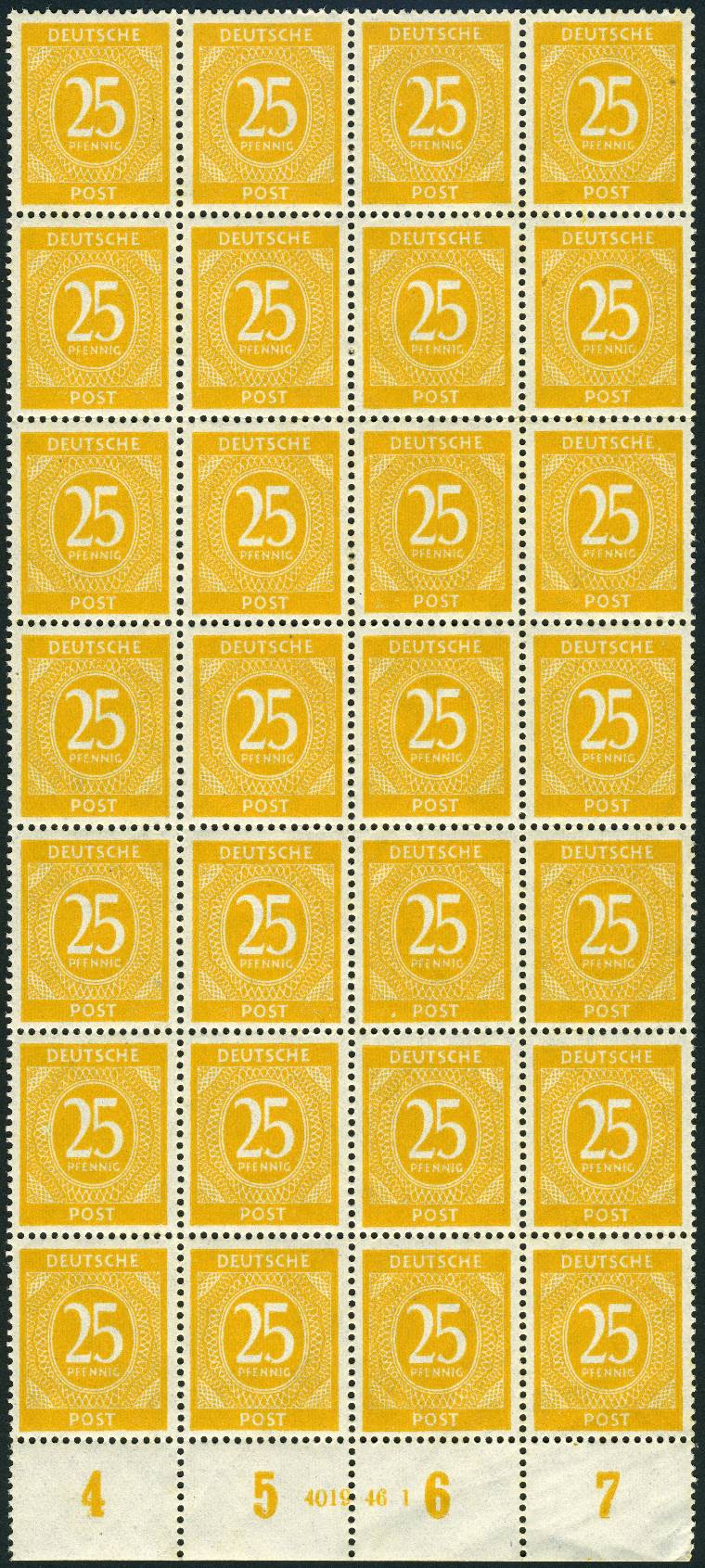 After adding one arrow 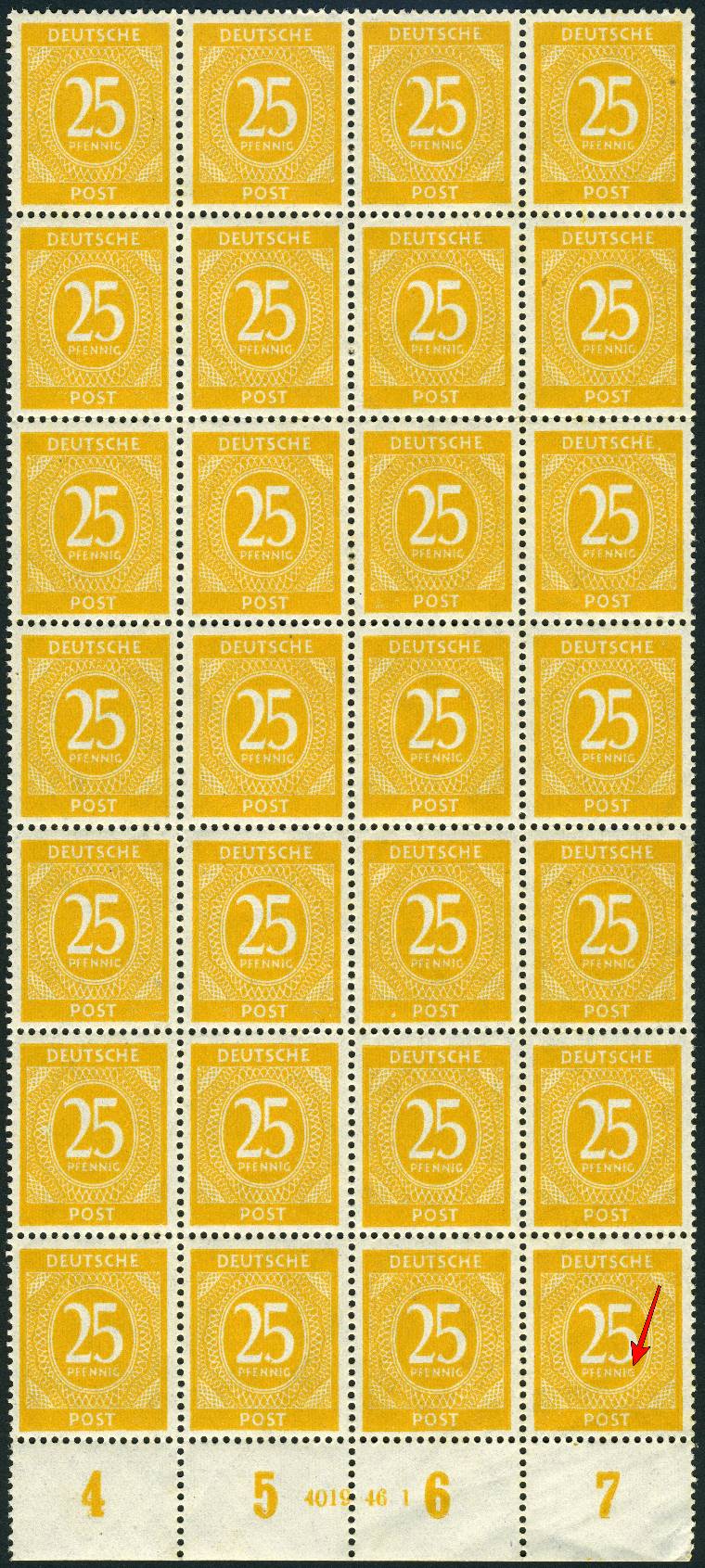 And here are both properties windows 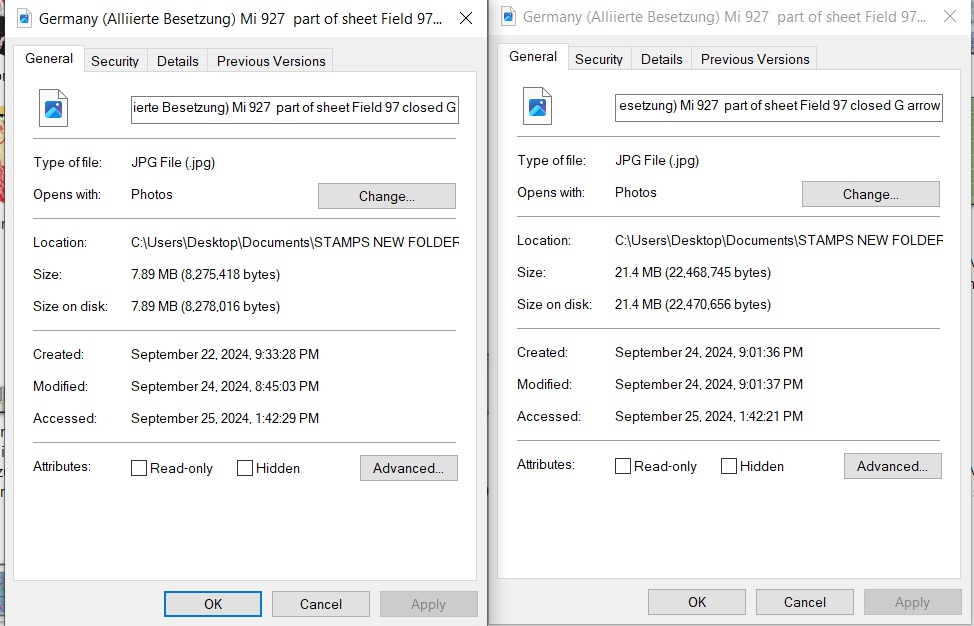 See the increase from 7.89MB to 21.4MB |
|
Send note to Staff
|
|
|
Pillar Of The Community
United States
2830 Posts |
|
|
It's as if the program added an entire bit plane to accommodate 1 arrow. |
|
Send note to Staff
|
|
|
Valued Member
Switzerland
497 Posts |
|
|
That would be essentially an empty plane. jpg would compress that into a few hundred bytes...
Also jpg is not a lossy compression mechanism by default. You can set it to 100% with no loss of image quality, but on images like above that are basically two colors, a setting down to 30-50% will not noticeably degrade an image but will significantly reduce file size.
PhotoScapeX must be having peculariar ways to save a file. Maybe a view of the "Save As" option would show what happens in that program. Or reload the huge file into Irfanview and save it from there once more.. |
|
Send note to Staff
|
| Edited by drkohler - 09/25/2024 2:53 pm |
|
|
Pillar Of The Community
United States
1144 Posts |
|
|
In your "Properties" window I see a tab for "Previous Versions". The platform is possibly allowing you to roll back and revert to an earlier saved version of the image. All the data stored for these previous versions of work-in-progress may be what is included in the additional file size.
If you Save As... from PhotoScapeX using a new filename, does it shrink back to near the original file size and nothing listed under Previous Versions ? |
|
Send note to Staff
|
|
|
Pillar Of The Community
Canada
5821 Posts |
|
|
In both Pevious Versions windows it states There are no previous versions available |
|
Send note to Staff
|
|
|
Pillar Of The Community
United States
1144 Posts |
|
|
Interesting. Still a mystery. I agree with drkohler, try to "Save As" in a different program and see if the file size shrinks any. Sometimes I ask Microsoft CoPilot AI for help because it can distill pages of google search results into a short and concise answer. But wow, this time I ran into some circular logic. 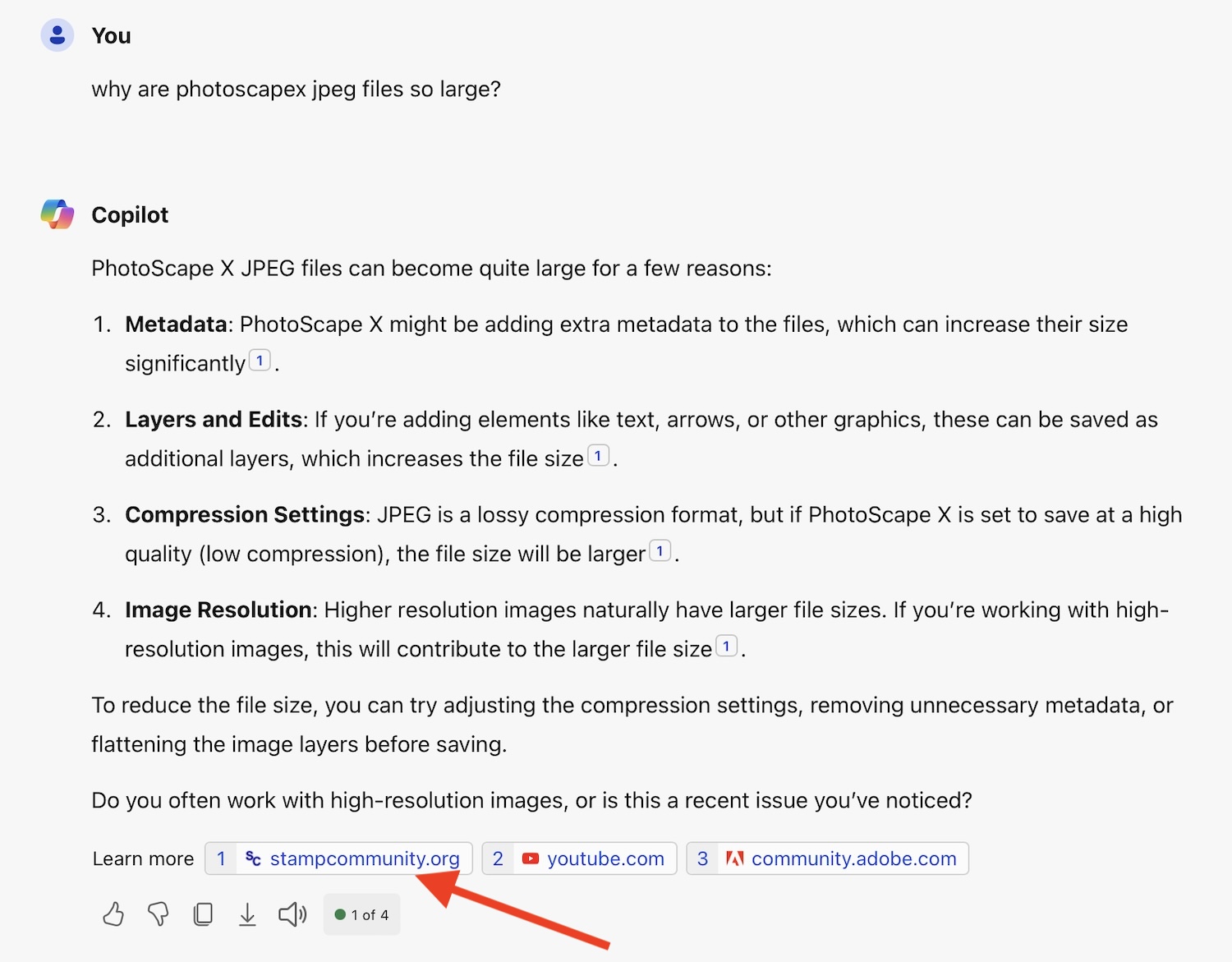 The source of CoPilot's response, as shown in the footnotes, is this very thread where we users are suggesting various hypothetical reasons why the PhotoScapeX files could be so big. What this tells me is that there aren't a lot of other web sites, blogs, forums, etc. where this question is being discussed if the best they could find is this thread. The footnote #3 by the way is regarding Metadata Bloat in PhotoShop where "in some cases 100,000 lines of photoshop:DocumentAncestors metadata has been found! A 65mb file may be reduced to 110kb once this metadata has been removed." One of the advanced tips in that article suggests, for JPEG files, you can use an Exif Data Viewer to look inside the file and see what all is in there, and remove the extraneous metadata that is found. As if I would know what belongs there and what is bloat. |
|
Send note to Staff
|
|
|
Replies: 17 / Views: 1,540 |
|




 Posted 09/24/2024 3:59 pm


