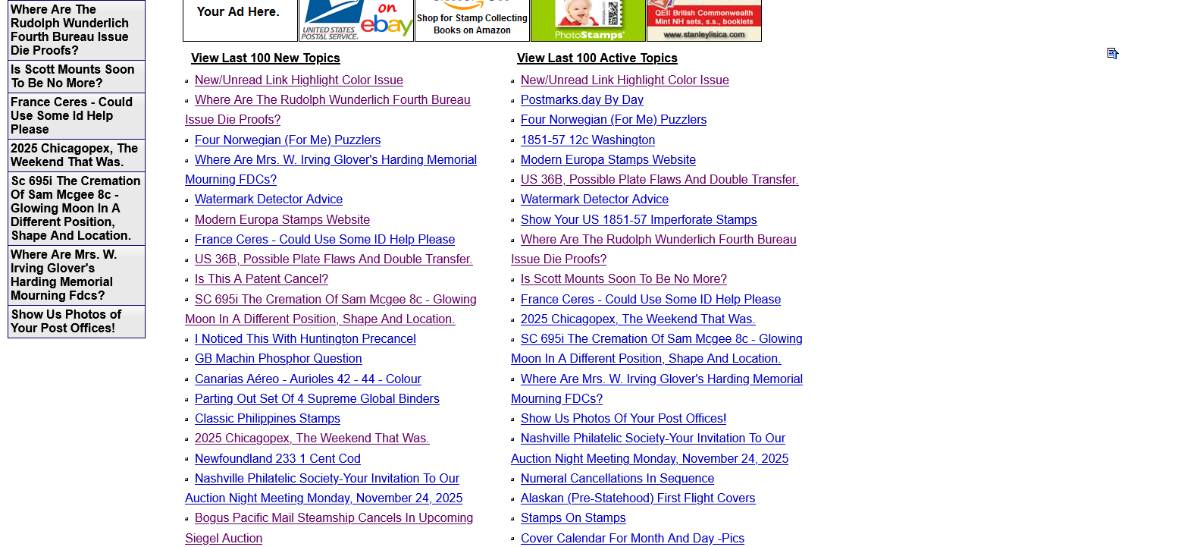
Is this a new issue with Chrome or something that changed on the site? I usually use the "Last 100 Active Topics" list to see what is new across all the forums. Links to topics that are unread are in blue, and if I am up-to-date on a topic, the link is in purple so I don't need to open it again. For the last few days, very frequently I would click on a new/blue link, the topic would open, but scrolling down to the "Last 100 Active Topics" list and the link would still be blue rather than changing to purple.
In the past this would happen occasionally, if someone posted a new message right then during the time that I was reading. But the last few days it has happened a lot more often, and when I click on the 'blue' link again, there is nothing new there...
It is intermittent, and now that I am writing this I cannot reproduce the problem at all, but it was annoying earlier when I clicked to get new messages and I was already up to date. When I have watched it happen, the replyID in the link I click is correct and up to date (and did not change to a new replyID after I clicked). But the link does say whichPage=-1 rather than whichPage=8, for example, which may be a cause for my browser to think the page is new? Was there a new change here recently or was it always like this?
It is probably just me and my browser but thought I would float the question in case others have noticed a similar change in behavior recently.
Ah, yes, now I recall that I think I was not logged in when it was happening earlier (and why I could not reproduce it while composing the previous message when I was obviously signed in).
Thanks for that tidbit. I won't worry about it then.
Disclaimer: While a tremendous amount of effort goes into ensuring the accuracy of the information contained in this site, Stamp Community assumes no liability for errors. Copyright 2005 - 2026 Stamp Community Family - All rights reserved worldwide. Use of any images or content on this website without prior written permission of Stamp Community or the original lender is strictly prohibited. Privacy Policy / Terms of UseAdvertise Here





 Posted 11/25/2025 9:27 pm