| Author |
 Replies: 11 / Views: 1,068 Replies: 11 / Views: 1,068 |
|
|
New Member
Taiwan
2 Posts |
|
|
Hello everyone! I've recently inherited my grandfather's stamp collection (around 30 books). I'm currently in Taiwan, where the collection is, but I will be returning to the US in a few weeks. As such, I will likely leave the stamps to my aunt and uncle, who live here in Taiwan and have expressed interest in keeping them. Since I won't be able to keep the stamps with me, I'm working on digitizing them so I can still have a nice detailed archive and record of the collection when I return home. I have some idea of how to scan and digitize them, but still have some questions: - I'm planning on scanning them at 1200dpi -- would this be overkill? On the flip side, I've seen scans at 2400dpi, but I don't know what would be worth that or not. - When scanning, should I scan the page layout before scanning the individual stamps? I'm not sure if there's any importance in how people usually store them Any other thoughts would be appreciated as well! Thank you! some examples pages for your consideration: 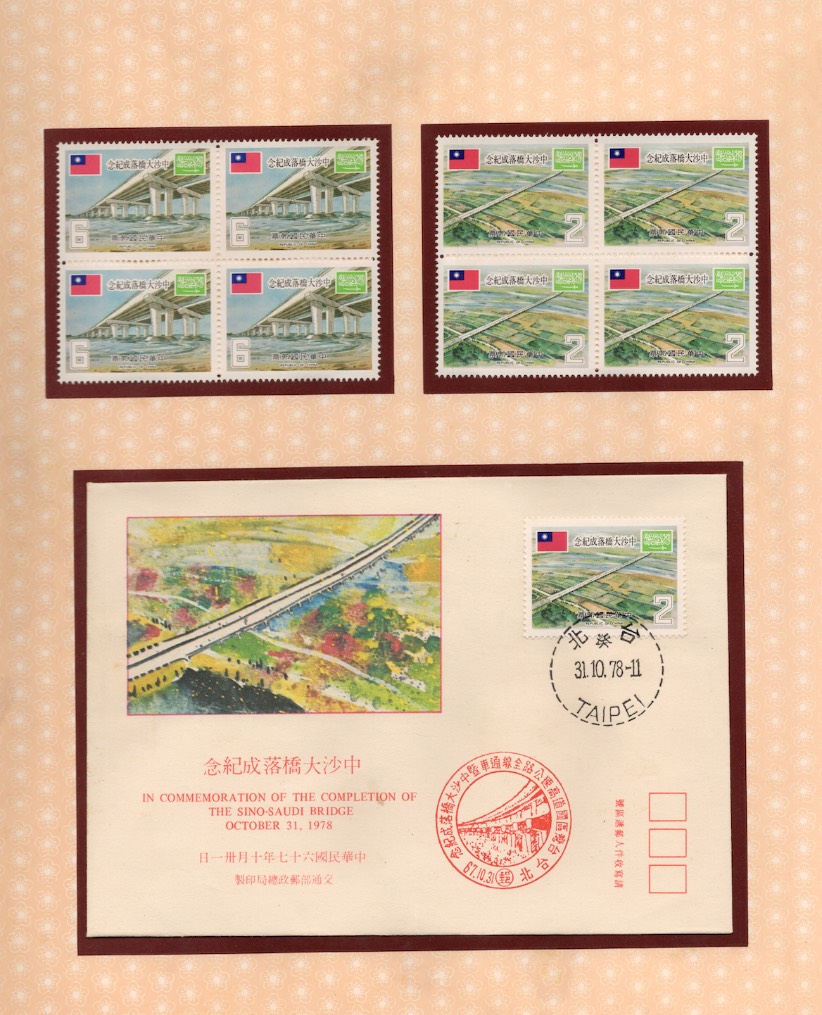 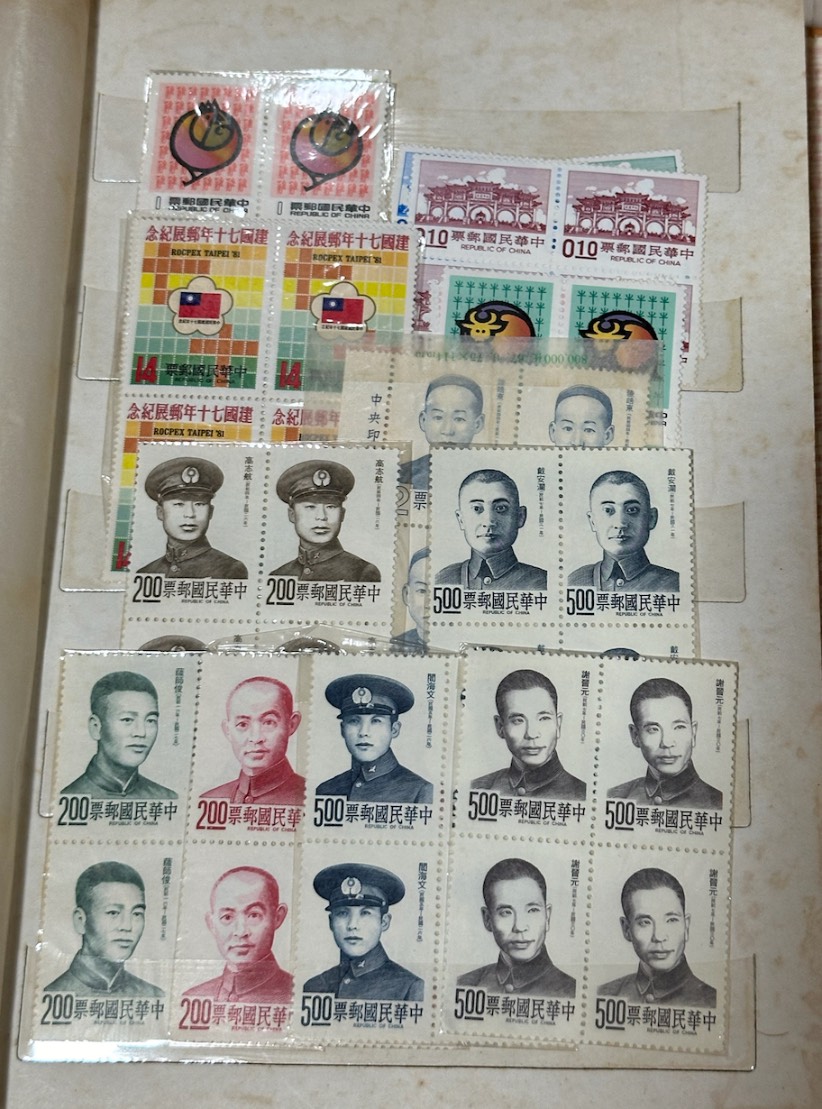 |
|
Send note to Staff
|
|
|
|
|
Pillar Of The Community
United States
2547 Posts |
|
|
my opinion: 300 or 400 is plenty unless you want special detail for special stamps. |
Send note to Staff 
|
|
|
Valued Member
Switzerland
499 Posts |
|
|
Scanning at 1200dpi usually is overkill unless you know of plate flaws that (might) exist.
It also takes much longer than 300dpi and the file sizes are considerably larger (unless the stamps are single color which can be jpg lossless compressed to amazingly small sizes). If you have the time and a large mass storage unit, why not? |
|
Send note to Staff
|
| Edited by drkohler - 01/02/2026 3:44 pm |
|
|
Pillar Of The Community
United States
6470 Posts |
|
|
I do 400dpi for covers and documents, and 1600dpi for individual stamps. For pages of stamps, I would do 400 max. |
|
Send note to Staff
|
|
|
|
Pillar Of The Community
United Kingdom
8636 Posts |
|
|
If as in your first photo, the stamps are properly laid out, I'd scan the page. If, as in your second, they're simply put in a stock-book, often overlapping so that some aren't visible, there seems no point in scanning the page. You'll be spending the rest of your trip bending over a scanner! |
|
Send note to Staff
|
|
|
Moderator

United States
5108 Posts |
|
|
Just a thought. Some of the items in that second scan don't appear to be kept in archival plastic. You may just want to remove them and put back in the same album page. Otherwise, something from the plastic might migrate to your stamp, or the plastic could "tighten" and warp some of those blocks. |
|
Send note to Staff
|
|
|
Pillar Of The Community

United States
1159 Posts |
|
|
Quote:
You may just want to remove them and put back in the same album page. Otherwise, something from the plastic might migrate to your stamp I agree about the dangers about vintage plastic, but also you may just want to remove them and put back in the same album page a brand new stock book. Otherwise, something from the plastic old stock book pages might migrate to your stamp. Are the brown spots on the stock book pages mold or foxing, or part of a printed design pattern? |
|
Send note to Staff
|
|
|
New Member
Taiwan
2 Posts |
|
|
Quote:
Are the brown spots on the stock book pages mold or foxing, or part of a printed design pattern? The spots aren't part of the design, and I wouldn't be surprised if it's mold as it's pretty humid here in Taiwan. I'll see if my family is interested in helping re-book them. Thanks all for bringing it up! I supposed I'll start with scanning the stamps at 1200dpi, and I'll go down in dpi if I realize time/storage will become a problem. I'll share if I find anything especially cool along the way! |
|
Send note to Staff
|
|
|
Pillar Of The Community
United States
775 Posts |
|
|
First you need to decide why you want copies of the stamps. If you just want a record of what is in the collection then 300 dpi is sufficient. If you want to study individual stamps then a minimum of 600 dpi or even 1200 dpi.
It seems like you may just want a remembrance of the collection. If that is the case just photograph each page with your cell phone.
I would have all the stamps in the stock book removed; the stock book is contaminated with foxing. |
|
Send note to Staff
|
|
|
Valued Member
Germany
23 Posts |
|
|
Greetings from Germany!
You could also consider using a real camera with macro capabilities and a flash-studio-setup with light modifiers to digitalize your collection.
With side-light line-engraved issues look way more 3D!
And Taiwan should have access to Canon/Nikon equipment... |
|
Send note to Staff
|
|
|
Pillar Of The Community
United States
6470 Posts |
|
|
As someone who has experimented with DLSR cameras for capturing stamps, including dedicated macro lenses for plate varieties, I can say that for consistency and workflow speed, scanners are much easier to use. Far fewer lighting and angle issues.
For quick-and-dirty imaging of stamp album pages (especially when in a bound album), yes a digital camera and copy stand are the way to go, but for everything else I use various flatbed scanners:
Epson V500 and V550 for stamps and covers, and Fujitsu 5750 and now 6770 scanner for 12x18 scans (large documents)
I just took delivery of an Epson Expression 10000XL for scanning 12x18 documents, as the image quality and optical resolution are both considerably higher than the Fujitsu models. |
|
Send note to Staff
|
|
|
|
Valued Member
Germany
23 Posts |
|
|
Of course - 2D objects - why not use a decent 2D scanner...
...on the other hand:
With a camera-studio-setup you do not have to place your album on a glass plate.
Let it rest on the table and let the autofocus do the movement.
I agree - buying a decent scanner is way cheaper than going into studio-photography.
And yes, handling a scanner is way easier than handling a photo-studio... plus software...
Still - especially for line-engraved issues and whole pages - click - bang! - once the studio is set up it can digitalize very swiftly - until the batteries run out - replace and continue... |
|
Send note to Staff
|
|
| |
Replies: 11 / Views: 1,068 |
|




 Posted 01/02/2026 1:28 pm





