| Author |
 Replies: 19 / Views: 3,571 Replies: 19 / Views: 3,571 |
|
Valued Member
22 Posts |
|
|
Going through a collection I inherited. Just wanted to know how the pics look and any advice on improvements.Thanks for taking the time. 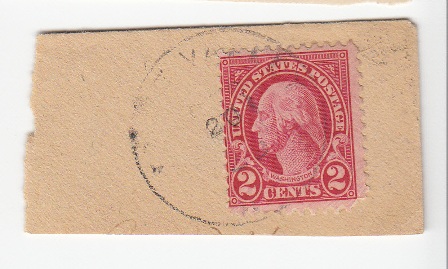 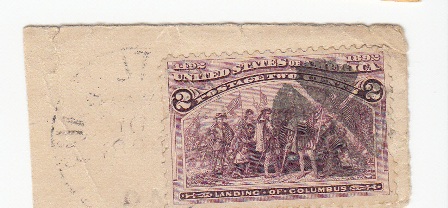 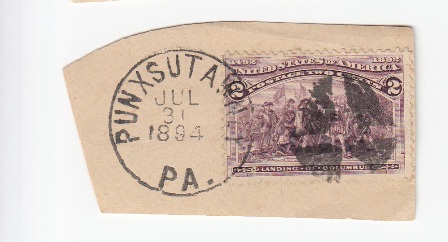 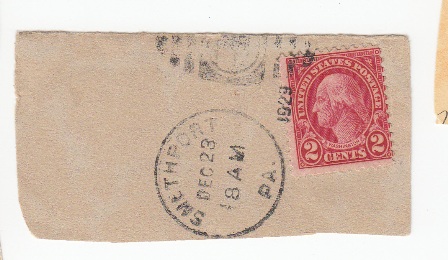 . |
|
Send note to Staff
|
|
|
|
|
Moderator

United States
4788 Posts |
|
|
Pillar Of The Community
Canada
1227 Posts |
|
|
Atom, you did a great job scanning these stamps on piece. I really like the bottom two with the clear cancellations. |
Send note to Staff 
|
|
|
Bedrock Of The Community
Australia
38679 Posts |
|
|
You are on your way.
Considerations.
You can attach a sheet of black paper to the lid of your scanner
with "blu tac", for a nice background to highlight stamp perforations
off paper.
You can download free Google "Picasa" to manage "skew"
in your scans.
The Punxatawney piece is great, it ties the cork cancel to the town.
I had to Google Punxatawney, because it sounded so familiar
to me.
Punxatawney, native indian for "Land of Mosquitoes"
is the place of "Groundhog Day" I think the US made
a B movie about this, which I must have unfortunately viewed.
|
|
Send note to Staff
|
|
|
Valued Member
Ireland
78 Posts |
|
|
very good, took me a long time to get that good. lol |
|
Send note to Staff
|
| Edited by gerry68 - 07/07/2011 1:20 pm |
|
|
Valued Member
22 Posts |
|
|
Really apprecaite the kind words everyone. rod222, will take your advice with the black paper really appreciate the idea. More to come. |
|
Send note to Staff
|
|
|
Bedrock Of The Community
Australia
38679 Posts |
|
|
Pillar Of The Community
Canada
5821 Posts |
|
|
Valued Member
22 Posts |
|
|
Thanks lithograving for the link. I do need an advice on this. Since this collection was handed over to me. There are so many loose ones I was trying to find a way to show as many as possible. And thanks to everyone for their tips and advice here, it has become very interesting and quite an education. This I just threw together to see how the quality is. 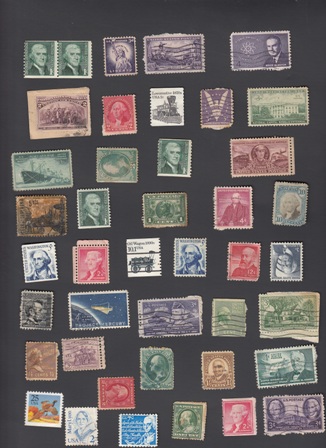 |
|
Send note to Staff
|
|
|
Valued Member
United States
302 Posts |
|
|
atom,
Congrats on the new scanner.
My only advice is that you save your images a bit larger and perhaps with a higher jpg quality setting.
Generally I save my scans so that the largest dimension is 700-800pixels, and the jpeg image quality setting is around 70-80%. The lower compression makes for larger files but they'll also appear sharper and more detailed and in today's day, when almost everyone has a high-speed connection, ~100KB image files are hardly noticeable when loading.
Black background is a personal preference. Lately I've been favoring a white background, because I find its very difficult to get a true "pitch black" background, without underexposing the image.
-P.Bear |
|
Send note to Staff
|
|
|
Valued Member
22 Posts |
|
|
Still working on better image quality. But feel I am getting there. I know this is not an US Stamp but was using it for testing only. Taking all the advice here and appyling it and having fun. 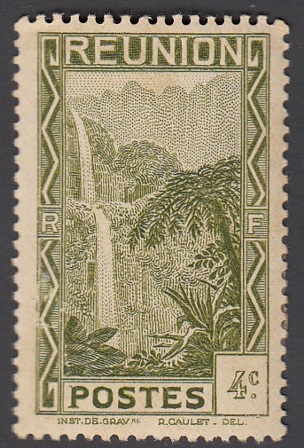 |
|
Send note to Staff
|
|
|
Valued Member
United States
302 Posts |
|
|
Here is a tip for cropping even margins around your stamp. Use a photo app which allows an overlay grid to be displayed. Set the grid pattern to a practical % of the canvas - say 10%. Select your canvas and center your image using move or transform so that your piece aligns evenly within the grid then crop using the grid lines as your guides. Here is an illustration. I like to use red for gridlines as it shows easily on most images.  -P.Bear |
|
Send note to Staff
|
|
|
Bedrock Of The Community
Australia
38679 Posts |
|
|
With due respect, that looks a little painful. FREE Google Picasa has a freehand deskew tool Just move the toggle! 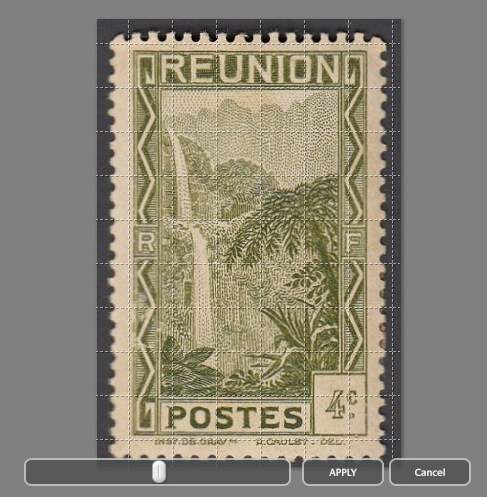 |
|
Send note to Staff
|
|
|
Valued Member
22 Posts |
|
|
Really do appreciate everyone's advice. Picasa seems to be powerful tool and fun to use. Still working on capturing true and actual colors. And once I get the hang of it I'll get a rhythm down to move along quickly, I think 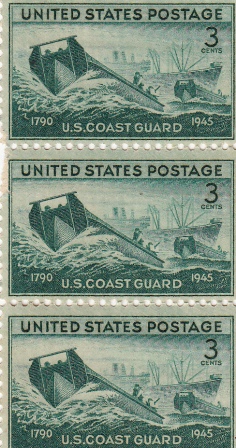 |
|
Send note to Staff
|
|
|
Pillar Of The Community
United States
6470 Posts |
|
|
I find that scanning on a black background gives truer colors than on white. Also, scanners vary greatly in their ability to (1) produce accurate color, and (2) provide surfact detail of stamps and paper. A few months back I decided to test a number of current scanners, specifically some of the Canon Lidoscan models, but when all was said and done I went back to my trusty Epson scanner. I've been using the Epson line of scanners for over 10 years now. I find that they give surface detail far greater then others I have tried. Engraved stamps especially will pop off the screen. Where it really comes in handy is when you're trying to ferret out varieties. A high-resolution scan will give you far more information than trying to look at things with a loupe. Here's an example of the bottom portion of a stamp showing a minor double transfer. Open the image to it's full size and you can see the surface texture details, not only the paper fibres but the ink sitting on top of the paper.  Experiment a bit with scanning stamps or portions of stamps at 1200dpi, 2400dpi, etc. (assuming your scanner's optical resolution supports those; you NEVER want to scan above the limits of the optical resolution, which then introduces artifacts as the scanner tries to simulate higher resolutions). You might be surprised at what you find... |
|
Send note to Staff
|
|
|
|
Valued Member
22 Posts |
|
|
Very nice pics revenuecollector
I'm using a Canon LiDE 210 and still learning it's capabilities and a variety of software. |
|
Send note to Staff
|
|
|
Replies: 19 / Views: 3,571 |
|



 Posted 07/03/2011 3:32 pm




