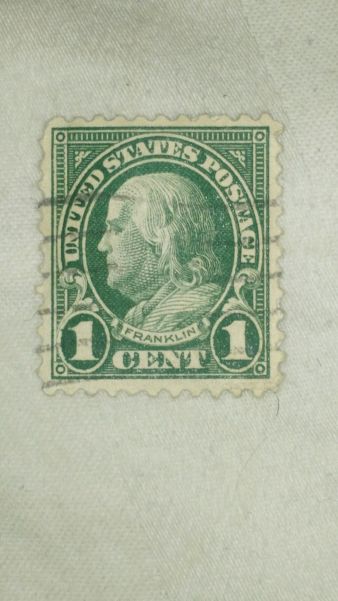
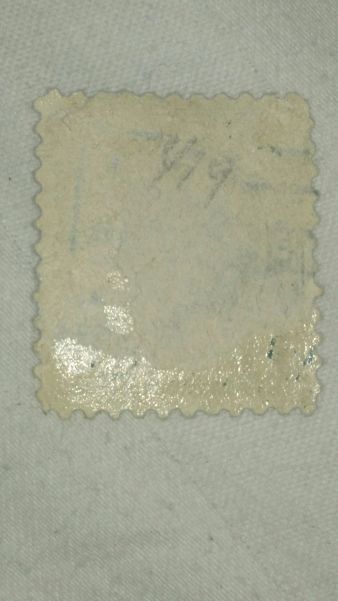
The short version of below is to start by using a template. Follow the link below to learn how to make and use one.You did a very good job of taking the photograph directly above the stamp. I calculated the aspect ratio from the picture as 1.158. The aspect ratio for 19.75 x 22.25 would be 1.127. So your stamp is different by approximately 3%. The error along the 19.75mm side at 3% would be about 0.6mm. That's more than enough to make your measurements inaccurate.
The aspect ratio for 19 x 22 would be 1.158. For 19.5 x 22 it would be 1.128. The other possibility would be 19 x 22.5 which calculates to 1.184. Yours matches 19 x 22 which is the aspect ratio for a flat plate stamp.
Calipers are very accurate, but measuring something like a stamp with them can be very inaccurate. You can set the calipers to 19.5, 22.25, or 22.5 and then carefully use them as a go/no go tool. You would want to see the full width of both caliper edges covering the frame lines. Even doing that can have errors because it is difficult to see one hundredth of an inch which is the same as 0.25 mm.
The easiest and least error prone method is to compare a stamp to a known flat plate (non-booklet) and/or a known rotary stamp. For the rotary to compare to, a lower denomination (i.e. cheap)1938 US Presidential Issue works well. That stamp measures at 19 x 22.5. If your suspect stamp is the same size as the rotary is tall, or considerably larger than either or both sides, then you know you have one of the rotary types.
Creating a template out of a cheap flat and or a rotary stamp is ideal. That way you don't have margins in the way. This site depicts how to make one and how to use it:
http://www.kenmorestamp.com/flat-vs-rotaryIn summary, start by using templates. You can practice with calipers after checking with your template. Also, in the future try to photograph the stamp over a black background to help us see the perfs. Larger pictures or scans also cropped to just the stamp would be best. You're improving. Keep it up!

Edited for clarity.





 Posted 02/21/2015 11:07 am