| Author |
 Replies: 11 / Views: 1,956 Replies: 11 / Views: 1,956 |
|
|
Valued Member
22 Posts |
|
|
this is error or not ??? 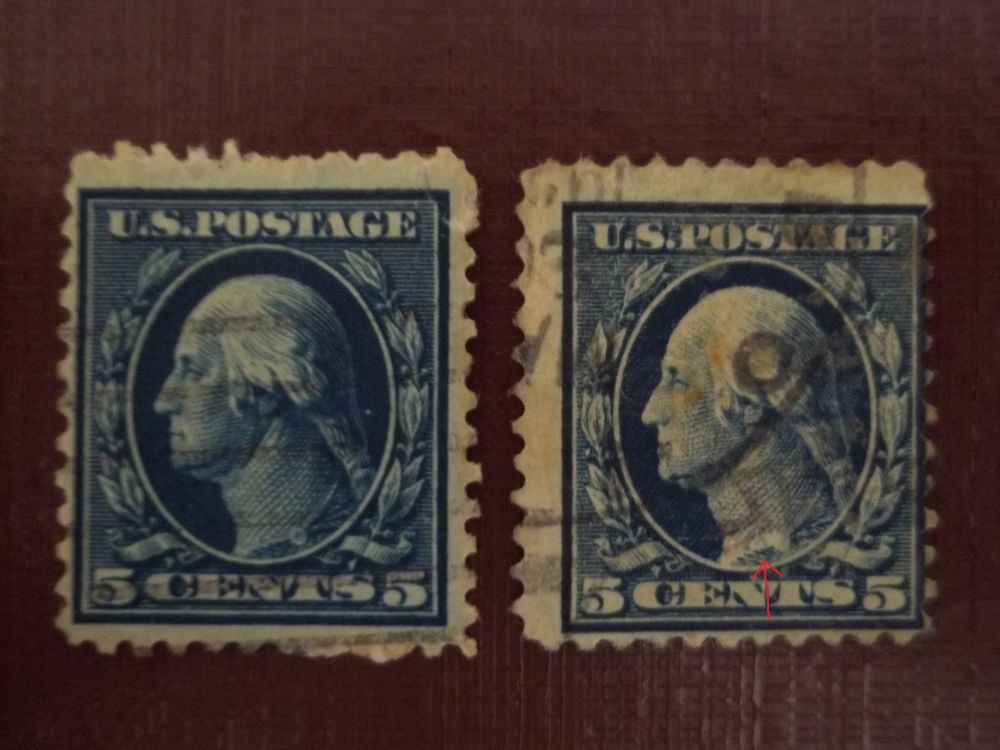 |
|
Send note to Staff
|
| Edited by martinboyanov83 - 04/27/2015 05:11 am |
|
|
|
|
Pillar Of The Community
United States
1115 Posts |
|
|
On these two stamps, I do not see any errors. The right stamp appears to have less ink where the arrow is pointing, but from the scan resolution cannot tell if the ink is missing, or if a scuff. The left stamp has some perforation flaws and the right stamp is off-center, but not extreme enough to be an EFO. |
Send note to Staff 
|
| Edited by orstampman - 04/27/2015 05:51 am |
|
|
Valued Member
22 Posts |
|
|
Pillar Of The Community
United States
1115 Posts |
|
|
martinboyanov83 - can you describe what you see that appears to be different in more detail? The toga rope appears to be lighter, with less or no ink. It is difficult to see the detail with the lower scan resolution, so cannot tell if it is a printing flaw (absent ink, removed foreign object, etc.) or if something happened to the stamp after printing (erasure, scuff, etc.).
|
|
Send note to Staff
|
|
|
Pillar Of The Community
3865 Posts |
|
|
Pillar Of The Community
United States
672 Posts |
|
|
Pillar Of The Community
1151 Posts |
|
|
Merhaha, Martinboyanov83
On the stamp in question with the red arrow, how did you apply the arrow to this stamp? Did you hand draw the arrow onto the stamp itself, or if not, exactly how was it done?
Dave
|
|
Send note to Staff
|
|
|
Pillar Of The Community
United States
3305 Posts |
|
|
Dave, you can add things like arrows easily in Paint. This took less than a minute. Including upload time. 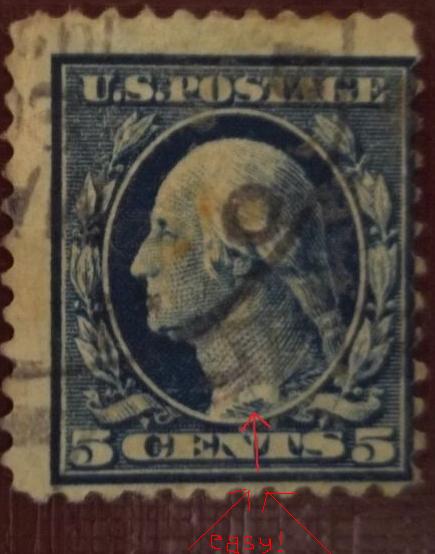 |
|
Send note to Staff
|
|
|
Pillar Of The Community
1151 Posts |
|
|
littleriverphil, Thanks.
I myself have a scanner and a program.
So to create this image, I'm guessing he used a digital camera, loaded digital image of the stamp from camera into his computer, then using paint drew the arrow?
Dave |
|
Send note to Staff
|
|
|
Moderator

United States
5107 Posts |
|
|
It is very easy to manipulate either a camera or scanner image using Paint. I'm sure others may reply with their favorite programs to use, but Paint works well.
Maybe, someday, we'll be able to add some simple annotations using this site's "Free Image Optimizer" ??? |
|
Send note to Staff
|
|
|
Pillar Of The Community
United States
3305 Posts |
|
|
Quote:
I myself have a scanner and a program. When I scan scan stamps at 1200 dpi, postcards and covers at 600 dpi which requires that I reduce the size of the image before display. I've been using Paint for image manipulation for ever, and know that if I reduce that 1200 dpi scan to 10% it will produce a about a 50 KB image. What program do you use when you process your scaned images? |
|
Send note to Staff
|
|
|
Valued Member
22 Posts |
|
| |
Replies: 11 / Views: 1,956 |
|



 Posted 04/27/2015 04:52 am


