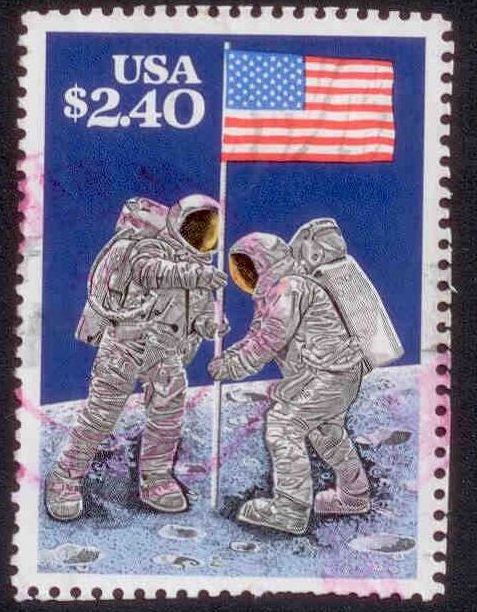
| Author |
 Replies: 13 / Views: 1,598 Replies: 13 / Views: 1,598 |
|
|
Pillar Of The Community
United States
862 Posts |
|
|
I am trying my new scanner and would like some feedback. How good is this scan? Any advice will be helpful. 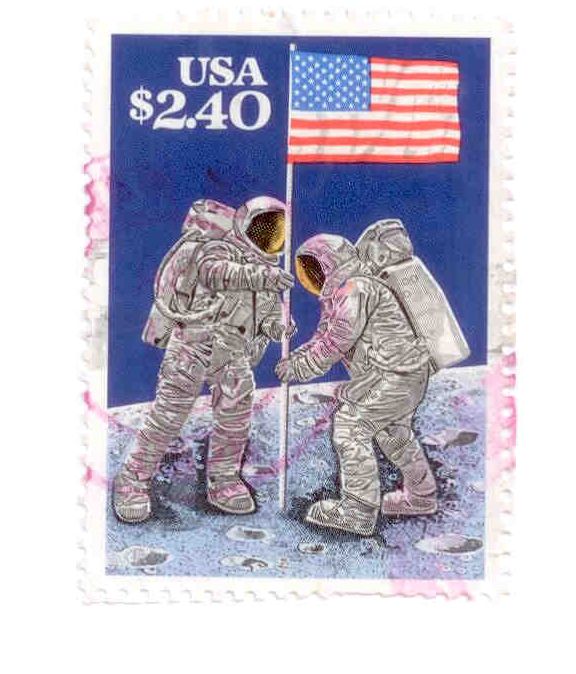 |
|
Send note to Staff
|
|
|
|
|
Pillar Of The Community
United States
862 Posts |
|
|
Bedrock Of The Community
Australia
38679 Posts |
|
|
Excellent Ray!  you can attach a piece of black kraft paper to the lid of your scanner with blu tak to save time. You can download the free Google software "picasa 2" to align you images ( be careful, the latest version seems to want to log every image on your computer, I didn't like that) |
Send note to Staff 
|
|
|
Pillar Of The Community
United States
862 Posts |
|
|
rod, Thanks for the advice. The kraft paper is a great idea. I had a mental block while reading your post. My wife works for Kraft and did not make the connection with kraftpaper for sometime. Funny how the brian works at times. And about those logs file, theres a great freeware cleanup package called ccleaner. It will help remove unneeded log and other unneeded files from your pc. Very easy to use. You can download it from www.filehippo.com. Ray |
|
Send note to Staff
|
|
|
Pillar Of The Community
United States
7103 Posts |
|
|
Irfanview has a fine-rotation feature built right in, too. I'm not sure I'm following the best protocol, but if I need to straighten something, it is the first thing I do, while the file is still half-a-meg or more. I figure that this gives me the best chance to preserve as much data as possible on the fine rotation. (There is a lossless-rotation feature, too, that requires a plug-in or some such thing...I've never bothered with it for my purposes.)
Resizing is the last thing I do. |
|
Send note to Staff
|
|
|
Pillar Of The Community
2664 Posts |
|
|
Dear Rod,
what a scary thought. next thing you know it will take us all over. googles are us |
|
Send note to Staff
|
|
|
Pillar Of The Community
United States
4106 Posts |
|
|
Pillar Of The Community
United States
862 Posts |
|
|
Pillar Of The Community
United States
4106 Posts |
|
|
Pillar Of The Community
Guatemala
1500 Posts |
|
|
nice scan raywrio. The black background shows better perforation detail. It is easy to see that your stamp was cut along the perforations on 3 sides. That was not very clear on the white background. |
|
Send note to Staff
|
|
|
Pillar Of The Community
United States
862 Posts |
|
|
Stampvirgin,
According to the HP manual the scan depth is:
Print quality black (best)
Up to 600 x 600 dpi (1200 dpi effective output)
Ray |
|
Send note to Staff
|
|
|
Pillar Of The Community
United States
862 Posts |
|
|
quigngt,
By cutting the stamp does that diminish the value of the stamp? |
|
Send note to Staff
|
|
|
Pillar Of The Community
United States
862 Posts |
|
|
OK the same stamp has been scanned at 1200 dpi. The ones above were scanned with the default setting of 200 dpi. I'm glad I was asked about the dpi, it forced me to learn the settings on my own scanner. Anyway heres the scan. Can you notice a difference? 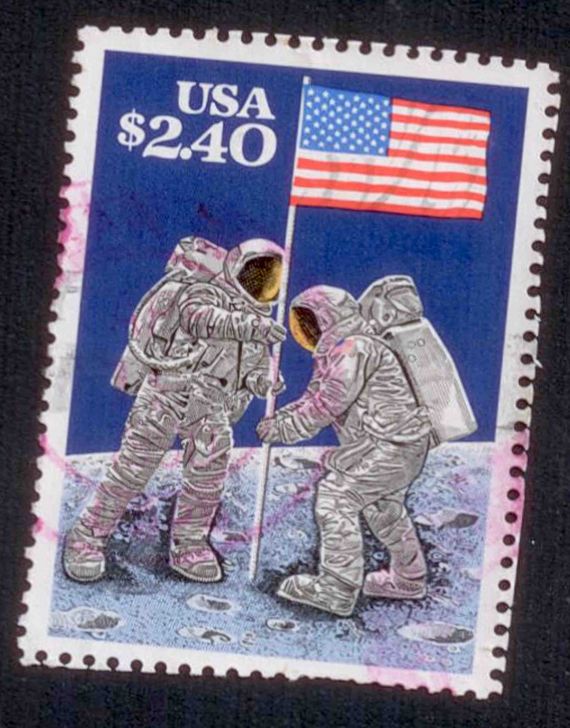 |
|
Send note to Staff
|
|
|
Bedrock Of The Community
Australia
38679 Posts |
|
|
1200dpi in my opinion is counter productive,
you will end up with a grossly oversized image
with no discernible improvement in appearance.
600dpi is about the best size for most stamps, and down to 400dpi for minisheets.
Close ups of a portion of the stamp is OK at 1200dpi
for flyspecking.
Cutting the perfs of the stamp is called mutilation in some circles,
and renders the stamp almost worthless in most cases,
as always rare stamps do not comply.
You may wish to employ the free Google Picasa to align your images.
|
|
Send note to Staff
|
|
| |
Replies: 13 / Views: 1,598 |
|




 Posted 06/30/2010 7:04 pm