| Author |
 Replies: 142 / Views: 28,687 Replies: 142 / Views: 28,687 |
|
|
|
New Member
4 Posts |
|
|
Valued Member
United States
10 Posts |
|
|
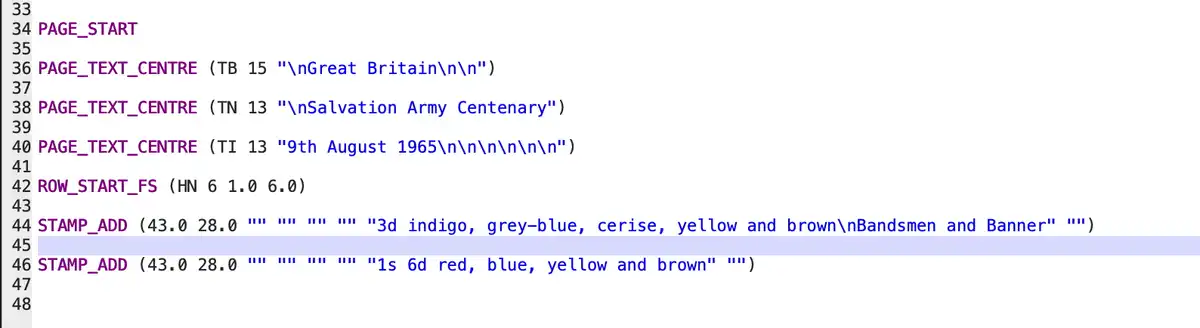
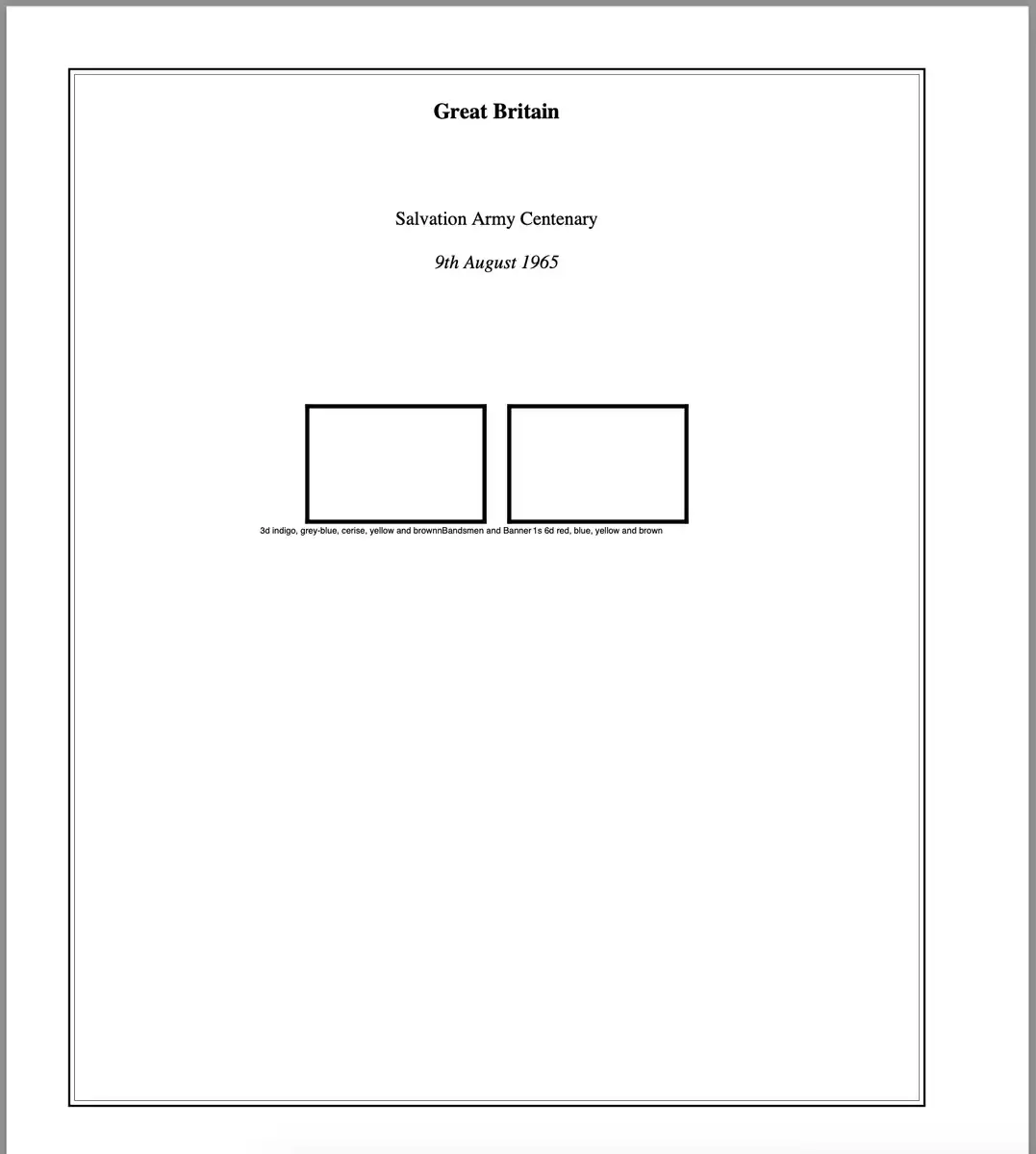
I'm new to the app myself, but from my eye on line 44 you are passing 8 parameters to STAMP_ADD, which appears to be an older syntax. Possibly a syntax that was defined before the \n was used for a newline? I'd convert it to the newer syntax with 6 parameters (presuming you're on the current software release) and give it a go. |
Send note to Staff 
|
|
|
New Member
4 Posts |
|
|
Thanks so much Dave, you were correct. Deleting the extra two parameters fixed it. |
|
Send note to Staff
|
|
|
Valued Member
Canada
440 Posts |
|
|
As Dave guessed, older versions of AlbumEasy did not support \n in stamp boxes. Instead, it accommodated three lines of text inside the box as three separate parameters.
To maintain backwards compatibility, if a STAMP_ADD command has 4 text parameters, it is treated as a new-style command that supports \n; if it has 6 text parameters, it is treated as an old-style command that does not support \n.
Clive
|
|
Send note to Staff
|
AlbumEasy - Free software for creating custom stamp album pages ChromaMate - Compare, match, analyse, free colour matching software ImageSleuth - Images, hidden inside images, revealed. A retroReveal alternative PSGSA - The Philatelic Society for Greater Southern Africa |
| Edited by clivel - 03/24/2026 3:38 pm |
|
|
New Member
4 Posts |
|
|
I have another request for assistance if anyone can help. I've created a few pages of my QEII Pre-decimal collection and I'm very happy with them. However I'd now like to create a page for the 1965 Battle of Britain issue and my problem is the text under the se-tenant set of six stamps. I'd like to include text under the se-tenant stamps, in the same format as that shown under the 9d and 1s/3d stamps lower down the page (stamp value plus colours used, and under that a description of the stamp design), but I can't work out the correct way to get four lines of text in three columns, each centred under the relevant stamps featured above it. Images of the stamps themselves, the current page code and and the page created as shown below, can anyone suggest appropriate code? 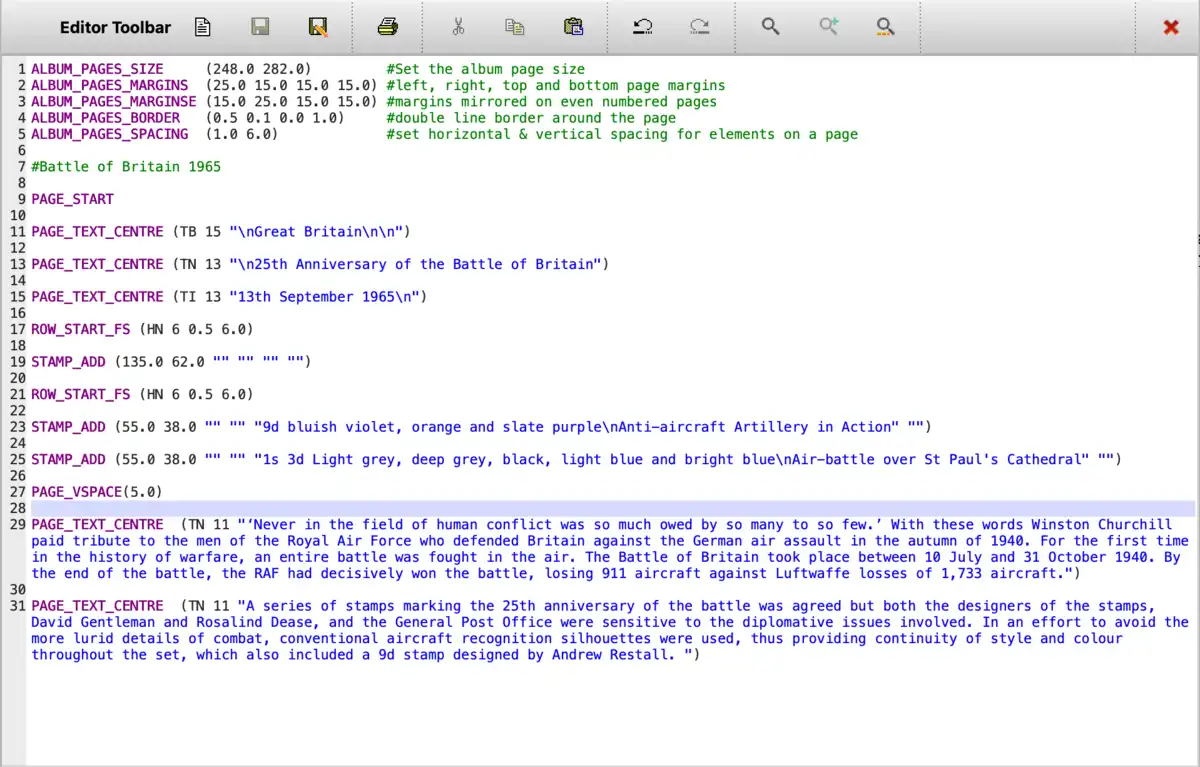 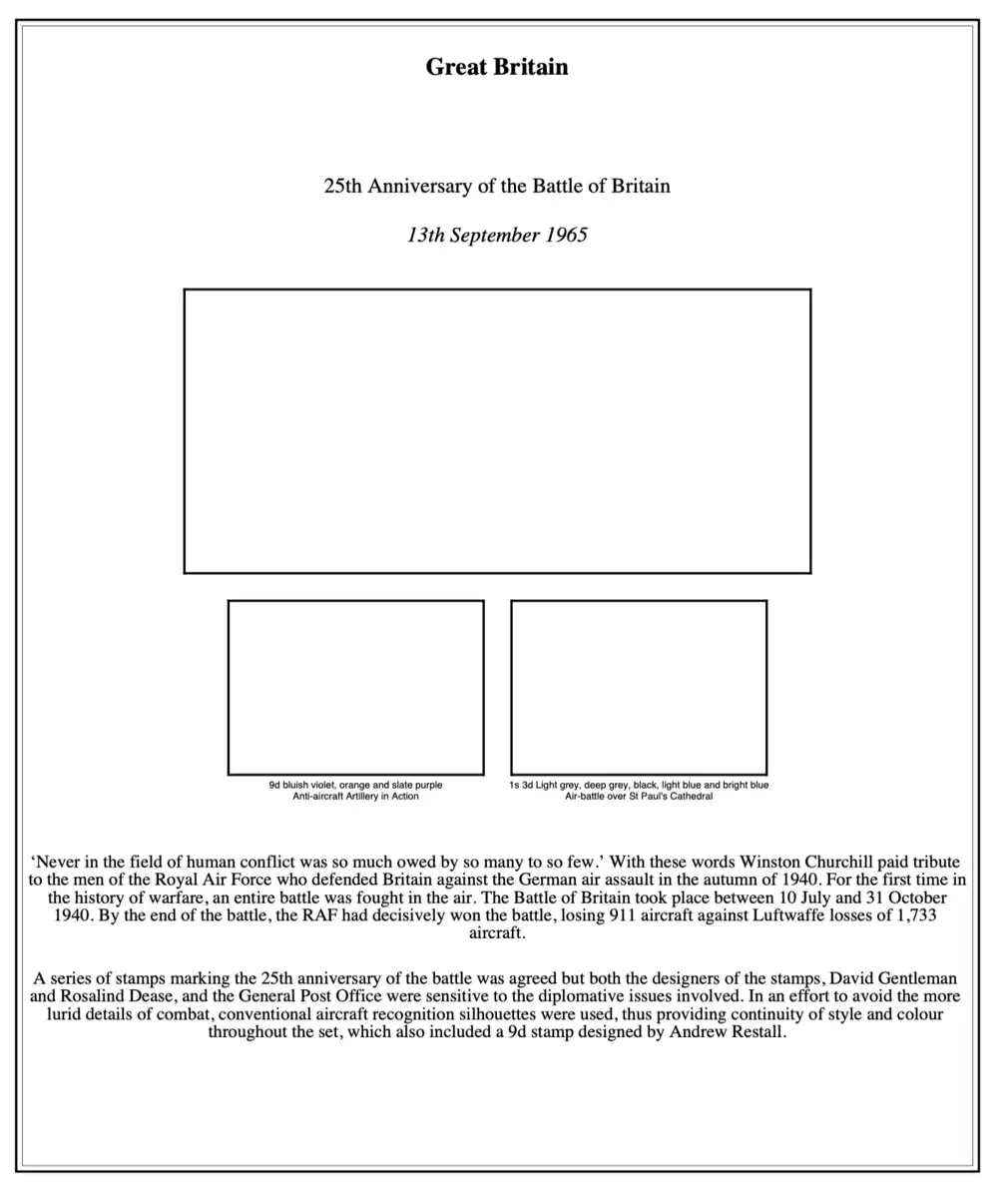 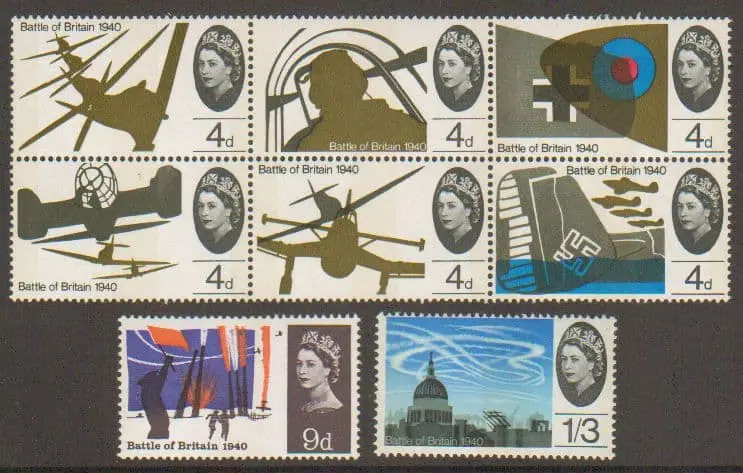 |
|
Send note to Staff
|
|
|
Valued Member
United States
10 Posts |
|
|
I'm not sure this is the "best" method, but how about this: Add another row of three blank stamp boxes below your se-tenant block, and put your text in as the heading text for those three blank stamps. 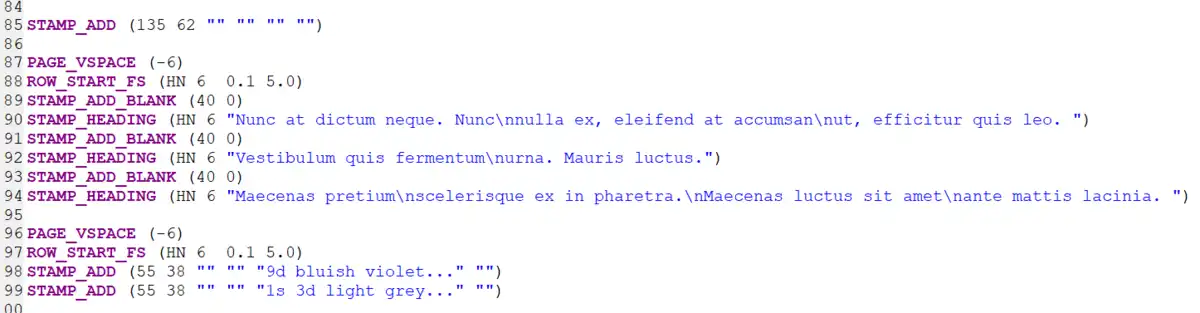 |
|
Send note to Staff
|
|
|
Valued Member
Canada
440 Posts |
|
|
For large paragraphs of text, rather than using PAGE_TEXT_CENTRE, you might find the PAGE_TEXT_PARAGRAPH_START and PAGE_TEXT_PARAGRAPH_END commands more flexible.
The paragraph commands automatically format the layout and can optionally adjust the spacing between the page margins.
For example, this will pad the text by 20mm from the margins on each side and justify it. You could centre, left or right-align the text if you prefer.
PAGE_TEXT_PARAGRAPH_START(TN 11 JUSTIFIED 20)
'Never in the field of human conflict was so much owed by so many to so few'. With these wordsWinston Churchill paid tribute to ..\n
.. Luftwaffe losses of 1,733 aircraft
PAGE_TEXT_PARAGRAPH_END
To place three items of text under the stamp block, you could use a row of blank stamp boxes, only a mm or so high.
#hide the stamp box border
STAMP_BORDER_STYLE (BLANK)
ROW_START_FS(HN 6 0.5 6.0)
STAMP_ADD(55.0 1.0 "" "" "Text Row 1\nRow 2" "")
STAMP_ADD(55.0 1.0 "" "" "Text Row 1\nRow 2" "")
STAMP_ADD(55.0 1.0 "" "" "Text Row 1\nRow 2" "")
#show the stamp box border again
STAMP_BORDER_STYLE (SOLID)
You could adjust the box widths or spacing to position the text horizontally, and the box height to position the text vertically. A negative height will actually move the text up.
Alternatively, you could use the paragraph commands to place three paragraphs of text, using the left and right padding to position them horizontally.
Between each paragraph, use a PAGE_VSPACE command with a negative value to move the paragraph up.
Clive |
|
Send note to Staff
|
AlbumEasy - Free software for creating custom stamp album pages ChromaMate - Compare, match, analyse, free colour matching software ImageSleuth - Images, hidden inside images, revealed. A retroReveal alternative PSGSA - The Philatelic Society for Greater Southern Africa |
|
|
New Member
4 Posts |
|
|
Many thanks Dave and Clive for the responses. I tried Dave's solution but couldn't quite make it work how I needed it to, but using the code Clive suggested, with a little bit of trial and error in the details, I got exactly the result I was after. The suggestion about long paragraphs of text I've also adopted, and the result looks great since it deals with the issue of my text running right up to the page borders and looking a little ungainly. Revised code and album page posted below in order to help any others with similar issues. Once again many thanks. 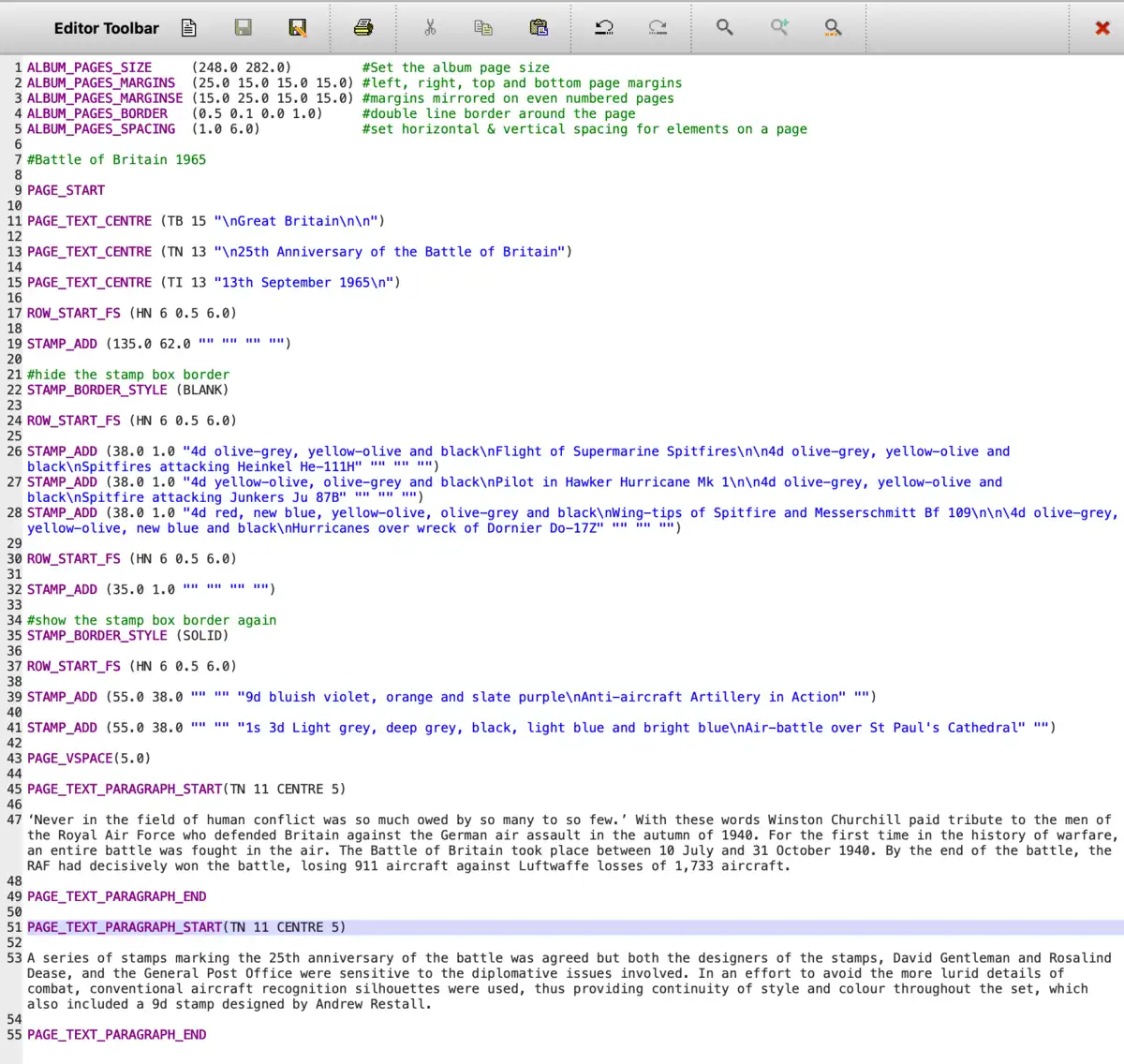 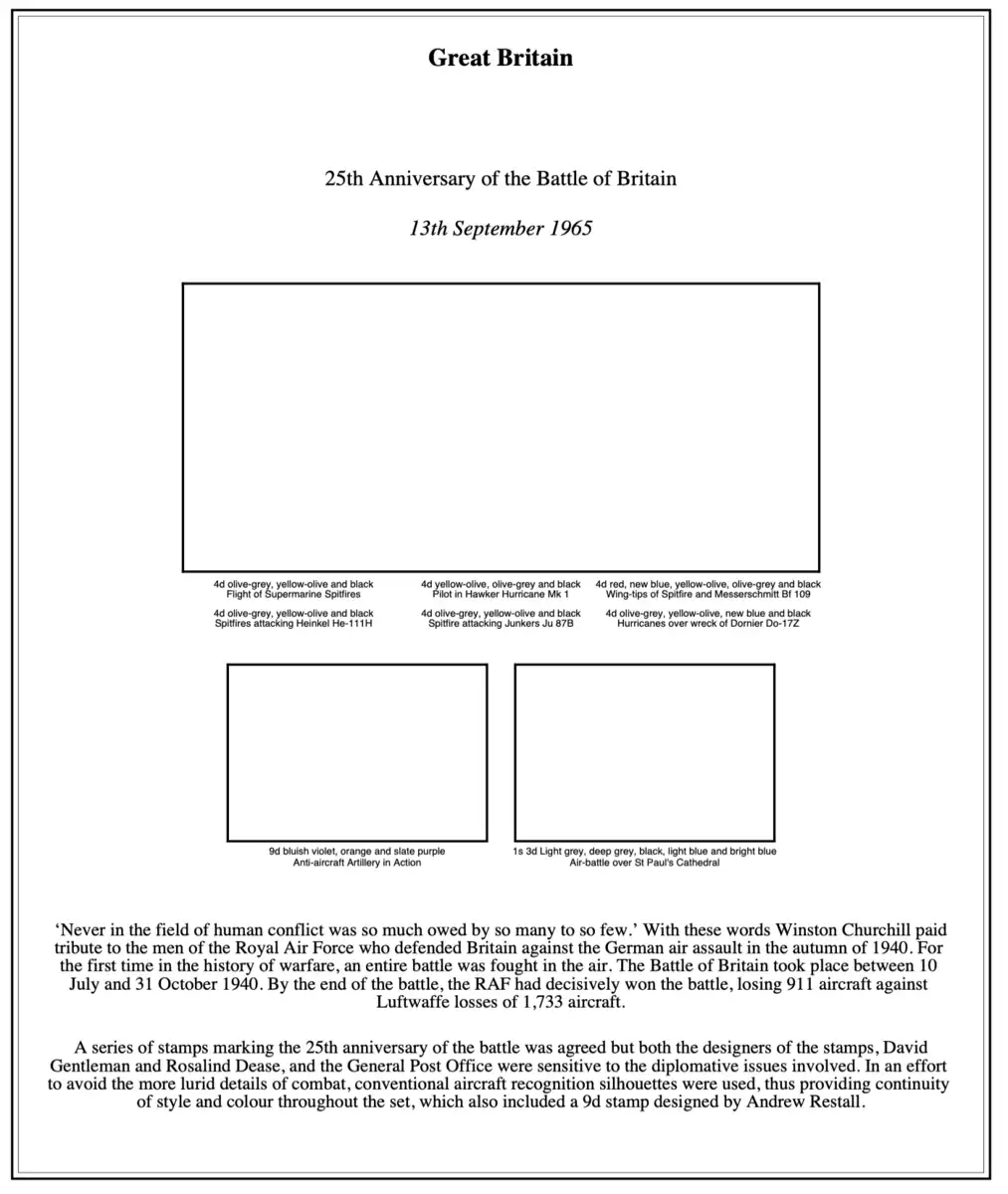 |
|
Send note to Staff
|
|
|
Valued Member
Canada
440 Posts |
|
|
Simon, Your page looks great, I am pleased that you have it sorted out  It seems as if I posted my answer around the same time as Dave, and hadn't noticed his posting. His method should also work; there is often more than one way to get the desired effect. Clive |
|
Send note to Staff
|
AlbumEasy - Free software for creating custom stamp album pages ChromaMate - Compare, match, analyse, free colour matching software ImageSleuth - Images, hidden inside images, revealed. A retroReveal alternative PSGSA - The Philatelic Society for Greater Southern Africa |
|
|
Valued Member
United States
10 Posts |
|
|
Clive I'm curious as to whether you may ever contemplate a new release of Album Easy or are collecting a list of possible new features?
Feel free to tell me to jump in a lake; I can imagine this isn't exactly a golden goose even if it is pretty awesome.
Dave |
|
Send note to Staff
|
|
|
Valued Member
Canada
440 Posts |
|
|
Dave,
For the last two or three years, I have been distracted by my other software: ImageSleuth and ChromaMate.
So, it came as a bit of a shock when I checked the date of the last AE release and discovered it was nearly three years ago. As a result, over the last few weeks, I have switched to working on AE and hope to have a new release in the next month or two.
I actually have a fairly long list of feature requests and bug fixes, many of which I plan to address in the next release.
Clive
|
|
Send note to Staff
|
AlbumEasy - Free software for creating custom stamp album pages ChromaMate - Compare, match, analyse, free colour matching software ImageSleuth - Images, hidden inside images, revealed. A retroReveal alternative PSGSA - The Philatelic Society for Greater Southern Africa |
|
|
Valued Member
United States
424 Posts |
|
|
Quote:
over the last few weeks, I have switched to working on AE and hope to have a new release in the next month or two.
Clive, That's great to hear! I don't use AlbumEasy as often as I'd like, so perhaps the next release will spur me on. Dale |
|
Send note to Staff
|
|
|
Pillar Of The Community
United States
4520 Posts |
|
|
Valued Member
United States
10 Posts |
|
|
Quote:
As a result, over the last few weeks, I have switched to working on AE and hope to have a new release in the next month or two.
Fantastic! I look forward to whatever may come. I will email you a couple thoughts I've had while working on my 130 page album. |
|
Send note to Staff
|
|
|
Pillar Of The Community
United States
3305 Posts |
|
|
Quote:
I will email you a couple thoughts I've had while working on my 130 page album. Best get to posting Dave, you're 42 posts short of the 50 posts required to email members of this board. Keep at it!  Edit to add missing bracket. |
|
Send note to Staff
|
I collect most of California's Redwood Empire , Humboldt & Mendocino counties, including the RPOs that ran through them. Any town or city I mention is located in one or the other.
My primary sources are
California Town Postmarks 1850 - 1935 compiled by John H. Williams & the Western Cover Society
Mobil Post Office Society RPO Catalog, MPOS U. S. Route and Station Agent Catalog, and the MPOS RPO Directory and AGT Directory
California Postmaster Compensation compiled by Alan H. Patera |
| Edited by littleriverphil - 04/18/2026 11:44 am |
|
|
Replies: 142 / Views: 28,687 |
|




 Posted 03/24/2026 10:56 am