| Author |
 Replies: 59 / Views: 9,744 Replies: 59 / Views: 9,744 |
|
|
|
Bedrock Of The Community
Australia
38679 Posts |
|
|
Has any members come across an upside down scanner? In essence, I wish to place material on the inside lid, then the scanner on top. One can place material in fixed positions, without having to fix to a backing sheet. Standard scanners do not work upside down 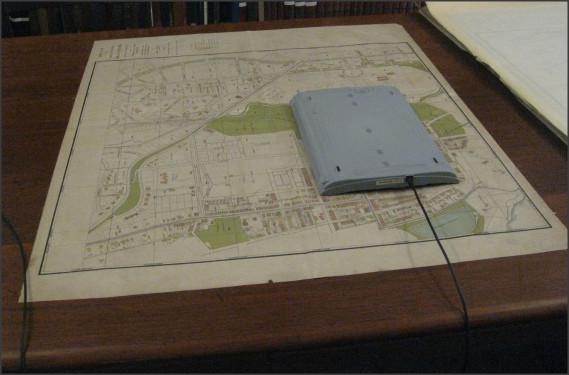 |
Send note to Staff 
|
| Edited by rod222 - 06/27/2018 8:02 pm |
|
|
Pillar Of The Community
United States
2941 Posts |
|
|
Rod, HP used to make a scanner that was designed to work like that (HP ScanJet 4670), but you'd probably have a hard time finding one these days. It was designed to sit on a stand like this... 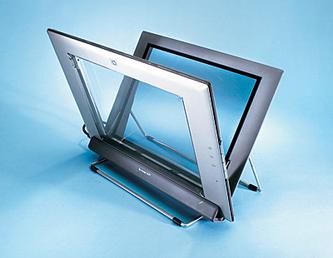 ...but could also be placed face-down on books, etc., to get a scan. 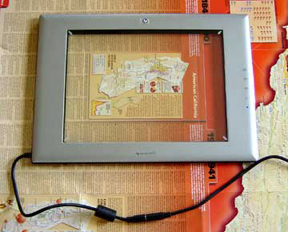 Let me poke around and see if anyone is currently making a similar product. |
|
Send note to Staff
|
|
|
|
Pillar Of The Community
United States
2941 Posts |
|
|
Rod, The only current model I'm seeing that is similar is the Doxie Flip. The good -- it's battery powered, portable, and allows you to lay it flat on whatever you're scanning. The bad - limited resolution (600 dpi) and size (4"x6", or A6). 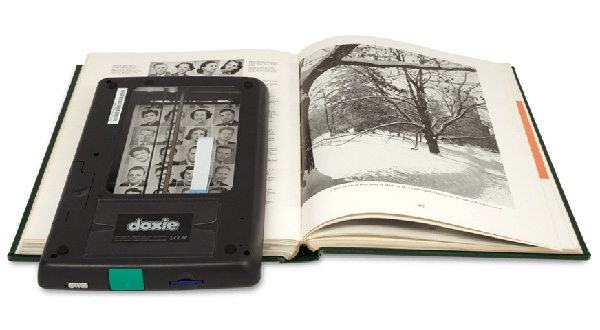 |
|
Send note to Staff
|
|
|
|
Valued Member
United States
209 Posts |
|
|
The American Philatelic Research Library has one for public use. It scans from above. You can scan books and then load them on a flash drive or email them to yourself. No charge by the way.
Vince |
|
Send note to Staff
|
|
|
Bedrock Of The Community
Australia
38679 Posts |
|
|
Thank you Vinman, Postmaster GS, Frankly , rather amazed that you found some. I Googled, there were 2 in the US, that's all, and for a machine from 2003 that in itself is amazing. Alas, the doxie, is a tad too small, I need A4 Australia makes a similar A6 model $89 Thanks for trying guys, and taking the time to respond. 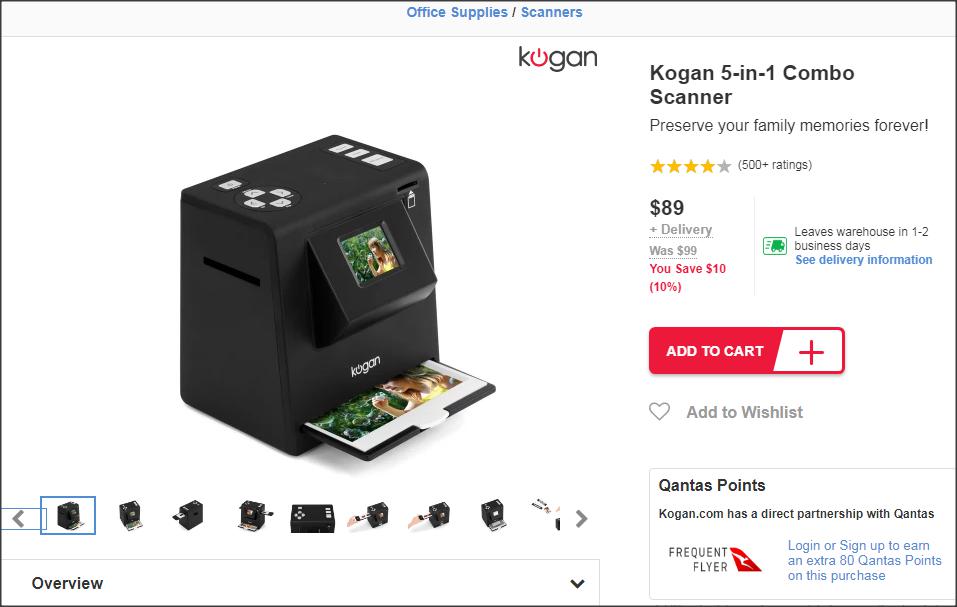 |
|
Send note to Staff
|
|
|
Bedrock Of The Community
Australia
38679 Posts |
|
|
Valued Member
Canada
440 Posts |
|
|
Quote:
Alas, the doxie, is a tad too small, I need A4 I bought a Doxie Flip on sale a few years ago, I found it really handy. Portable, light and battery powered it does not connect directly to a computer but instead scans straight to a memory card. I occasionally took it to the library to scan a magazine article. It can be used as a regular scanner or flipped over after detaching the removable lid. Size is an issue, but it comes with "AutoStitch" software that can ostensibly take multiple overlapping scans to create one seamless image so it may still be an alternative for your situation. Unfortunately as a Linux user I never tried the AutoStitch software which is Windows and Mac only so can't offer an opinion. I eventually gave the Doxie away due to lack of use as most of my scanning is done at my desk. Clive |
|
Send note to Staff
|
AlbumEasy - Free software for creating custom stamp album pages ChromaMate - Compare, match, analyse, free colour matching software ImageSleuth - Images, hidden inside images, revealed. A retroReveal alternative PSGSA - The Philatelic Society for Greater Southern Africa |
|
|
Pillar Of The Community
United States
2941 Posts |
|
|
Look at what I picked up today -- a Plustek OpticBook 3900 book scanner. 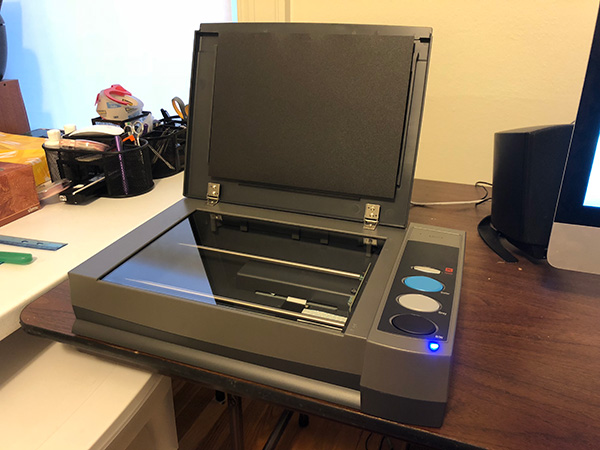 It's a flatbed scanner that's designed to do book scanning. It will scan in B&W, grayscale, or color at 300 or 600 dpi -- so nothing fancy, but it's quick (7-10 seconds per page, depending on dpi and B&W/gray/color) and the design allows you to drape a book off the edge, and it scans to within about 6mm of the edge. 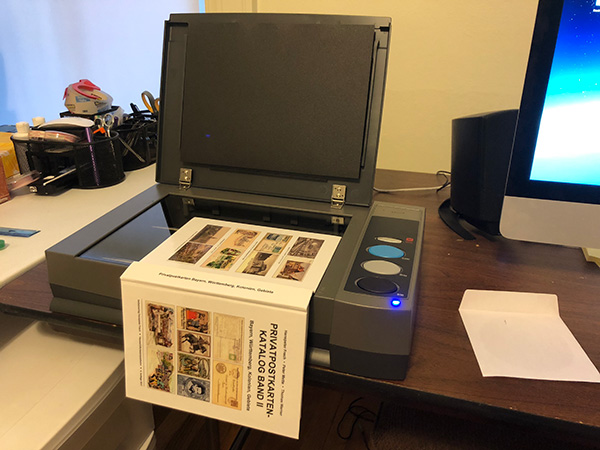 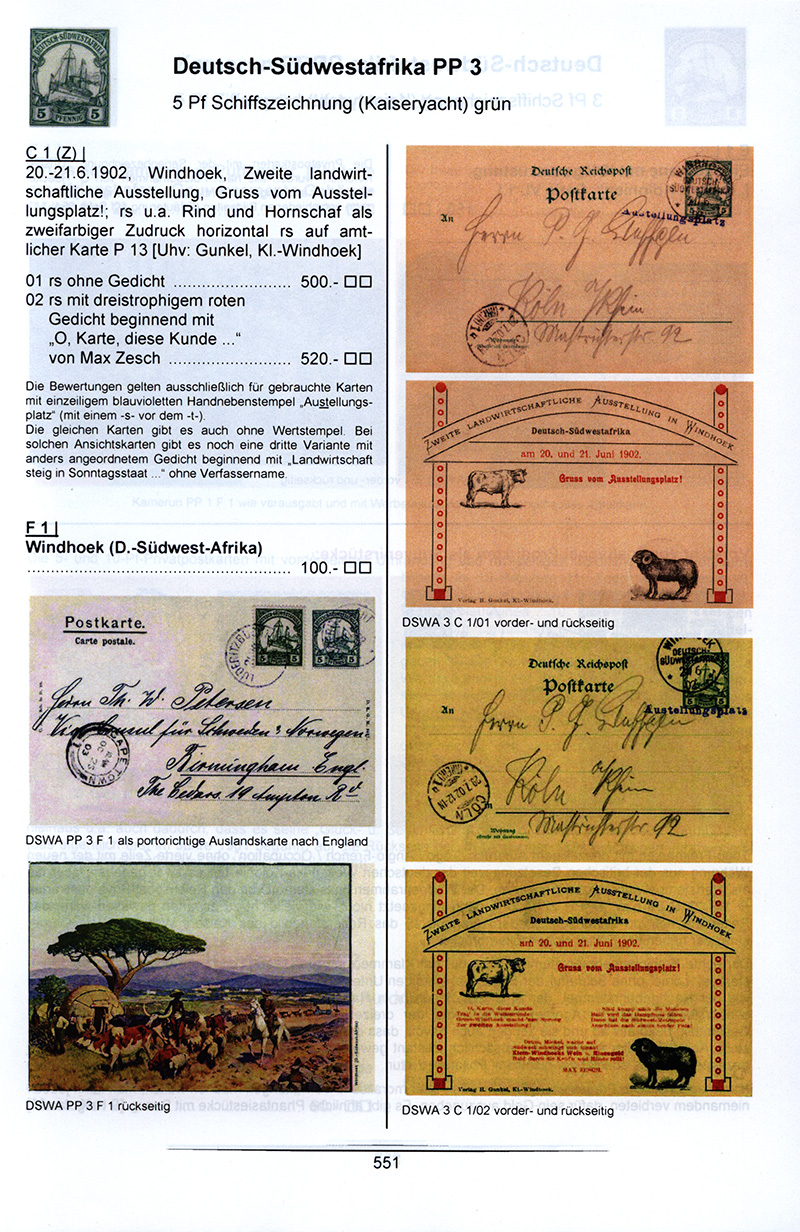 Price was about US$300, but this will save me days and $$$. I was previously scanning my books using a DIY camera setup or paying a bookscanning service for the bigger volumes. Time to go to work...  |
|
Send note to Staff
|
|
|
|
Bedrock Of The Community
Australia
38679 Posts |
|
|
Aaaah music to my eyes, lovely stuff.
Congratulations on the new scanner.
Typical Stamp den, with the obligatory bowing of the Library shelves under the weight of philatelic knowledge.
What a hobby we have !
|
|
Send note to Staff
|
|
|
Bedrock Of The Community
Australia
38679 Posts |
|
|
Moderator

United States
12330 Posts |
|
|
Just as important as the scanner is the software you use to scan; the bundled apps that comes with most scanners are usually lame and often do not support fast scanning with automatic file handling. VueScan is a great app in that you can set it up to scan and save custom named files with a single key/mouse press.
Don |
|
Send note to Staff
|
|
|
Pillar Of The Community
United States
939 Posts |
|
|
Don,
Just downloaded the trial Mac version of VueScan, I'm impressed. Thanks for the tip. My little flatbed scanner performs much better with VueScan than it does with the standard Canon Scan Software.
ken |
|
Send note to Staff
|
|
|
Pillar Of The Community
United States
7239 Posts |
|
|
I'll echo Don's recommendation of VueScan. It is much better than the original software that came with my printer/scanner. |
|
Send note to Staff
|
|
|
Pillar Of The Community
United States
4512 Posts |
|
|
I have been using Vuescan and some observations.
Vuescan has better color accuracy on default scans for album pages compared to my Epson OEM software but it does not have multiple sharpening settings and a single function to adjust contrast. Vuescan wants you to use black and white points to manipulate image. Scans with default settings of album pages tend to be on the bright side.
Epson was hit or miss on exposure/color on scans that did not have a lot of black but easy to adjust to get acceptable image.
|
|
Send note to Staff
|
Al |
|
|
Moderator
United States
12330 Posts |
|
|
Are you scanning with the lid closed? Have you calibrated with the scanner lid closed?
Don |
|
Send note to Staff
|
|
|
Replies: 59 / Views: 9,744 |
|




 Posted 06/27/2018 7:58 pm


