| Author |
 Replies: 26 / Views: 8,861 Replies: 26 / Views: 8,861 |
|
|
|
Pillar Of The Community
United States
7105 Posts |
|
|
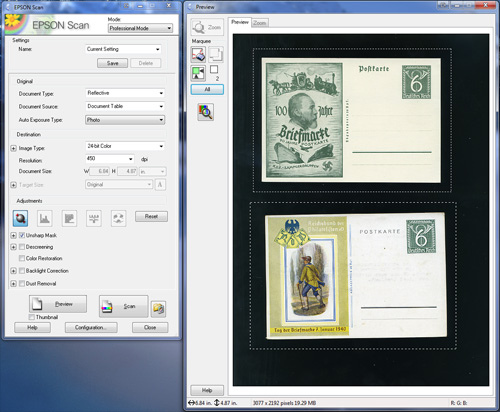
That's my methodology, and it is pretty quick, but...8-row Varios fit 9 BC definitives per row. 72 cuts at 30 seconds per...some automation would be nice.
Now, for me, it would have to micro-adjust the rotation, too, and that is probably unrealistic for now. |
Send note to Staff 
|
|
|
Pillar Of The Community
Canada
1084 Posts |
|
|
Darn! I won't be able to use it until my next computer iteration. I don't have enough free ram. |
|
Send note to Staff
|
|
|
Pillar Of The Community
Australia
687 Posts |
|
|
Valued Member
9 Posts |
|
|
Rest in Peace
Canada
5701 Posts |
|
|
The problem with the image splitting software is that the centering is never perfect so you have to go back to each image anyway to center, and also straighten in many cases. I find the individual cropping and saving the most effective. After cropping I can also straighten before saving. |
|
Send note to Staff
|
|
|
|
Pillar Of The Community
United States
2941 Posts |
|
|
Pillar Of The Community
United States
7105 Posts |
|
|
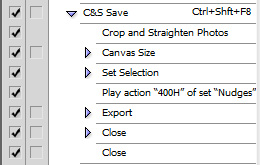
That's a neat set of functionalities, PMGS. A couple questions, if I may?
Is the "straighten and crop" equally as reliable with perfed stamps as with a card?
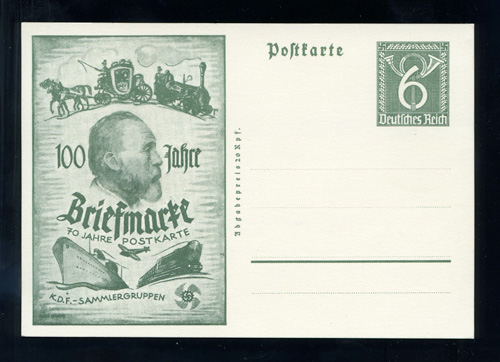
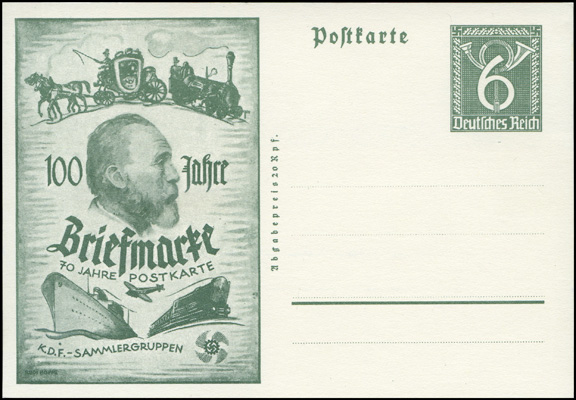
Do you maintain any sort of relative sizing in your scanning regime, so that given images always bear the same relationship, dimensionally, with the actual items? Put another way, is a Berlin blue flea scan markedly smaller than a memory card scan, or do you sort of level everything out?
|
|
Send note to Staff
|
|
|
Pillar Of The Community
United States
2941 Posts |
|
|
The straighten and crop that comes with Photoshop is not as reliable with perfs. It tends to crop a pixel or two too close if the perfs aren't clean. I'm coding my own action to work around this, but it's not quite done yet. When it's done, I'll gladly share with anyone who's interested.
As to photo scaling, I don't maintain strict relativity across the board, though I do try to maintin it within sets or series. I started out using relative sizes, but it didn't take long to realize that wasn't a good across-the-board solution. Some items are tiny (like the blue flea) and others are huge (full sheets). Due to the differences in horizontal versus vertical pixels/resoultions on today's monitors, I settled on a few standard vertical sizes (400px for stamps, 650px for larger items) that I use as a baseline, and I adjust up or down slightly to maintain relativity within sets/series. |
|
Send note to Staff
|
|
|
|
Pillar Of The Community
United States
7105 Posts |
|
|
Thanks for your thoughts...I still waffle a bit with my own process, and it is helpful to hear others' methodologies. |
|
Send note to Staff
|
|
|
Valued Member
United States
181 Posts |
|
|
this is a bump for a very good concept and also to hopefully
clarify a situation that I have after downloading...
yesterday, following someone else's advice for cropping, etc,
i tried it out quickly scanning a page and using the program.
No problems there...all seemed proper, and I noticed an icon on my
monitor....so I assumed that this program might work off-line.
Today I had issues with my browsers, so I did a "go-back " restore, and
noticed the icon was gone. So I went to re-load the program and it
immediately loaded the program on the screen. question is,....is this a web based
application in which I have to be on line to use it?...if so...then my
questions are answered..and if not.....what is happening to me? |
|
Send note to Staff
|
|
|
Pillar Of The Community

United States
3046 Posts |
|
|
It is not web based. But it is a Java Web Start app. That means it checks the server to see if a newer version of the app was released. If it was, it will download the new version and replace your old version. If not, it will run the version installed. If you're not online, it should just run the copy you have installed. |
|
Send note to Staff
|
|
|
Replies: 26 / Views: 8,861 |
|




 Posted 12/25/2011 12:19 am