Stamp Community Family of Web Sites
Thousands of stamps, consistently graded, competitively priced and hundreds of in-depth blog posts to read


Stamp Community Forum
 
Username:
Password:
Save Password
Forgot your Password?

This page may contain links that result in small commissions to keep this free site up and running.

Welcome Guest! Registering and/or logging in will remove the anchor (bottom) ads. It's Free!

Ebay Display Problems

 
To participate in the forum you must log in or register.
Author Previous TopicReplies: 10 / Views: 3,130Next Topic  
Pillar Of The Community

2361 Posts
Posted 03/27/2013   03:08 am  Show Profile Bookmark this topic Add doug2222 to your friends list Get a Link to this Message
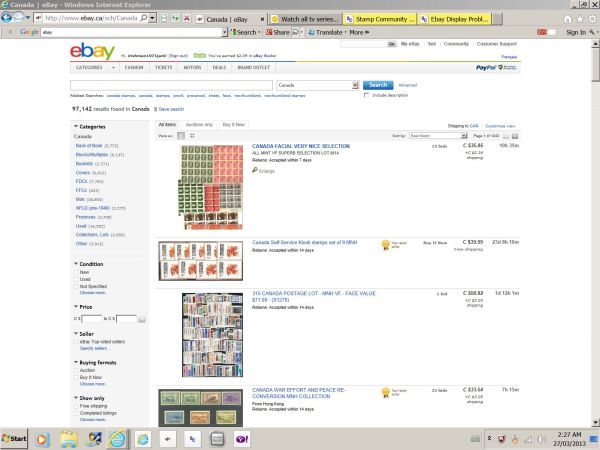
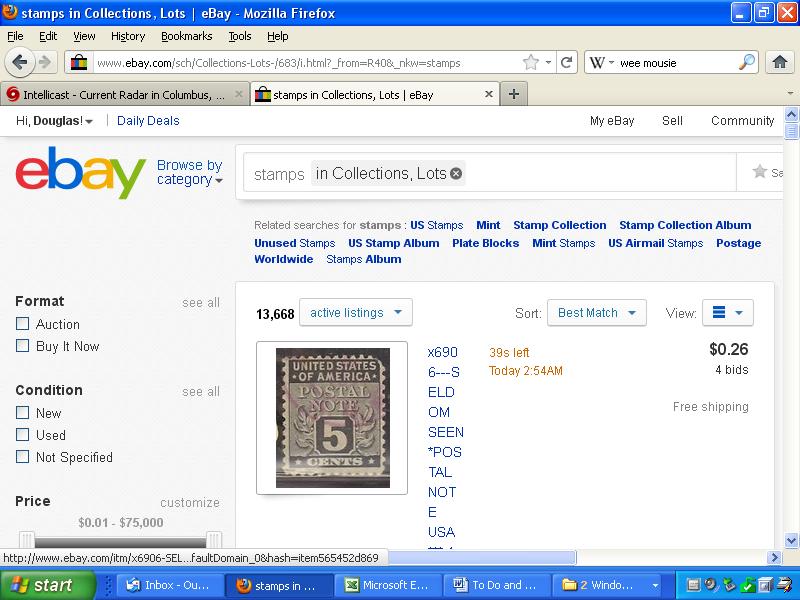
More and more often, when I try to browse auction lots, I get a tall, strung-out display (as shown below) that's impossible to read. Does anyone else have this problem? How to fix?


Send note to Staff

Pillar Of The Community
Canada
1155 Posts
Posted 03/27/2013   03:26 am  Show Profile Bookmark this reply Add irishjack to your friends list  Get a Link to this Reply
DOug it looks like you have the zoom on at 200 -250%.
Send note to Staff  Go to Top of Page
Pillar Of The Community
2361 Posts
Posted 03/27/2013   08:41 am  Show Profile Bookmark this reply Add doug2222 to your friends list  Get a Link to this Reply
LOL LOL What zoom? Do not remember any Zoom! Where's the control and I will adjust it or turn it off or something.

==============
By the way, I just opened ebay, this morning it is not doing it. It's very random, which made me think the problem's at ebay, not in my computer?
Send note to Staff  Go to Top of Page
Pillar Of The Community
United States
7075 Posts
Posted 03/27/2013   08:58 am  Show Profile Bookmark this reply Add Cjd to your friends list  Get a Link to this Reply
You don't [ctrl][+] and [ctrl][-] to make text larger or smaller, do you?

In FireFox, the zoom function is under the View menu.
Send note to Staff  Go to Top of Page
Pillar Of The Community
United States
2779 Posts
Posted 03/27/2013   09:00 am  Show Profile Bookmark this reply Add Battlestamps to your friends list  Get a Link to this Reply
The zoom is normally at the bottom right corner of your computer - usually expressed as a percentage. If you look at one website at a higer percentage sometimes it will also causes other websites to be displayed at the higher zoom. The zoom feature in the corner has a small pull down menu that will allow you to change the zoom as needed. At least that's how it works on my computer.
Send note to Staff  Go to Top of Page
Edited by Battlestamps - 03/27/2013 09:01 am
Pillar Of The Community
2361 Posts
Posted 03/27/2013   09:02 am  Show Profile Bookmark this reply Add doug2222 to your friends list  Get a Link to this Reply
Once in a while, I use the Control functions, but I always "reset" to default. Besides, for instance, SCF is not affected like the screen shot of ebay was. Nor is Excel or Word.
Send note to Staff  Go to Top of Page
Moderator
Learn More...
United States
4788 Posts
Posted 03/27/2013   09:36 am  Show Profile Bookmark this reply Add kirks to your friends list  Get a Link to this Reply
CTRL+0 (ZERO) will reset to default zoom factor
Send note to Staff  Go to Top of Page
Pillar Of The Community
United States
611 Posts
Posted 03/27/2013   10:02 am  Show Profile Bookmark this reply Add 1847bill to your friends list  Get a Link to this Reply
ebay is also making changes to accommodate html5 and mobile. I've noticed some issues that clear up later. Make sure your Java is up to date as well.
Send note to Staff  Go to Top of Page
Forum Dad
Learn More...
USA
2055 Posts
Posted 03/27/2013   10:36 am  Show Profile Bookmark this reply Add bobby131313 to your friends list  Get a Link to this Reply
ebay has completely abandoned optimizing for 1024 x 768 as have a lot of major sites. That screenshot looks even smaller than that.
Send note to Staff  Go to Top of Page
Pillar Of The Community
Canada
1155 Posts
Posted 03/27/2013   2:12 pm  Show Profile Bookmark this reply Add irishjack to your friends list  Get a Link to this Reply
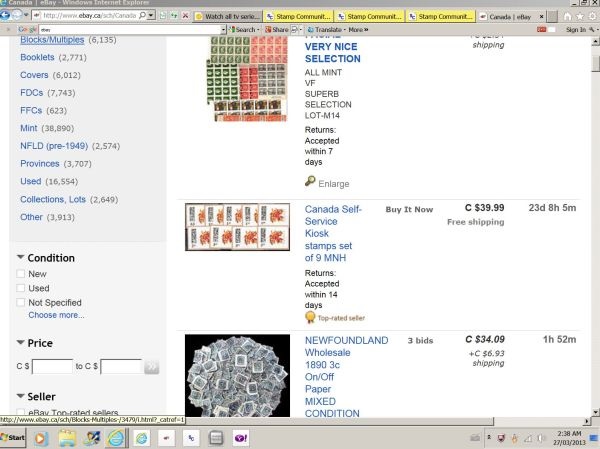
2 screen shots from ebay one at 100%the other at 200%


Send note to Staff  Go to Top of Page
Pillar Of The Community
New Zealand
900 Posts
Posted 03/30/2013   4:48 pm  Show Profile Bookmark this reply Add Bas S Warwick to your friends list  Get a Link to this Reply
For instant zoom and reverse you can hold down CTRL and use the mouse wheel.

Send note to Staff  Go to Top of Page
  Previous TopicReplies: 10 / Views: 3,130Next Topic  
 
To participate in the forum you must log in or register.

Go to Top of Page

Disclaimer: While a tremendous amount of effort goes into ensuring the accuracy of the information contained in this site, Stamp Community assumes no liability for errors. Copyright 2005 - 2026 Stamp Community Family - All rights reserved worldwide. Use of any images or content on this website without prior written permission of Stamp Community or the original lender is strictly prohibited.
Privacy Policy / Terms of Use    Advertise Here
Stamp Community Forum © 2007 - 2026 Stamp Community Forums
It took 0.18 seconds to lick this stamp. Powered By: Snitz Forums 2000 Version 3.4.05