Stamp Community Family of Web Sites
Thousands of stamps, consistently graded, competitively priced and hundreds of in-depth blog posts to read


Stamp Community Forum
 
Username:
Password:
Save Password
Forgot your Password?

This page may contain links that result in small commissions to keep this free site up and running.

Welcome Guest! Registering and/or logging in will remove the anchor (bottom) ads. It's Free!

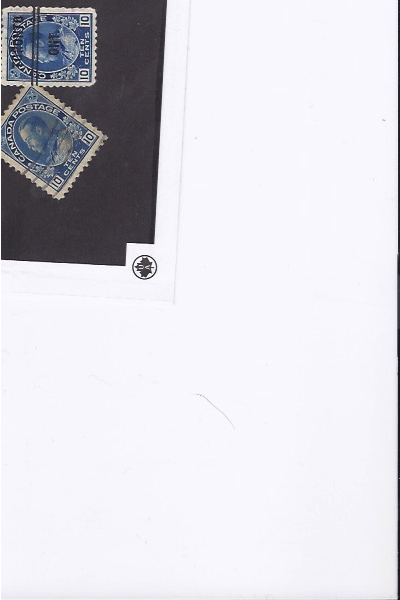
10 C Pre-Cancel Admiral Major Re-Entry??? Help

 
To participate in the forum you must log in or register.
Author Previous TopicReplies: 3 / Views: 1,732Next Topic  
Valued Member

51 Posts
Posted 12/14/2013   02:09 am  Show Profile Bookmark this topic Add 210Frankie to your friends list Get a Link to this Message
Hi

I just looked at one of my Admirals. Trying to upload picture. It looks like a major die run or re-entry. Just looking at Unitrade and BNA by Jarrett to try and find it. Maybe a plate flaw? Top right between p and o. I was wondering if anyone could help?
I can't believe how much time I spend scanning. Any help with that one? Also any advice on syncing your ebay account to here? I have well over 10,000 SON cancels I am trying to load. My computer hates me. I think this is another reason to collect covers. So much easier to sort. Sorry for the picture. Just trying to get it in the MB allowed. Others are over 20 MB. At 2400

Thank you.

Joe
Send note to Staff

Pillar Of The Community
Guatemala
1500 Posts
Posted 12/14/2013   10:08 am  Show Profile Bookmark this reply Add quigngt to your friends list  Get a Link to this Reply
Joe, have you tried using the "Free Image Optimizer" that is just below "Upload Image" ? That should do the job so that your images will be big and within the allowed limit. It can handle up to 5MB per image. Use only the jpeg format.
Send note to Staff  Go to Top of Page
Edited by quigngt - 12/14/2013 10:09 am
Valued Member
United States
240 Posts
Posted 12/14/2013   10:11 am  Show Profile Bookmark this reply Add Gar to your friends list  Get a Link to this Reply
Hi Joe, Welcome...Its kind of hard to make out anything from that scan.Detail wise. When you use the optimizer program to upload, up at the top left of the pic there is a crop button. Crop the image just around the stamps themselves and then the detail will come.
As for the attaching of e-bay accounts, we are not allowed to do that until a certain amount of quality posts are given. I forgot how many, but its in the rules section top right of page. Hope this helps.
Gary
Send note to Staff  Go to Top of Page
Valued Member
Canada
242 Posts
Posted 12/14/2013   2:20 pm  Show Profile Bookmark this reply Add Faken to your friends list  Get a Link to this Reply
@Gar - it's 100 posts.

@Frankie - you're going to need a bigger boat :)
Send note to Staff  Go to Top of Page
  Previous TopicReplies: 3 / Views: 1,732Next Topic  
 
To participate in the forum you must log in or register.

Go to Top of Page

Disclaimer: While a tremendous amount of effort goes into ensuring the accuracy of the information contained in this site, Stamp Community assumes no liability for errors. Copyright 2005 - 2026 Stamp Community Family - All rights reserved worldwide. Use of any images or content on this website without prior written permission of Stamp Community or the original lender is strictly prohibited.
Privacy Policy / Terms of Use    Advertise Here
Stamp Community Forum © 2007 - 2026 Stamp Community Forums
It took 0.11 seconds to lick this stamp. Powered By: Snitz Forums 2000 Version 3.4.05
