| Author |
 Replies: 18 / Views: 7,358 Replies: 18 / Views: 7,358 |
|
Valued Member
56 Posts |
|
|
|
I use Vario pages to display my stamps, rather than using traditional hinges and paper pages (for those that don't know Vario, they are the see through mounts on black card, similar to stock book pages).
I like the flexibility but am unsure on how best to describe the stamps alongside. I just want to indicate basic information, e.g. year, Scott ref.,perf variety, description etc. I've thought of typing this info in Word, printing and then cutting out to fit but I wondered if there was a more 'professional' solution?
Any ideas?
|
|
Send note to Staff
|
|
|
|
|
Pillar Of The Community
United States
1624 Posts |
|
|
Labels from address labels carefully cut with a trimmer and a small font. |
Send note to Staff 
|
|
|
Pillar Of The Community
Germany
1714 Posts |
|
|
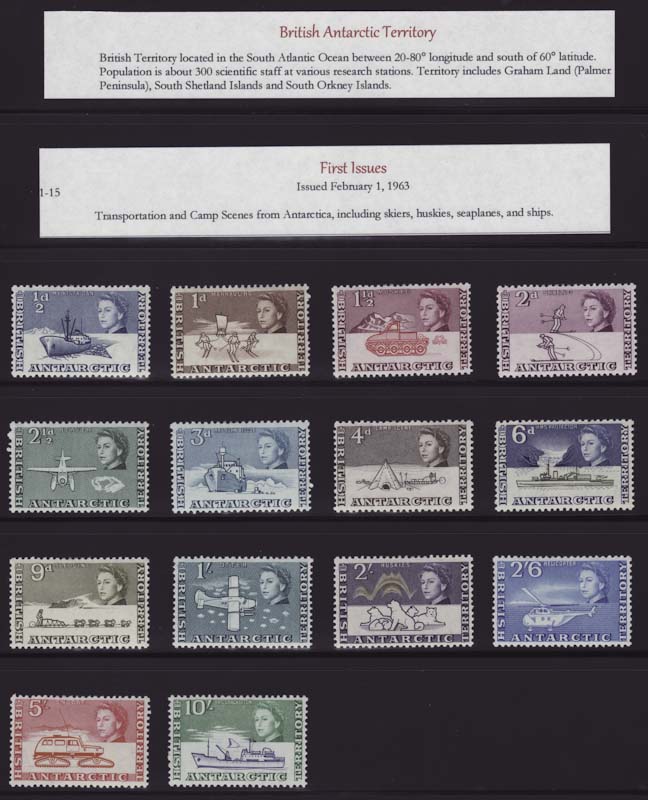
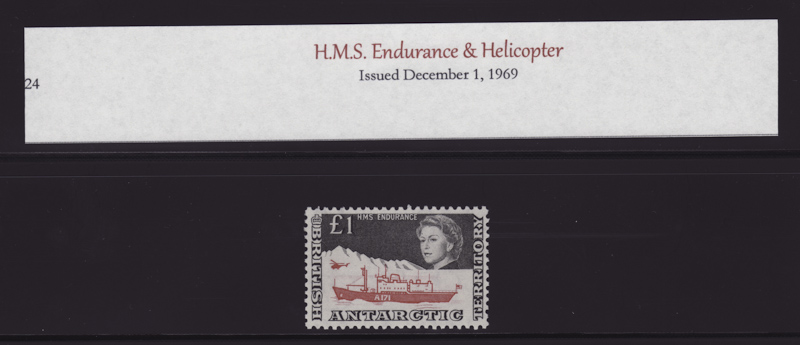
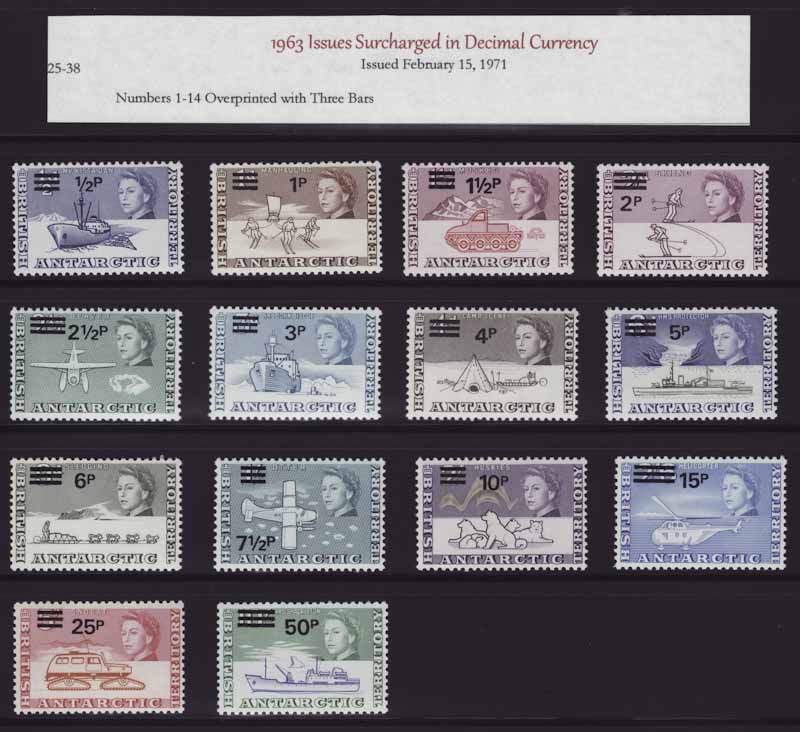
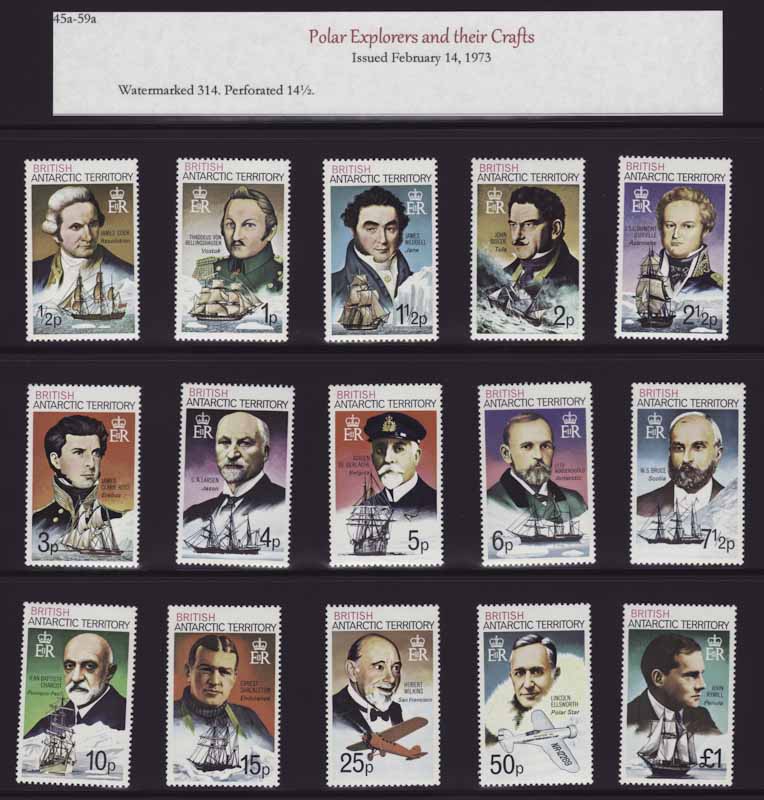
Everyone has their own way of writing up, I suppose. My "method" is this... For entires I use the Vario clear pages as both side are seen and I use a fancy font to print out any information and box it.. 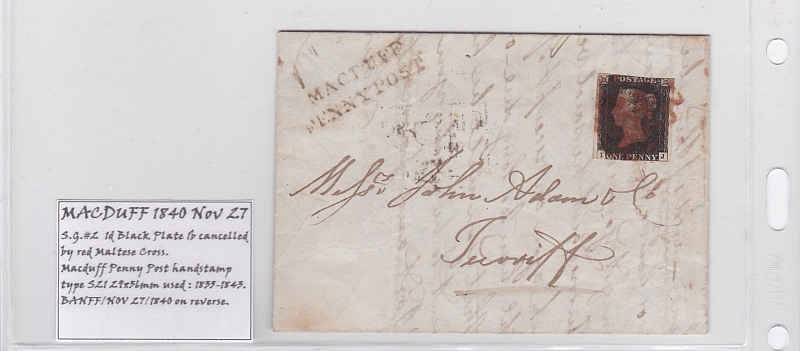 For older stamps of various importance I use the same method only smaller and they sit alongside the stamps.  Special sets are indicated by writing on small sticker labels (with the backing left on so I can move things around if needed) and they, again, are alongside the stamp sets. Normal sets are indicated only with the year of issue as the information is readily available in my Gibbons checklist or catalog. 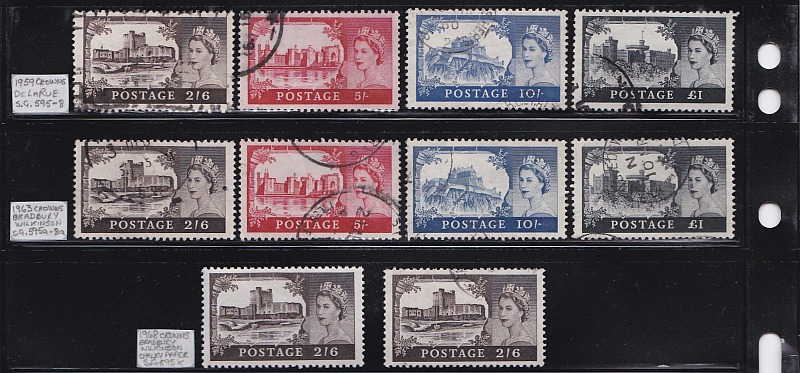 |
|
Send note to Staff
|
|
|
Moderator

United States
4788 Posts |
|
|
Pillar Of The Community
Canada
652 Posts |
|
|
Pillar Of The Community
United States
2830 Posts |
|
|
Wow, I never thought of this. Kirk's BAT pages especially look simple, clean, and crisp. I used to cut 28 or 32 lb acid-free paper into rectangular pieces to identify varieties in my KGVI collection, but frankly it always looked a bit "rag-tag," probably in large part to my cryptic handwriting.
Scotzm, I really like your printed labeling method. The little box makes it a lot easier to cut the piece squarely (always a problem for me) and it obviates my poor handwriting. Question- how do you align things when you need to print a new label? Or, do you wait to print a several at a time to be more efficient with the paper and alignment? |
|
Send note to Staff
|
|
|
Pillar Of The Community
Germany
1714 Posts |
|
|
Question- how do you align things when you need to print a new label? Or, do you wait to print a several at a time to be more efficient with the paper and alignment?
I do mine on a small graphics program and store the various label sizes as templates. As for paper efficiency... I have small scrap paper hand-written labels as a temporary measure and print a row of permanent labels when enough stamps needing a write-up have accumulated, cut off the labels and use the rest of the paper as the need arises for another row. |
|
Send note to Staff
|
|
|
Moderator
United States
4788 Posts |
|
|
Pillar Of The Community
United States
772 Posts |
|
|
Here's another thing to think about... I've always found the white paper labels to stand out too much with the black background of the Vario pages (they kind of overshadow the stamps). Another way is to use black labels and print the text in white. Unfortunately, I don't have any examples with me, but I think you can see some examples on this guy's website: http://www.stampworldhistory.com/ |
|
Send note to Staff
|
|
|
Pillar Of The Community
Germany
1714 Posts |
|
|
While white printing on a black background would be suitable and attractive is some circumstances, it is not cost-effective in my case... the amount of black ink used to print on my normal, cheap and cheerful, everyday-use A4 size white printer paper would be prohibitive. And, as KirkS has demonstrated, red or other colored inks can be used to effect on white paper which cannot be said for black paper, I think. |
|
Send note to Staff
|
|
|
Valued Member
United States
206 Posts |
|
|
I use Avery business card sheets. I am able to do a mail merge in MS Word, and print the cards from the data in my inventory database. The cards are easy to separate, and nice and thick. |
|
Send note to Staff
|
|
|
Rest in Peace
Netherlands
153 Posts |
|
|
Pillar Of The Community
United States
2830 Posts |
|
|
Great idea Kirk. I used to use a Scott mount cutter way back in the day and grew frustrated over the number of miscuts it made. The same is sometimes true for small paper cutters and I think I may have had this issue in the past cutting 28 or 32 lb paper. But for $24, it's worth another shot.
adcaplan - business card stock would make for large ID cards in Vario pages. Do you cut them down further? Also, do you have any issues with the Vario slots not holding the stamps due to the thickness of the card stock? |
|
Send note to Staff
|
|
|
Valued Member
United States
206 Posts |
|
|
I use the business cards mainly for covers, which go in the vario pages that have only 2 pockets per side, although I have used them as placeholders on my plateblock pages which are 3 rows per side. I don't use them on the ones that are 6 or 8 rows per side. I have not had any issues with the pages not holding anything with the cards present. The main advantage I see with the business cards was the ability to print them from a mail merge, where MS word automatically filled in the correct data from my database on each card. I was able to print 1000 cards in just a few minutes (separating them and putting them in the correct slots in the album took longer :) ) |
|
Send note to Staff
|
|
|
Pillar Of The Community
United States
2830 Posts |
|
|
Valued Member
56 Posts |
|
|
Wow, thanks for all the constructive ideas guys. What a helpful community!
|
|
Send note to Staff
|
|
|
Replies: 18 / Views: 7,358 |
|



 Posted 11/22/2015 1:53 pm