| Author |
 Replies: 97 / Views: 15,419 Replies: 97 / Views: 15,419 |
|
|
|
Pillar Of The Community
United States
770 Posts |
|
|
Thanks for the compliments. Im a designer so instead of just "filling spaces" nowadays, I'm getting more of a kick out of the treasure hunt for varieties of the issues I'm into, then putting together pages the best way I know how. Costs are lower than commercial albums too. Those binders you can find online from many stores. The 12 x 12s come in many colors. Search We R Memory Keepers Classic Leather. They usually come with 5-10 clear poly page protectors. I use these to store documents, advertisements or sheets. You can get the binders for $20- $25 each. My copy shop prints my pages on my paper for .34 each. They are actually done on their color copier in black and white mode. The detail is AMAZING. My paper costs are .07 each. I think the end product is nicer than just about anything I've seen (but I'm biased!) I got my newfoundland images from http://www.redislandnf.com/redixstamps00.htmlThose pages are for my own use. I don't plan on selling those. Most of the US revenue images are scans from my collection. ebay is actually a great resource for hi-res images. I'm hoping some of the revenue guys on this board contribute high res scans of plate varieties for the rev pages. |
Send note to Staff 
|
|
|
Pillar Of The Community
United States
770 Posts |
|
|
Here's my photoshop process - sorry this is a scan I just had on my desktop handy - it's not the best to use but you'll get the idea. First the raw scan. I usually scan @ 600 dpi. 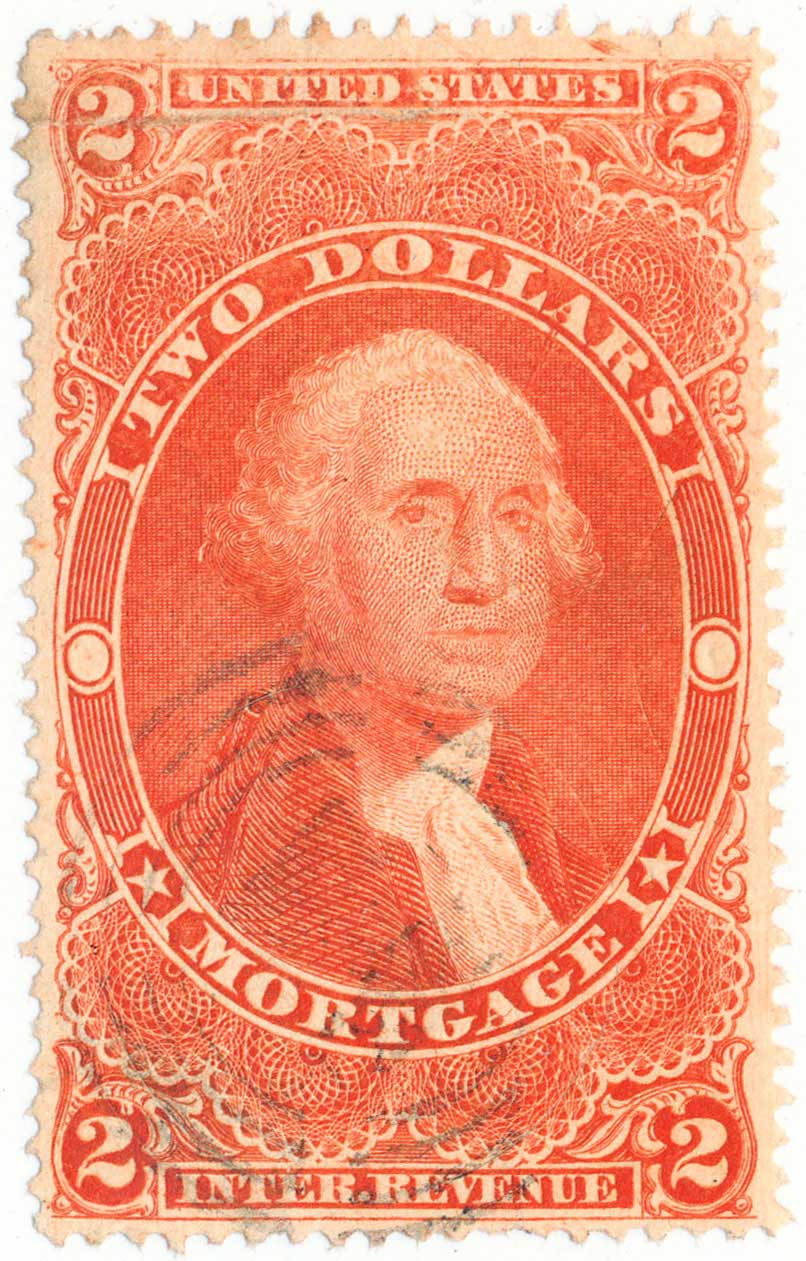 next I'll convert to grayscale by selecting the best single RGB channel: 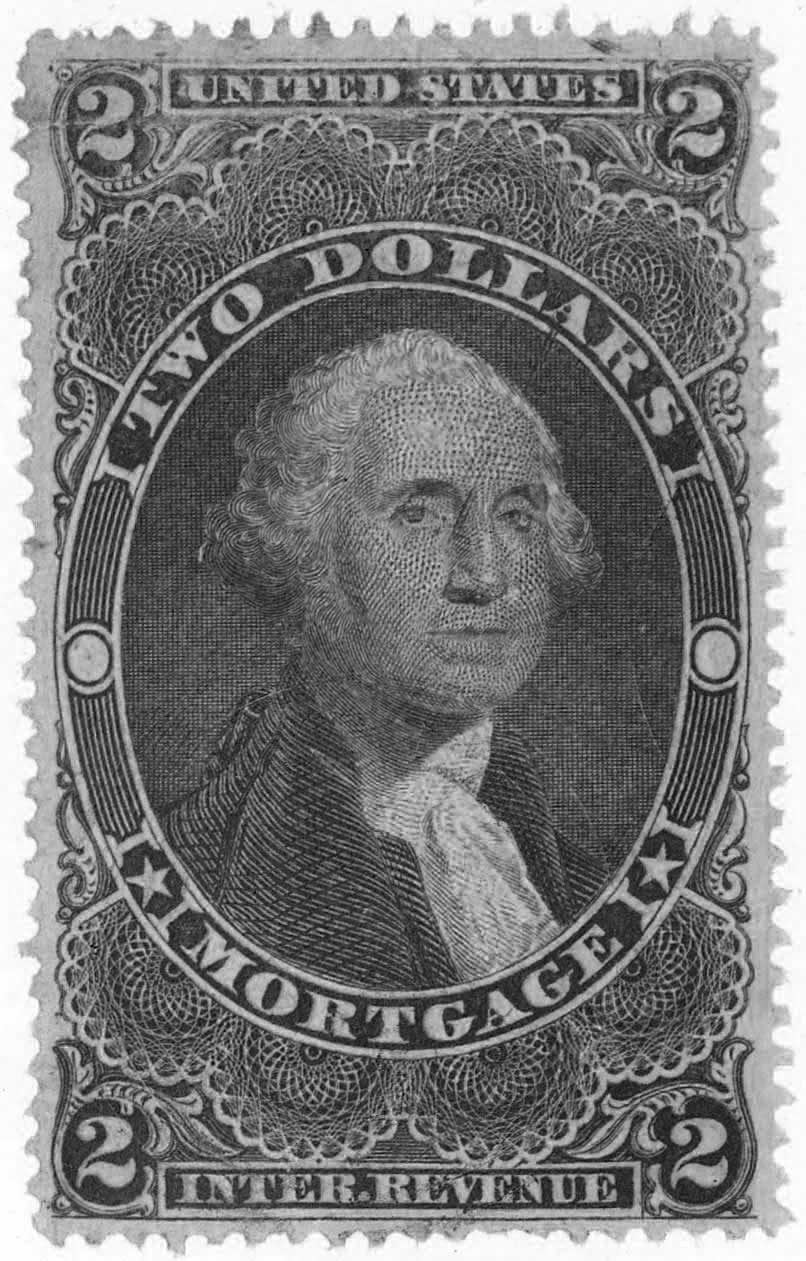 then I'll adjust the levels: 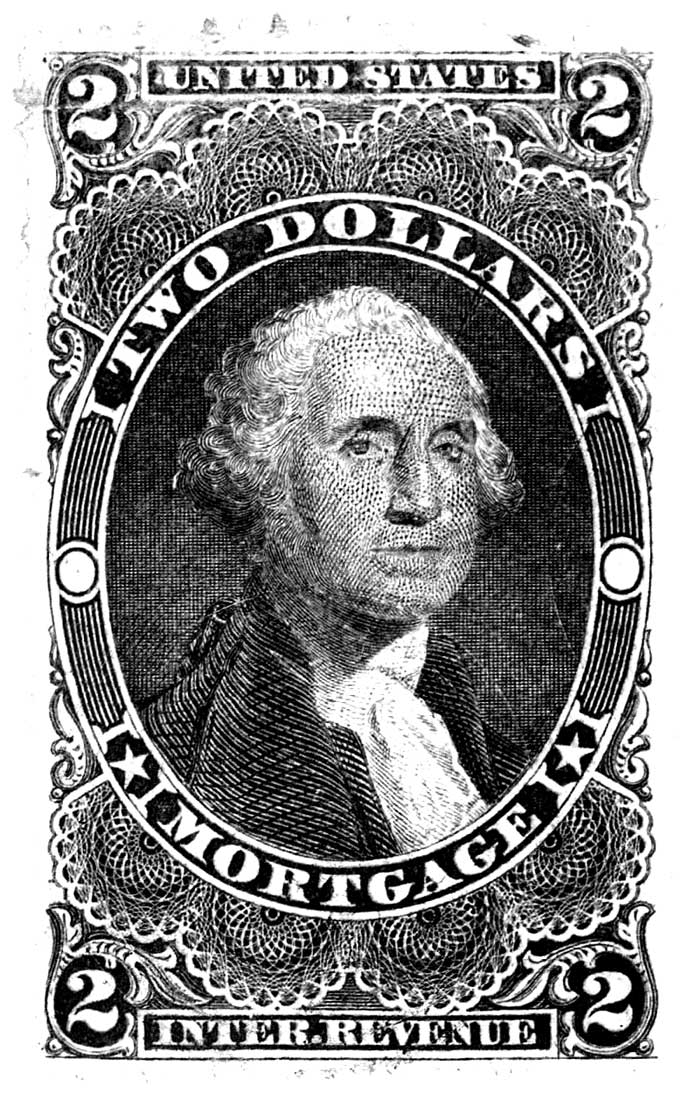 finally I'll clean it up a little then use the unsharp mask filter. You want to get as close to engraved line-art as possible: 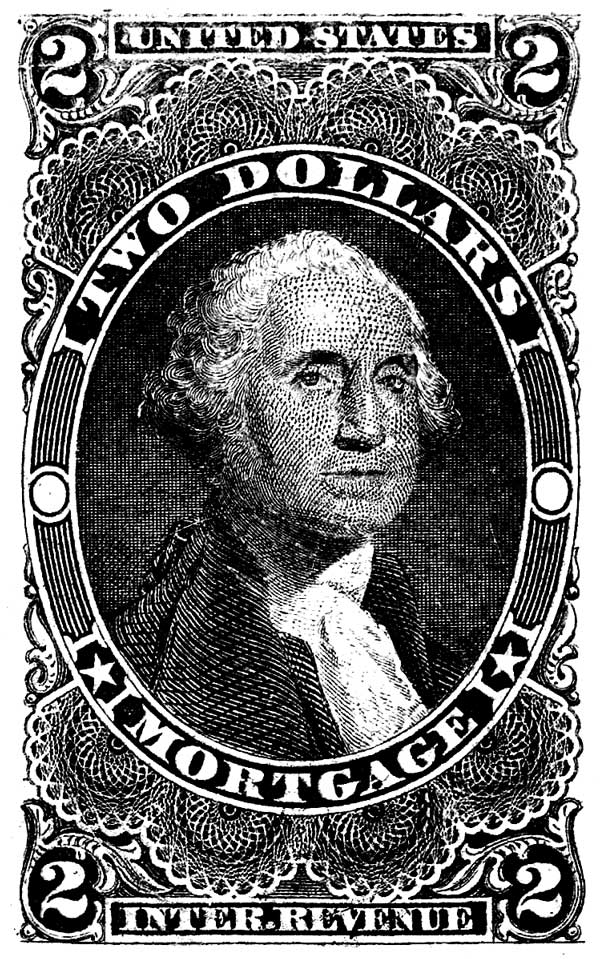 I only collect classic stamps so most are engraved and appropriate to process the images this way. |
|
Send note to Staff
|
|
|
Pillar Of The Community
United States
772 Posts |
|
|
Randall,
If I might pry a little bit more, I have a couple more questions. What size and weight paper do you use? Do you have holes drilled from the supplier or at your printers?
Thanks,
Chris
|
|
Send note to Staff
|
|
|
Pillar Of The Community
2013 Posts |
|
|
Quote:
next I'll convert to grayscale by selecting the best single RGB channel: Amazing, how you proceed exactly with this step , I found the option to convert to greyscale but I don,t know where to get the RGB channel |
|
Send note to Staff
|
|
|
Pillar Of The Community
United States
770 Posts |
|
|
You will want to have the image in RGB mode. If you are in Photoshop pull down Window menu to Channels. You will see RGB view then one each channel for each color: red - green - blue. Depending on the stamp color, and especially if it has a cancel, select the channel that shows the stamp design the clearest. For mine, selecting the blue channel made the cancel disappear. Then go to Image - mode - grayscale. Then adjust your levels.
I gave the basic adjustments I use. There are other "tricks" though. Some stamps are especially difficult to work with. Using Unsharp mask is especially important as a last step. The more pixels in your image the more sharpening you will want to do. It is found under Filter-Sharpen-unsharp mask. For settings I'll start with Amount: 100%, Radius: 1 pixel, Threshold: 2 levels. Sometimes its best to apply this filter twice.
To make this operation faster I'll scan a whole bunch of similar stamps, then create a photoshop "action" to batch process them. That saves a whole bunch of time. |
|
Send note to Staff
|
|
|
Pillar Of The Community
United States
770 Posts |
|
|
Chris - I use 65lb Cougar Natural cover. Its archival has a nice color (not too yellow) and is very smooth so the imaging turns out beautiful. When I first printed steiner pages I used the Hammermill natural as someone suggested, in my inkjet printer, but the surface is soft, and the inkjet image spread a bit like blotter paper which I didn't like. The scrap book 12x12 binder is actually like 15 x 13 x 2.6" It is a big binder, but I like it. They make a 11.8 x 11.8 x 2.6" binder for 8.5 x 11" pages. Both of these are standard 3-ring spacing so I just bough a good quality 3-hole punch. |
|
Send note to Staff
|
|
|
Pillar Of The Community
2013 Posts |
|
|
Pillar Of The Community
United States
772 Posts |
|
|
Randall,
Thanks. I don't think you actually said the size of the paper you use...are you just using 8.5" X 11" or do you use larger size? Are they 12" X 12"?
|
|
Send note to Staff
|
|
|
Pillar Of The Community
2013 Posts |
|
|
Pillar Of The Community
United States
770 Posts |
|
|
Pillar Of The Community
2013 Posts |
|
|
Randall I'm working hard to practice those transformations tonight. You have been of a great help |
|
Send note to Staff
|
|
|
Pillar Of The Community
2013 Posts |
|
|
I think the solition is more simple than it look first. I like the look of Scott pages and binders . Like many I already own them. For now I have many home made pages in plastic protectors used as separator . I don't need to replace the all set of Scott tomorrow. So I just have to redo the pages I want to do with the same border Scott use. With time if other are interested we can exchange our pages (without the borders of course ) Over the years we may end with a complete new album. The idea is a progressive approach that consist to use what we have and change slowly. If someone don't have a large format printer he can make them print at Staples , ask someone to do it for him or simply print on regular paper and use plastic protectors
I will call it "enhance replacement pages for Scott Int Album" |
|
Send note to Staff
|
| Edited by area66 - 01/17/2016 01:10 am |
|
|
Pillar Of The Community
2013 Posts |
|
|
I make some math Scott int 1840-1940 have 1139 double size pages so it make 2280 single pages. if I add 50% more pages it will do 3600 pages . If I order from Us scott blank pages it cost me 72 cents Canadian per page so $2593 using plastic protector will cost me only $200 including the protector and 2 pages back to back. |
|
Send note to Staff
|
|
|
Pillar Of The Community
United States
772 Posts |
|
|
Quote:
So I just have to redo the pages I want to do with the same border Scott use. With time if other are interested we can exchange our pages (without the borders of course ) Over the years we may end with a complete new album. The idea is a progressive approach that consist to use what we have and change slowly. area66, I am also playing around with doing something similar, however, I use the blank quadrille Scott pages and make printed out labels/headings. And I don't need a larger-format printer. This way, I can insert any additional pages into my Scott Int and keep everything together in the same binders. I like the look of my completely new (Steiner modified) pages, but it is a lot of additional work if you were to redo all countries, even "just" to 1940. 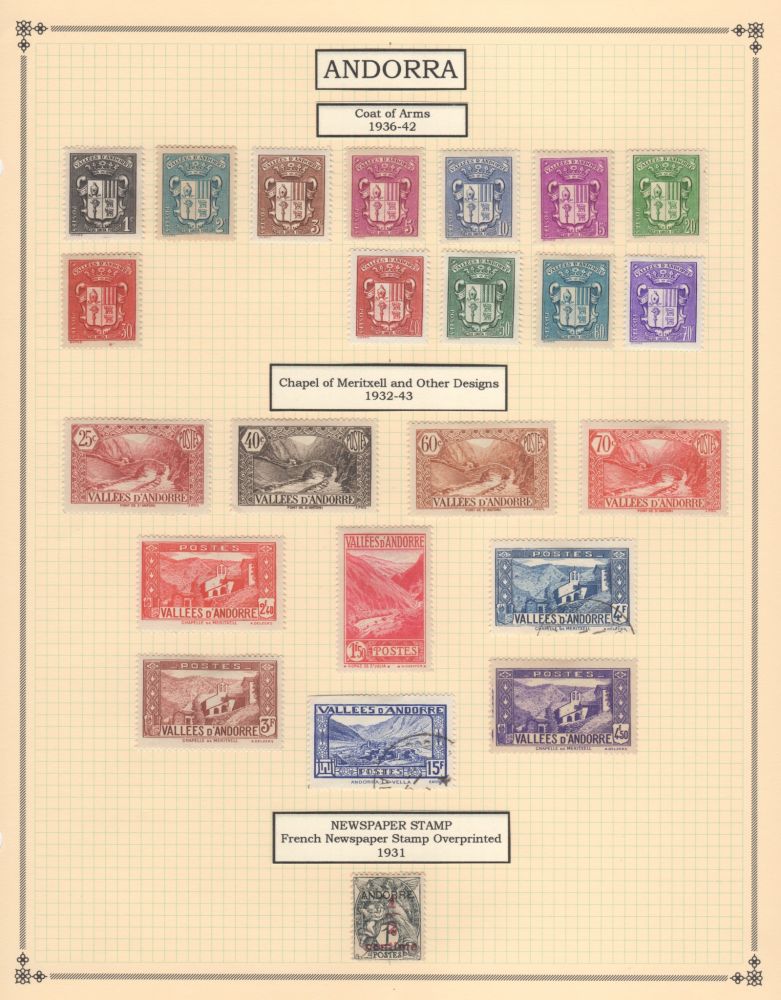 |
|
Send note to Staff
|
|
|
Valued Member
378 Posts |
|
|
chris2015, I think your quadrille pages are a nice compromise. I'd wonder what your approach would look like with clear labels? |
|
Send note to Staff
|
|
|
Replies: 97 / Views: 15,419 |
|




 Posted 01/15/2016 6:09 pm


