| Author |
 Replies: 97 / Views: 15,420 Replies: 97 / Views: 15,420 |
|
|
|
Pillar Of The Community
2013 Posts |
|
|
1940to1940 , it come in my mind too, I do have a Brother PT-Touch connected to my computer in my shop, I can change the fonts and even include images on the label , but I wonder if the plastic will not do like scotch tape with time and turn yellow. I have to try to find what plastic they use. |
Send note to Staff 
|
|
|
Pillar Of The Community
United States
772 Posts |
|
|
Quote:
chris2015, I think your quadrille pages are a nice compromise. I'd wonder what your approach would look like with clear labels? Bob, interesting idea...it would give the appearance of the text being written directly on the page. As area66 says though, I'm not sure about the plastic label or the adhesive used. Right now I'm using the cream colored paper that I also use for Steiner pages (so I have a bunch of it!) and acid-free glue stick. I could try to find some paper that matches the color of the blank Scott pages, but the contrast doesn't bother me that much. |
|
Send note to Staff
|
|
|
Pillar Of The Community
2013 Posts |
|
|
How about this, AlbumGen printed on LightHouse page, I was doing a quick test with image provide by EzStamp, I will use scan of my stamps in black like Southpaw show us and make the imahe a little bit bigger, but not too much as I use clear mounts 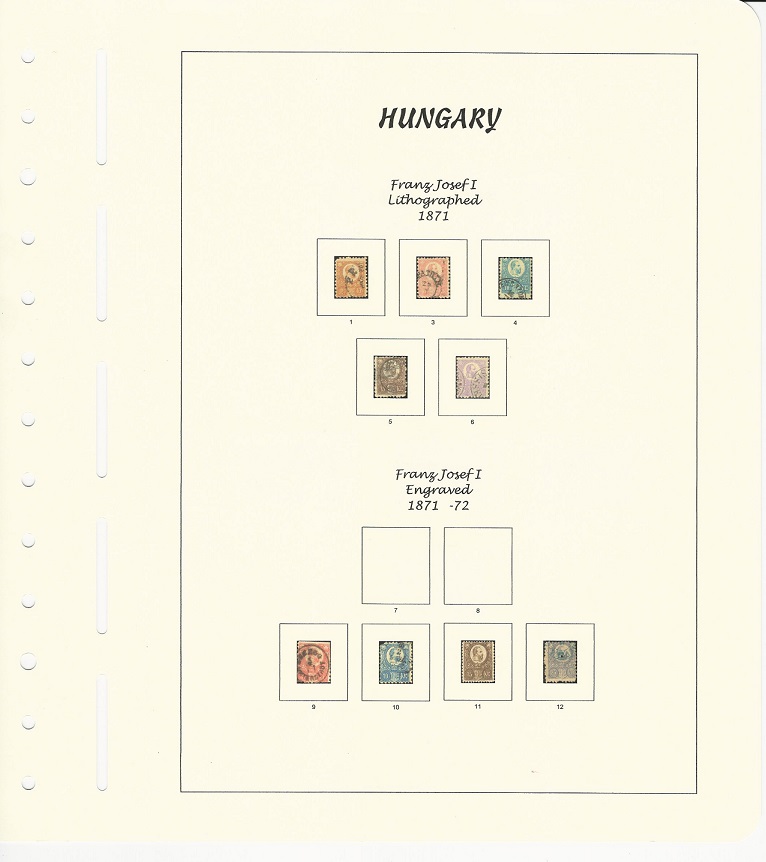 |
|
Send note to Staff
|
| Edited by area66 - 01/19/2016 1:15 pm |
|
|
Valued Member
378 Posts |
|
|
I'm certainly don't mind the label contrast, just got to wondering about what clear would look like. And, of course, I didn't even think about yellowing, etc. Ah well, this is why I can't be trusted with anything besides preprinted album pages. (I did a search and didn't find anyone selling archival clear labels which probably tells us something.) |
|
Send note to Staff
|
|
|
Pillar Of The Community
United States
1624 Posts |
|
|
Pillar Of The Community
2013 Posts |
|
|
Pillar Of The Community
2013 Posts |
|
|
Here we go "Fade Resistant Labels Wherever you use P-touch laminated labels, they have been designed to stay as clear and legible as the day they were applied.The Fade Test ProcedureSeveral Brother P-touch laminated labels, in various colors, were attached to coated metal plates and placed inside a fade-inducing chamber at 181.4° (83°C). They were left for a period of 100 hours to simulate a year in sunny surroundings and then inspected for any obvious changes. The text color remained unchanged and so all characters were still completely legible. To the naked eye, the tapes' background color showed no change, except for the yellow tape which showed some slight fading. ref. http://www.ptouchdirect.com/allabout-labels.htmlThe tape are made of Polyethylene see the MSDF http://www.ptouchdirect.com/content...-TZTAPES.pdfI think we are ok with them, I will give a try and leave them on sunlight to see and make a report every month in a new tread. |
|
Send note to Staff
|
| Edited by area66 - 01/19/2016 2:39 pm |
|
|
Pillar Of The Community
2013 Posts |
|
|
Here a Brother clear label on a Scott International page (CZ duplicate) the scan show it a different color than the paper but in person it's the same color, but you have a reflect of course I think it's good for few usages but it as a cost, will cost less to print on real Scott paper and cut it, but you have to do them in batch to print a lot on the same paper. The clear label can be done 1 by 1 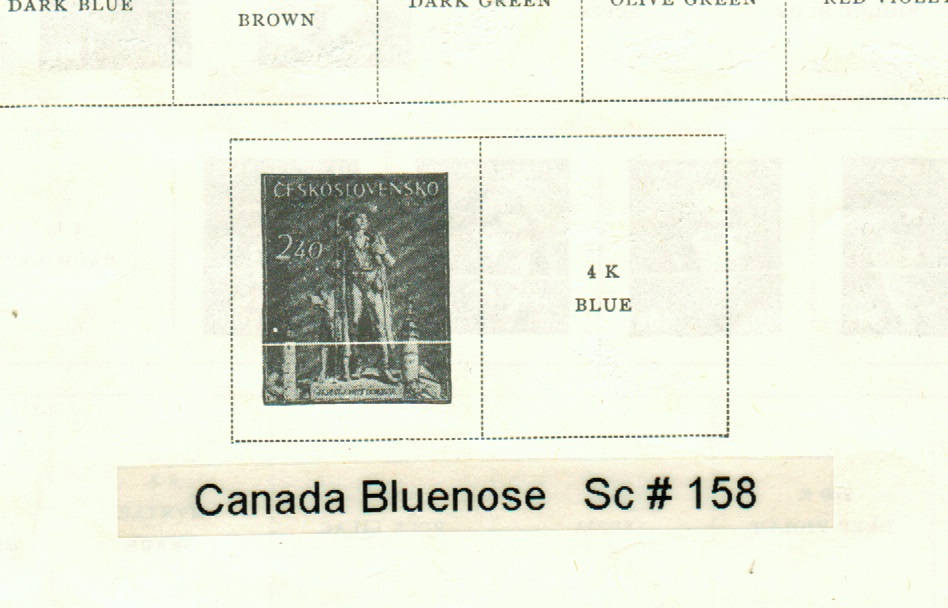 |
|
Send note to Staff
|
| Edited by area66 - 01/19/2016 3:15 pm |
|
|
Pillar Of The Community
United States
772 Posts |
|
|
Yeah, I usually try to write up several different labels on one sheet of paper before printing it out. I do it in PowerPoint and make a box with a black border with text inside. Gives you a lot more flexibility in terms of making an outline, different fonts, different sizes, etc. than you can do with just a label maker.
Chris
|
|
Send note to Staff
|
|
|
Rest in Peace
United States
4052 Posts |
|
|
Q/ As long as you laying-out your own pages, why draw a box for each stamp?
After all, stamps come with selvage, in pairs, etc ... so they might not even fit the box.
Why not just put the catalog number, and mount the stamp above it, and skip the box?
Cheers,
/s/ ikeyPikey |
|
Send note to Staff
|
|
|
Pillar Of The Community
United States
772 Posts |
|
|
Quote:
Q/ As long as you laying-out your own pages, why draw a box for each stamp? I personally think the boxes nicely frame the stamps  And, you can easily resize the box to fit whatever stamp you have. 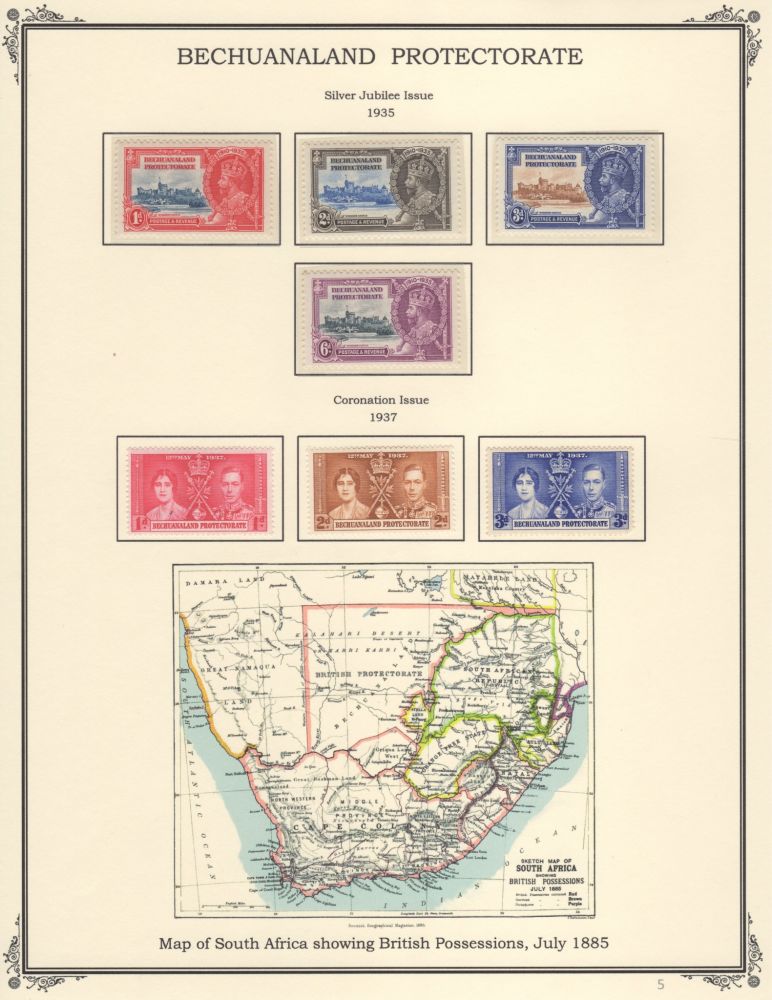 |
|
Send note to Staff
|
|
|
Pillar Of The Community
2013 Posts |
|
|
Good question about the box,and I think a lot yesterday about it , I think if you use quadrille pages you don't need them, and probably better not so you can add stamps later.If you use stamps with hinges on regular pages, you may not need them, but with mounts on regular pages it may look funny ( I do have few Lighthouse album and the mounts fit perfectly with the box. |
|
Send note to Staff
|
|
|
Pillar Of The Community
2013 Posts |
|
|
Chris on your page here, no box and it look clean. All true I think if you print the letters directly on the paper it will look better, but you can't customize it late. to bad I don't have quad. Scott paper to try 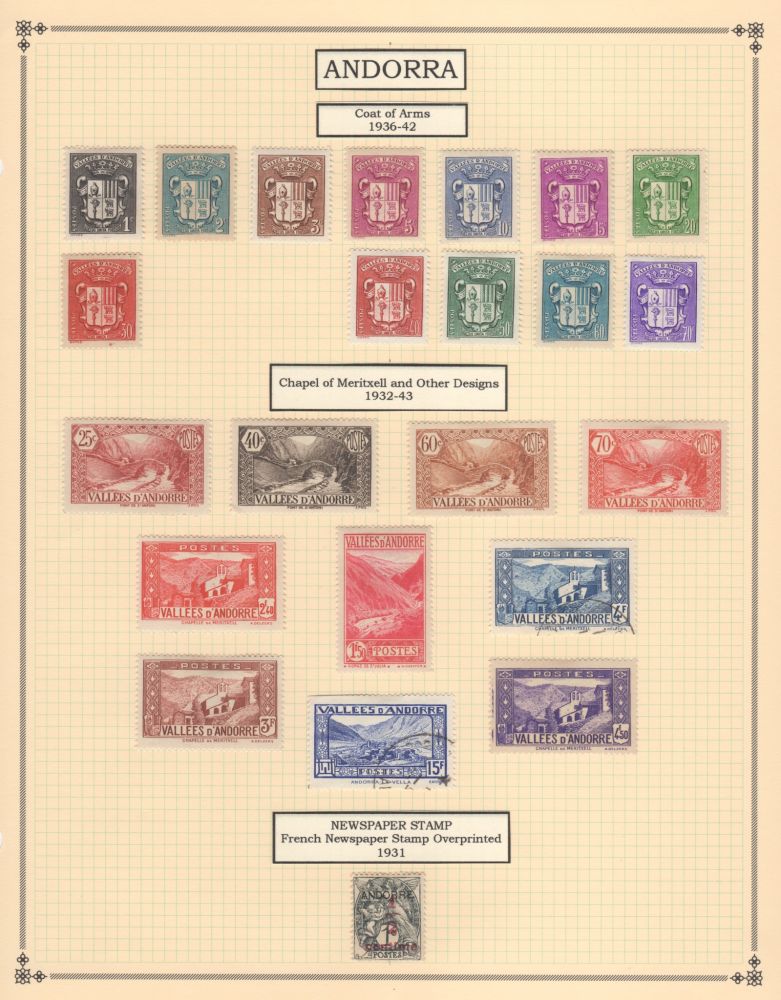 |
|
Send note to Staff
|
| Edited by area66 - 01/20/2016 09:32 am |
|
|
Pillar Of The Community
United States
772 Posts |
|
|
Quote:
I think if you use quadrille pages you don't need them I agree. For Steiner pages that I modify, I keep the boxes, which I think look nice. When using Scott quadrille pages, there's no box, I just add the labels. I still haven't really figured out which route I'm going to go with...make all new pages with modified Steiner or just add quadrille pages for stamps that are not in Scott Int. For me making the labels for the quadrille pages is easier since I don't have a wide format printer and it allows me to arrange them how I want on the page depending on the stamps I have without wasting a lot of blank pages with the trail and error of trying to print directly on the paper. -Chris |
|
Send note to Staff
|
|
|
Rest in Peace
United States
4052 Posts |
|
|
Quote:
... And, you can easily resize the box to fit whatever stamp you have ... I was thinking more of the case where you leave spaces for the stamps in that set that you do not have, and the stamp that you acquire comes with selvage, plate number, etc. I guess that you really have to love albumizing to, at that point, happily modify that page, re-print, and re-hinge / re-mount. Or, maybe the problem doth arise too rarely? Cheers, /s/ ikeyPikey |
|
Send note to Staff
|
|
|
Replies: 97 / Views: 15,420 |
|




 Posted 01/19/2016 11:29 am


