| Author |
 Replies: 166 / Views: 35,580 Replies: 166 / Views: 35,580 |
|
Pillar Of The Community
Norway
1661 Posts |
|
|
So friends, I was thinking a thread dedicated for the use of Vario pages. Do you use them - and how do you use them? In contrast to pre-printed album pages, the Vario pages opens for endless opportunities - so I thought it would be cool to see and share some ideas. And off course, we all love pictures - show us your adventures with the Varios  |
|
Send note to Staff
|
|
|
|
|
Pillar Of The Community
Norway
1661 Posts |
|
|
I can go first... I have just undertaken a loooooong process of transferring my entire collection from stockbooks - so I am still a novice when it comes to the Varios. So my setup is still kind of experimental. I'm intending to let all areas start with a frontpage: 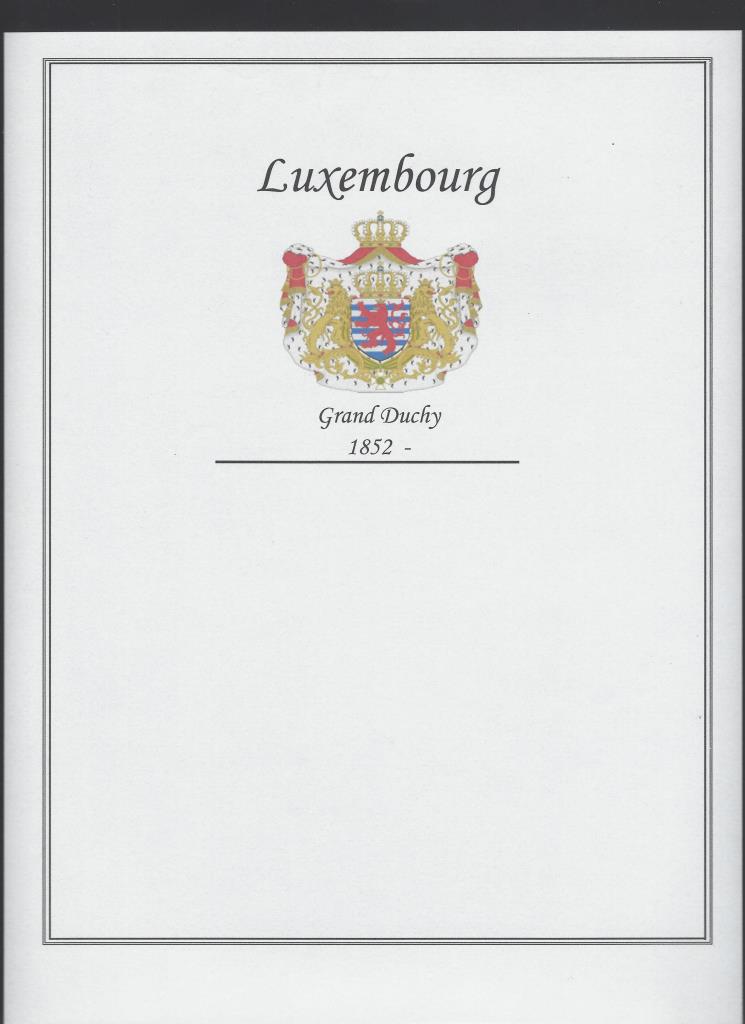 I am planning to establish an inventory database (Excel) for each area, primarily for getting an overview of the progress of each area. The inventory for each area can then be summarized in a report, and I will include this report at the reverse of the frontpage. First of all so that my children will have an idea of what it is if/when they are going to sell the stuff. 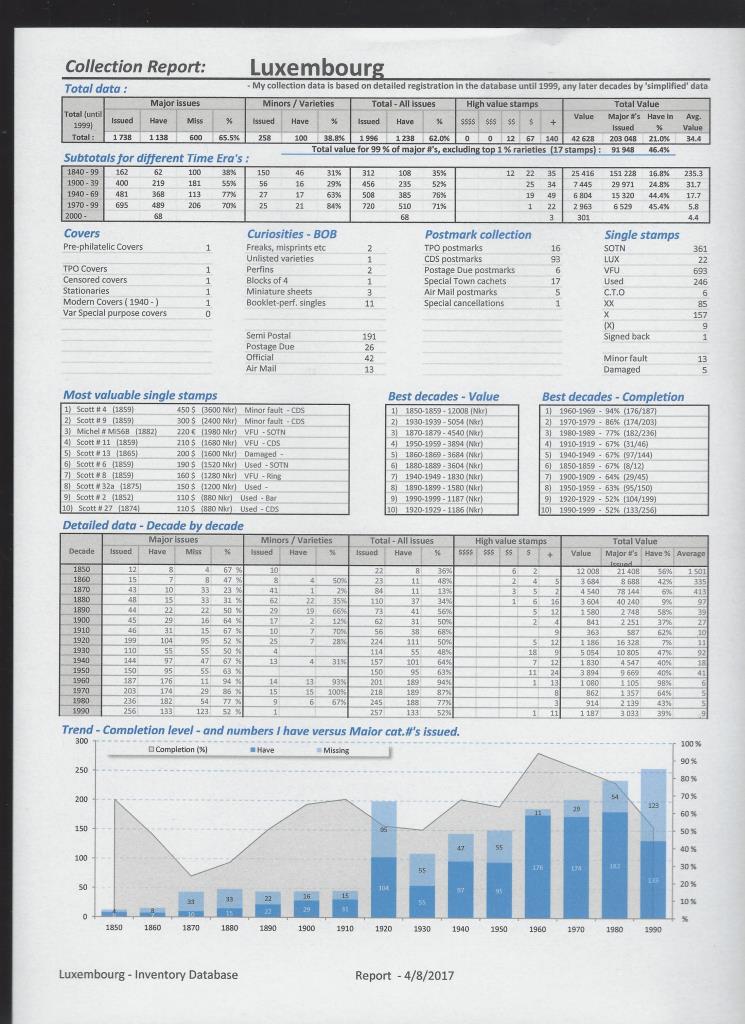 |
Send note to Staff 
|
|
|
Pillar Of The Community
Norway
1661 Posts |
|
|
Then - before the collection itself - I was thinking to have an 'appetizer' section, at least for those areas I would happen to have some items of postal history: 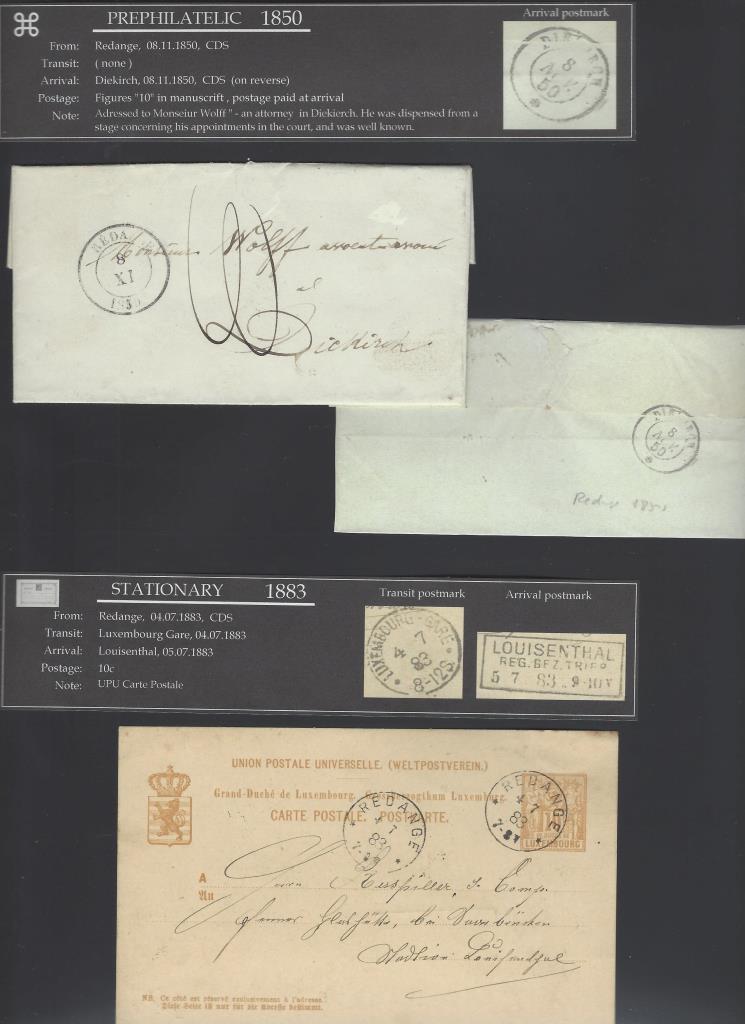 The best appetizer in my mind would be a pre-philatelic cover: 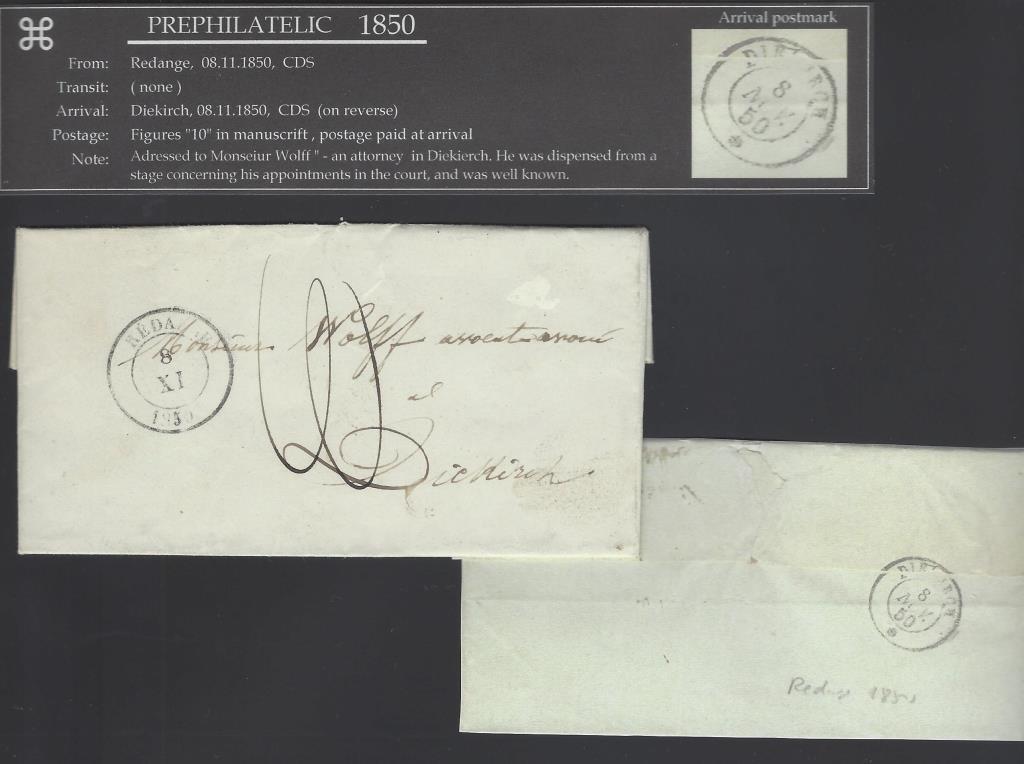 And if available an example of stationary, TPO cover, Censor mail etc: 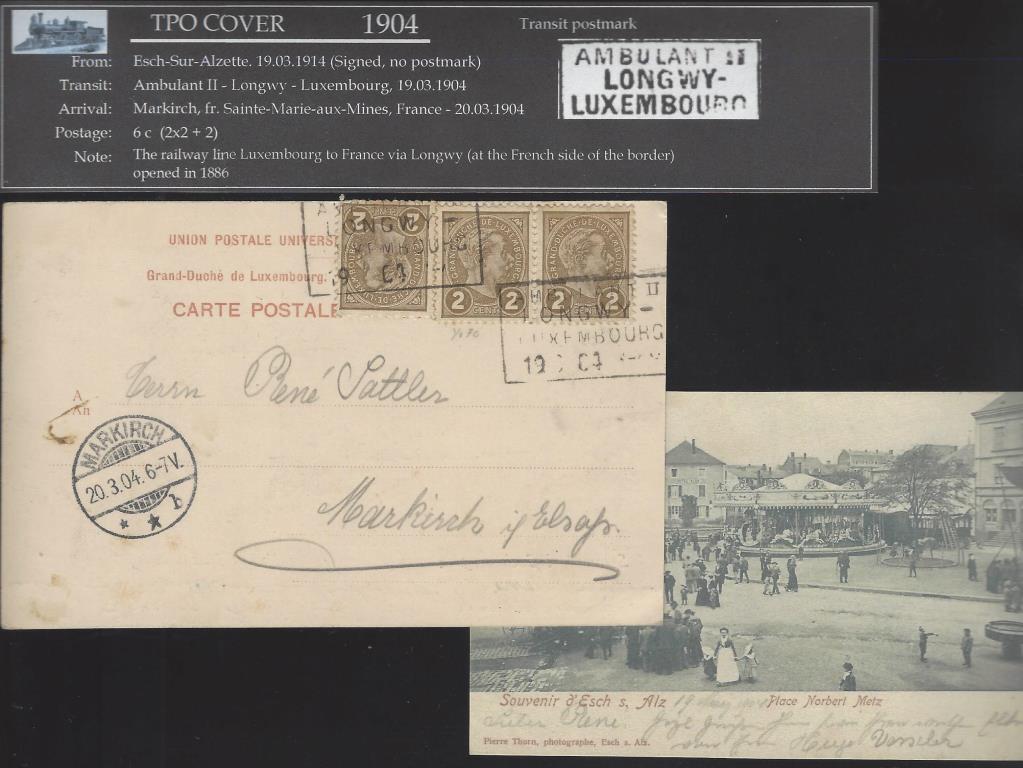 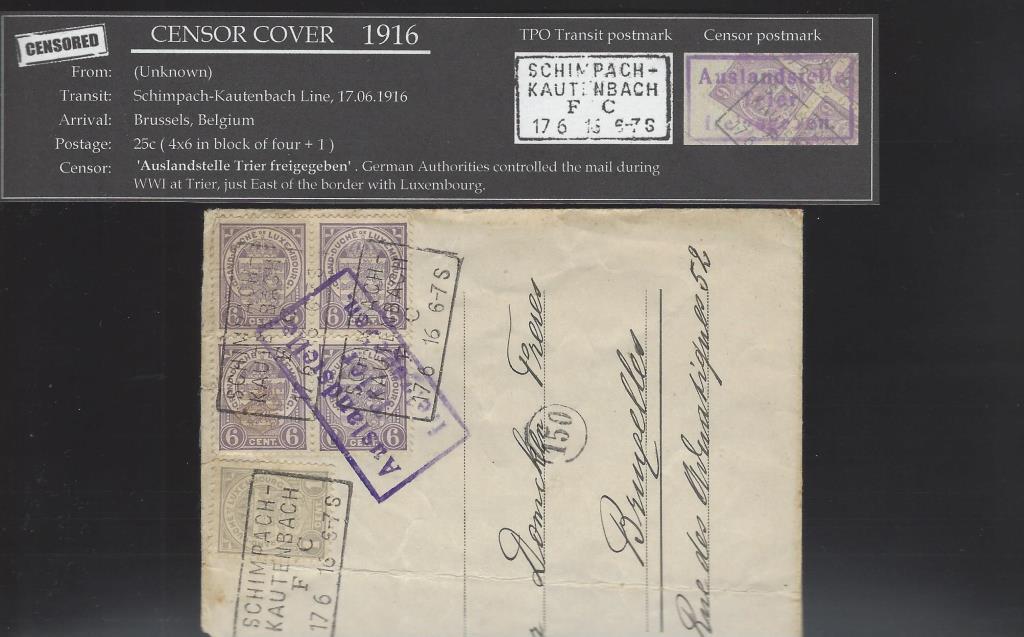 This demonstrate some of the beauty of the Vario pages - they can be utilized for more or less any format, sheets, blocks, covers etc. |
|
Send note to Staff
|
|
|
Pillar Of The Community
Norway
1661 Posts |
|
|
Pillar Of The Community
Norway
1661 Posts |
|
|
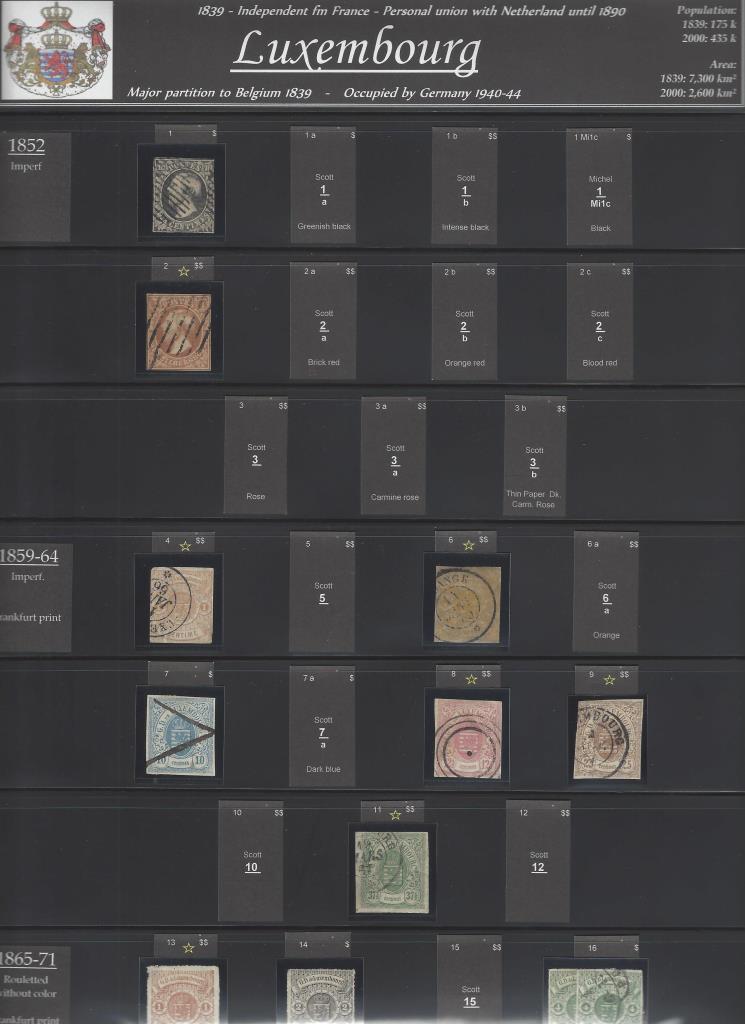
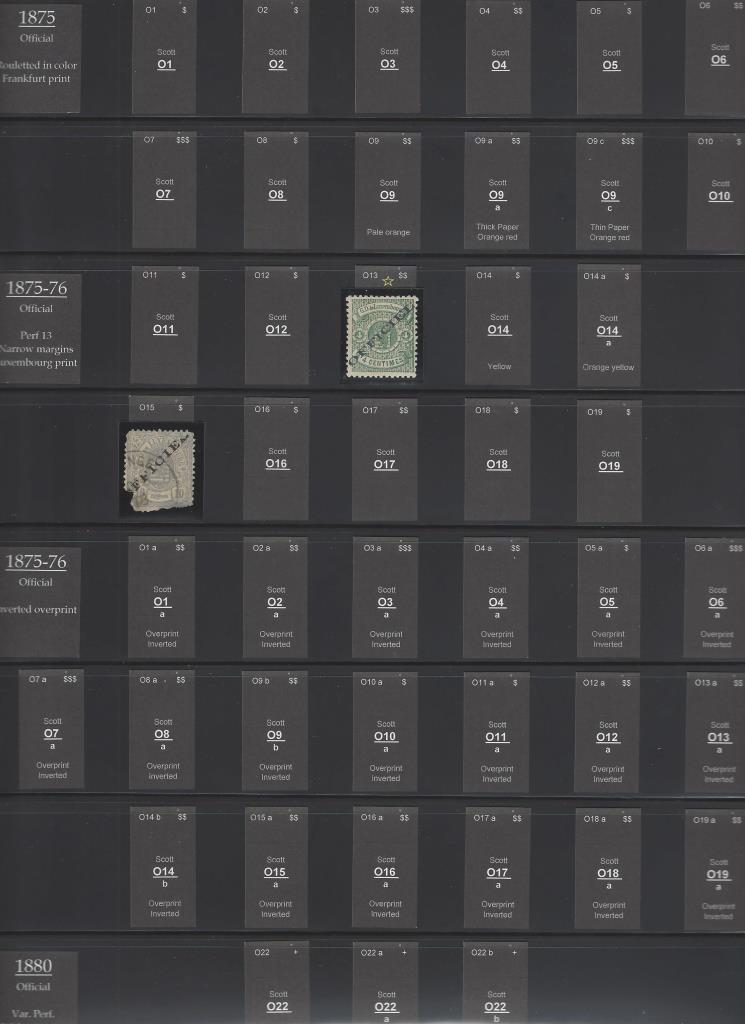
I am a general WW collector, so I want to avoid using too many albums...that is, my wife do not want me to use another wall for my albums....so I need to get the stamps a bit 'compressed' on the pages whenever possible. The Vario Grande pages are excellent in that respect. This page serves as an example - this basic series of 1882 has most of the stamps in 4 different perforation varieties - and the Grande page can house this series x 4 on one single page. Then the next page is reserved for the same stamps with 'Official' overprint, and hence mirroring the regular issues / perforation varieties. 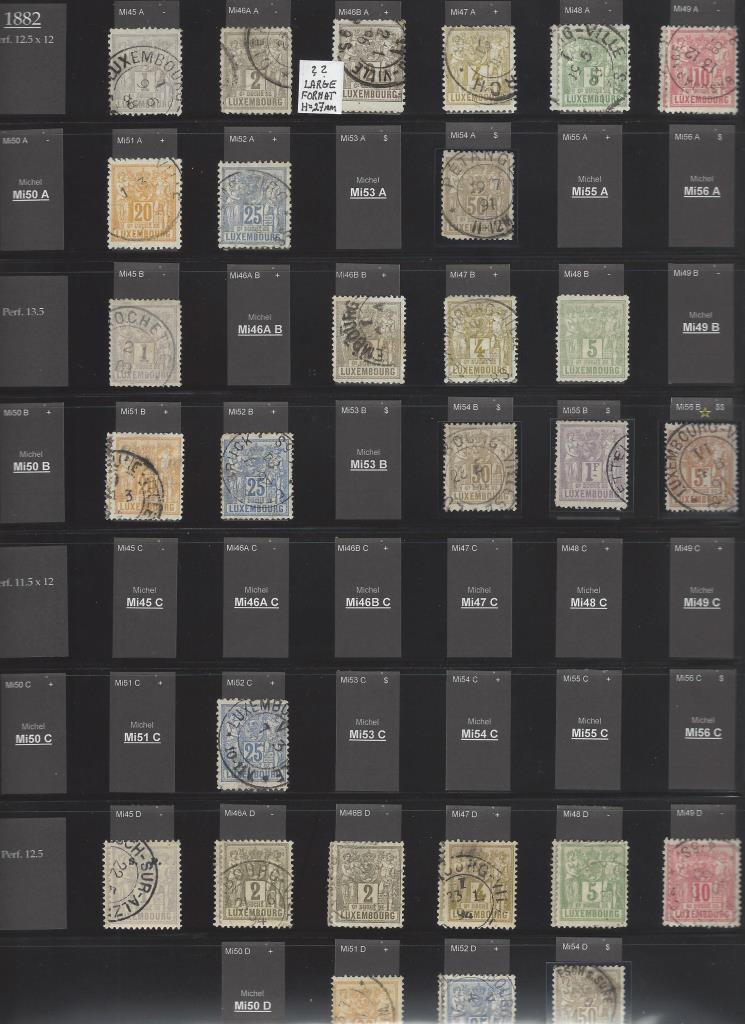 As a general collector I have no chance of remembering which stamps have any value or not. So to remind myself I use a little 'star' symbol on the tabs for the relevant stamps, e.g. Mi56B. I think it is useful to let those stamps of some significance be highlighted slightly - and if nothing else it can also be an advantage for the ones that will sell the stuff when I do not care anymore.  The freedom of the Varios let me arrange the stamps exactly as I want to. And I do not fancy to 'hide' all those beautiful Air Mail stamps or Semi Postals etc at the back of the book - so they get their natural place following a chronological order: 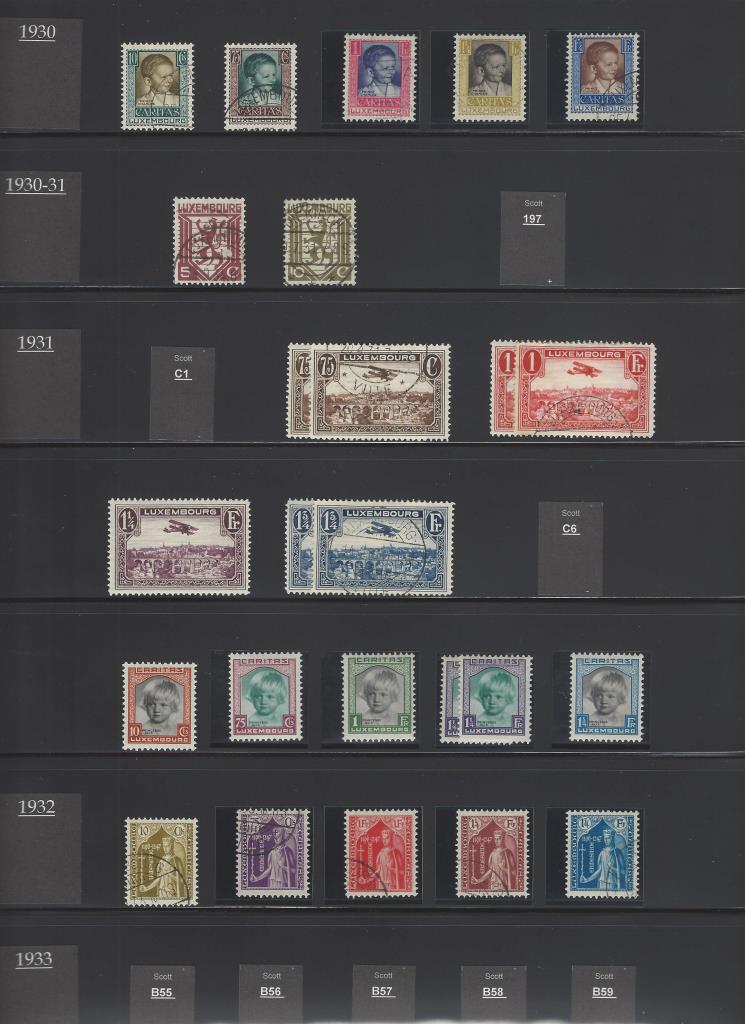 An observant viewer will see that the 'tags' at this stage no longer has the visible 'tab' above the stamps. That is something I found not very relevant for stamps issued after 1910-20 or thereabouts. Most later stamps are easily identifiable as there are not too much varieties for later issues. The reason for the change to tag without a tab is that I think the pages get less 'busy' without the tabs - it looks cleaner - and I do not need to cut tags for all those stamps I actually have anyway  However - when there are some later stamps with varieties, I will use tabs to identify which is which: 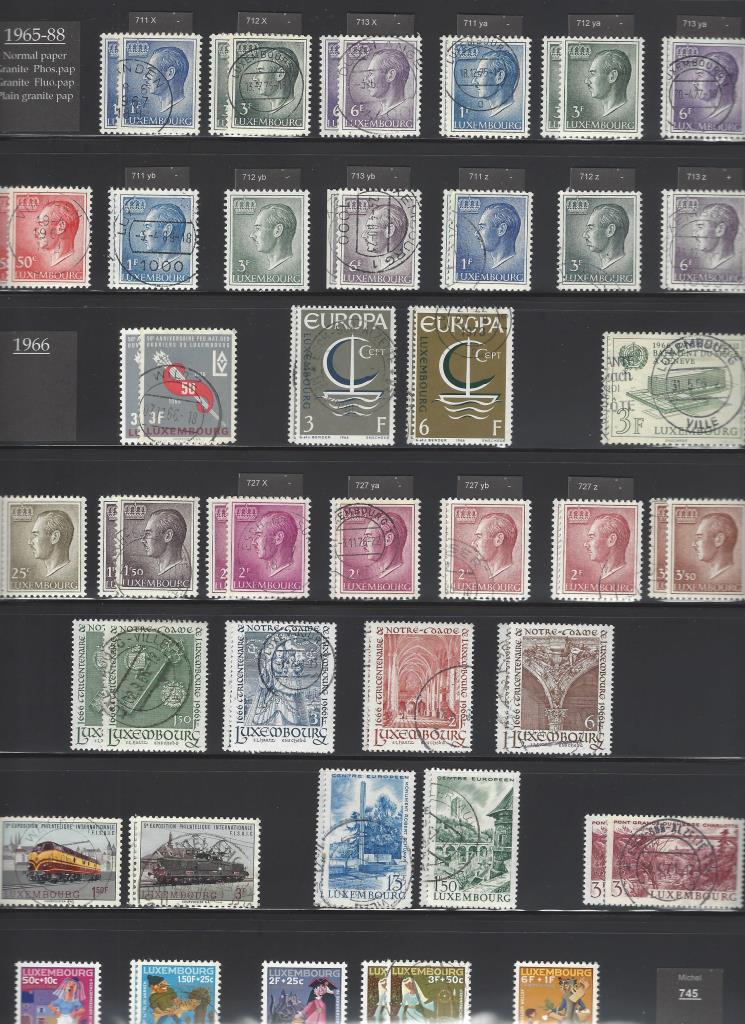 |
|
Send note to Staff
|
| Edited by Blaamand - 04/14/2017 11:29 pm |
|
|
Pillar Of The Community
Norway
1661 Posts |
|
|
How do you guys identify the stamps in your albums? As a WW collector I cannot possibly ID all stamps of the world...so I will find a cut-off date for each area, and for any later stamps I will simply add a slip with the year of issue. Example - for Luxembourg and most other 'Western' countries I am planning to reserve space for all stamps until 2000, using ID tags - any later stamps I do not care too much about anyway, so they will simply be 'crammed in' at the end in a less orderly fashion.... 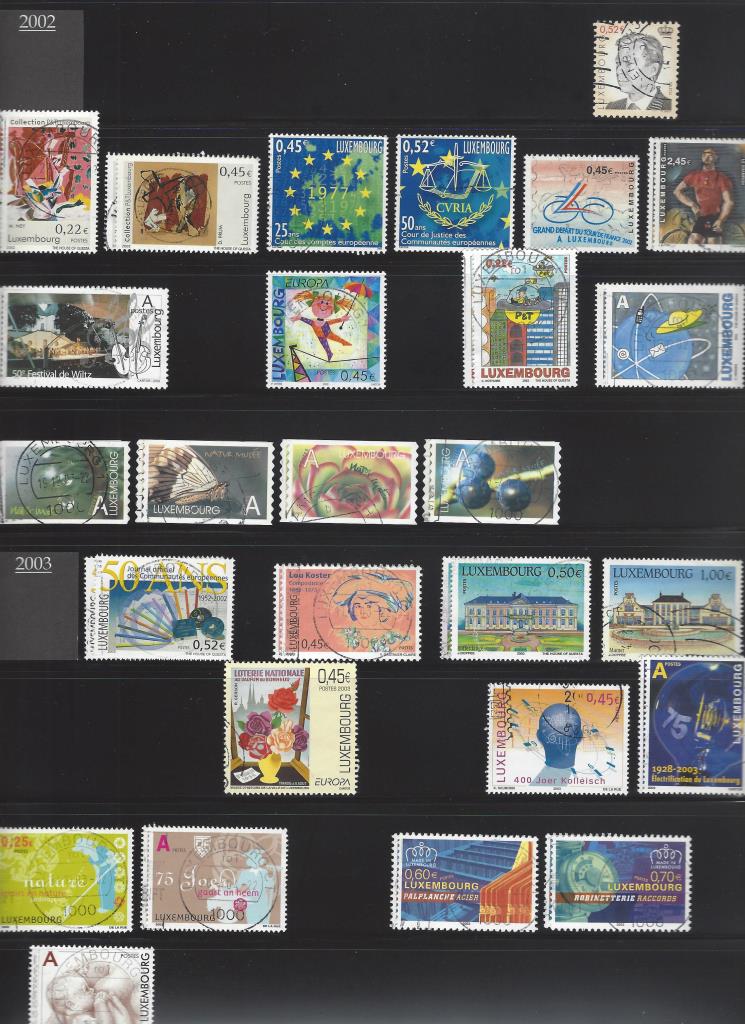 I presume the same simplified approach will be relevant for most 'wallpaper' areas already from 1970 or thereabouts. |
|
Send note to Staff
|
| Edited by Blaamand - 04/14/2017 11:39 pm |
|
|
Pillar Of The Community
Norway
1661 Posts |
|
|
..then the back of the book - this is the section that above all was the deciding factor for me starting to use Varios. At the end I can add just how many pages I like, and expand as new stuff arrives. I am among those nerdy enough to study shades - so as an example I have a few pages for Luxembourg with stamps in different shades. Furthermore I will give space for any other study of weird stuff, printing errors/ unlisted varieties, cut-outs, booklet perforations, perfins and basically whatever I find. 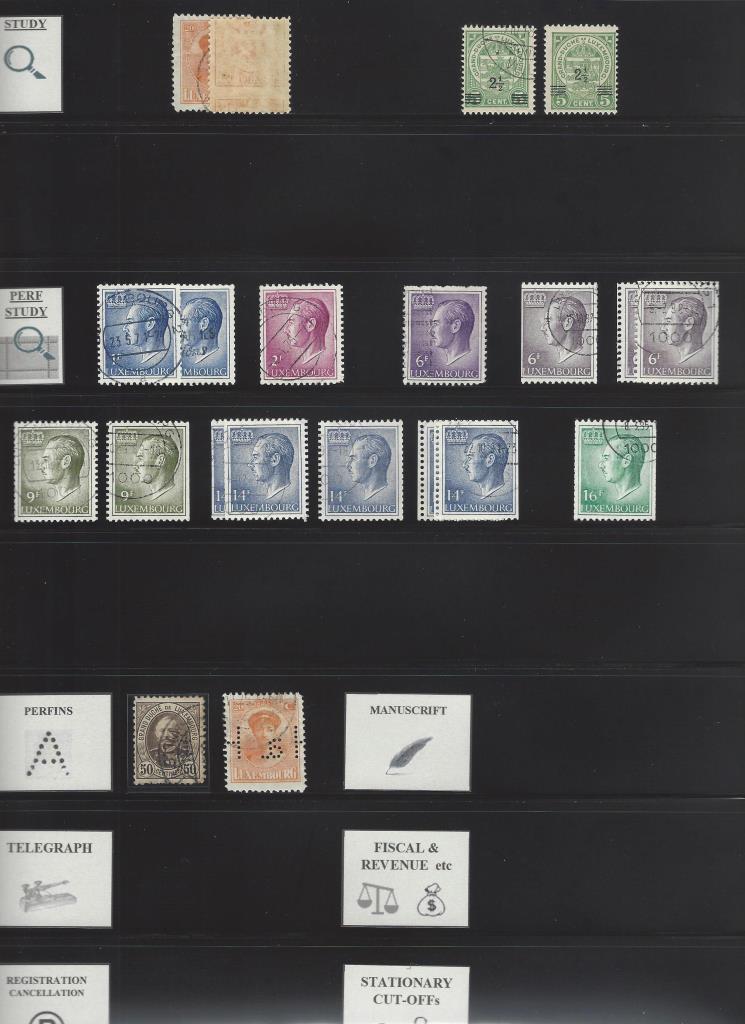 I guess Luxembourg is a poor example for this kind off study, as I have more or less nothing - but for 'larger' areas this study section can easily get quite massive. Finally it's time for dessert - that for me is my Postmark collection - different Numeral cancellations, TPO postmarks, different CDS postmarks, special Town cachets etc etc... 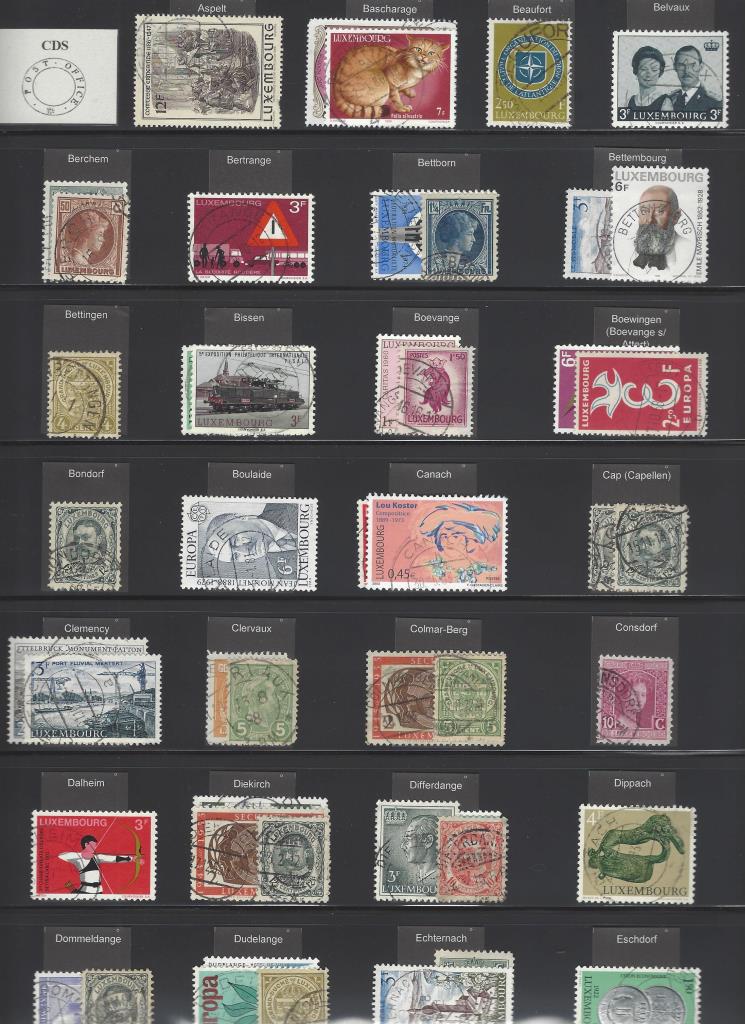 https://goscf.com/t/52995&whichpage=3 https://goscf.com/t/52995&whichpage=3Again the Vario system is absolutely brilliant, as one can add just how many pages one would need. And the best part of it all - no need for hinges or mounts |
|
Send note to Staff
|
|
|
Pillar Of The Community
Norway
1661 Posts |
|
|
That's more than enough off me showing off my new 'adventure' with the Varios - basically I am more interested to see how you guys do it  Please don't be shy -  |
|
Send note to Staff
|
|
|
Valued Member
Denmark
445 Posts |
|
|
Blaamand, for many years, I have been drooling over how people have used Vario pages.
Your setup is by far the most impressive I have ever seen !! |
|
Send note to Staff
|
|
|
|
Pillar Of The Community
Norway
1661 Posts |
|
|
@ClassicalStamps - thanks a lot for the kind words Do you use Varios yourself? |
|
Send note to Staff
|
|
|
Pillar Of The Community
United States
2830 Posts |
|
|
Wow Blaamand, VERY sharp and nice looking approach on your pages and a great idea for a thread. Back in the 90s, I used to cut mounts tall enough to allow a small sticky label at the top for identifcation. This was a useful way to ensure key items were demarcated and would not be separated from the item notes. The downside was the time it took to prepare each item, the difficulty in cutting mounts (I had/have a knack for miscutting mounts over and over again), and the challeng of cutting and placing small pieces of sticky labels for the notes above each stamp.
This didn't work for me for long. I then converted to cutting small rectangles of 28 lb printer paper (which is acid free!) to place next to stamps needing identification. For example SG or Commonwealth cat number, type of variety (perf, paper, watermark, shade, etc). This took up a lot of extra space in the pages but I had never found a better way.
Seeing your pages Blaamand has me percolating all sorts of ideas. First off, I can have more stamps, more neatly arranged on each page if the info is one again placed above the stamp rather than next to it. Second, Scott lists many definitives in ways that are different than the European catalogs. For example in Monaco, several series ran concurrently over time (eg scenes and Ranier). I think the stamps of a type look nicer in an album but splitting them up can make reassembling them for sale later on a bit challenging. In Blaamand's method, I can put the Scott number above each stamp if I break sets into types so that they are easier to reassemble.
Same with a country like Denmark. I have wanted to display Denmark by types- wavy lines together, Frederik's together, state seals together. My big question Blaamand is what do you print this info on? Some type of copy paper? And how do you keep the info tabs from sliding around in the Vario slots? Thanks! |
|
Send note to Staff
|
|
|
Pillar Of The Community
United States
2830 Posts |
|
|
P.S.
Blaamand, for your first few intro pages are you putting those printed sheets into a vario page? Perhaps some form of sheet protector might be more economical, assuming you don't mind mixed page types/materials. |
|
Send note to Staff
|
|
|
Pillar Of The Community
Norway
1661 Posts |
|
|
@Shermae - thanks a lot for you kind feedback. Quote:
I then converted to cutting small rectangles of 28 lb printer paper (which is acid free!) to place next to stamps needing identification. (....) This took up a lot of extra space in the pages but I had never found a better way I have done something similar myself for years - adding handwritten tags next to stamps needing identification. I have become increasingly dissatisfied with this, first of all due to that all those tags between the stamps take up space and make the presentation less clean. Secondly because I always had to pick up new tags and pencil for each new variety I got, so it became a seemingly never-ending battle and finally my handwriting look like hieroglyphs. My experience so far is that the 'new' tags with tab above the stamps solve all those 3 concerns mentioned - and all the tags get uniform without upsetting the arrangement on the page in any way as they do not steal any extra space. As Shermae say, "I can have more stamps, more neatly arranged on each page if the info is one again placed above the stamp rather than next to it." I am most pleased with the fact that all the info on the tags is subtracted directly from my 'Inventory database', so the need for writing tags is eliminated - and all the required tags for an area will be prepared 'for good' in one operation, so no need to constantly add new tags. Off course it does take some time to register the initial data into the 'Inventory database', but once it is registered it is done for good and the data can be utilized for several other purposes, reports etc. I am also cooperating with my brother so that we only need to do half of the areas each of us, then we exchange the databases with each other to minimize the effort needed... If anyone is interested in a copy of my excel inventory file, just shout. Shermae - I print on what is supposed to be archival safe copy paper. I have not had any issue with the tags sliding in the pockets, perhaps a few times but then I must have failed to stick the tags properly down into the pockets in the first place. This was one of my concerns as well when I was considering if the Varios would be a good solution for me, but recommendations from kind gentlemen on this site convinced me this would not be a problem - and they were right! |
|
Send note to Staff
|
|
|
Pillar Of The Community
United States
2830 Posts |
|
|
Pillar Of The Community
Norway
1661 Posts |
|
|
Quote:
Blaamand, for your first few intro pages are you putting those printed sheets into a vario page? Perhaps some form of sheet protector might be more economical, assuming you don't mind mixed page types/materials. Thanks for the considerate suggestion  Yes, I do use Varios also for the front-page (including the report on the reverse) - and for Postal history items, covers etc. I don't mind a couple of extra pages - the added extra cost for 1-3 pages for each area seems to me a good investment in order to give the setup a more complete and uniform appearance. If and when time allows, I am also intending to make a more custom-made a front-page for each area, including some facts of history, postal history and maybe images and maps if relevant. SWH did some marvelous and inspiring effort in this aspect, and it would be nice to make something similar. So I guess the cost of an extra Vario page will be insignificant in comparison to the time and effort already invested |
|
Send note to Staff
|
|
|
Pillar Of The Community
Norway
1661 Posts |
|
|
"Are you printing white on black paper??" No, I don't have a printer capable of that. So printing black on white. Again, it will be a little cost on the ink - still insignificant in comparison to the cost of each album, the stamps inside and the time invested....I think the dark/black tags make the pages much less crowded and 'busy' - and more elegant. Comparison below: First, my initial attempt was made using white tags - and the tags were made without the extra tab above each stamp: 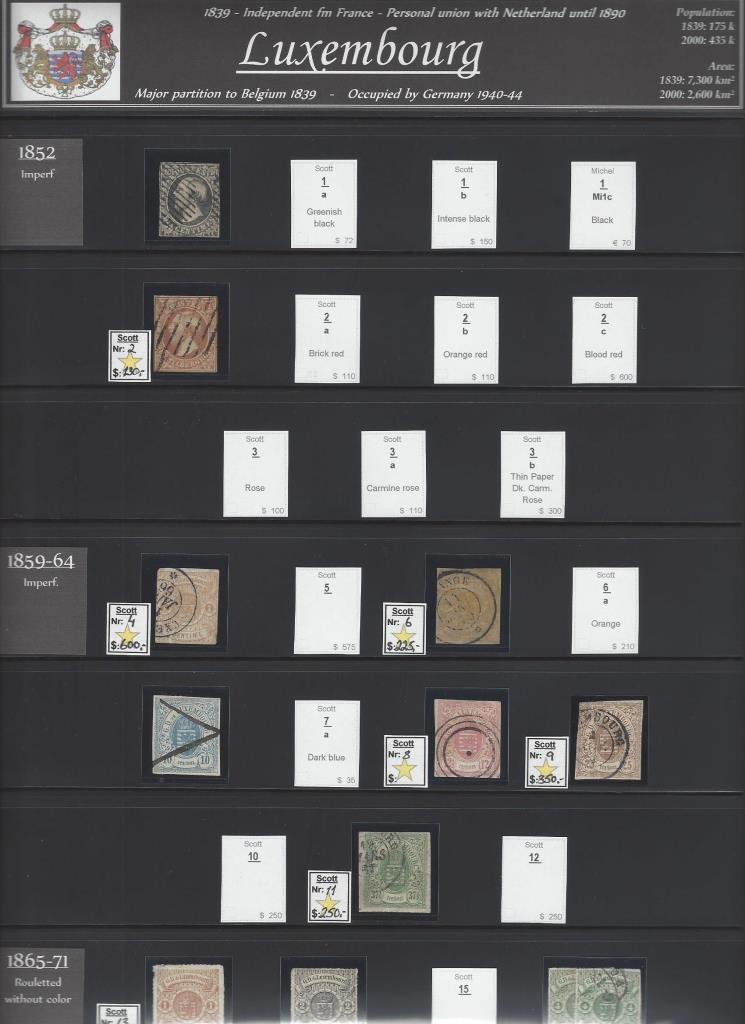 ...to be replaced by black/dark tags with the extra tab for ID: 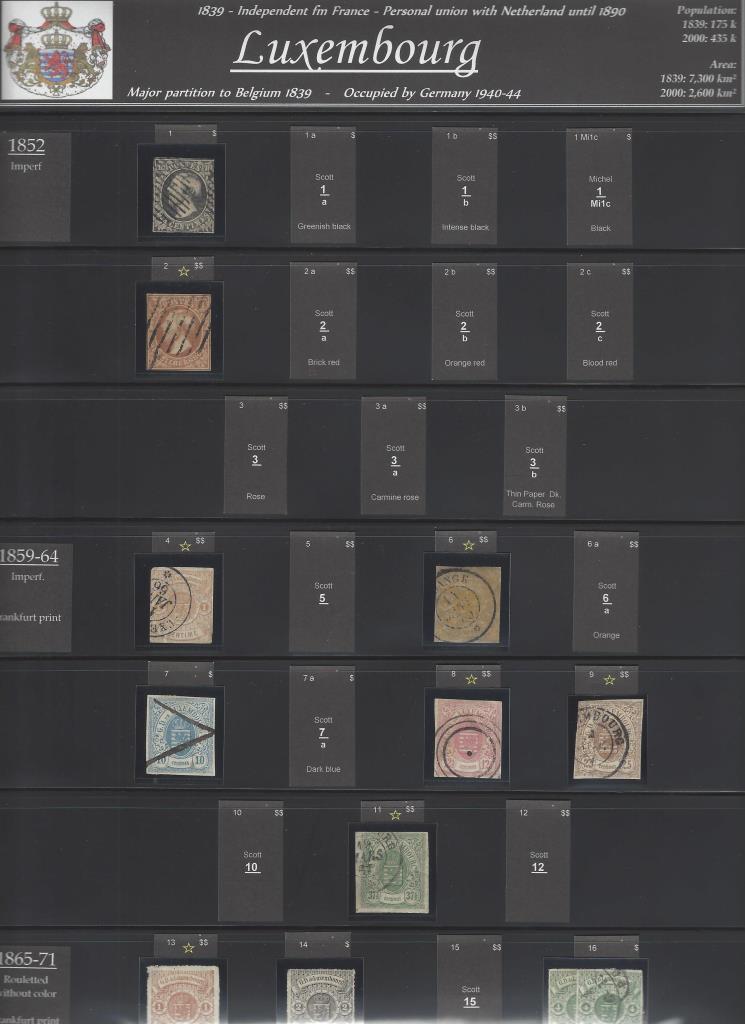 |
|
Send note to Staff
|
|
|
Replies: 166 / Views: 35,580 |
|




 Posted 04/14/2017 10:24 pm