Sorry I don't mean to hijack this conversation but... About photo quality degradation:
Copying a file from drive to drive will not degrade the digital image if your equipment is working properly (for many copy-generations). Each time you copy/move a file to a new location file fragmentation can occur. Normally this is not a problem and many files do get fragmented during the normal course of using your computer without your ever becoming aware. It's not a problem under normal circumstances. Keep in mind that modern operating systems defragment hard drives and will move and shuffle files or file fragments on your drive periodically as a part of normal maintenance.
Also keep in mind that most files get moved 3-4 times right off the bat, once when moving them off the camera, 2-3 times while the average person figures out where they want to keep them.
Best practice is to keep the original as is. Make a copy this file any time you need to generate a new one from it. Then rework the copied file, be it a rotation, resizing or other modification. Alternately you can store this master copy on an off-line hard drive and make a working copy to use as a master to make additional copies from. At that rate you're working on a two generation copy and should not be able to see any visual effects even at extreme close up.
This is not like an analog photo of a photo or scan of a scan. Those types of copies will degrade much faster and you'll see visual effects in only a few generations even with high quality equipment.
However, if you do a 90 degree rotation and save on a single digital file repeatedly, you'll lose definition progressively. By the time you've done about 2000 rotations there will be no distinguishable characteristics left. I say "about" due to a wide variety of variables that may come into play. This is due to a modifying act as apposed to making a copy.
Try not to make generational copies (Copy of a copy of a copy) if at all possible although for digital copies, it's should take a lot more than 3-4 generations to see any visual evidence of it if your equipment is working correctly.
Just another note... manufactures claim storage on current CD or DVD media has a life span of 100 to 200 years. But older CDs (1980's-1990's)have a lower average shelf life at 20-30 years.
I've spent 32 years in the industry. I cut my teeth in mainframe networking. 14 years as a global network engineer and the rest in information assurance/cyber security. I do get involved in computer forensics from time to time.
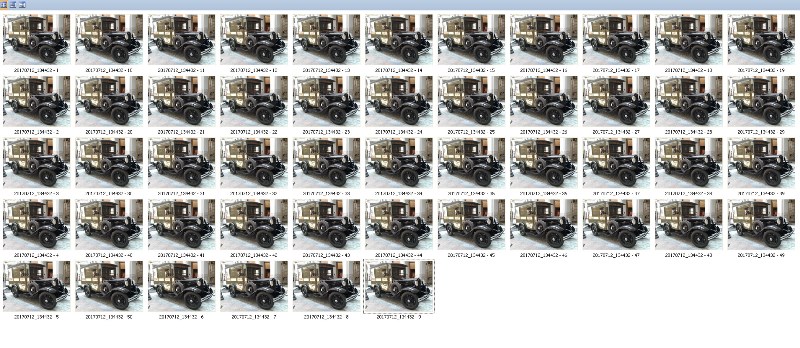
To test this: The first snapshot below was taken at the National Postal Museum this past Wednesday, I walked over on my lunch break. Not a high quality photo to start with, my current phone takes lousy photos... I reduced it in size for this board then made a copy of a copy, then made a copy of that copy and so on for 50 generations. These copies were bounced back and forth between my laptop and desktop computers via a local area network then consolidated into one directory on my laptop.
The first photo is #1 and the second photo is #25, third is #50. The last is screen shot of all 50.



Although I am a Cyber Security Subject Matter Expert, I do not consider myself to be a forensics or photographic analysis expert. I just have some good working knowledge. So take this for what's it's worth... just my two cents.
I've seen this done with more highly detailed photographs but don't have any with sufficient detail at my disposal here and my lunch break (yes, I usually eat at my desk while surfing) is almost over. Maybe I'll replicate this with a high quality photo of a stamp taken with a digital microscope and report back in a few days.
Jeff





 Posted 07/07/2017 12:28 pm


