Stamp Community Family of Web Sites
Thousands of stamps, consistently graded, competitively priced and hundreds of in-depth blog posts to read


Stamp Community Forum
 
Username:
Password:
Save Password
Forgot your Password?

This page may contain links that result in small commissions to keep this free site up and running.

Welcome Guest! Registering and/or logging in will remove the anchor (bottom) ads. It's Free!

I Cannot Figure Out What I Am Doing Wrong Downloading Jpgs

 
To participate in the forum you must log in or register.
Author Previous TopicReplies: 4 / Views: 705Next Topic  
Pillar Of The Community
721 Posts
Posted 03/31/2019   4:40 pm  Show Profile Check wheelman's eBay Listings Bookmark this topic Add wheelman to your friends list Get a Link to this Message
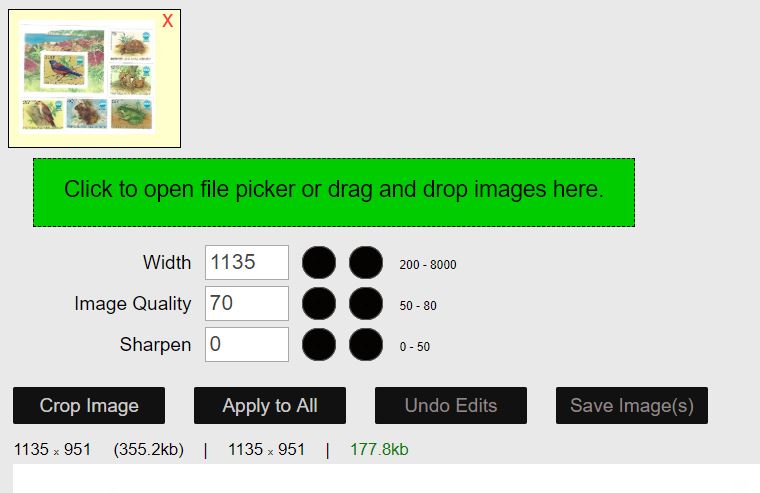
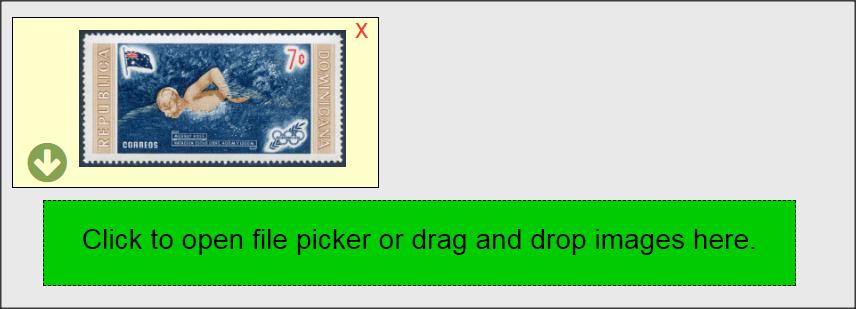
It seems like I cannot download any JPGs with out going through a number of edits etc. I had one a few minutes ago that I verified was under 200K on my desktop when I first scanned it. I tried to download and got the "images must be under 200K message and went through the optimizer and saved it to my desktop in the scfopt.jpg format and that was rejected. I then took it into a different edit tool and saved it as a JPG at about 180K. That too was rejected until I tried to download a second time. The two shots below show the size of the rejections. These two pictures loaded OK the first time. It literally takes me about 10 minutes every time I try to load a picture.
Can someone please offer up some advice on what it is I am doing incorrectly?
Thanks
Paul


Send note to Staff

Bedrock Of The Community
Australia
38679 Posts
Posted 03/31/2019   4:48 pm  Show Profile Bookmark this reply Add rod222 to your friends list  Get a Link to this Reply
Maybe stating the obvious, but........

When you see the size under the 200k, do you then "save the image"
(You then see a green arrow on the scan)
then download that, by clicking the arrow?

That is your adjusted pic.
The adjusted pic will then sit alongside your original pic, you then upload your adjusted pic
Send note to Staff  Go to Top of Page
Edited by rod222 - 03/31/2019 4:53 pm
Pillar Of The Community
United States
901 Posts
Posted 03/31/2019   4:57 pm  Show Profile Bookmark this reply Add gettinold to your friends list  Get a Link to this Reply
Are you using windows 10?
Send note to Staff  Go to Top of Page
Pillar Of The Community
United States
901 Posts
Posted 03/31/2019   4:59 pm  Show Profile Bookmark this reply Add gettinold to your friends list  Get a Link to this Reply
Microsoft Edge will not work at all. Microsoft does not know how to make a browser, still.

You will see this notice on the image optimizer.

I had trouble initially reducing the size of my images using the image optimizer. Had to switch to the image editing software that came with my scanner to get usable images for posting.
Send note to Staff  Go to Top of Page
Edited by gettinold - 03/31/2019 5:08 pm
Pillar Of The Community
721 Posts
Posted 03/31/2019   5:36 pm  Show Profile Check wheelman's eBay Listings Bookmark this reply Add wheelman to your friends list  Get a Link to this Reply
Thanks guys - Yes on download. Have used both the SCOF and my own editing both at under 200K. Yes on windows 10, no on edge. Google chrome.
Send note to Staff  Go to Top of Page
  Previous TopicReplies: 4 / Views: 705Next Topic  
 
To participate in the forum you must log in or register.

Go to Top of Page

Disclaimer: While a tremendous amount of effort goes into ensuring the accuracy of the information contained in this site, Stamp Community assumes no liability for errors. Copyright 2005 - 2026 Stamp Community Family - All rights reserved worldwide. Use of any images or content on this website without prior written permission of Stamp Community or the original lender is strictly prohibited.
Privacy Policy / Terms of Use    Advertise Here
Stamp Community Forum © 2007 - 2026 Stamp Community Forums
It took 0.12 seconds to lick this stamp. Powered By: Snitz Forums 2000 Version 3.4.05