| Author |
 Replies: 21 / Views: 2,210 Replies: 21 / Views: 2,210 |
|
Valued Member
United States
147 Posts |
|
|
|
|
Pillar Of The Community
United States
6668 Posts |
|
|
jb100056 tip. When comparing stamps and looking for detail high resolution scans really are helpful. Scanning on a black background also helps bring out the detail nicely. I scan my stamps on a $80 scanner @ 1200 dpi. Then you get scans like this for detail.  |
Send note to Staff 
|
|
|
Valued Member
United States
147 Posts |
|
|
I have never scanned anything electronically like this. I did fix OCR's that read dark vs. light bits, gather those bits in matrixs, compare them to known character bit patterns, and find the high percentage result.
Know, If only these modern scanners would do that with color. Then you could simply scan a stamp, no matter the background, and it would compare the multi-demensional result for all kinds of characteristics and given those comparision results, tell us that there is a 99 percent probability that the stamp is scott number xxx, +-.05 percent accuracy within so many deviations; or whatever.
It has been a long time since propabilility and character recognition but I would be surprised if it did not already exist.
As Peter would remind me, I stray.
I will try different scan tactics. Thank you sir.
Jeff |
|
Send note to Staff
|
|
|
Moderator

United States
12330 Posts |
|
|
jb100056's images look to be over-saturated on my display, they appear to fluoresce no my screen. If I had to bet, I would guess that his software is set for 'enhance color' of some other saturation configuration.
No one here can offer an opinion on the color of someone else's stamp, they can only offer opinions about how someone else's scanned image appears on their screen.
Don |
|
Send note to Staff
|
|
|
Valued Member
United States
147 Posts |
|
|
Brand new flat bed scanner on epson printer, the cover being white, not black. I did not change any settings, did a basic scan through the printer's front panel.
I am playing with the software provided with the printer but not having much luck getting any scans out. Do you you use the scan photo option or what? I have it set to 1200dpi, but that is it. Takes forever to complet one scan.
My ignorance is supreme. |
|
Send note to Staff
|
|
|
Valued Member
United States
147 Posts |
|
|
Moderator
United States
12330 Posts |
|
|
The scanner is calibrated to scan against white, as from the factory. You can use a small black stock card. If you cover the entire scan area with black, you should re-calibrate the scanner.
The objective is to end up with an image that looks as close to the actual stamps (of course this would only be on your monitor). And of course how the stamp actually look to your eye is totally dependent upon the ambient lighting conditions and your 'color eye'.
The add to this the fact that there are absolutely no accepted color naming standards in philately.
These issues are why 'stamp color' is one of the most problematic areas of our hobby. And unfortunately technology has only compounded the problems.
Don |
|
Send note to Staff
|
|
|
Valued Member
United States
147 Posts |
|
|
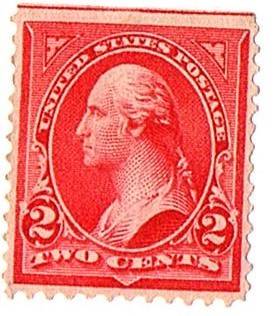
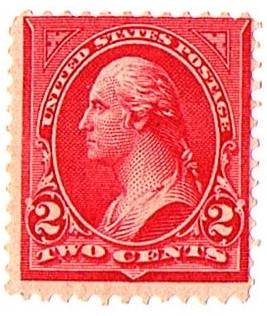
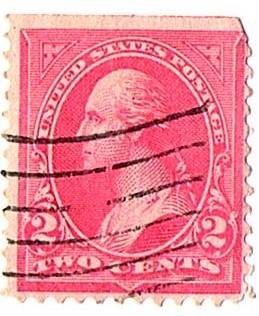
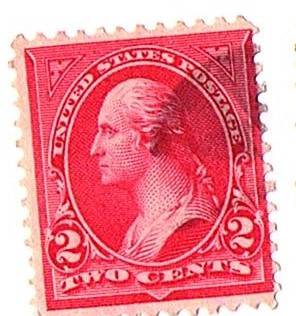
Okay, 2nd attempt; any better? I still no decent way to guestimate colors, I need reference points on colors so I can compare, as some scott numbers are new and some old, and I would like to see the variance for say, all 279b, various ages; as I have hundreds of this series stamps. Thanks. 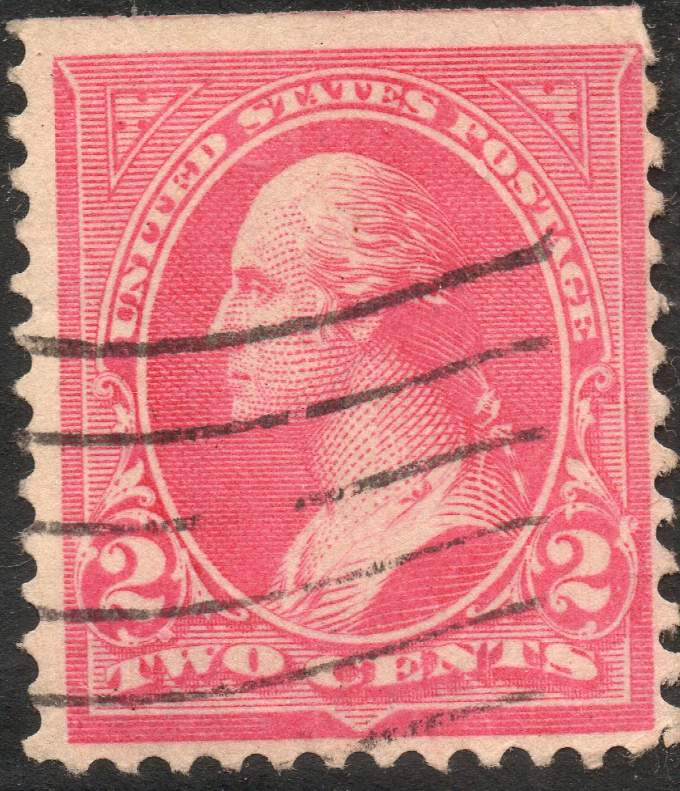 |
|
Send note to Staff
|
|
|
Valued Member
United States
147 Posts |
|
|
Buy the way, the previous stamp is very pink to the naked eye as well, but I thought it was a Type 4 before the scan. Now it looks Type III.
Opinions are SO welcome. |
|
Send note to Staff
|
|
|
Valued Member
United States
147 Posts |
|
|
51studebaker Are you saying that picking colors for stamps is completely arbitrary and amounts to each collectors opinion only?
Hoping for more! |
|
Send note to Staff
|
|
|
Pillar Of The Community
6363 Posts |
|
|
Quote:
I need reference points on colors so I can compare The best reference points will involve buying a variety of dated examples on cover for direct comparison without the need to interpret scanner/monitor differences. I solved the problem a long time ago by simply mounting several stamps in a group, labeling them "shades" and moving on. |
|
Send note to Staff
|
|
|
Valued Member
United States
147 Posts |
|
|
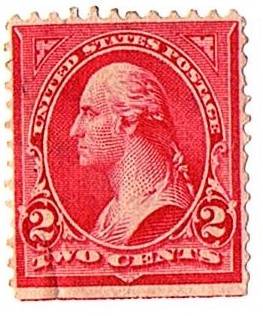
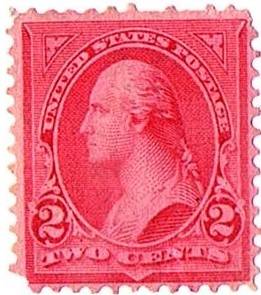
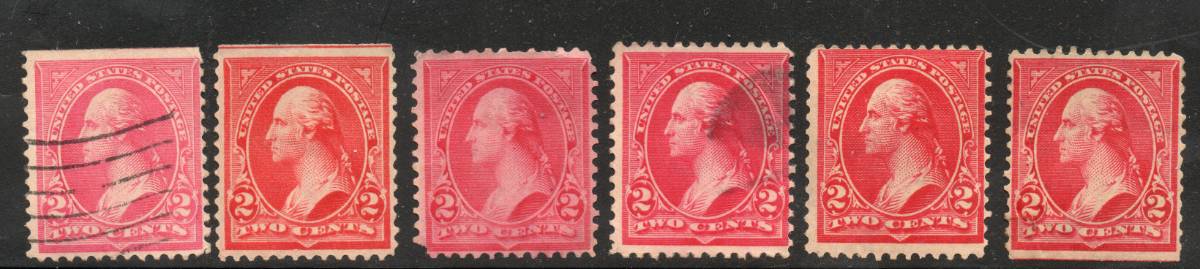
Here are the first six stamps again, in a differnet order starting with the pink. Notice the 3rd stamp in has a pink tinted paper; does anyone know what is up with that (water soaked, etc)?
Types ?? |
|
Send note to Staff
|
|
|
Valued Member
United States
147 Posts |
|
|
Valued Member
United States
147 Posts |
|
|
Pillar Of The Community
6363 Posts |
|
|
Pillar Of The Community
673 Posts |
|
|
jb100056 You seem to be trying to associate Type IV with a specific color... is this how you are trying to identify them, because color is not the identifying method for Type IV. I sense you don't have the feel for how to ID a Type IV from a Type III is this reasonably true? The large stamp you posted (same as 1st one in the scan above, or 3rd one in your original post) IS a Type IV. The others are still TOO small to see the minor details needed to ID a III from a IV. The primary feature I look at is that described in Scott is item ID 6 - "background lines extend into white oval opposite "U" of "United". 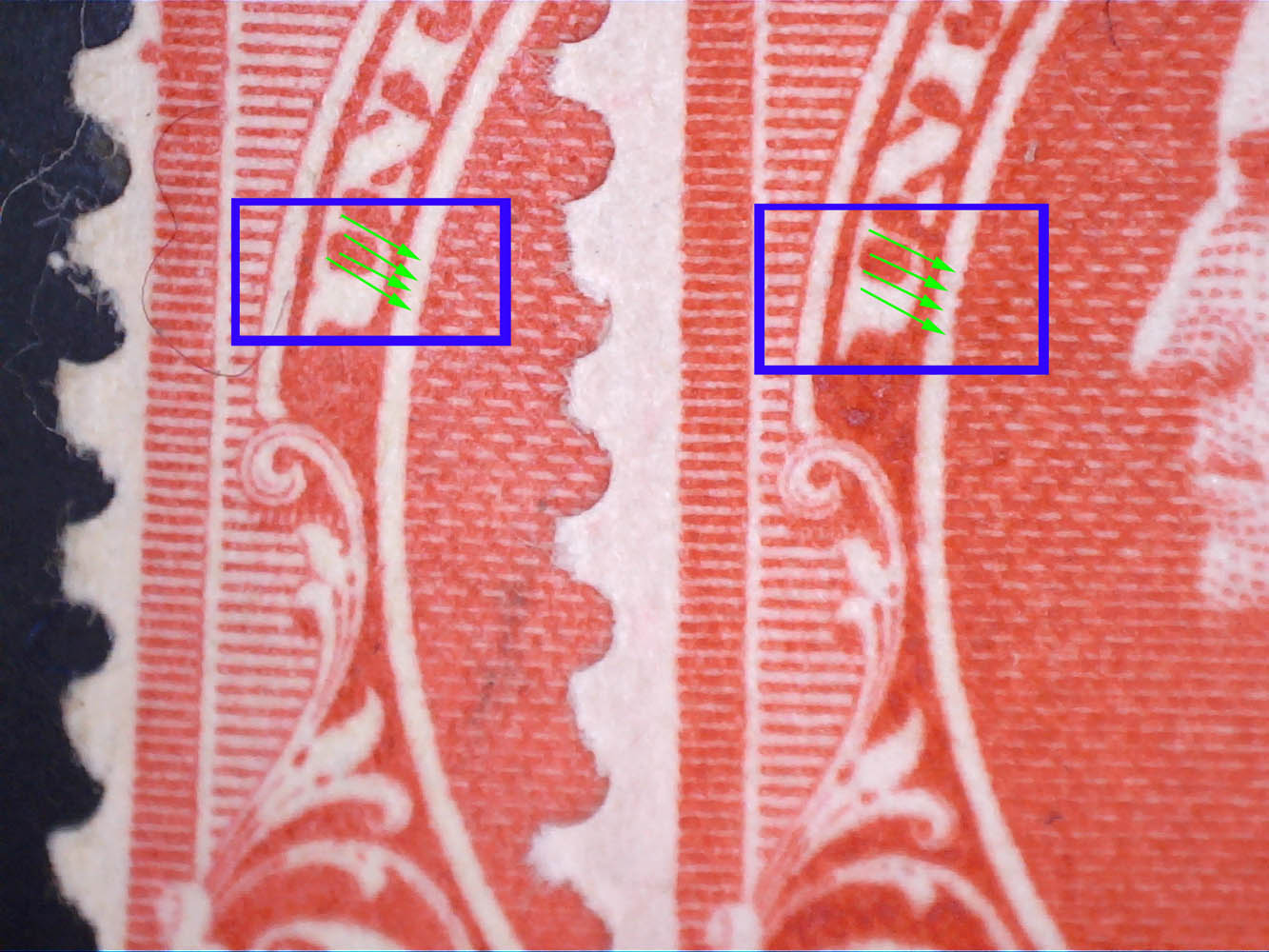 In the image above, a Type III 267 is at left, and the Typer IV 279B is at right. Note the blue box, and the green arrows inside it. The green arrows point to those "extended lines" on the right Type IV, and note on the Type 3, the lines are even with the ovals outer surface. This is one of the most definitive IDs for a Type IV. Only when I have a heavy cancel covering this spot do I look for any other characteristics. of those lines are over even a tiny bit under magnification, it's a Type IV. |
|
Send note to Staff
|
|
|
Replies: 21 / Views: 2,210 |
|



 Posted 04/26/2019 6:50 pm