| Author |
 Replies: 17 / Views: 1,935 Replies: 17 / Views: 1,935 |
|
Pillar Of The Community
501 Posts |
|
|
I have an all-in-one Epson 633 that is really driving my crazy. When I first got it in 2009 or so, I used it primarily as a home printer. It was set up to use WIFI and I seldom used the scanner. When I realized that a LAN connection seemed to work much faster, I used it for years. The problem is that I had to disconnect my internet at the back of the computer to use one or the other. In the last few months I decided to not get a LAN Y-connection, but a USB instead. The unit is designed for USB2.0 but my computer is 3.0 ready. The cable fits (1.5m length) and it does work for the printer. When I try to run the Epson Scan software, that is another story. When I click the icon it immediately takes me to this User Account Control window. If I click 'no' it terminates. If I click 'yes' it sits for a minute and then the 'Cannot Communicate' window pops up. I have never got this to work once. The device is listed as a printer. I can print but the scanner software is failing me. I have uninstalled and started over with the disc, loaded new drivers off the Epson website and followed many trouble shooting steps on the internet. I know this is long but I am hoping someone has gone through this already. It's worth keeping, I was just using it weeks ago with the LAN. Thanks for reading 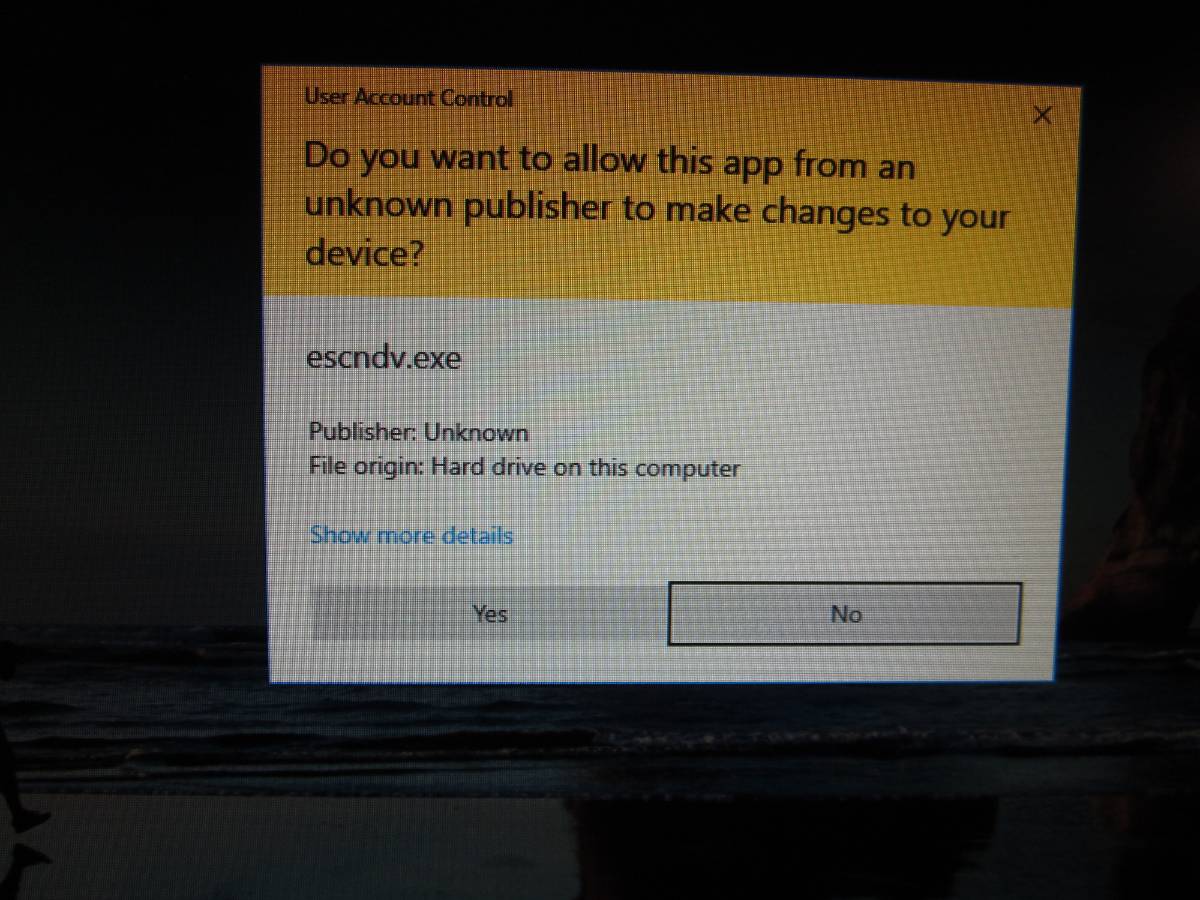 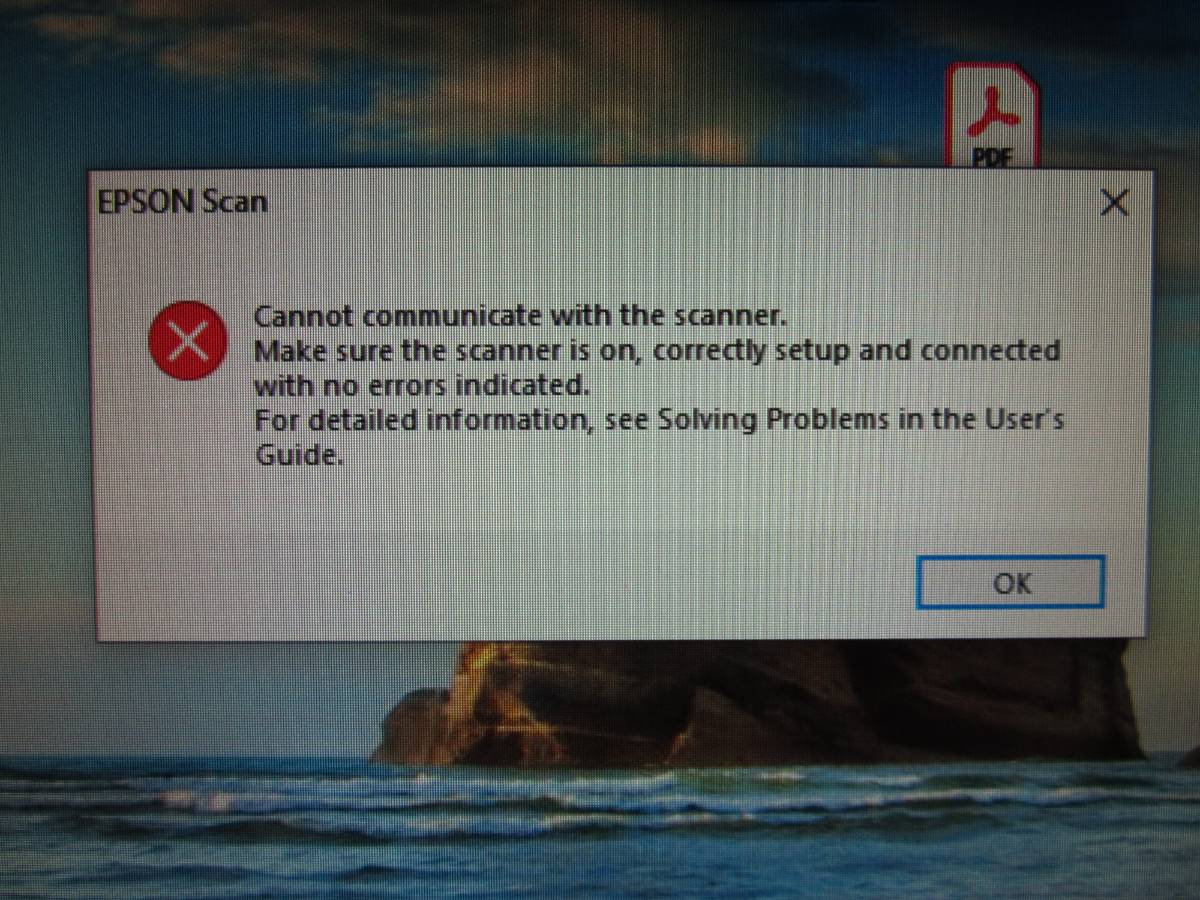 |
|
Send note to Staff
|
| Edited by Casey Magoo - 02/07/2021 11:21 am |
|
|
|
|
Pillar Of The Community
United States
1565 Posts |
|
|
Casey: not trying to be flippant here. But if you're using a 2009 printer, which likely came out at least a year earlier, it's time to upgrade.
I understand your pain. I'm using an HP Envy 7640 that I've had about three years. It has a scanner, but the instructions are for Windows and I have a Mac. I suppose there are Mac instructions out there somewhere. Right now, it's just easier to have the nice people at my local UPS Store scan the few pages per month that I need, and send to my computer.
|
Send note to Staff 
|
| Edited by Climber Steve - 02/07/2021 6:38 pm |
|
|
Pillar Of The Community
1369 Posts |
|
|
There must be a fix, but I haven't the slightest idea what it is. I'm with Steve on this. Printers are so cheap relative to other equipment, I'd just bite the bullet and get a brand new one that will connect without difficulty. I have an ancient HP printer with scanner that I was given free for some reason that keeps chugging along. But as soon as it starts to screw up, I'm tossing it and getting a new one. You got a good 11-12 years use out of that thing, and that's impressive. Maybe it's time to treat yourself to a new one? |
|
Send note to Staff
|
|
|
Pillar Of The Community
501 Posts |
|
|
That's probably what it is going to come down to. My microwave oven is shot right now too, so I've got two boat anchors that I have to carefully dispose of. |
|
Send note to Staff
|
|
|
Pillar Of The Community
United States
4523 Posts |
|
|
Is the scanner showing up in Device Manager?
I would say it is a scanner software issue if Device Manager is ok (no reported issues) with or without the scanner drive loaded. You could try VueScan to see if it can connect to it.
For software issues, you can remove all related drivers (not always sure which to remove) and then reinstall in case of conflict between drivers. For my Epson V600 scanner support, I see Microsoft and Epson drivers in Device Manager. |
|
Send note to Staff
|
Al |
| Edited by angore - 02/09/2021 07:05 am |
|
|
Bedrock Of The Community
Australia
38679 Posts |
|
|
Pillar Of The Community
United States
3306 Posts |
|
|
Pillar Of The Community
501 Posts |
|
|
I've tried every USB port, back and front. The connection does work for the printer. I've uninstalled the entire Epson package at least three times now. I have the latest drivers, etc. Maybe a LAN Y-connection? It did work off the LAN but it means losing the internet at the same time. |
|
Send note to Staff
|
|
|
Pillar Of The Community
501 Posts |
|
|
I've deleted the escndv folder from twain_32. There should be no trace of this left on my PC now. One last try before I buy a Canon... |
|
Send note to Staff
|
|
|
Moderator

United States
12330 Posts |
|
|
My recommendation is to buy a good (Epson V600) flatbed scanner and avoid the 'all-in-one' consumer grade devices. You definitely have gotten your money's worth from this device, splurge a bit!
Don |
|
Send note to Staff
|
|
|
Pillar Of The Community
501 Posts |
|
|
Thanks for your concern everyone. I reinstalled with the disc and connected with the LAN. Works fine. I'm going to call my Benfei 1.5m USB cable a dud and toss it. I'm going to try a splitter. I don't want to sound cheap but I'm spending a LOT on kayak gear right now. Paddling season is only 4 to 5 months away... |
|
Send note to Staff
|
|
|
Bedrock Of The Community
Australia
38679 Posts |
|
|
If you REALLY want to get to the bottom of the problem, perhaps try posting your problem on this forum, my "go to" fix it link. https://forums.whirlpool.net.au/forum/131Regarding the Cabling. I have just mounted my large TV on the wall, and had trouble getting a reception through my set top box. I tried as a last gasp, with 3 HDMI cables, 2 were apparently dud, and the last cheapie worked fine. Still scratching my head. |
|
Send note to Staff
|
|
|
Pillar Of The Community
501 Posts |
|
|
rod222, you are half way around the world but I have the exact same problem with my tv two feet away from me. It's connected to the box with an HDMI but always says the input is no good. It makes sense that it is the stupid cable. |
|
Send note to Staff
|
|
|
Bedrock Of The Community
Australia
38679 Posts |
|
|
Casey,
Set top boxes can be a problem also.
I am a Neanderthal with anything electrical, it's just trial and error.
I ditched my cheapie set top box, and bought a "Strong"
Sometimes I can get only Channel 2, nobody could fix it,
I just happened to turn it off, unplug, replug and turn on,
and everything works beautifully.
The cheap box had no program synopsis, the strong does
My HDMI $48 HDMI cable with gold conectors...nup, my cheapie $18 black placcy works fine.
|
|
Send note to Staff
|
| Edited by rod222 - 02/09/2021 5:35 pm |
|
|
Pillar Of The Community
501 Posts |
|
|
March update: We now have a new Epson WF4830. My wife got her employer to pay for it as she's been working from home for 12 months now. I had nothing to do with the transaction or selection. It works but the scanning software is a step back I'm afraid. The Epson Scan 2 does not have the Home/Business/Pro settings that the old version did. I have to scan on 'photo', because 'document' has ridiculous limitations. I'm wondering if there is another download out there I could use with the machine. After what I've been through on the 6330 I'm afraid to even think about it. |
|
Send note to Staff
|
| Edited by Casey Magoo - 03/23/2021 5:26 pm |
|
|
Moderator
United States
12330 Posts |
|
|
Replies: 17 / Views: 1,935 |
|



 Posted 02/07/2021 11:17 am


