| Author |
 Replies: 20 / Views: 1,911 Replies: 20 / Views: 1,911 |
|
Bedrock Of The Community
Australia
38679 Posts |
|
|
|
I Have my stamps Backups on external Drive
I need to delete backup Folder 2019 (112 Gb)
Without disturbing other Backups.
Best suggestions please.
(Win7 and USB2.0)
Ooops
I can throw it onto W10 and USB3
|
|
Send note to Staff
|
| Edited by rod222 - 12/20/2022 7:27 pm |
|
|
|
|
Pillar Of The Community
United States
7105 Posts |
|
|
I think I'm not tracking on something, so let me state what I think and then you can tell me that I'm not answering what you're asking.
An external drive should show up as a drive in My Computer, e.g., F:, G:
You should be able to navigate to the level that is one level up from Folder 2019 and one-click Folder 2019 and then Shift-Delete it. That dispenses with the Recycle Bin and permanently deletes it.
Of course, you have to be sure, sure, sure.
But I'm guessing that isn't what you're asking.
C. |
Send note to Staff 
|
|
|
Bedrock Of The Community
Australia
38679 Posts |
|
|
Thanks for responding Collin,
In the past I was selecting the folder, right click, delete.
Then it went into deleting one file at a time,
I panicked and did not want to lose my other folder, so
went gardening whilst it carried on.
I was hoping to get just a quick delete, as you have alluded to
I'll give it a whirl
(I have other later BU's on externals, I keep 3)
|
|
Send note to Staff
|
|
|
Bedrock Of The Community
Australia
38679 Posts |
|
|
All good, took 9 minutes, still deleted 1 file at a time (500 images per second) A lot faster than Win 7 Thanks Still have anxiety with these SSD drives, having images just in memory freaks me out  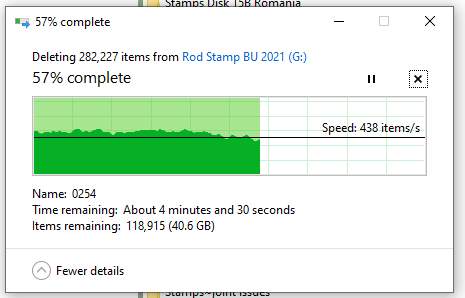 |
|
Send note to Staff
|
| Edited by rod222 - 12/20/2022 8:43 pm |
|
|
Pillar Of The Community
United States
7105 Posts |
|
|
I don't think you get away from the system thinking it is ridding you of one file at a time...I think that goes with the architecture. All's well that deletes well. |
|
Send note to Staff
|
|
|
Pillar Of The Community
Australia
3299 Posts |
|
|
Pray you never get a file that you want to delete on a corrupted sector of the drive.
Reformat is not fun, but not a drama if you're prepared.
Dual backups essential. Permanent backups to DVD for everything important also. |
|
Send note to Staff
|
|
|
Bedrock Of The Community
Australia
38679 Posts |
|
|
Hi Bobby,
Never gone the DVD route, 130Gb How many disks?
The new SSD externals from Officeworks $75 for 1 terabyte, if memory serves.
I keep 3 backups, 1 in the shed.
|
|
Send note to Staff
|
|
|
Pillar Of The Community
United States
7105 Posts |
|
|
Rotating through backups is a good idea. Every once in a while, you should pick a moment in time and set aside a true archive copy.
I fell for M-Disc and their promise of "burning in stone" for a 1,000-year copy. Now, actually, I don't care if my backups last 1,000 years. I'm hoping for 40-50, tops. And I believe M-Disc can manage that.
I also fell for CD's promise of "perfect sound forever" only to realize they actually meant "perfect sound for 20 years, if you're lucky." |
|
Send note to Staff
|
|
|
Pillar Of The Community
Australia
3299 Posts |
|
|
Standard is 4.3Gb a disk, so a little over 30 discs required Rod.
Not expensive, but time consuming to burn 30+ discs!
$75 for 1Tb is a good price isn't it? So long as it's a good product. |
|
Send note to Staff
|
| Edited by Bobby De La Rue - 12/20/2022 10:13 pm |
|
|
Bedrock Of The Community
Australia
38679 Posts |
|
|
I bought mine before the pandemic, there was a special on. They are verbatim and not much bigger than a Zippo Lighter. My stamps are now at 150Gb 2.25 hours to back up (Win7 USB 2,0) Latest I see are $99 and a little larger. (that's equal to 90 DVD's +) Never heard of an M Disk, shall have to google  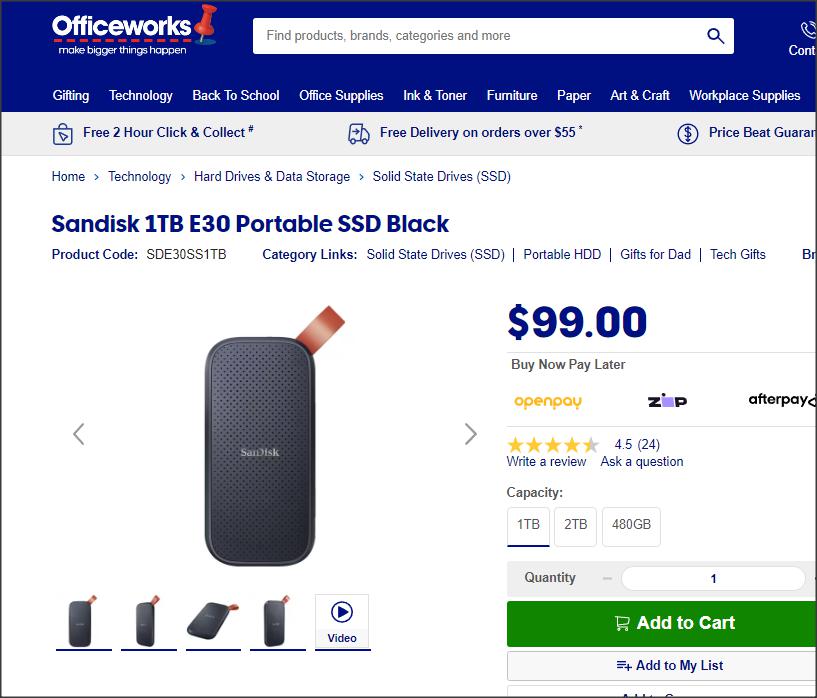 M disk Only on Amazon (I refuse to support Amazon) 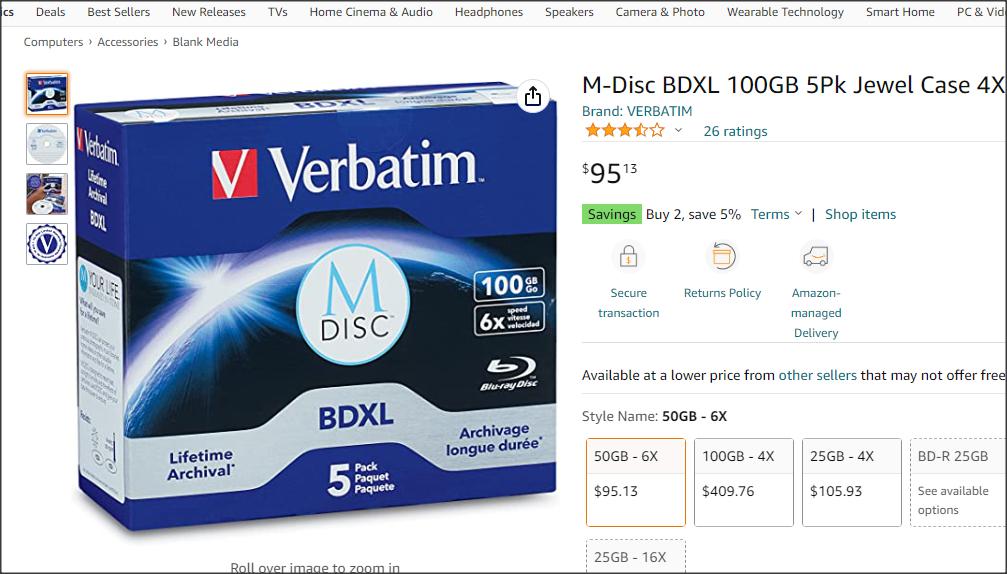 |
|
Send note to Staff
|
| Edited by rod222 - 12/20/2022 11:41 pm |
|
|
Moderator

United States
12330 Posts |
|
|
Rod, I would first check to see if your PC has a USB 3.0 port; USB 2.0 transfers at 480 Mbps while USB 3.0 typically transfers at 5.0 Gbps. Note that older computers can have both 2.0 and 3.0 USB ports, USB 3.0 ports can be identified as being 'blue' like this 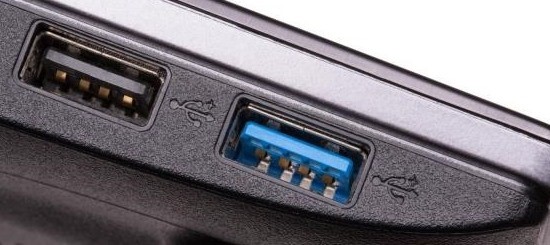 Buying faster external drives will not help if the PC USB speed is stuck at 2.0. Make sure that if you do have a USB 3.0 port that your USB cable is a good quality. You can typically purchase a USB 3.0 card to put into your existing older desktop for a reasonable price ($12 US) 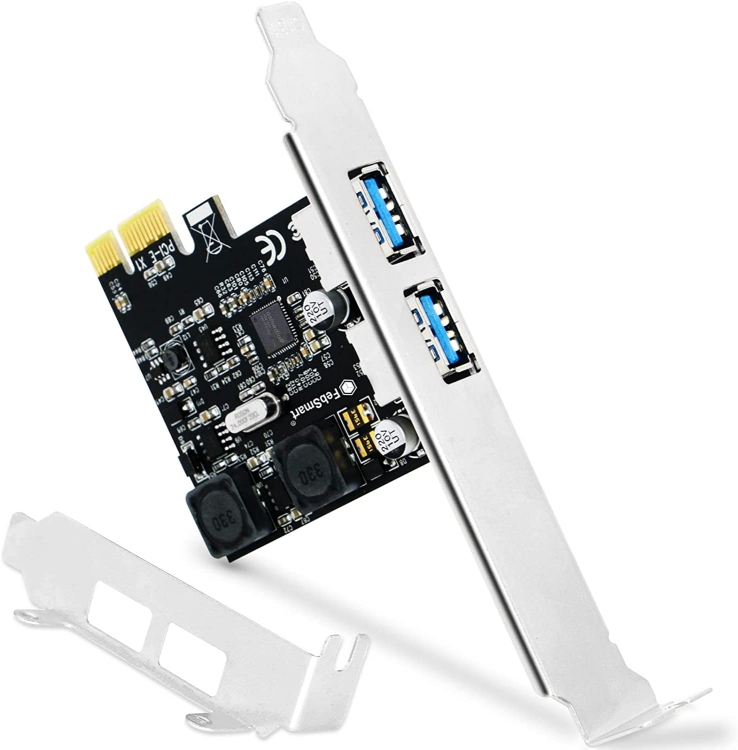 I would also check top make sure that the external drive is formatted as NTFS and is not using the older, slower FAT32. (Note: Reformatting will erase all data on the drive.) Lastly, I would make sure that the external drive is not more than ½ full. The drive will slow down significantly if it is over 50% full. Don Edit; Also note that an M-Disc DVD requires a much stronger laser, so your DVD burner might need to be upgraded before using an M-Disk. |
|
Send note to Staff
|
|
|
|
Bedrock Of The Community
Australia
38679 Posts |
|
|
Interesting advice Don, Thanks a bunch.  I see my Win7 has a 4 slot Blue USB card I surely have tried that in the past, although I do not recall it In the meantime I'll get to it with a thumb drive and see if the slots work. (My cables arrangement looks like Medusa's hairstyle)  I understand reformatting and risks Did not know about the 50% I think I recall changing all my new drives to NTFS I learnt the hard way there. If I can have USB 3.0 on my Win 7 that will be a Godsend. I am not going the DVD route. |
|
Send note to Staff
|
| Edited by rod222 - 12/21/2022 06:50 am |
|
|
Bedrock Of The Community
Australia
38679 Posts |
|
|
I checked Device Manager,
I am not USB3 enabled.
Don, are you able to find out if MicroStar P45 neo-F Motherboard
is USB 3 compliant ?
|
|
Send note to Staff
|
| Edited by rod222 - 12/21/2022 07:27 am |
|
|
Moderator
United States
12330 Posts |
|
|
Rod, https://www.msi.com/Motherboard/P45...pecification - your motherboard does not have any USB 3.0 on it. But you can get an inexpensive add-in USB 3.0 card like this $13 (US) one https://www.amazon.com/dp/B07W82SV3VNote that you will want a USB card that supports PCI-E X1 slot (those two little slots on your motherboard shown below 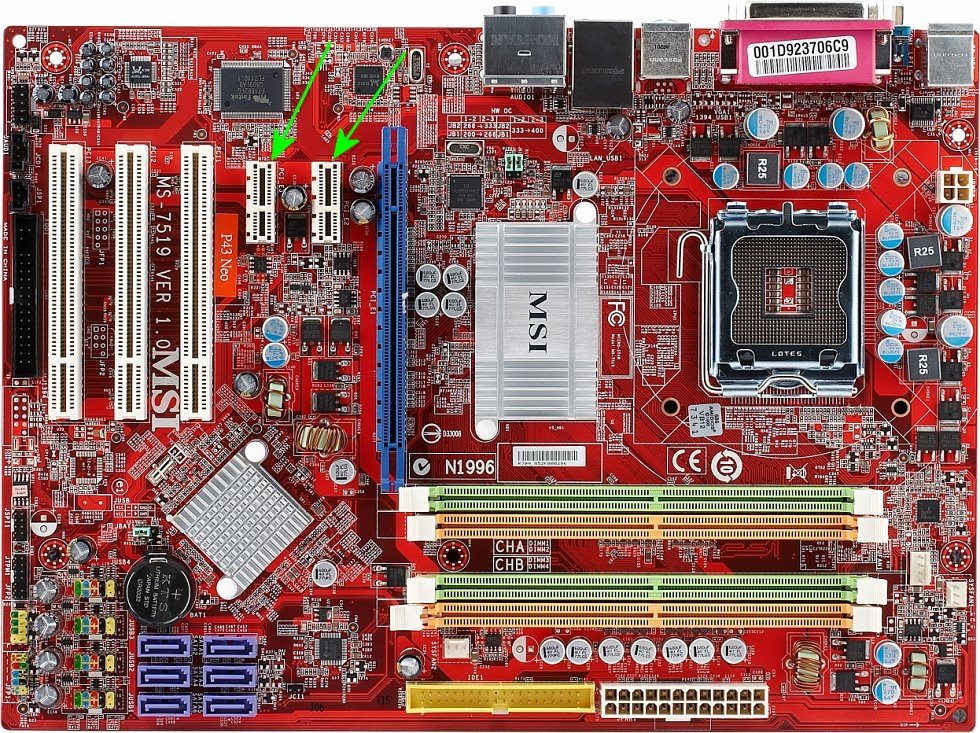 It will not matter if the motherboard BIOS shows any 3.0 support, the add-in card has its own processor and will handle the USB 3.0 bus (you may have to install driver). Don |
|
Send note to Staff
|
|
|
Pillar Of The Community
United States
2941 Posts |
|
|
Rod, Don's add-in solution is your best bet for speeding up full backups, since that's really the only way around the transfer speed limitations. If you're going to go that route, the nomenclature can get a bit confusing with the different iterations of USB 3.x (see below), so don't be afraid to ask here before purchasing anything. 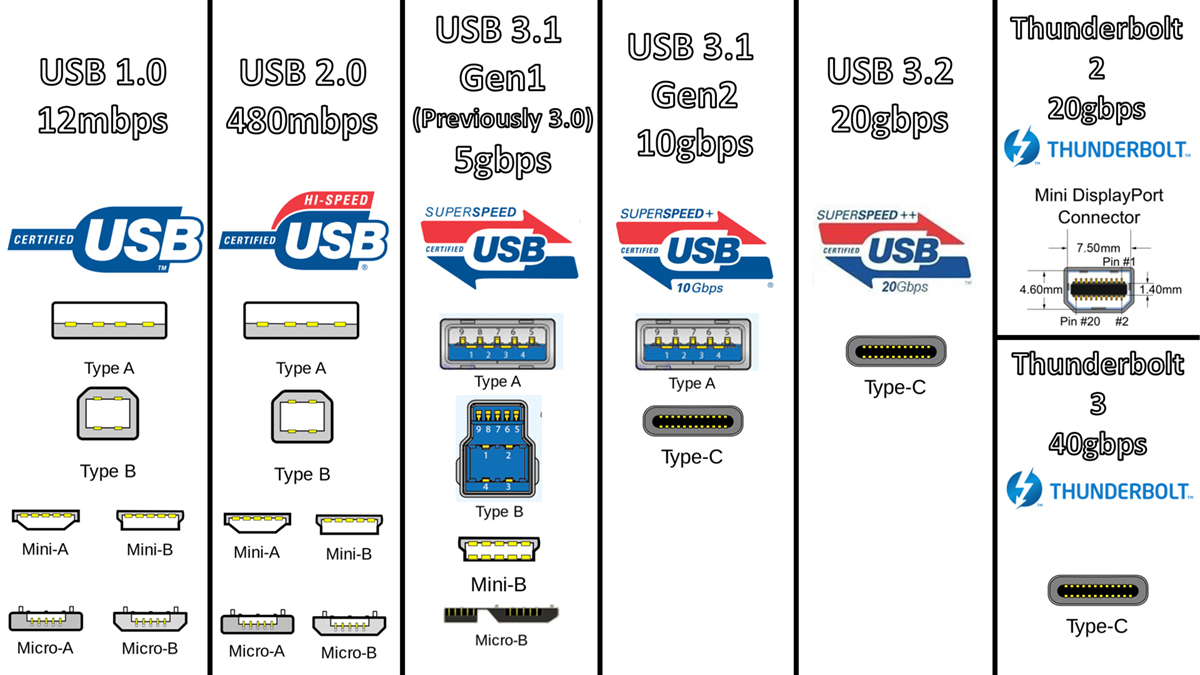 However, if you decide not to go the hardware route, there is a software option that you might consider. You can install backup software that will keep a backup (or backups) on external drives, but which only needs to do the full 150 GB once. From that point forward, it only needs to add those items that have changed. So, instead of doing regular 150 GB backups, you would do an initial 150 GB backup, then smaller backups as files get changed/added. |
|
Send note to Staff
|
|
|
|
Pillar Of The Community
United Kingdom
8635 Posts |
|
|
That's an impressive piece of artwork in Don's post. Beats Jeff Koons any day. |
|
Send note to Staff
|
|
|
Replies: 20 / Views: 1,911 |
|




 Posted 12/20/2022 7:24 pm


