Nice stamps! Nice find! Welcome!

In photo editing software or programs cropping a photo to see a stamp to the best advantage is sometimes a hard concept to understand if you haven't done it before. Simple idea but hard to explain and understand properly. A picture is worth a thousand words they say:
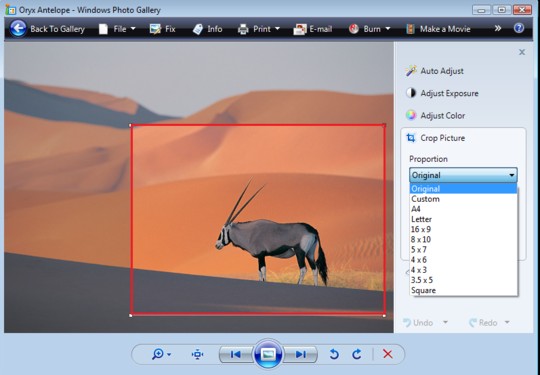
Ignore the 4x6 and such like sizing, your program will probably just have a frame around the whole image and you will grab it and move it around and Save As when you get the size and composition correct.
Pretend the antelope is one stamp you want to zoom in on.
So then, when you save the cropped or modified picture you will get a single stamp like
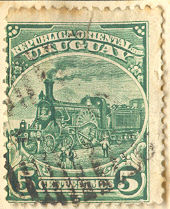
And a really zoomed-in image (at a higher resolution like 600 pixels per inch, your scanner software should have this somewhere or the other, a usual regular scanner setting is 200 ppi) will give you something like
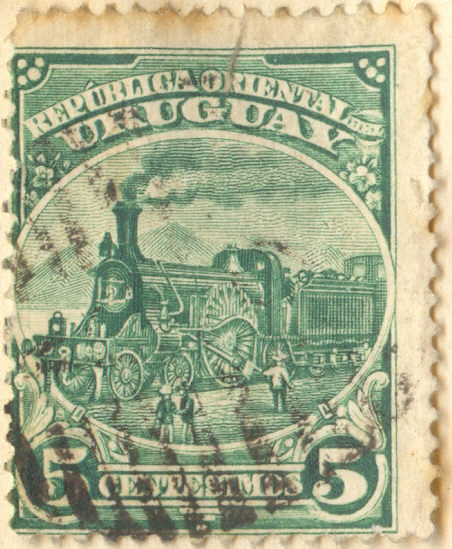
See how the details pop out at you, much easier to see damage or repaired places or such or just to see the beauty of the stamp in finer detail. Look at the Engraved thread on here to see some really well scanned images.
Remember to leave room around the edges to show all the perforations around the edges also.
You don't have to do the expanded image size and resolution unless you are really examining the details of a stamp.
If your file size for the image (right click / choose properties) is too big for the forum then use the image optimizer tool above the editing message window.
Sorry if you know this already, wasn't sure.





 Posted 07/23/2011 01:16 am


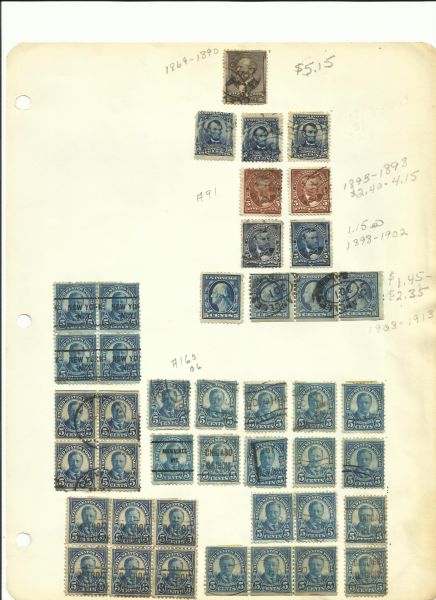


 And to the gentlemen that explained how to scan them right thank you but it was in a different language as I am not computer savy lol. I am going to do my best.


