| Author |
 Replies: 87 / Views: 10,697 Replies: 87 / Views: 10,697 |
|
|
|
Moderator

United States
12330 Posts |
|
|
Note: Scanned images should be done with the scanner lid/cover closed, not open. (Most scanners are calibrated with scanner lid closed and controlled ambient light. With the scanner lid open, the scanner will try to compensate for the ambient light and results may be affected.) Scanner manufacturer don't add the extra cost to the scanner lid for no reason :)
Don |
Send note to Staff 
|
|
|
Valued Member
Germany
284 Posts |
|
|
Pillar Of The Community
United States
2230 Posts |
|
|
Yes, the stamp with the NOV cancel is a #10, orange brown.
The stamp with the Champlain New York cancel probably is either rose red or brownish carmine, I can't tell for sure from your images.
Your "normal setting scan" seems to show the correct stamp colors, as indicated by the #10 with the NOV cancel. |
|
Send note to Staff
|
|
|
Pillar Of The Community
United States
2230 Posts |
|
|
dittrich,
That's a very helpful scan settings screen shot. I have the same scanner software and will try your settings. |
|
Send note to Staff
|
|
|
Pillar Of The Community
United States
937 Posts |
|
|
Classic Coins,Your last image with the 10 shades has the same problem as Dittrich's scan with "Automatic" settings. ------------ Dittrich,Your scanner's "Automatic" setting resulted in lost color information. The "Normal" settings did not lose color information. It can be optimized: 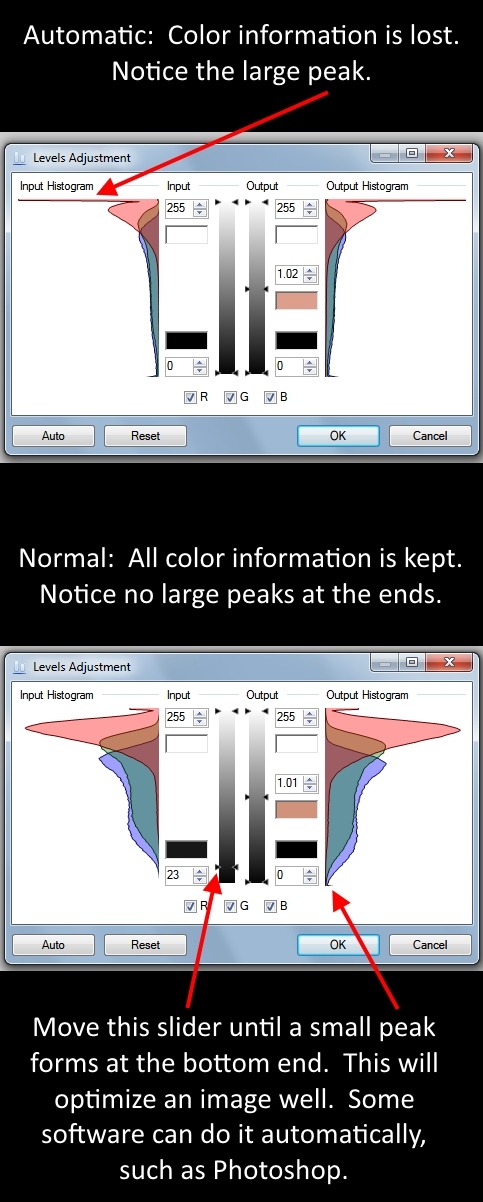 The optimized version to me looks clearly to be Orange Brown on my monitor: 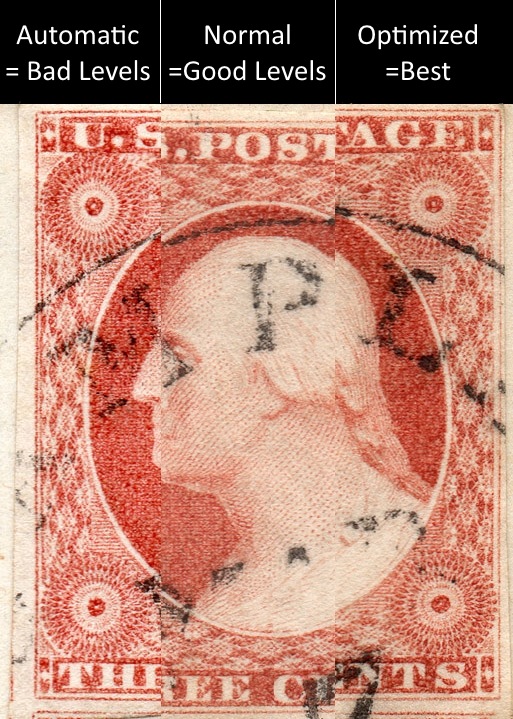 |
|
Send note to Staff
|
Ryan = HDNAC = DNA = HDC = Hysterical DNA Collector = Historical DNA Collector = me who just loves stamps :) |
|
|
Valued Member
Germany
284 Posts |
|
|
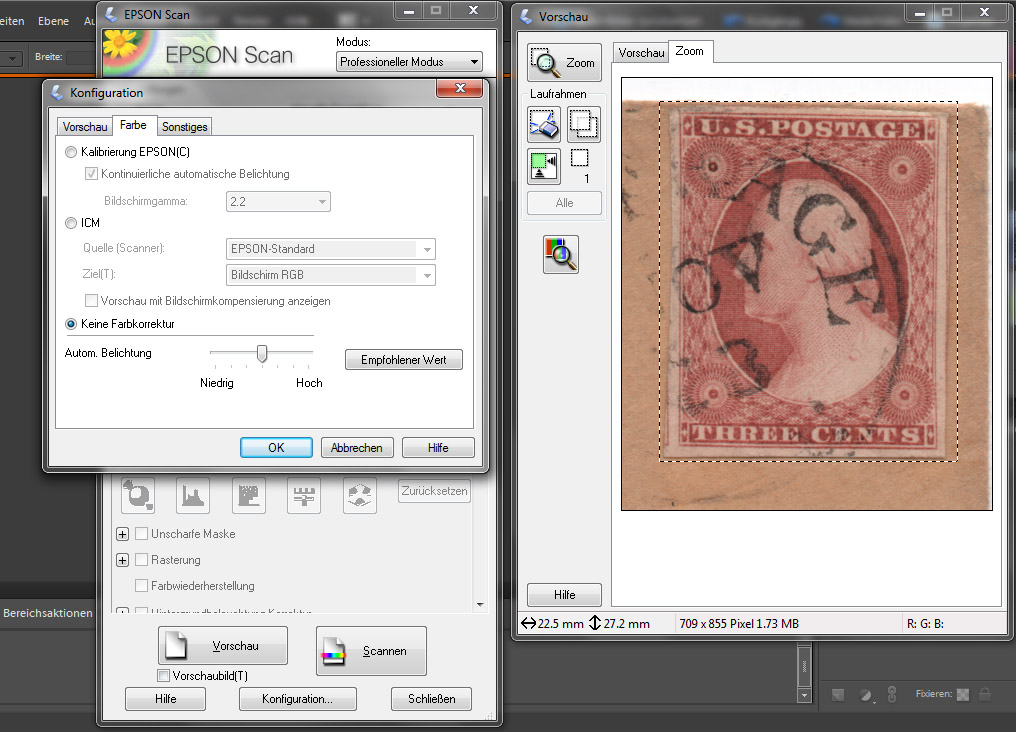
thanks @Classic Coins and @Historical DNA Collector, this is beautiful help. I will forever scanning the stamp as the last two postings, all automatic settings off. this is #10a 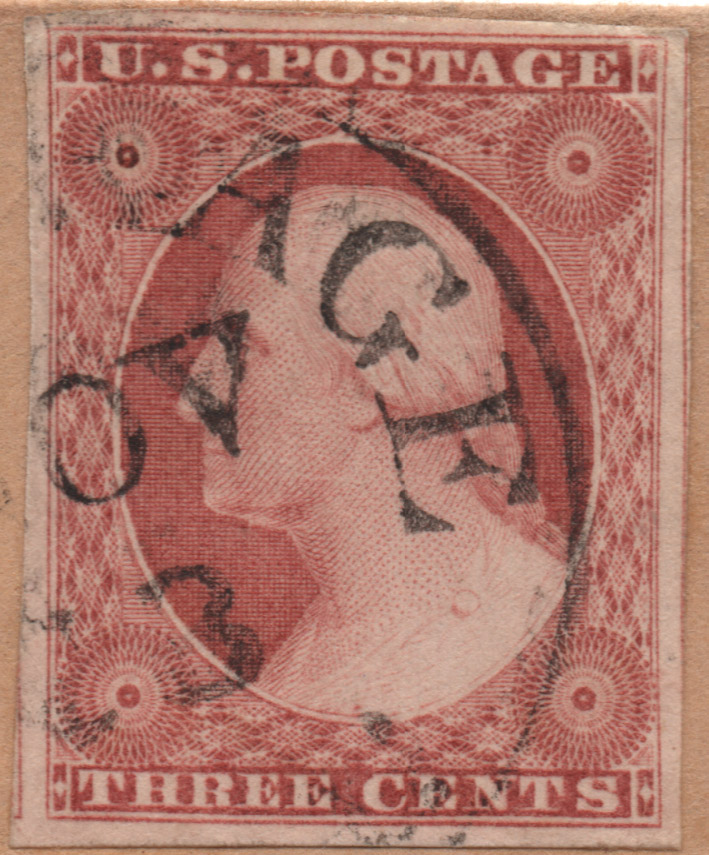 and this is #11a Orange Brown? 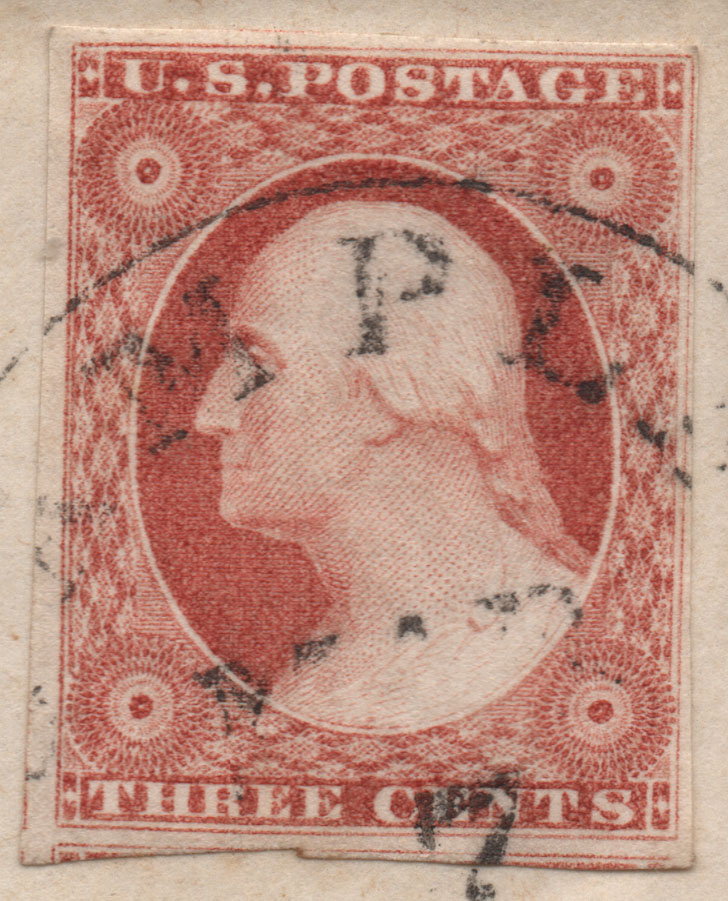 |
|
Send note to Staff
|
|
|
Pillar Of The Community
United States
2230 Posts |
|
|
Pillar Of The Community
United States
2230 Posts |
|
|
Historical DNA Collector,
Is your color levels adjustment screenshot from Epson scanner software, another program, Photoshop? Was the adjustment made after the scan, or before?
Thanks! |
|
Send note to Staff
|
|
|
Pillar Of The Community
United States
937 Posts |
|
|
Classic Coins, I know of no scanner software that allows setting levels. Some do have settings for "Highlights" and "Shadows" that set the initial black and white levels which can result in improvement without too much effort. Photoshop, GIMP, and other image processing programs allow for setting the "Levels" of a scan or photo. Paint dot Net is free, simple, fast and meets all of my needs: http://www.getpaint.net/index.htmlTo get even better results requires a calibration target and significant effort. However, scanner calibration does allow for very accurate comparisons. Ryan |
|
Send note to Staff
|
Ryan = HDNAC = DNA = HDC = Hysterical DNA Collector = Historical DNA Collector = me who just loves stamps :) |
|
|
Pillar Of The Community
United States
2230 Posts |
|
|
Pillar Of The Community
United States
937 Posts |
|
|
Classic Coins, You're welcome. I thank you for sharing your knowledge. Getting current computing equipment to accurately sample and display color is much too difficult and laborious to be worthwhile for most. However, one can get results that work well enough for most situations without too much effort for what is gained: - Make sure that color information isn't lost.
- Set the levels to improve an image's color correctness.
- Make sure that your scanner outputs images in the sRGB color space for maximum compatibility.
Unfortunately, your images fail that last bullet point. The images that you have posted to this thread have not been assigned any color space. That means that some viewers will see them with inaccurate color. I'll send you an email here in a bit in case you want some help correcting this. Previously I made an offer to all forum members to give personal help in setting their scanner's to output sRGB images. I'm renewing that offer now. If you are having too difficult of a time trying to figure out how to do so, then send me a message. This kind of stuff can be very frustrating to figure out on your own. |
|
Send note to Staff
|
Ryan = HDNAC = DNA = HDC = Hysterical DNA Collector = Historical DNA Collector = me who just loves stamps :) |
|
|
Pillar Of The Community
United States
2230 Posts |
|
|
Ryan,
Getting better color out of my scans is extremely important to me as a color specialist. I currently have GIMP and Arcsoft Mediaimpression 2. You lost me at sRGB color space! I'd greatly appreciate any help you can provide. I just sent you a message. |
|
Send note to Staff
|
|
|
Pillar Of The Community
United States
2948 Posts |
|
|
Don't mean to photo bomb this thread CC. What you're doing is more important. I am ignorant about scanner settings. I just will scan a questionable color with a known color. The top left I know is OB per plating. So I thought I would put together the months of 1851. The top left is plate 1e hence July. The August and the December, I'm hopeful but not sure. The Dec looks a little bit red. Sinclaie2010 likes the New-York cancels, so I worked that into the theme also. 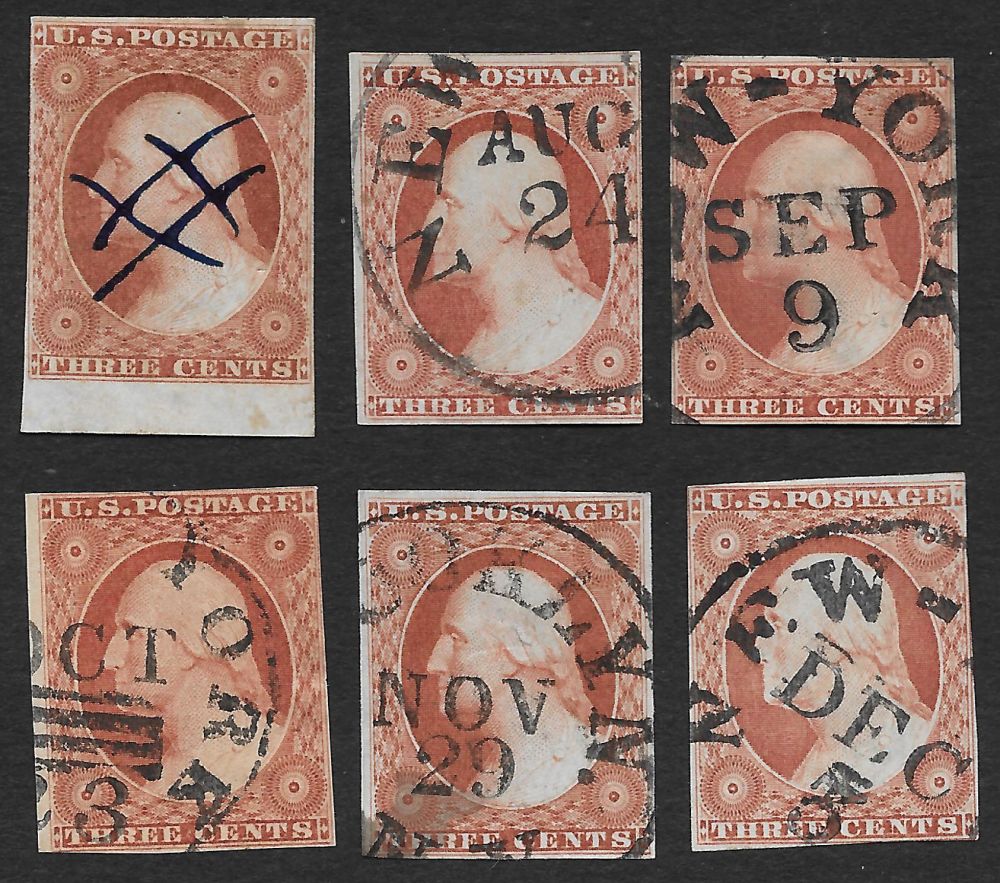 |
|
Send note to Staff
|
| Edited by stampcrow - 10/31/2015 9:16 pm |
|
|
Pillar Of The Community
United States
2230 Posts |
|
|
Is that six more #10s, Stampcrow? Nice haul! Great margins, too! |
|
Send note to Staff
|
| Edited by Classic Coins - 10/31/2015 9:15 pm |
|
|
Pillar Of The Community
United States
2948 Posts |
|
|
CC, I was adding text to the image while you were posting. I'm hopeful these are OB's. If so they are 10 and 10a's. |
|
Send note to Staff
|
|
|
Replies: 87 / Views: 10,697 |
|




 Posted 10/31/2015 4:54 pm