| Author |
 Replies: 18 / Views: 3,904 Replies: 18 / Views: 3,904 |
|
Valued Member
United States
31 Posts |
|
|
Hi guys, I'm new here and really am getting frustrated at how nuanced the details between certain stamps are. Can anyone confirm for me that the one on the far right is a #500. 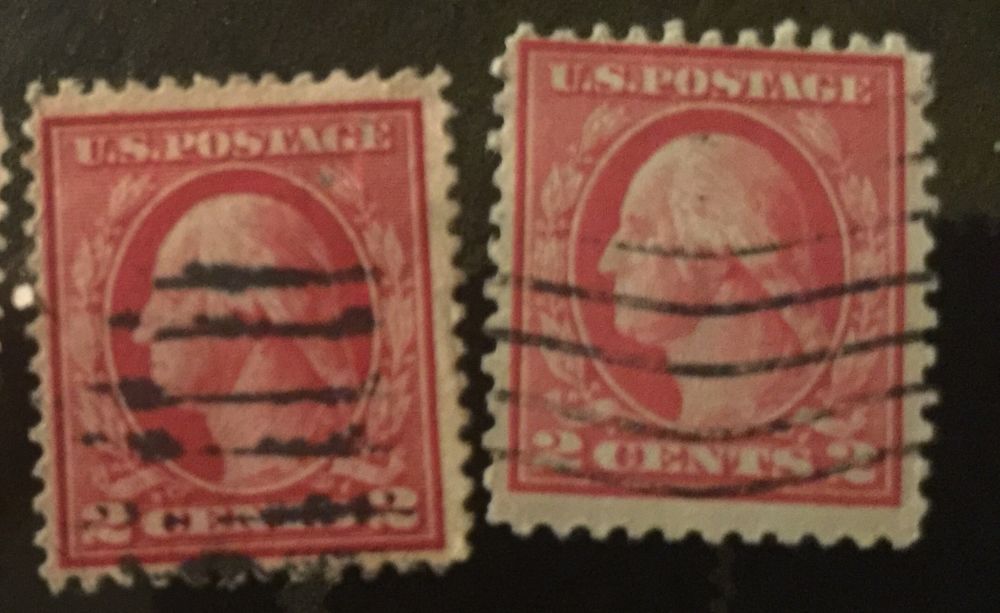 |
|
Send note to Staff
|
|
|
|
|
Moderator

United States
12330 Posts |
|
|
Experienced collector struggling to see your images!  Welcome to the board! Do you have a way to scan these stamp so we can see them better? The images above are going to make any ID difficult at best. Don |
Send note to Staff 
|
| Edited by 51studebaker - 12/13/2015 04:45 am |
|
|
Pillar Of The Community
United Kingdom
8636 Posts |
|
|
One way not to get frustrated, especially at an early stage, is not to worry about different issues of an individual stamp. There are thousands of beautiful stamps out there from all over the world - just look for them and worry about distinguishing watermarks, perforations, printings etc at a later date (if ever). |
|
Send note to Staff
|
|
|
Valued Member
129 Posts |
|
|
There's a wealth of knowledge to be gained at this site. There are many here more then willing to teach and help, but you must make it as easy as possible for them to do that.
Scans of 1200 DPI would be helpful, and a $50 HP printer can do the job. |
|
Send note to Staff
|
| Edited by carlberky - 12/13/2015 06:49 am |
|
|
Pillar Of The Community
United States
2423 Posts |
|
|
Valued Member
United States
161 Posts |
|
|
Valued Member
United States
344 Posts |
|
|
What "$50 printer" can scan at 1200dpi? My year old backup printer - a $70 HP - maxes out at 600dpi, and arguably the 300dpi scans are cleaner. Just because my software has scan settings up to 3200dpi doesn't mean that the device can do so. |
|
Send note to Staff
|
|
|
Rest in Peace
United States
4052 Posts |
|
|
Pillar Of The Community
United States
628 Posts |
|
|
my scanner has differant settings and under photo I can scan at a higher dpi, sometimes if you fish around you may find what you have is better than you think. |
|
Send note to Staff
|
|
|
Valued Member
129 Posts |
|
|
KollectorKurt, "What "$50 printer" can scan at 1200dpi?" My HP Deskjet 1050 1410 can. 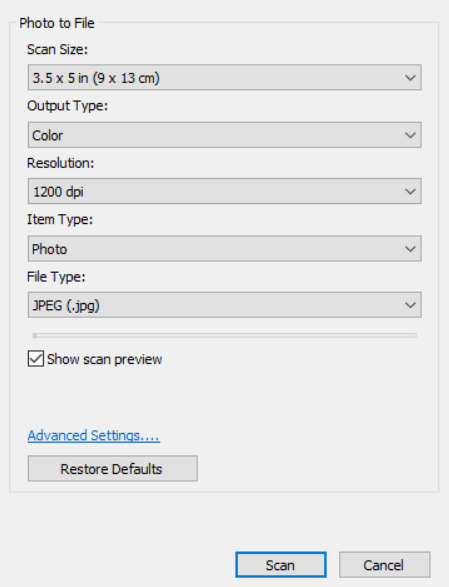 |
|
Send note to Staff
|
|
|
Moderator
United States
12330 Posts |
|
|
I think the misunderstanding is between the true 'optical resolution' and the resolution that can be generated by using the software that comes with the scanner. All scanners have a maximum optical scan capability; this is what the hardware is capable of. But manufacturers add bundled software which increases this to much a higher resolution. This software is no different than a graphics application in which you can enlarge the image.
The software allows the manufacturer to advertise that their scanner has a higher resolution than the hardware is actually capable of; a bit misleading for those who are not technically inclined. And when folks discuss scanner resolutions this issue always seems to come up; some people are thinking true optical resolution while others are thinking what is emblazoned on the side of the box or what a drop down box shows as above.
The scanner market is really divided using optical resolution capability, the hardware is what determines if the scanner of high end or low end. The software doesn't really impact the cost.
Real cheapo scanners might have an optical scanner resolution of 300 dpi and then use software that allows the image to generate an enlarged image of 1200 dpi. This by no means is the same image quality that a more expensive scanner will delivery if it has a true optical resolution of 1200 dpi.
Don
|
|
Send note to Staff
|
| Edited by 51studebaker - 12/14/2015 04:25 am |
|
|
Pillar Of The Community
United States
1414 Posts |
|
|
Don, I am not sure it is quite that simple. Some scanners are defeated by the defective software bundled with the hardware. Generally single purpose scanners are superior to "all in one" products that combine the worst features of a cheap scanner with an inferior printer with obsolete fax technology thrown in just to further confuse consumers. I had a CanoScan 9900F flatbed scanner with 3200 dpi x 6400 dpi optical resolution and 48-bit color depth until I shut down the Windows Server 2003 system. I now have a CanoScan 9000F with 4800 DPI optical resolution for documents and 9600 DPI for transparencies. Some newer flatbed scanners have even higher resolution while some expensive document scanners with page feeders are limited to 600 DPI. Scanners with the ability to scan transparencies (slides) often have better resolution but add to the cost. (I haven't tried it, but it may be possible to use the transparency capability to capture some watermarks.) A sampling of scanners, including at least one for under $100 are listed here: http://www.pcmag.com/article2/0,281...73832,00.aspUnfortunately, bundled scanner software using the newer WIA standard is subpar at best. Somewhere a $10 per hour off shore software developer must have decided that 600 DPI was enough resolution for reflective scans (documents, photo prints, stamps, etc.) making it difficult to scan at higher resolutions supported by the native hardware. I still use the 32 bit version of Photoshop 7 to drive the somewhat eccentric ScanGear software from Canon so that images can be directly imported into Photoshop using the older TWAIN standard. I also use VueScan, but mostly to drive a slide scanner. It can be used to drive a wide variety of scanners, especially ones lacking drivers for Windows 7 or above. For stamps, I believe that a scanner capable of at least 1200 DPI is helpful. Scanning small stamps at 600 DPI will produce acceptable results on ebay, despites complaints that uploaded images are "too small". Images larger than 600 DPI will show every blemish, even ones that no one will notice when looking at stamps in an exhibit or an album. Clark |
|
Send note to Staff
|
| Edited by cfrphoto - 12/14/2015 10:32 am |
|
|
Pillar Of The Community
United States
2547 Posts |
|
|
I had an Epson 4800 3-in-1 that did great scans up to 1200. I used it a lot. It lasted about 8 years and then the paper feeding mechanism broke down. I was apprehensive about how to replace it, but I saw the Epson 3600 at Walmart for under 100$ and took a chance. Wow! It prints and scans about 3 times faster than the old one. Newer can be better. The technology is amazingly cost effective. |
|
Send note to Staff
|
|
|
Pillar Of The Community
United States
2547 Posts |
|
|
Here is a 1200 dpi from my Epson 3600 showing SC 500 characteristics. [156kb size almost the maximum here] 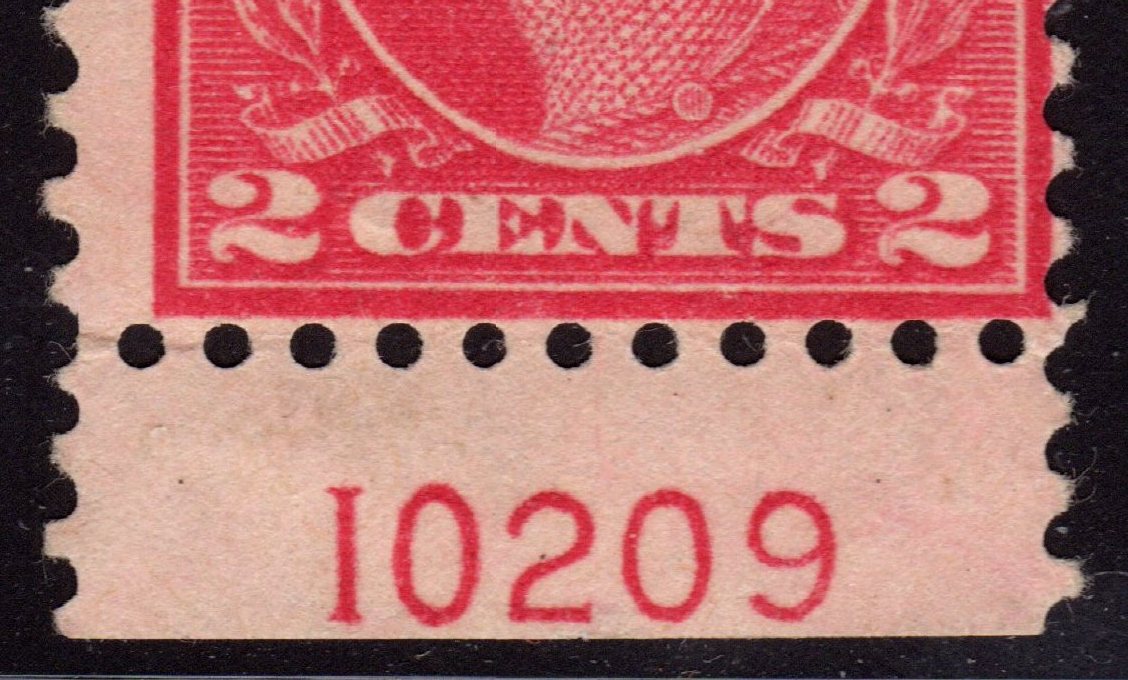 |
|
Send note to Staff
|
|
|
Moderator
United States
12330 Posts |
|
|
Clark,
I was keeping it simple because others have been critical of technical posts.
I have tried using transparency mode on my flat bed and the results were not good for me. Like you, I was thinking that the back light in the lid might be assist in showing watermarks but the intensity of the light was not sufficient. And like you, I have used VueScan for many years to workaround the lack of a Twain driver I was happy with.
I hate 'all-in-one' devices and really struggle with them when in the hands of less technical people. For example Bill W, bless his heart, kept me busy many times as he tried to get his all-in-one to do what he wanted it to do.
Anyone who is going to use a scanner for higher resolution imaging will find that buying a quality flat bed will serve them better than a cheapo one. Lastly, users can easily determine the optical resolution vs. software emulation resolution by watching, and listening, to their scanner. A scanner stepper motor has to move the light bar at much slower speeds if it is scanning at the higher optical resolutions. This is probably why manufacturers use software emulations, the performance of the scanner is not effected.
Don
|
|
Send note to Staff
|
|
|
Pillar Of The Community
United States
566 Posts |
|
|
Quote:
I was keeping it simple because others have been critical of technical posts.
I appreciate both the PG and the R rated explanations. The easier explanation gives me a framework on which to hang the additional technical details. I still don't understand everything but if I see something that interest me I can always ask and I also have search terms to use to learn more.  Thanks for all explanations!  |
|
Send note to Staff
|
|
|
Replies: 18 / Views: 3,904 |
|



 Posted 12/13/2015 03:01 am


